1
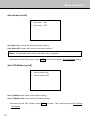
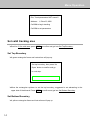
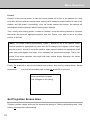
Menu Operation Exit, Track parameters NOT saved !! Address:1, Pelco-D, 9600 Call 80# to begin tracking Call 95# to set parameters Set valid tracking area Scroll to 2. Set valid area, press OPEN to confirm and get into Set Top Boundary . Set Top Boundary A green rectangular frame and instructions will pop up. Set top boundary, then press ‘Iris Open’ button to confirm and go to next step. Move the rectangular up/down to set the top boundary; suggested to set abreasting to the upper side of blackboard. Press OPEN to confirm and get into Set Bottom Boundary . Set Bottom Boundary A yellow rectangular frame and instructions will pop up. 14