1
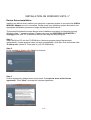
INSTALLATION ON WINDOWS 2000 / XP / VISTA / 7
Device Driver Installation
Installing the device driver enables your computer’s operating system to recognize the USB to
WSXGA+ Adapter once it’s connected. Please check your operating system and refer to the
appropriate installation procedure to begin installing the device driver.
This section illustrates the simple device driver installation procedure for computer running Windows
2000 / XP operating system. Please make sure the USB to WSXGA+ Adapter is unplugged from
your PC or Notebook before executing the setup program.
Step 1.
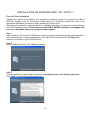
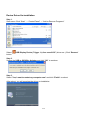
Insert the Driver CD into the CD-ROM drive; the setup program should be launched automatically. If
setup program does not begin automatically, click Start, Run and double click “D:\Setup.exe”
(where D: is the path of your CD-ROM drive).
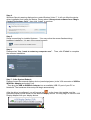
Step 2
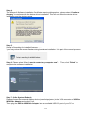
Driver Installation Wizard, click “Next” to continue.
Step 3.
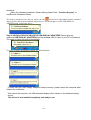
License Agreement, please read it and select “I accept the terms of the license agreement.”
Click “Next” to accept the License Agreement.
4-23