1
Table of Contents
Chapter One.
Getting Started.......................................................................................................... 1
Introduction .................................................................................................................................. 1
Package Contents.......................................................................................................................... 1
System Requirements ................................................................................................................... 1
Receiver ................................................................................................................................ 1
Compatible Devices .............................................................................................................. 1
Chapter Two.
Installing the Receiver ............................................................................................... 2
Connecting the Receiver to an HDTV ............................................................................................ 2
Chapter Three.
Setting Up for the First Time ................................................................................. 4
Connecting via Intel WiDi App ...................................................................................................... 4
Adjusting the HDTV Picture .................................................................................................. 7
WiDi Software Version Support ............................................................................................ 9
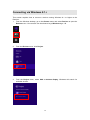
Connecting via Windows 8.1+ .................................................................................................... 10
Connecting via Miracast™ ........................................................................................................... 13
Tips for Optimal Performance..................................................................................................... 13
Chapter Four.
Display and Control Options ................................................................................... 14
Display Mode .............................................................................................................................. 14
Ultra-Low Delay .......................................................................................................................... 15
Intel WiDi 3.5 and higher .................................................................................................... 15
NVIDIA Shield ...................................................................................................................... 16
Restore to Default ....................................................................................................................... 16
Chapter Five.
Configuring and Upgrading ScreenBeam Mini ........................................................ 17
Installing ScreenBeam Configuration Utility ............................................................................... 17
Installation in Windows 8.1 ................................................................................................ 17
Installation in Windows 7/8 ................................................................................................ 19
Preparing Your System ................................................................................................................ 21
Wireless Mode .................................................................................................................... 21
USB Mode ........................................................................................................................... 22
Configuring ScreenBeam Mini .................................................................................................... 23
Wireless Mode .................................................................................................................... 23
USB Mode ........................................................................................................................... 27
Upgrading ScreenBeam Mini ...................................................................................................... 29
Wireless Mode .................................................................................................................... 29
USB Mode ........................................................................................................................... 30
Manual Firmware Upgrade ................................................................................................. 33
Appendix I. Troubleshooting and FAQs .......................................................................................... 34
Troubleshooting .......................................................................................................................... 34
FAQs ............................................................................................................................................ 36
Appendix II. Specifications .............................................................................................................. 42
Appendix III.
Notices .................................................................................................................... 43