1
HammerHead Electronics User Manual
Juergensen Marine
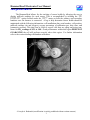
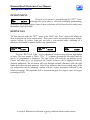
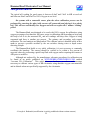
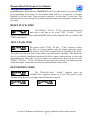
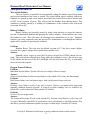
STACK OVERRUN ALARM – ALL MODES
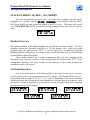
Once the programmed max stack time is exceeded, the secondary will turn on the
backlight for 5 seconds, indicate STACK OVERRUN on the display, flash the DIVA
Red/Green, Red/Green, and operate the buzzer in the DIVA twice. This alarm will recycle
every TWO MINUTES until it is cleared by reprogramming the max stack time to a greater
value.
STACK OVERRUN
1.02 1.00 1.01
Handset Overview
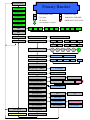
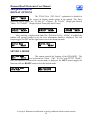
The options available in the primary handset are grouped into two main “menus”. The first
grouping contains the functions most likely to be used during a dive, while the second
grouping under the options menu ”OPT” is used to gain access to additional functions
including handset configuration. For safety reasons several functions in the second grouping
are unavailable while in dive mode.
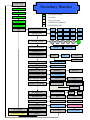
The secondary handset has a similar arrangement, where the first grouping scrolls
through the user set-points, and the second grouping under the options menu ”OPT” is the
configuration functions. For safety reasons several functions in the second grouping are
unavailable while in dive mode.
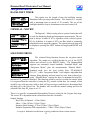
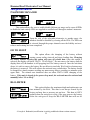
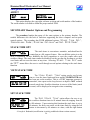
Set-Point Operation
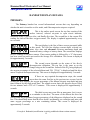
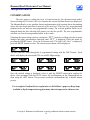
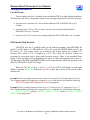
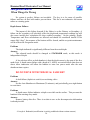
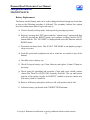
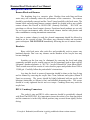
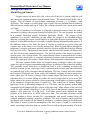
One of the main features of the HammerHead is the ability for the diver to select a
new set-point based on a user programmed set of five choices. The HammerHead comes preprogrammed with set-points of 0.4, 0.7, 1.0, 1.2, and 1.4. Regardless of the current operating
set-point pressing the left button will cycle through the set-point choices in sequence. Once
the desired set-point is displayed it is selected by pressing the right button and confirming
once prompted with the left button.
1:38 0.4 008 000
0.73 0.73 0.73
1:38 0.7 008 000
0.73 0.73 0.73
1:39 1.2 008 000
0.73 0.73 0.73
1:39 1.0 008 000
0.73 0.73 0.73
1:39 1.4 008 000
0.73 0.73 0.73
© Joseph A. Radomski (modification is strictly prohibited without written consent)
15