1
LS-50 User’s Manual
recurrence of the pattern in the same position for several frame periods, and then “locks” on
the pattern.
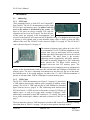
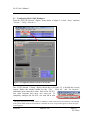
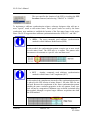
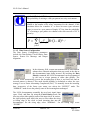
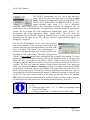
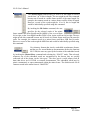
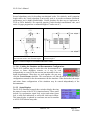
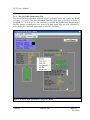
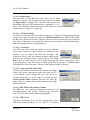
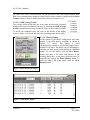
To enter the required frame synchronization pattern, the user
must first invoke the Pattern Length command to specify
the bit length of the frame sync pattern. For the LS-50, the
length of the pattern may be up to 64-bits. After entering the
number of bits for the frame sync pattern, the appropriate
Barker code pattern will automatically be filled in on the
input pattern dialog box, based on the number of bits (only for number of bits 7 through 32
will this occur). Then the user must select one of the Hexadecimal (HEX), Binary or Octal
format representation radio buttons. The selected radio button will determine the appearance
of the input pattern dialog box when the Pattern command is invoked. Note that if the
pattern length is NOT an even multiple of eight (8), then the “Octal” radio button will be
grayed out.
If the user wishes to use a pattern other than the one automatically selected based on the
pattern length, then the Pattern command should be invoked and a different pattern should be
entered.
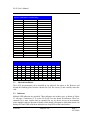
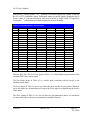
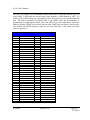
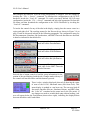
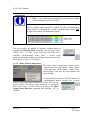
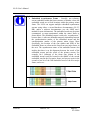
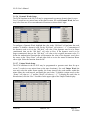
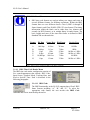
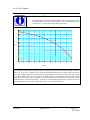
As previously mentioned, optimal codes for the sync pattern should be chosen because they
have low correlation properties unless the code pattern is exactly aligned with the desired
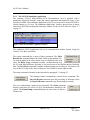
pattern. To aid the user in selecting the appropriate pattern, invoke the Barker Codes
command for a convenient list of some possible sync patterns. Note that choosing a pattern
form the popup list does not “enter” the pattern – that still must be done via the Pattern
command.
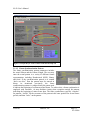
3.1.2.4 Clock & Data Output Mode Configuration
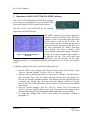
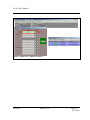
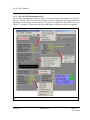
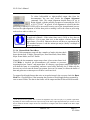
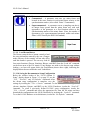
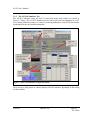
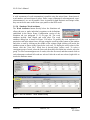
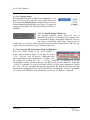
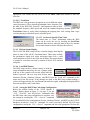
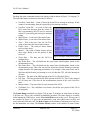
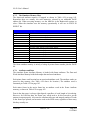
The Clock and Data Output Mode controls include:
the output bit rate (bits/second), the output encoding
format, and the Forward Error Correction (FEC)
coding mode. Invoking Bit Rate allows the user to
specify the output bit rate (bits/second) of the PCM
encoder on the simulator. The user may enter a value
between 10 bps to 20 Mbps for NRZ codes, and 10 bps to 10
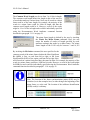
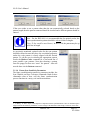
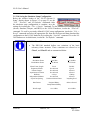
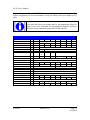
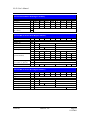
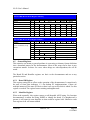
Mbps for all other codes. By invoking the Output Code
command, the user may select from a variety of possible
PCM output codes, some of which are shown graphically in
U610101
Lumistar, Inc.
Page 47
8/14/2006