1
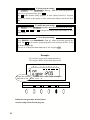
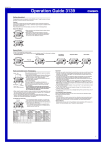
Installing Ribbon Cassette
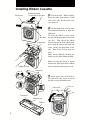
Panel cover
Panel open button
(at both sides of the unit)
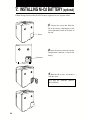
1
Unlock the unit. While holding
down the panel open buttons at both
sides of the unit, lift the panel cover
away from you.
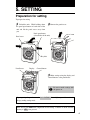
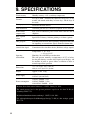
2 Turn the knob on the cassette in the
Key hole
Panel house
arrow-indicated direction to make the
ribbon taut.
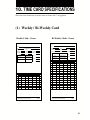
To insert the ribbon cassette inside
the unit, lift the panel house away from
you first. Then thread the ribbon
between the ribbon mask and the print
head. Slide the latch on the lower side
of the cassette into projections on the
unit. Then let the cassette snap into
place.
When having difficulty inserting the
ribbon, insert it while turning the knob.
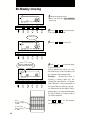
Make sure that the ribbon is placed
between the print head and the ribbon
mask as illustrated in the figure at left.
Ribbon cassette
Print head
3
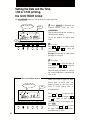
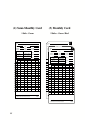
Put the panel cover on the hook at
the back of the unit. Lower it toward
this side to close and lock the unit.
Panel cover
Print head
Ribbon mask
Ribbon
5