1
cline setting are programmed for each segment.
Note: The same speed setting and/or incline setting may be programmed for two or more consecutive segments.
HOW TO USE A CUSTOM PROGRAM
1
Insert the key into the console.
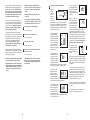
The speed
setting for
the first segment will be
shown in the
Current Segment
flashing
Current
Segment column of the matrix. (The incline settings are not shown in the matrix.) The speed settings for the next several segments will be shown
in the columns to the right.
See HOW TO TURN ON THE POWER on page
12.
2
Identify yourself as user A or user B.
The console can save custom programs for two
different users. To identify yourself as user A,
press the A button; to identify yourself as user B,
press the B button.
3
Select one of the custom programs.
When only three seconds remain in the first segment of the program, both the Current Segment
column and the column to the right will flash and a
series of tones will sound. If the speed and/or incline of the treadmill is about to change, the
speed setting and/or incline setting will flash in the
display to alert you.
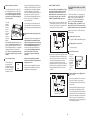
To select a
custom program, press
the
Programs
button repeatedly
until the
words “My
Design” and the number “1” or “2” appear in the
display.
When the first segment is completed, all speed
settings will move one column to the left. The
speed setting for the second segment will then be
shown in the flashing Current Segment column
and the treadmill will automatically adjust to the
speed and incline settings for the second segment.
As each custom program is selected, the maximum speed setting of the program and the maximum incline setting of the program will flash in the
display for a few seconds. The Time zone of the
display will show how long the program will last. A
profile of the speed settings of the program will
scroll across the matrix in the centre of the display. Note: If only three columns of indicators
scroll across the matrix, see HOW TO CREATE
A CUSTOM PROGRAM on page 17.
4
The program will continue in this way until the
speed setting for the last segment is shown in the
Current Segment column and the last segment
ends. The walking belt will then slow to a stop.
If desired, you can redefine to the program while
using it. To change the speed or incline setting
for the current segment, simply press the Speed
or Incline buttons. When the current segment ends,
the new setting will be saved in memory. To increase the length of the program, first wait until
the program is completed. Then, press the Start button and program speed and incline settings for as
many additional segments as desired. When you
have added as many segments as desired, press
the Stop button twice. To decrease the length of
the program, press the Stop button twice at any
time before the program is completed.
Press the Start button or the Speed increase
button to start the program.
A moment after the button is pressed, the treadmill will automatically adjust to the first speed and
incline settings that you programmed previously.
Hold the handrails and begin walking.
Each custom program is divided into several oneminute segments. One speed setting and one in-
18
To stop the program at any time, press the Stop
button. The time will begin to flash in the display.
To restart the program, press the Start button or
the Speed increase button. The walking belt will
begin to move at 2 km/h. When the next segment
of the program begins, the treadmill will automatically adjust to the speed and incline settings for the
next segment.
5
3
See step 2 on page 12.
4
Follow your progress with the display.
Measure your heart rate if desired.
See step 7 on page 14.
7
Turn on the fans if desired.
As each heart rate program is selected, a profile
of the target heart rate settings of the selected
program will scroll across the matrix in the centre
of the display.
See step 8 on page 14.
8
When you are finished exercising, remove the
key from the console.
5
See step 9 on page 16.
CAUTION:
If you have heart problems, or if you are over 60 years of age and
have been inactive, do not use the heart rate
programs. If you are taking medication regularly, consult your physician to find whether the
medication will affect your exercise heart rate.
6
Follow the steps below to use a heart rate program.
Press the Start button or the Speed increase
button to start the program.
A moment after the button is pressed, the treadmill will automatically adjust to the first speed and
incline settings of the program. Hold the handrails
and begin walking.
Put on the chest pulse sensor.
You must wear the chest pulse sensor to use a
heart rate program.
2
Enter a maximum target heart rate setting.
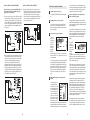
When a heart rate program is selected, the
words “Heart Rate” will
appear in the Heart
Rate/Calories zone of the
display and the maximum
target heart rate setting of the program will flash. If
desired, press the Heart Rate increase and decrease buttons to change the maximum target
heart rate setting. To save the new maximum target heart rate setting for future workouts, press
the Save button. Note: See the heart rate chart on
page 33 for heart rate guidelines.
HOW TO USE A HEART RATE PROGRAM
1
Select a heart rate program.
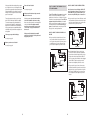
To select a
heart rate
program,
press the
Programs
button repeatedly until
the words
“Heart Rate”
and the number 1 or 2 appear in the lower centre
of the display.
See step 6 on page 13.
6
Identify yourself as user A or user B.
Each heart rate program is divided into 20 oneminute segments. One target heart rate setting is
programmed for each segment. Note: The same
target heart rate setting may be programmed for
two or more consecutive segments.
Insert the key into the console.
See HOW TO TURN ON THE POWER on
page 12.
19