1
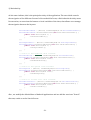
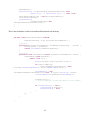
@Override
public boolean onCreateOptionsMenu(Menu menu) {
super.onCreateOptionsMenu(menu);
// add new menu item to Options menu - other items are defined in
// OptionsMenuActivity
menu.add(0, Globals.SEARCH_ID, 0,
R.string.menuSearch).setIcon(android.R.drawable.ic_menu_search);
return true;
}
@Override
public boolean onMenuItemSelected(int featureId, MenuItem item) {
//handling menu items click
switch(item.getItemId()) {
case Globals.SEARCH_ID:
// start search activity
Intent searchActivity = new Intent(this,
SearchActivity.class);
startActivity(searchActivity);
return true;
}
return super.onMenuItemSelected(featureId, item);
}
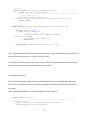
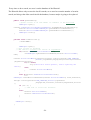
The "onMenuItemSelected" method is called when one of the items of the menu is clicked. If
that element is the Search, we call the Search Activity.
Is the same for all the buttons in the Activity, we did the connection between buttons and
layouts starting each activity when his button is clicked.
2)AccountList Activity:
This Acitivity works the same way as the DownloadList Activity and UploadList Activity.
First, in the "onCreate" method, we call the Databases to fill the information about all the
accounts.
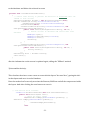
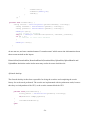
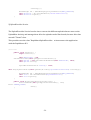
This is possible thanks to the "android.database.Cursor" library.
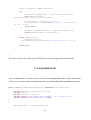
private void fillData() {
// Get all of the rows from the database and create the item list
mDbHelper.open();
Cursor accountsCursor = mDbHelper.getAllAccounts();
startManagingCursor(accountsCursor);
-51-