1
An example: loading data from the spatial downscaling ..................................................................... 41
Generating co-ordinate files for the exploitations tools from shapefiles ................................................. 44
Editing the table definitions underlying the exploitation tools................................................................ 45
Views as the basic concept for exploitation in CAPRI ....................................................................... 45
Why a XML definition files for views? .............................................................................................. 46
Defining and changing the view definition via the GUI interface....................................................... 47
Defining a table ................................................................................................................................... 48
Defining the list of activities, products, regions or dim5s ................................................................... 49
Exploitation tools ........................................................................................................................................ 50
The structure of the GAMS generated gdx files .................................................................................. 50
Loading the data from gdx files........................................................................................................... 50
Multi-dimensional viewer with pivoting and exporting possibilities .................................................. 51
Pre-defined views .................................................................................................................................... 51
View selection ..................................................................................................................................... 51
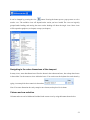
Navigating in the outer dimensions of the viewport............................................................................ 52
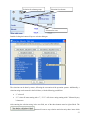
Column and row selection ................................................................................................................... 52
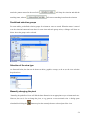
Predefined selection groups ................................................................................................................. 54
Selection of the view type ................................................................................................................... 54
Manually changing the pivot ............................................................................................................... 54
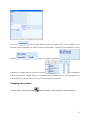
Changing view options ........................................................................................................................ 55
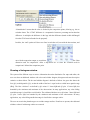
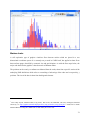
Showing a histogram window ............................................................................................................. 57
Working with tables ................................................................................................................................ 59
The toolbar .......................................................................................................................................... 59
Tooltips for column and row headers .................................................................................................. 59
Drill-down ........................................................................................................................................... 59
Clipboard export .................................................................................................................................. 60
4