1
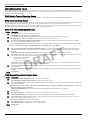
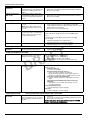
2.4 Global Wireless Device Placement Test
2.4 Global Wireless Device Placement Test
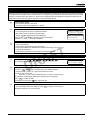
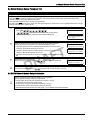
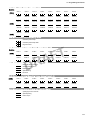
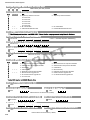
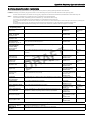
Wireless Device Placement
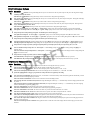
Perform the Wireless Device Placement testing on keypads, sounders and sensors only.
• This test is NOT required for wireless keys or pendants. Verify that pendants and Key FOBs operate within the desired
Operating area by arming and disarming the sytem.
• Test each device multiple times to ensure a good placement.
• If a device tests BAD reposition the device and retest. Slight changes in placement can cause significant differences in signal
strength and range of the wireless device.
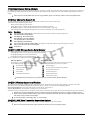
Step
1
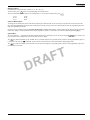
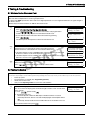
• To enter ‘Wireless Device Placement Test.
Press ,
represents the new installer code programmed in
Installer’s programming to replace the 5555 default installer code.
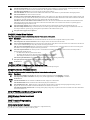
Step
2
Place the wireless device in the location where the device will be mounted.
Activate the device as described in the associated installation sheet.
T
F
A
• If the Alarm System receives a STRONG signal the bell will sound once and
‘Location is Good’ will be displayed on the LCD.
• If the Alarm System receives a WEAK signal the bell will sound 3 times and
‘Location is Bad’ will be displayed on the LCD.
• If the Alarm System indicates no response, reposition wireless device and repeat
test.
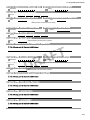
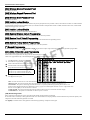
Step
3
i
R
D
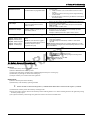
Repeat Step 2 for Each Device.
When Placement is completed, press
to exit Installer’s Programming.
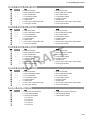
Enter Section
--Activate Device
For Test
Activate Device
Location is Good
Activate Device
Location is Bad
System is
Ready to Arm
<>
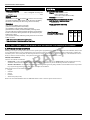
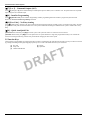
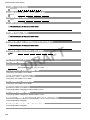
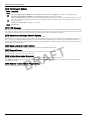
Two-way wireless keys must be activated by pressing any key before they become functional.
To re-enroll a wireless key press
simultaneously for approximately 2 minutes.
2.5 GPRS/Ethernet Module Setup/Initialization
i
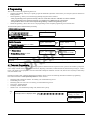
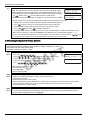
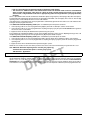
Perform the following after system installation and programming.
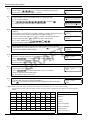
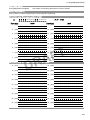
Ensure that the following sections are programmed:
• Central Station Phone Number,(Template Programming - Entry 5)
(if applicable, in Sections [301]-[303] & [305])
• Account code, Sect [310], (Template Programming - Entry 6)
• Communications Format, Section [350]- Set to [04] SIA FSK
• GPRS/Ethernet Module Enable Sect [382] Opt[5] - Set to GPRS/Ehernet Module Enabled
2-7