1
vDevelop User’s Manual
Keysens - Machine Vision
Manuals
Document title: vDevelop User Manual
Program version: 1.1 (December 2015)
Document number: 2001
Document revision: 02
Document Date: 15th of December 2015
Copyright Keysens 2015
Specifications are subject to change due to technical developments. Details presented may be corrected.
All rights reserved.
Keysens - Machine Vision
Poligono Ecce Homo nave 4. 12530 Burriana, Spain
Tel: +34 672 875 290. Email: [email protected]
www.keysens.com
vDevelop User’s Manual
1
Contents
1
Introduction
1
2
Installation
2
3
Program window areas
2
4
Vision projects
3
5
Images and data
3
6
Panels
4
7
View options
5
8
Algorithms operations
5
9
Script execution time
6
10 Camera selection
6
11 Communications with vProcess
7
12 The algorithms script
7
13 On how algorithms are applied
7
14 Particular aspects of image sizes
8
15 Comments
9
1
Introduction
vDevelop is a desktop program developed by keysens to design, modify and set up machine vision applications using keysens vision algorithms script approach. vDevelop runs
on Microsoft Windows Operating Systems as Windows 7 and Windows 8 (and its versions:
8.1, embedded). We intend to provide full compatibility of vDevelop for future Operating
System releases as Windows 10.
vDevelop is distributed by Keysens or its representatives included in software packages
that may also include keysens algorithms libraries, demo images and demo projects of
vision applications.
Main features of vDevelop are:
• Design machine vision applications, vision projects, consisting of an algorithms script
and parameters of cameras and communications between devices such as Vision Processors, PLCs, robots and HMIs.
• Apply the vision and data manipulation algorithms sequentially showing every partial
result as a resulting image or data, allowing to modify the algorithms parameters.
• Save every partial result of any algorithm, images or data.
• Simulate the application of a vision project to one or many images thus allowing to
test the vision application.
Manual 2001 Rev. 02 (2015)
Keysens - Machine Vision
2
vDevelop User’s Manual
• Connect to a Vision Processor running Keysens program vProcess to download their
vision projects. vProcess can manage up to three cameras and apply three different
vision projects at the same time.
• Upload the current vision project to a Vision Processor running vProcess to set up
the projects executed by the Vision Processor.
2
Installation
The software packages where vDevelop is included are distributed as an executable installer
program (.exe). When executed, the installer will write some folders and files to your
computer in the installation path, one of these files will be the vDevelop executable. The
installer can also place a desktop link to vDevelop and a menu entry if selected by the user
during installation.
Since vDevelop’s main feature is to build and execute vision projects consisting mainly
of vision and data algorithms scripts, the software packages always include one or several
algorithms libraries in form of DLLs and algorithms description files. The installer will
place the libraries in the adequate folder. Besides, other folders will be created to include
demo vision projects and test images. A folder with source code examples on how to build
your own algorithms libraries in C may also be created.
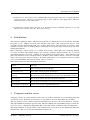
The folders placed in the installation path are:
Folder
Contains
BasicProjects
Demo vision projects and images.
ExtendedProjects
More demo vision projects and images.
vDevelop
The vision projects development program and algorithms libraries.
vDevelop/alg
One or more vision and data algorithms libraries.
vDevelop/bin
The program executable, icon and several runtime libraries.
VisionAlgsDevelopmentKit
Source code of demo algorithms libraries.
3
Program window areas
vDevelop opens one main window and some secondary windows for performing punctual
operations or for showing log messages: a log window and an algorithms list window.
The log window can be made visible and invisible by the user. It is not shown by default.
The algorithms list window appears only when modifying the algorithms script to allow the
user to select a compatible algorithm that leaves the script consistent after modification.
The main window is always visible and is divided into several areas for displaying different
information. The areas and the information shown are:
Keysens - Machine Vision
Manual 2001 Rev. 02 (2015)
vDevelop User’s Manual
3
Area
Shows
Menu bar
Menu names.
Tool bar
Tool bar buttons.
Algorithms script
Icons of algorithms, allows to select any algorithm.
Algorithm information area
Name, data types, title and description of the selected algorithm.
Panel area
Panels with numeric values of parameters.
Panels can be: selected algorithms panel, vision processor panel,
actuator panel, HMI panel, camera panel.
Image area
Image and data (over-impressed) of the selected algorithm.
This area is zoomed.
Status texts
Several information displayed: tool bar button action,
image name, project name and connection status.
4
Vision projects
A vision project is stored in text format in a unique file with extension .vmv. vDevelop can
load and save vision projects with menu options and tool bar buttons. ’...’ in a menu
option indicates that a dialogue will be opened to prompt for a name and a folder. The
project options are in menu File.
File menu
Tool
Description
New project
Clears the current project to default values, clears algorithms script.
Load project...
Loads a stored project, the current project is substituted.
Save project
Saves the current project with its given name, overwriting it.
Save project as...
Saves the current project with a new name, can overwrite a project.
Set project directory...
Sets the project directory where models and images will be loaded.
After loading a project, the project directory is set to the folder from where the project
was loaded. You can change this folder with Set project directory.... Also, this option
is useful when writing a new project to set up the folder where models are stored. Some
algorithms can require model images and/or model data files. Models are always loaded
from the project folder.
The current vision project name is shown in the status bar of vDevelop.
5
Images and data
Algorithms can produce an image or a numeric matrix as a result, we call this type of result
data result. Every result can be viewed selecting the algorithm icon, as will be explained in
the algorithms script section. When an algorithm result appears in the image area of the
program, it can be saved as an image or as a data file (if the result contains numeric data).
You can use some menu options and tool bar buttons for these operations. These options
Manual 2001 Rev. 02 (2015)
Keysens - Machine Vision
4
vDevelop User’s Manual
are in menu File.
Besides, you can load an image. The algorithms script of the current project will be applied
to the image after loading, producing new results.
File menu
Tool
Description
Load image...
Loads an image and applies the algorithms script to it.
Save image as...
Saves the selected algorithm result as an image.
Save model image as...
Saves the image portion indicated by the MODEL algorithm and
by the current Region of Interest. The original image is saved if
MODEL is not present in the algorithms script.
Save data as...
Saves the data result of the selected algorithm as a data file.
Model images are an important part of Keysens algorithms script approach. Every algorithm can load a model image and use it for its computations. Usages can be, for example,
finding the pattern contained in the model image, finding the colours contained in the model
image, etc.
Model images are of any size. To save a model image the algorithms script has to end with
a particular algorithm called MODEL, that specifies the number of the result image to be
saved as a model (usually it will be the first image, that is, the original image). When
saving a model image, only the portion inside the current Region of Interest is saved, thus
model images are usually smaller.
Model data are also important in Keysens approach. Any algorithm can load a model data
file and use it for its computations. A model data is always a numeric matrix of a variable
number of rows and of columns. The data result of the selected algorithm can be stored as
a data file and can be used as a model data. Usages can be, for example, computing colour
information of an image inside a Region of Interest and store this information as a model
data file. Or computing the areas and other features of detected objects and store them in
a model data file to compare new objects to them.
The last loaded image name is shown in the status bar of vDevelop.
6
Panels
vDevelop shows a panel in the left area of its main window. Panels show numeric parameters
of selected entities of a vision project. Panels can be one of these:
• Algorithm parameters panel.
• Vision Processor communications panel.
• Robot or actuator communications panel.
• HMI (human-machine interface) communications panel.
• Camera parameters panel.
When selecting an algorithm in the algorithms script, the parameters panel of this algorithm
is shown. The other panels can be shown with some menu options in the Panel menu and
with tool bar buttons.
Keysens - Machine Vision
Manual 2001 Rev. 02 (2015)
vDevelop User’s Manual
Panel menu
5
Tool
Description
Show vision processor parameters
Shows the vision processor panel.
Show actuator parameters
Shows the actuator panel.
Show human interface parameters
Shows the human-machine interface panel.
Show camera parameters
Shows the camera panel.
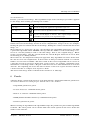
All panels allow to change their parameters values with some tool bar buttons. These
buttons are:
Panel tool tip
Tool
Description
Edit values
Enters in edit mode, the user can write values and, in
some algorithms, modify values with the mouse.
Reload values from project
Writes the values from the current project.
Reset to default values
Only in the algorithms panel. Writes default values of the
algorithm to all parameters.
Import camera parameters
Only in the camera panel. Loads camera parameters from
a camera description file.
Export camera parameters
Only in the camera panel. Saves camera parameters to a
camera description file.
Update changes to project
Updates changes to the current project.
7
View options
vDevelop shows data results of algorithms as an over-impressed text in the image area of
its main window. This text can be drawn in different colours for making it more visible. A
menu option and a tool bar button change this colour to some predefined colours.
Besides, vDevelop informs of events in a log window. This window is usually not visible,
but he user can make it visible and invisible with a menu option and a toolbar button. The
contents of the log window can be saved and cleared with menu options of the log window.
The related menu options are in menu View.
View menu
Tool
Description
Change data draw colour
Changes the data draw colour to some predefined colours.
Show/hide log window
Makes the log window visible and invisible, switching
these states.
8
Algorithms operations
Algorithms operations allow the user to modify the algorithms script inserting algorithms,
deleting algorithms and substituting the selected algorithm by another one. The options
to operate on the algorithms script are in menu Algorithms and in tool bar buttons.
Manual 2001 Rev. 02 (2015)
Keysens - Machine Vision
6
vDevelop User’s Manual
Algorithm menu
Tool
Description
Insert algorithm
Inserts a new algorithm after the selected algorithm in the
script.
Replace algorithm
Replaces the selected algorithm in the script.
Delete algorithm
Deletes the selected algorithm, the script has to remain
consistent.
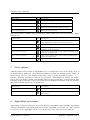
The two first options open a window with a list of compatible algorithms for insertion or
for substitution. Compatible algorithms are the ones that will make the script consistent
after the operation, that is, the output data type of any algorithm in the script and the
input data type of the following algorithm will match.
The compatible algorithms list window allows to select an algorithm and presents a tool
bar button to accept the selection. The selection can also be accepted by double-clicking
an algorithm in the list.
9
Script execution time
A critical data when creating vision applications is to know the execution time of an algorithms script, since the vision application has to be performed in due time. Althoug the
exact time is the one that the runtime vProcess takes to process one or several algorithms
scripts, and probably you are not runnung vProcess necessarily on the same hardware as
vDevelop (vProcess runs on an embedded Vision Processor and vDevelop on a laptop), it
is useful to know the execution time that vDevelp is taking to execute the script.
vDevelop has a feature to switch on and off the time measurement it takes to execute
the script with the loaded image. When the option is on, vDevelop executes the script
periodically every two seconds and outputs the execution time in milliseconds in the log
window. This option is in menu Execution and in a tool bar button.
Execution menu
Tool
When on, the algorithms script is run periodically, time
is measured and output in the log window.
Start/stop periodic execution
10
Description
Camera selection
One of the main features of vDevelop is to establish a connection with a Vision Processor
running program vProcess and upload or download vision projects to it. vProcess can
control three cameras and has always three vision projects loaded. If a vision project is not
found or a camera is not connected, a simple project is prepared by vProcess, so it always
disposes of three vision projects.
With the camera selection options the user specifies which camera the next upload and
download operations will affect. Cameras are numbered as one, two and three. The camera
selection options are in menu Camera and in tool bar buttons.
Camera menu
Tool
Description
Select camera one
Selects the first camera for following upload and download
operations.
Select camera two
Selects the second camera for following upload and download operations.
Select camera three
Selects the third camera for following upload and download operations.
Keysens - Machine Vision
Manual 2001 Rev. 02 (2015)
vDevelop User’s Manual
11
7
Communications with vProcess
There are some menu options and tool bar buttons to establish a connection with a Vision
Processor running program vProcess. The options are in menu Session.
Session menu
Tool
Description
Connect/disconnect to vision
processor
Opens the connection or closes the connection.
Download project from vision
processor
Downloads the project of the selected camera.
Upload project to vision processor
Uploads the current project to the selected camera.
The connection to a Vision Processor is made to the IP and port specified in the vision
processor communications panel of the project. It is a TCP/IP connection implemented
with sockets. The Vision Processor is a server, the PC running vDevelop acts as a client.
The connection status is shown in the status bar of vDevelop.
12
The algorithms script
The algorithms script is a sequence of algorithms. Each algorithm is applied to the previous
algorithm result obtaining this algorithm result. The first algorithm is a special one, called
IMAGE, it represents the original image. This first algorithm always appears in the script
and does not make any processing. It produces a result: the original image.
The algorithm script appears as a list of icons. The icon of each algorithm is stored in
the algorithms libraries folder. An algorithms descriptions file indicates the icon of every
algorithm. If an algorithm has no icon, a default icon is used by vDevelop.
There is always one algorithm selected. After loading a vision project the selected algorithm
is the last one in the script. The user can select any algorithm by clicking on its icon. Then
some algorithm information is displayed:
• The algorithm name, input and output data types, title and description in the algorithms information area.
• The algorithm parameters panel in the panel area.
• The algorithm result in the image area.
When an algorithm produces an image result, the resulting image is displayed in the image
area. When an algorithm produces a data result, the original image is displayed and the
data matrix is displayed over-impressed on the image.
Some algorithms produce data results that represent graphical objects like points, lines,
circles, rectangles, etc. In these cases the results are also displayed graphically in form of
points, lines, etc. The type of graphical object an algorithm produces is described in the
algorithms description file of the corresponding algorithms library.
How algorithms are designed is out of the scope of this manual. Please refer to the corresponding technical notes for more information on writing vision and data algorithms
libraries in the Keysens approach.
13
On how algorithms are applied
One basic feature of vDevelop is to apply the algorithms script to any image loaded, allowing
to view all algorithms results. Thus, vDevelop can be thought of as a vision simulator. No
Manual 2001 Rev. 02 (2015)
Keysens - Machine Vision
8
vDevelop User’s Manual
camera has to be connected to the PC but the program applies all vision algorithms and
shows all results.
The program has always a vision project loaded. Even when the program starts or you
select New project, there is a project loaded which has only one algorithm in the script, the
IMAGE algorithm. How vDevelop applies the algorithms in the script is as follows:
• When a new image is loaded, all algorithms in the script are applied sequentially.
• When a new project is loaded, all algorithms in the script are applied sequentially.
• When any parameter of an algorithm is modified, the algorithm script is applied
starting from that algorithm. Previous algorithms are not applied.
• When an algorithm is inserted, the algorithm script is applied starting from that
inserted algorithm. Previous algorithms are not applied.
• When an algorithm is deleted, the algorithm script is applied starting from the algorithm following the deleted one. Previous algorithms are not applied.
• When an algorithm is substituted, the algorithm script is applied starting from that
substituted algorithm. Previous algorithms are not applied.
The program keeps a Region of Interest for every algorithm. The first algorithm, IMAGE,
has a Region of Interest that covers the whole image. There are algorithms that modify
the region of Interest for the following algorithm, but most algorithms do not modify the
Region of Interest, so the next algorithm applies the same Region of Interest.
Thus, the Region of Interest used for each algorithm can change during the application of
the script. For example, one algorithm can segment the image using a Region of Interest
that covers the whole image. The next algorithm can select the biggest object and set the
Region of Interest for the following algorithm to cover only that detected object. Later on,
an algorithm can set the Region of Interest to cover the whole image again. When a new
image is loaded, the detected object will change and the Region of Interest computed to
cover it can be different.
14
Particular aspects of image sizes
vDevelop is intended to write real industrial machine vision applications and to run them
in a Vision Processor running Keysens vProcess or in another compatible PC running
vProcess. Nevertheless, vDevelop can be used in a stand-alone way to study and develop
vision algorithms.
Considering that vision projects are intended to be run in real time with images acquired
by real cameras, the program has been designed to have a constant image size, a size that
most cameras provide, 1024×768 pixels. The size has also been set considering these aspects:
• Industrial applications are applied in real time and image processing algorithms are
quite time-consuming processes.
• Images have to be acquired with enough detail, enough resolution. Work areas can
be, reasonably, of about one meter or less, so an image resolution of one millimetre or
less (0.5 millimetres for example) is usually enough. For more resolution the cameras
should be placed closer to the objects.
Since the program works with a fixed image size, when images of different sizes are loaded
it adjusts them to the program image size:
• If bigger images are loaded, they are trimmed.
Keysens - Machine Vision
Manual 2001 Rev. 02 (2015)
vDevelop User’s Manual
9
• If smaller images are loaded, they are placed in the top-left corner (origin) of a 1024×768
image.
• If the loaded image is bigger in one dimension and smaller in the other, the program
trims the bigger dimension and leaves an unused part in the smaller dimension, so
program images are always of size 1024 × 768.
15
Comments
If you experience any problems with this document or want to give us feedback, please
email us at [email protected].
Manual 2001 Rev. 02 (2015)
Keysens - Machine Vision