1
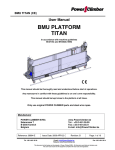
BMU KLIPER Titan-hoist USER MANUAL ‘KLIPER’ BMU All persons operating this equipment must read and completely understand this manual. Any operation in violation of these instructions is at the operator's own risk. Keep this manual with the equipment at all times. Only use POWER CLIMBER original spare parts and steel wire rope. Manufacturer: POWER CLIMBER B.V.B.A. Satenrozen 7 B-2550 Kontich Belgium Reference: 38887-E Tel. +32-3-451 05 00 www.PowerClimber.be Tel. : +32-3-451.05.00 Fax : +32-3-451.05.01 E-mail: [email protected] Issue Date: 2009-APR-23 Rev. C Jan 2 2013 E-mail: [email protected] Website: www.PowerClimber.be Page: 1 of 10 Fax +32-3-451 05 01 This document and all copies are the property of Power Climber BVBA. All dimensions and data are indicative only. The user must ensure that the equipment complies with local rules and regulations. BMU KLIPER Titan-hoist TABLE OF CONTENTS TABLE OF CONTENTS .................................................................................. 2 DESCRIPTION OF BMU PLATFORM............................................................ 2 GENERAL VIEW BMU PLATFORM............................................................... 3 TITAN-HOIST SPECIFICATIONS................................................................... 4 CENTRAL CONTROL BOX (CCB)................................................................. 5 SAFETY FUNCTIONS..................................................................................... 6 INSTALLATION............................................................................................... 7 INSTALLATION (Cont.) .................................................................................. 8 DAILY CHECKLIST......................................................................................... 9 DAILY CHECKLIST (Cont.).......................................................................... 10 AFTER USE CHECKLIST............................................................................. 10 USE OF HANDWHEEL FOR “NO POWER” UP ......................................... 10 APPENDIX 1: Testing & Commissioning....................................... 1 Page(s) APPENDIX 2: Description of safety devices ................................. 3 Page(s) APPENDIX 3: Storage & Maintenance ........................................... 1 Page(s) APPENDIX 4: Adjusment of wire winder couplings ..................... 1 Page(s) APPENDIX 5: Specifications of the steel wire ropes ................... 1 Page(s) APPENDIX 6: General precautions and limitations...................... 3 Page(s) APPENDIX 7: Titan overload adjustment ...................................... 1 Page(s) APPENDIX 8: Troubleshooting....................................................... 1 page(s) DESCRIPTION OF BMU PLATFORM BMU platforms are intended to be permanently installed and dedicated to a specific building or structure. They are to be used by operators for inspection, cleaning and maintenance of a building where the general public may have access below the suspended platform. The BMU platform consists of aluminum floor and side panels that are fixed to two steel stirrups. The hoists with safety devices are fixed to these stirrups. The suspension and the safety wires are wound up by means of powered twin-drum wire winder units, which are situated below the hoist. The platform is controlled from a central control box located in the platform. Reference: 38887-E Tel. +32-3-451 05 00 Issue Date: 2009-APR-23 Rev. C Jan 2 2013 E-mail: [email protected] Website: www.PowerClimber.be Page: 2 of 10 Fax +32-3-451 05 01 This document and all copies are the property of Power Climber BVBA. All dimensions and data are indicative only. The user must ensure that the equipment complies with local rules and regulations. BMU KLIPER Titan-hoist GENERAL VIEW BMU PLATFORM 4 2 5 12 1 3 13 11 9 6 (1) (2) (3) (4) (5) (6) (7) 8 Cladding Titan-hoist Slack rope safety device Top limit switch Ultimate top limit switch Bottom limit trip bar Twin drum wire winders Nominal Length (8) (9) (10) (11) (12) (13) 2m Suspension Rope Centers 2185 mm Overall Length 2575 mm Width over guardrail 600 mm Distance Suspension Wire to Wall 460 mm Overall Width 870 mm Self weight 235 kg Safe Working Load (rated load) 250 kg Number of persons Reference: 38887-E Tel. +32-3-451 05 00 7 10 2 Internal cover over wire winder Castor wheels Soft wall rollers Foot step on both sides for in/out Central control box Storage bin Electrical supply cable Up to 80m: 4x1.5mm², 3Ph + E 3x4mm²,2Ph+E Up to 125m: 4x2.5mm², 3Ph + E 3x6mm², 2Ph+E Note: Self weight without steel wire rope & supply cable * Add 1.20 kg/m for steel wires & 4x1.5mm² supply cable * Add 1.30 kg/m for steel wires & 4x2.5mm² supply cable Issue Date: 2009-APR-23 Rev. C Jan 2 2013 E-mail: [email protected] Website: www.PowerClimber.be Page: 3 of 10 Fax +32-3-451 05 01 This document and all copies are the property of Power Climber BVBA. All dimensions and data are indicative only. The user must ensure that the equipment complies with local rules and regulations. BMU KLIPER Titan-hoist TITAN-HOIST SPECIFICATIONS Working Load Limit (W.L.L.) Power Supply RUN Amperage at W.L.L. START Motor Power Motor Speed Wire Rope Diameter Hoisting Speed Noise level UP DOWN MANUAL Titan 401 PI Titan 403 PI 400 kg 400 kg 3 x 400V / 50Hz + N + E 2.5 A 7.5 A 0.74 kW 1400 RPM 8.4 mm (breaking load 52.3 kN) 8.5 m/min 60 dBA 64 dBA 69 dBA 230V/ 50Hz + E 6A 24 A 0.55 kW 1400 RPM 8.4 mm (breaking load 52.3 kN) 8.5 m/min 60 dBA 64 dBA 69 dBA Suspension rope Slack rope lever Safety rope ‘No power’ Emergency descent lever Electrical motor Overload detection Name plate (serial number) Electrical supply cable Reference: 38887-E Tel. +32-3-451 05 00 Issue Date: 2009-APR-23 Rev. C Jan 2 2013 E-mail: [email protected] Website: www.PowerClimber.be Page: 4 of 10 Fax +32-3-451 05 01 This document and all copies are the property of Power Climber BVBA. All dimensions and data are indicative only. The user must ensure that the equipment complies with local rules and regulations. BMU KLIPER Titan-hoist CENTRAL CONTROL BOX (CCB) Main Power Switch: Turns on main power. Switch can be padlocked in the “off” position (padlock not supplied). “Power On” Indicator Light: Light is ON when power supply is connected and Main power switch in ON. Emergency Stop Button: Pressing the emergency stop button will cut ALL power. To reset, twist the knob in the direction of the arrow on the top of the knob. Hoist Selector Switch (Left / Both / Right): Allows operation of individual hoist for reeving and de-reeving or leveling and of both hoists for normal operation. Hold-to-Run “Up” and “Down” Turn-Buttons Bottom Trip bar By-Pass Push Button: For use when platform is taken all the way down to ground level and/or for de-reeving hoist. RED Warning light is ON in case of the following: 1. When either or both electro-mechanical overload detection devices are triggered. 2. Emergency stop activated. 3. Ultimate top limit switch. 4. Thermal protection motor. Emergency stop Up/Down selector Bypass Hoist selector Power ON light Warning light Main Power switch NOTE: The locations of buttons on the CCB may be changed without notice. Check the labels on the CCB to make sure you have located the correct button. Reference: 38887-E Tel. +32-3-451 05 00 Issue Date: 2009-APR-23 Rev. C Jan 2 2013 E-mail: [email protected] Website: www.PowerClimber.be Page: 5 of 10 Fax +32-3-451 05 01 This document and all copies are the property of Power Climber BVBA. All dimensions and data are indicative only. The user must ensure that the equipment complies with local rules and regulations. BMU KLIPER Titan-hoist SAFETY FUNCTIONS HAZARD Breaking of suspension 1. wire. SAFETY ACTION RESULT Suspension wire becomes slack. Slack rope safety device is activated. Safety device will grab the safety wire and hold the platform. 2. Inclination of the platform Electronic tilting switch is activated. Platform levels automatically by pushing up or down. 3. Inclination of the platform. Slack rope safety device is activated when the inclination is 10 degrees. Safety device will grab the safety wire and hold the platform. 4. Overspeed condition of a hoist. Platform will become inclined and the slack rope safety device is activated Safety device will grab the safety wire, and hold the platform. Overload condition or the platform is hooked 5. under a part of the building. Overload detection device is activated Platform will be stopped. Up and down direction is cut off. Platform is a hitting part 6. of the building, or reaches ground level. Bottom limit trip bar is activated. Platform will be stopped. Down direction is cut off. Top limit switch is activated by striker plate. Platform will be stopped. Up direction is cut off. Ultimate top limit is activated by striker plate. Platform will be stopped. Up and down direction is cut off. 7. Platform has reached top-position. 8. Failure of top limit switch 9. Slack of suspension wire. Slack rope safety device is activated. Safety device will grab the safety wire and hold the platform. 10. Slowly creeping down of one hoist. The platform will become inclined. Slack rope safety device is activated. Safety device will grab the safety wire and hold the platform. Release service brake manually by pulling the emergency descent lever. Platform will move down at a lower speed than the normal downwards speed. 11. Power failure. Reference: 38887-E Tel. +32-3-451 05 00 Issue Date: 2009-APR-23 Rev. C Jan 2 2013 E-mail: [email protected] Website: www.PowerClimber.be Page: 6 of 10 Fax +32-3-451 05 01 This document and all copies are the property of Power Climber BVBA. All dimensions and data are indicative only. The user must ensure that the equipment complies with local rules and regulations. BMU KLIPER Titan-hoist INSTALLATION The platform is suspended and fully tested at the Power Climber facility prior to shipment. 1. Unpack the platform and check for any damage. 2. Position the platform below the suspension system. Make sure that the distance between the two suspension points of the suspension system is the same as the distance between the two suspension ropes of the BMU platform. 3. Secure the male plug into the power socket. IMPORTANT: An earth leakage circuit breaker (ELCB) of 30 mA and an overcurrent protective device 16A (Type C) must be used at the power source. Check that the specifications of the electrical supply cable match the power requirement of the platform and will avoid a voltage drop due to cable length. 4. Check that both the hoists and wire winders turn when pushing the up button. The top of the winder should rotate away from the platform. Check that only the hoists turn when pushing the down button. Note: Three-phase platforms are fitted with phase protection and will not operate if the phases are incorrectly connected. (See troubleshooting in the ‘BMU-Appendix 8-E’ section for additional information on correct phase connection) WARNING: DO NOT change any connection in the central control box. 5. Secure the power supply cable to the suspension system using the cable retainer. 6. Make sure that the length of the steel wire rope is sufficient. (suspension and safety wires) IMPORTANT: Required length of steel wire rope = the building height + 5 m. 7. At roof level, uncoil the safety ropes and lay them on the roof surface. Attach the safety ropes to the suspension system with the safety hooks fitted to the ropes and lower the ropes to the ground. 8. Reeve the safety ropes (see 'Reeving of the steel wire ropes’). 9. At roof level, uncoil the suspension ropes and lay them on the roof surface. Attach the suspension ropes to the suspension system with the safety hooks fitted to the ropes and lower the ropes to the ground. 10. Reeve the suspension ropes (see 'Reeving of the steel wire ropes'). Tip: By separately reeving the safety rope and the suspension rope you can avoid getting them twisted together. 11. Proceed with Testing and Commissioning as described in BMU-Appendix 3-E. 12. Only after completing these tests, can you take a first trip to the top of the building and fit the top limit switch striker plates. IMPORTANT: CLAMP THE STRIKER PLATE TO THE SAFETY ROPE ONLY THE SUSPENSION ROPE PASSES FREELY THROUGH THE SLOT IN THE PLATE Reference: 38887-E Tel. +32-3-451 05 00 Issue Date: 2009-APR-23 Rev. C Jan 2 2013 E-mail: [email protected] Website: www.PowerClimber.be Page: 7 of 10 Fax +32-3-451 05 01 This document and all copies are the property of Power Climber BVBA. All dimensions and data are indicative only. The user must ensure that the equipment complies with local rules and regulations. BMU KLIPER Titan-hoist INSTALLATION (Cont.) A) Reeving of the steel wire ropes. WARNING: Always reeve the safety rope first and then reeve the suspension rope. Safety Rope 1. Push back the slack rope lever to open the jaws of the slack rope safety device and push the safety rope through the slack rope compartment. 2. Fit the end of the safety rope through the hole in the barrel of the wire winder drum. 3. Select the hoist and run it in the ‘up’ direction to take up the slack in the rope. Suspension rope 1. Push back the slack rope lever and feed the rope though the eye of the slack rope lever and into the top of the hoist and push until some resistance is felt. 2. Select the hoist and run it in the up direction and reeve the rope through the hoist. The end of the rope will come out under the hoist. 3. Repeat steps 2 & 3 above to load the rope on the wire winder. Tip: If there are any problems reeving the rope through the hoist, it helps to put a small bend in the end of the suspension rope before feeding it into the hoist. B) De-reeving of the steel wire ropes. Tip: de-reeve the safety rope first and keep the suspension rope taut, so that the slack rope safety device stays open and allows easy passage of the safety rope. Safety rope Simply pull the safety rope through the titan slack rope safety device and out off the wire winder drum by hand. Suspension rope IMPORTANT: To de-reeve the suspension rope you must manually override the bottom limit trip bar. 1. Push bypass push button on central control box. 2. Run the hoist in the down direction until the suspension rope no longer comes out of the top of the hoist and pull out the remainder of the rope by hand. WARNING: IMPROPER DE-REEVING OF SUSPENSION ROPE IS THE MOST COMMON CAUSE OF ROPE JAMS ONLY USE POWER CLIMBER ORIGINAL STEEL WIRE ROPES Reference: 38887-E Tel. +32-3-451 05 00 Issue Date: 2009-APR-23 Rev. C Jan 2 2013 E-mail: [email protected] Website: www.PowerClimber.be Page: 8 of 10 Fax +32-3-451 05 01 This document and all copies are the property of Power Climber BVBA. All dimensions and data are indicative only. The user must ensure that the equipment complies with local rules and regulations. BMU KLIPER Titan-hoist DAILY CHECKLIST TESTS MUST BE CARRIED OUT BEFORE USING THE PLATFORM Visually inspect the platform for damaged, loose or missing parts prior to starting the testing procedure. 1. Check if controls are functioning correctly ‘Power On’ indicator light is ON ‘Up’ and ‘Down’ turn button Hoist selector switch Check that both the hoists and the wire winders turn when pushing the up button. The top of the winder should rotate away from the platform. The wire winder does not turn when pushing the down button. 2. Bottom Limit Trip Bar Lift the bottom trip bar: A) check if the down direction is interupted. B) push the bypass push button to check that the platform can now be driven in the ‘down’ direction. 3. Emergency stop Push emergency stop button on central control box and check that the platform cannot be driven up or down (to reset, twist the knob in the direction of the arrow on the top of the knob). 4. Top Limit Switch and Ultimate Top Limit Switch Push down on the Top Limit Switch lever and check that it cuts the ‘up’ direction, but that platform can be driven in the ‘down’ direction. Push down on the Ultimate Top Limit Switch lever and check that the platform cannot be driven ‘up’ or ‘down’. Repeat procedure for other hoist. Drive the platform 1-2 meters off the ground to carry out the rest of the tests. 5. Slack Rope Safety Device and ‘No-Power’ Descent Turn the power off with the main power switch on the central control box. On ONE HOIST ONLY, lift the brake lever and check that the hoist can be lowered at a controlled speed. Continue releasing the brake until slack rope safety device is activated (about 10 degrees) and it keeps the platform from tilting further. Repeat the procedure by manually lowering the other end of the platform. Reference: 38887-E Tel. +32-3-451 05 00 Issue Date: 2009-APR-23 Rev. C Jan 2 2013 E-mail: [email protected] Website: www.PowerClimber.be Page: 9 of 10 Fax +32-3-451 05 01 This document and all copies are the property of Power Climber BVBA. All dimensions and data are indicative only. The user must ensure that the equipment complies with local rules and regulations. BMU KLIPER Titan-hoist DAILY CHECKLIST (Cont.) 6. Steel Wire Rope and Power Supply Cable Run the platform to the top of steel wire rope and during travel carefully inspect the suspension and safety steel wire ropes for kinks, broken wires or other damage. At the same time, also inspect the trailing supply cable for any kinks or damage. IMPORTANT: When using the platform, continually inspect the steel wire ropes and supply cable for any signs of damage. See ‘BMU-Appendix 5-E: SWR Specifications’ for details on steel wire rope damage and wear. DO NOT USE EQUIPMENT THAT IS NOT OPERATING PROPERLY! AFTER USE CHECKLIST 1. Turn main power switch off on the central control box. Lock with padlock if required. 2. Disconnect the power supply cable from the socket. 3. If the platform is not going to be used for any extended period of time it should be stored. See ‘BMU-Appendix 3-E: Storage & Maintenance’ for more details. USE OF HANDWHEEL FOR “NO POWER” UP Only for Titans with Overspeed Safety Device May be required to reset the slack rope safety device in case of power failure. 1. Turn off main power supply switch on the central control box. 2. Remove plastic plug from top cover of motor to expose hub for handwheel. 3. Remove the handwheel from its storage position and insert shaft into hub. 4. Wind the hoist in the up-direction counterclockwise ½ turn at the same time as you lift the emergency descent lever to open the brake. 5. Release lever and repeat. TIP: Grab the handwheel firmly while opening the brake to prevent it from turning and going back down. 6. Put the plastic plug back in place and return the handwheel to its storage position after use! 7. Turn the main power supply back on and resume. Reference: 38887-E Tel. +32-3-451 05 00 Issue Date: 2009-APR-23 Rev. C Jan 2 2013 E-mail: [email protected] Website: www.PowerClimber.be Page: 10 of 10 Fax +32-3-451 05 01 This document and all copies are the property of Power Climber BVBA. All dimensions and data are indicative only. The user must ensure that the equipment complies with local rules and regulations.