1
Administrator Console 4 - 31
Reader Profiles
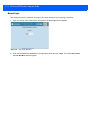
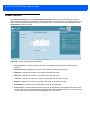
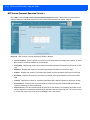
Select Profiles in the selection menu to view the Reader Profiles window, which shows the current profiles on
the reader and allows performing profile-related operations. Profiles are useful for multiple reader
deployments. To configure the readers, manually download the proper configuration file, or use APIs to
programmatically configure many readers quickly. This procedure saves configuration time because only a few
APIs are needed to configure a reader completely.
NOTE
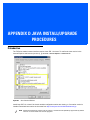
Enable Java JRE 1.6 support on the browser in order for this window to function properly. See Appendix
D, Java Install/Upgrade Procedures.
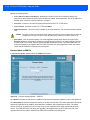
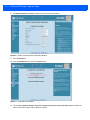
The Reader Profiles window uses an applet to connect to the reader. The window displays a set of provided
configuration files, or profiles, that a user can re-use and/or modify depending on the reader application or use
case. The profiles serve as configuration examples.
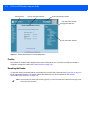
Figure 4-30 Reader Profiles Window
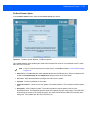
The Reader Profiles window functions are:
• Available Profiles in the Reader - Displays the available reader profiles.
• Import - Click to open a file dialog and pick a profile (XML file) from the local PC and import it into the
reader.