1
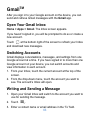
GmailTM
After you sign in to your Google account on the device, you can
send and retrieve Gmail messages with the Gmail app.
Open Your Gmail Inbox
Home > Apps > Gmail. The Inbox screen appears.
If you haven’t signed in, you will be prompted to do so or create a
new account.
Touch
at the bottom right of the screen to refresh your Inbox
and download new messages.
Switching Accounts
Gmail displays conversations, messages, and settings from one
Google account at a time. If you have signed in to more than one
Google account on your device, you can switch accounts and
view information in each account.
1. From your Inbox, touch the current account at the top of the
screen.
2. From the drop-down menu, touch the account you want to
see. The account’s Inbox will open.
Writing and Sending a Message
1. Open your Gmail Inbox and switch to the account you want to
use for sending the message.
2. Touch
.
3. Enter a contact name or email address in the ‘To’ field.
66