1
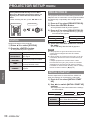
PROJECTOR SETUP menu
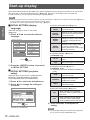
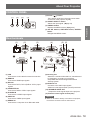
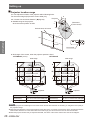
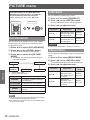
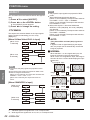
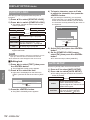
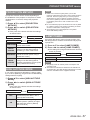
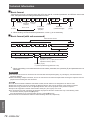
PROJECTION METHOD
A projection scheme can be chosen depending on
the installation of the projector. If the picture is shown
upside down or in reverse, change the projection
method.
1111 Press ▲▼ to select [PROJECTION
METHOD].
2222 Press ◄► to switch [PROJECTION
METHOD].
zz Each press of the button switches the settings
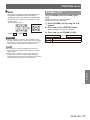
Note
zz Make sure to set this to [OFF] when you use the
projector at elevations lower than 1400 m (4593 ft) above
sea level. Set this to [ON] when you use the projector
at elevations of 1400 m (4593 ft) or higher and lower
than 2700 m (8858 ft). Failure to observe this may result
in shortening of the life of units or malfunction of the
projector.
zz Do not install the projector at elevations of 2700 m (8858
ft) or higher. Doing so may result in shortening of the life
of units or malfunction of the projector.
zz The loudness of fan noise depends on the [HIGH
ALTITUDE MODE] setting.
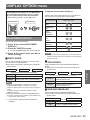
as shown below.
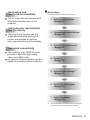
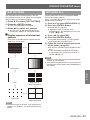
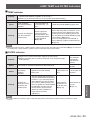
FRONT/CEILING
REAR/CEILING
REAR/DESK
FRONT/DESK
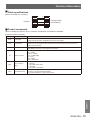
When mounted on a desk or stand
in front of the screen
FRONT/
CEILING
When mounted to the ceiling using
ceiling mount brackets (optional
accessory) in front of the screen.
When mounted on a desk or stand
REAR/DESK behind the screen (when using a
translucent screen)
REAR/
CEILING
When mounted to the ceiling using
ceiling mount brackets (optional
accessory) behind the screen (when
using a translucent screen)
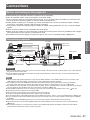
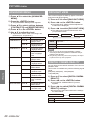
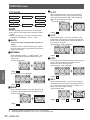
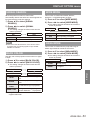
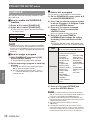
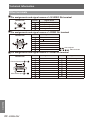
HIGH ALTITUDE MODE
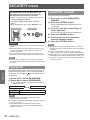
If you use the projector at elevations (1 400 m (4593
ft) to 2 700 m (8858 ft)), the [HIGH ALTITUDE MODE]
setting needs to be [ON].
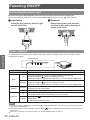
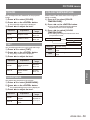
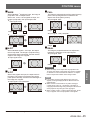
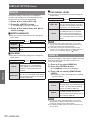
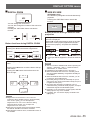
LAMP POWER
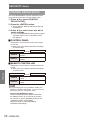
Can switch the electric power of projector lamp. Set
the lamp power to meet the environment and purpose
of projection.
1111 Press ▲▼ to select [LAMP POWER].
2222 Press ◄► to switch [LAMP POWER].
zz The setting will change as follows each time the
button is pressed.
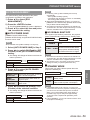
NORMAL
NORMAL
ECO
ECO
When high brightness is needed
When high brightness is not needed
Note
zz The [ECO] mode can reduce power consumption and
operation noise.
zz The selection made here is reflected to the indication of
set ECO level in the “Multi Projector Monitoring & Control
Software” installed from the supplied CD-ROM.
Settings
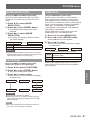
FRONT/DESK
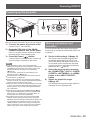
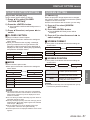
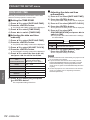
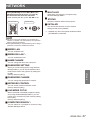
1111 Press ▲▼ to select [HIGH ALTITUDE
MODE].
2222 Press ◄► to switch [HIGH ALTITUDE
MODE].
zz Each press of the button switches the settings
as shown below.
OFF
ON
OFF
Select this when using in normal
environment (lower than 1 400 m
(4593 ft) above sea level)
ON
Select this when using at high
altitude (1400 m (4593 ft) or higher
and lower than 2700 m (8858 ft)
above sea level)
ENGLISH - 57