1
Spring 1996
15
dBASE Additions
Kenneth Madl
[Ed: Ken Madl includes here some enhancements to PARROT’s dBASE routines from
Computer Supplement #20. DMV]
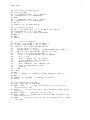
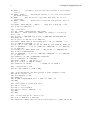
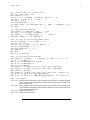
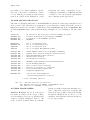
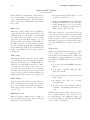
[Following] are copies of three different methods to achieve the same result, but without
having to type the replacement routine 20
times. I thought initially that I could simply use the command APPE FROM Dict FOR
Count = LEN(TRIM(Word)), but I discovered
that dBASE seems to append the record, then
based on the FOR condition, decide whether
or not to accept it. Thus, every record was
accepted into Dict3, since words larger than
three characters were truncated to three. I
could only get around that limitation by making the field length one character larger than
the length of the word.
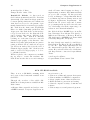
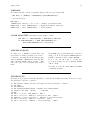
I tried adding an extra field to the Dict
database that contained the length of the
word, and then used that field in the FOR condition. However, I discovered that the fields
used in the FOR expression must reside in the
structure of both databases.
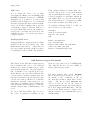
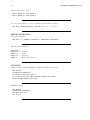
After giving up on the SET RELATION command (the program would not append from an
open database), I believe that the APPE3.PRG
program is the easiest and quickest way to approach the problem. (I have not compared the
times for the three methods, but I suspect that
APPEND and COPY would each take less than
the hour it took you originally.) After each
database is created, the MODI STRU command
is used to match the length of the Word field
to the name of the file, i.e. Dict13 would have
a field length of 13, and so on.
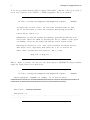
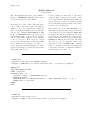
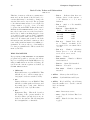
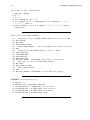
* APPE1.PRG
* Append records using the APPEND command
* Length of WORD must be 1 larger than Dict name, e.g. Dict3 is length 4
CREATE Dict
APPE FROM WORDS.TXT SDF
STORE 3 TO Count
DO WHILE Count < 23
FileName = "Dict" + LTRIM(STR(Count,2))
CREATE &FileName
APPE FROM Dict for SUBS(Word,Count)=" " .AND. SUBS(Word, Count - 1) # " "
STORE Count + 1 TO Count
ENDDO
RETU
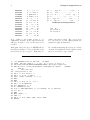
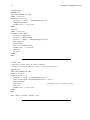
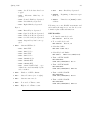
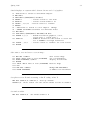
* APPE2.PRG
* Append records using a loop
* Length of WORD is the same as Dict name, e.g. Dict3 is length 3