1
2
Computer Supplement 21
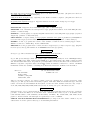
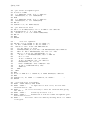
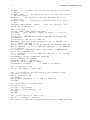
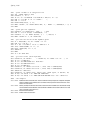
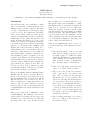
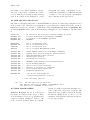
To use the programme with the built in example: When RUN, comments on the use are given on
screen, and a request to select TYPE 1 or TYPE 2 Quagmire. The screen will show:
An aid to solving the QuagmireI and QuagmireII ciphers.
(G4EGG)
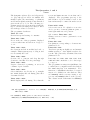
If input data is from a file, the file name extension must be .CT$
(It is not necessary to enter the extension when giving file name.)
Period may be from 4 to 9.
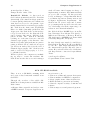
Examination of both PT columns and alphabet grid should indicate more
PT letters. These are added by entering the PT col. number or the grid
row number, (both are the same) and then CT letter and PT letter.
Entering 99 instead of a col. will cross reference the known letters.
This may be slow, especially when there are a lot of letters in!
Enter >99 to restart/new crib position, and 0 to end.
Quag (*1) or Quag (2) ?
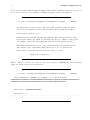
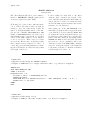
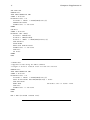
Enter 1. Input of cleartext, crib and period are then requested. RETURN key lets programme
supply the required data. Screen then shows:
An aid to solving the QuagmireI and QuagmireII ciphers.
(G4EGG)
Enter ciphertext: (’ENTER’ for example, ’F’ if data on disc)?
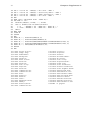
RGEESEDIZMYUXIZUXBRJSPLIXWYDSFWHDARDSTDGQYUFQUWWPJFGQOBXFJXEQGXXQKXLRFLBAERUIUW
FOXMFFWSXLJUSKXESOJHARVTQUXUTDZVFOCPOFMUTVVJXVTCFZVHUCDIZUUFRSTX
Enter crib: ? EARTHMILESFROMTHE
And period: ? 8
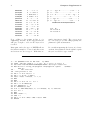
...............................................................................
.....................