1
Troubleshooting
5
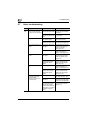
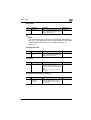
Symptom
The image is not aligned
properly on the paper.
The printed page is curled.
Possible cause
Remedy
Is a double-sided document being copied?
If a thin double-sided document is being copied, the
print on the back side may
be reproduced in the copy.
Select the “Dot Matrix” Density setting. (See page 3-41.)
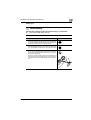
Is the document incorrectly positioned?
Correctly position the document against the document
scales. (See page 3-10.)
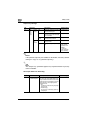
Load the document into the
ADF, and slide the adjustable document guides to fit
the size of the document.
(See page 3-8.)
Is the document incorrectly positioned in the
ADF?
If the document cannot be
fed correctly through the
ADF, make copies by positioning the document on the
original glass. (See
page 3-10.)
Is the original glass dirty
(while using the ADF)?
Wipe the glass with a soft,
dry cloth. (See page 10-3.)
Are the adjustable document guides incorrectly
positioned against the
edges of the document?
Slide the adjustable document guides against the
edges of the document.
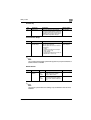
Was curled paper loaded
into the paper tray?
Flatten the paper before
loading it.
Was paper that curls
easily (as with recycled
paper) used?
Remove the paper from the
paper tray, turn it over, and
then load it again.
Replace the paper with paper that is not damp.
The edge of the printed
output is dirty.
250/350
Is the document pad
dirty?
Clean the document transfer
belt with a soft cloth dampened with a mild detergent.
(See page 10-4.)
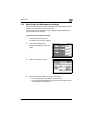
Was the selected paper
size larger than the document (with a Zoom setting of “×1.0”)?
Select a paper size that is
the same size as the document.
Otherwise, select the “Auto
Zoom” setting to enlarge the
copy to the selected paper
size. (See page 3-27.)
Is the orientation of the
document different from
the orientation of the paper (with a Zoom setting
of “×1.0”)?
Select a paper size that is
the same size as the document. Otherwise, select a
paper orientation that is the
same as that of the document.
5-29