1
5-3
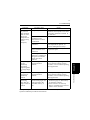
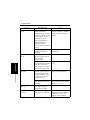
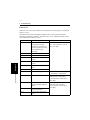
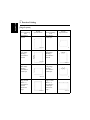
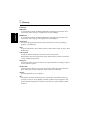
Possible Cause
Action
Continued from
the previous
page (Printing
does not start
despite the
completion of
printing setup
on the
computer.)
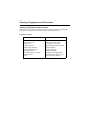
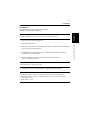
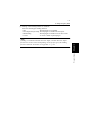
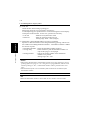
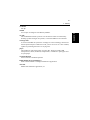
The print job is locked.
Refer to the Job List on the
machine control panel to see if the
print job in question is locked. If
so, unlock it.
The connection of the
controller to the
network has not been
established.
Consult the network administrator.
The print job was
canceled.
Check the status on the
“Incompleted Job Queue” of
“Printer Management Utility”.
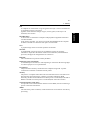
Machine Memory
space available is not
sufficient.
Add the machine memory to
expand its space.
If the copy track
function is enabled, an
illegal access number
might have been
entered.
Enter the correct access number.
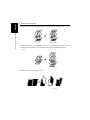
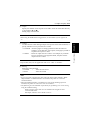
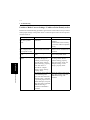
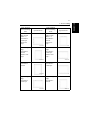
Multiple copy
sets are
mistakenly
sorted and
stapled together
as a single large
set.
Print setting stored
with application
affects.
Check print setting of application.
Set to OFF the settings such as
“Collate”. Do not execute printing
from application.
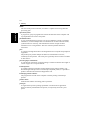
A large number
of copies are
mistakenly
printed.
Print setting stored
with application
affects.
Check print setting of application.
Set to OFF the settings such as
“Collate”. Do not execute printing
from application.
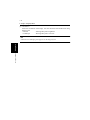
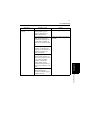
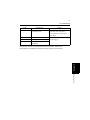
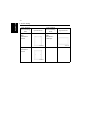
A document
containing
more than 40
pages cannot be
printed.
The maximum number
of document pages that
can be stored in the
standard memory is
40.
• Decrease the number of
document pages or add memory
to expand its capacity.
• Select “Printer” for “Priority
Device” available in 6/6 of User’s
Choice on the machine.
If the problem persists even after these checks have been made, refer to the
Operator’s Manual provided for the machine.
Troubleshooting
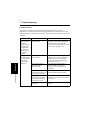
Symptom
Chapter 5
1. Troubleshooting