1
Pausing playback
If you want to temporarily stop streaming to
hear a conversation, press the ( ) button to
pause the streaming. Press the ( ) button
again to resume streaming.
Stopping playback
To stop playback on your device and switch
back to regular hearing programs, press and
hold the access ( ) button for two seconds.
Changing hearing aid programs is not possible
while streaming.
Please contact your hearing healthcare
professional if you can not complete the pairing
procedure with the steps described.
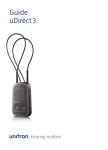
Adjusting the volume on the uDirect 3 will have
the same effect as adjusting the volume of the
hearing aids and may also amplify surrounding
sounds.
Changing the program
Changing hearing aid programs is only possible
if no streaming is in progress.
Press the access ( ) button to change hearing
aid programs.
Press the home ( ) button to return to the
startup program and volume level of your
hearing aids.
uDirect 3 is capable of streaming up to 20 hours
with a fully charged battery.
Adjusting the volume
Press the uDirect 3 volume (
) buttons to
adjust:
• Press ( ) to increase the volume
• Press ( ) to decrease the volume
38
39