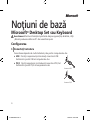
1
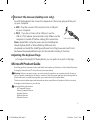
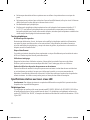
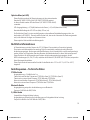
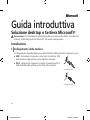
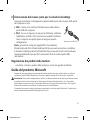
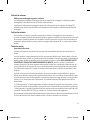
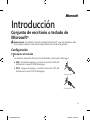
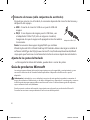
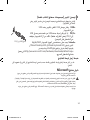
2 Connect the mouse (desktop sets only)
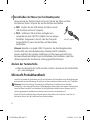
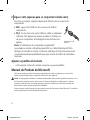
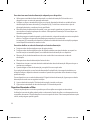
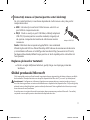
As with the keyboard, the connection depends on the mouse plug and the port
on your computer.
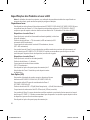
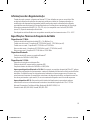
● USB Plug the mouse’s USB connector into a USB port
on your computer.
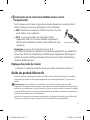
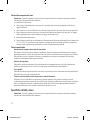
● PS/2 If you do not have a free USB port, use the
USB‑to‑PS/2 adapter (some models only). Make sure the
computer is turned off before making this connection.
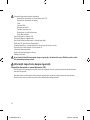
USB‑to‑PS/2 adapter
Note: Apple/MAC computer users who are installing the
Wired Keyboard 600 or Wired Desktop 600 must also
download and install the IntelliType software from http://www.microsoft.com/
hardware/downloads/default.mspx for the calculator hotkey to function.
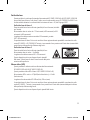
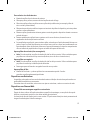
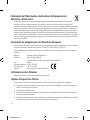
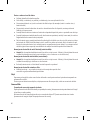
Adjusting the keyboard legs
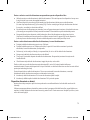
● Toadjusttheheightofthekeyboard,youcanpulloutorpushinthelegs.
Microsoft Product Guide
Read this guide for important safety and health information and the terms of the Limited Warranty
that apply to the Microsoft® device that you have purchased.
Warning Failure to properly set up, use, and care for this product can increase the risk of serious
injuryordeath,ordamagetothedeviceordevices.Readthisguideandkeepallprintedguidesfor
future reference. For replacement guides, go to www.microsoft.com/hardware.
This document includes important information about many Microsoft products. Refer to sections
that apply to the features of your device:
Important Safety Information
AC‑Powered Devices
Battery‑Powered Devices
Headset Devices
Webcam Devices
Wireless Devices
3
X150359002mnl_ENG.indd 3
4/30/2009 11:44:17 AM