1
Windows 98 Driver Installation Instructions
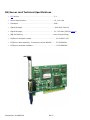
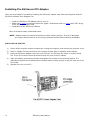
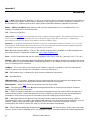
1. Power off the PC. Insert the NLynx ES/Server Twinax adapter into an available PCI slot on the
motherboard. The slots are usually white or cream-colored.
2. Power on and logon to the PC.
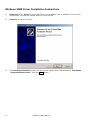
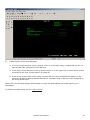
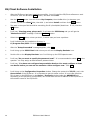
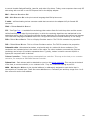
3. The New Hardware Found window will pop up and indicate that it has detected a “PCI
Communications Device” and then it should bring up the Add New Hardware Wizard dialogue
box, and indicate the NLynx PCI Twinax Adapter. Choose the ‘Search for the best driver…’
option, and then click Next button.
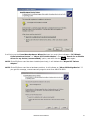
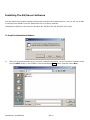
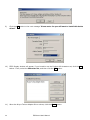
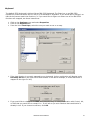
4. When prompted for the location of the driver or INF file, insert the ES/Server CD-ROM. Choose
Specify a location, and then click on the Browse button. Double-click on the CD-ROM (usually the
D: drive). Double-click on the INF folder, and then double-click on Win98. (It may not see a file. This
is okay.)
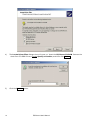
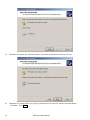
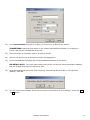
5. You should be back at the New Hardware Found Wizard. When you have located the INF file the
Specify a location box should say D:\INF\WIN98. If this is so, you will click the Next button.
6. Windows will indicate that it is going to install the NLynx PCI Twinax Adapter and tell you that it is
going to put the driver at C:\WINDOWS\INF\OTHER|NLYNXS~1.INF. Once again you will click Next.
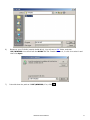
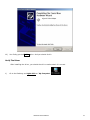
7. You finally get the Finish option. And you should click it.
8. After installing the driver, you should restart the PC.
Verify The Driver Installation
1)
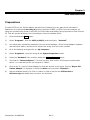
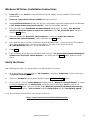
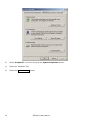
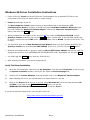
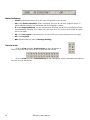
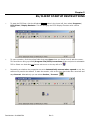
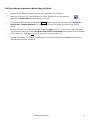
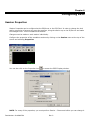
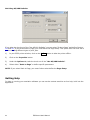
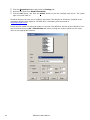
When the PC comes back, right click the ‘My Computer’ icon and select Properties. It will bring up
the System Properties window, where you will select the Device Manager tab.
2)
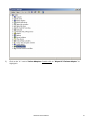
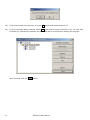
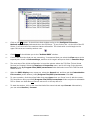
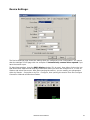
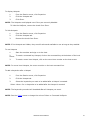
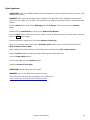
Double-click on Twinax Adapters, and then double-click on the NLynx PCI Twinax Adapter.
3)
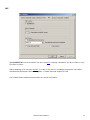
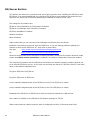
After installing the driver, you should check it to make certain it is correct.
4)
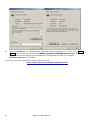
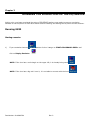
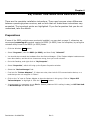
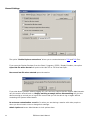
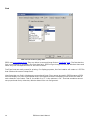
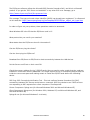
Click on the Drivers tab at the top. If you are using Windows 98, the Driver Date should be 1012-2004. If you click on the Driver File Details button, you will see
WINDOWS\SYSTEM\NLTWINAX.SYS. It should be version 5.0.1.7.
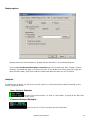
If you do not have the latest driver, you can get it online at
http://www.nlynx.com/html/tb-espcidrivers.htm
Part Number: 62-402907301
Rev. C