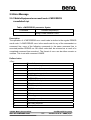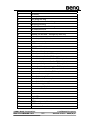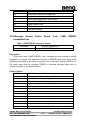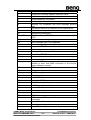
1
1. Introduction
1.1 Introduction to Interface between TE and MS
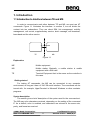
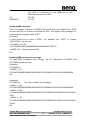
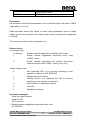
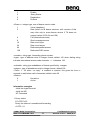
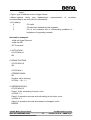
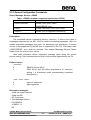
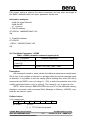
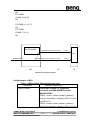
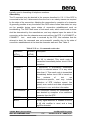
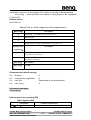
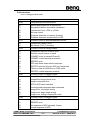
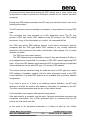
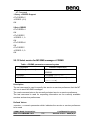
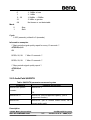
In order to communicate each other between TE and MS, we must use AT
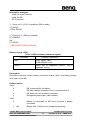
commands. Figure 1.1 illustrates the interface. In section 2, we will divide the
content into ten subsections. They are about SIM, list management, mobility
management, call control, supplementary service, short message, cell broadcast,
base-band and the other service.
AT COMMAND
TE
MS
Figure 1.1
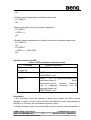
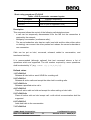
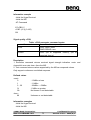
Explanation
ME
MS
TE
Mobile equipment
Mobile station. Basically, a mobile station is mobile
equipment with a SIM card.
Terminal Equipment that is the same as the controller in
this case.
Getting started
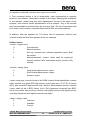
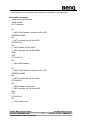
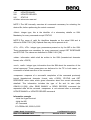
For testing AT commands, the MS can be connected to any computer
environment, as long as it has a V.24/V.28 serial interface. The commands can be
issued with, for example, HyperTerminal in Microsoft Windows or other emulator
programs.
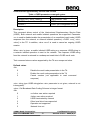
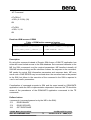
Syntax description
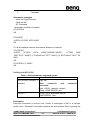
The section gives a brief description of the syntax used for the command set.
The MS may echo characters received, depending on the setting of the command
E. As a default, echo is enabled, and characters are echoed at the same rate,
parity, and format as received.
©2004 BenQ Corporation.
M22 AT COMMAND LIST
Confidential Property
11
Version: 0.3.0 – 2004/6/9