1
Chapter 2: MS Windows System Installation Reference: Standard Config File Specifics
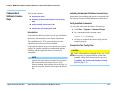
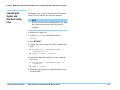
The enable <keywords> Statements
These statements are used in combination with
codewords to selectively enable software features.
or optional software features as the board config file is
developed.
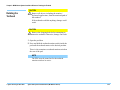
NOTE
Codewords must be installed to enable optional
software features. For more information, see
Codewords & Software License Keys on
page 2-24.
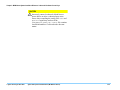
CAUTION
✸the
enable <keywords> statements should exist after
target <keywords> statements, and must be
outside of a module block.
The programmer will un-comment the correct enable
<keywords> statements which correspond to standard
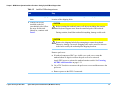
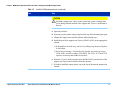
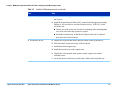
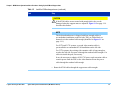
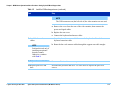
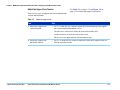
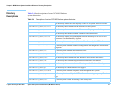
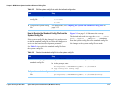
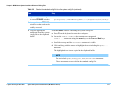
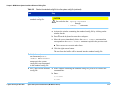
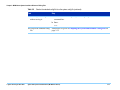
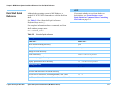
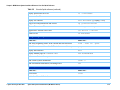
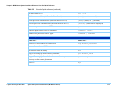
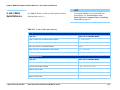
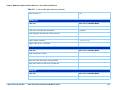
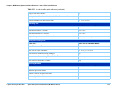
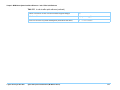
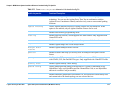
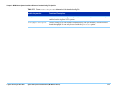
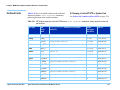
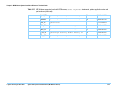
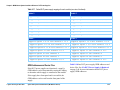
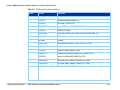
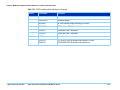
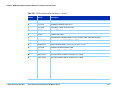
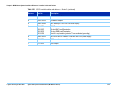
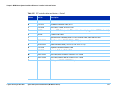
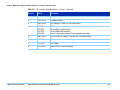
Table 2-13 contains some enable <keywords>
statements in the standard config file.
Table 2-13 Some enable <keywords> statements in the standard config file
© Agilent Technologies 2001–2003
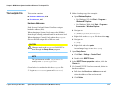
enable <keywords>
Functional Description:
advanced boundary scan
Enables you to test chains of boundary scan parts, such as testing the
interconnections without nailed access.
all high accuracy
resources
For double density, high accuracy HybridPlus Cards, this option enables channel
resources to be routed to pins that would otherwise be used for extended grounding
on XG-50 fixtures. Because the resource assignments change, this option cannot be
used with XG-50 fixtures.
combo test
Enables both in-circuit and functional test.
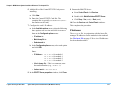
common delimiter
Enables interoperability between UNIX and MS Windows
connect check
Enables Agilent Connect Check.
dual well shared
wiring
Enables dual-well shared wiring.
Agilent 3070 System Installation Manual (MS Windows Version)
2-32