1
CQ-3270
®
SNA Interactive Connectivity Solution
USER GUIDE
CQ Computer Communications, Inc.
570 Peachtree Parkway
Cumming, Georgia 30041 USA
Phone: 1-800-523-6807 / 770-844-0233
Fax: 770-886-7021
[email protected]
www.cq-comm.com
Export Warning
Not for Export Outside U.S.A.!
CQ’s Software products and related hardware
that support Data Encryption Standard (DES) are
subject to U.S. Government export controls as
specified in Title 22, Code of Federal
Regulations, Parts 120-130.
License Needed: Form DSP-5
Application/License for the Permanent Export of
Unclassified Defense Articles and
Related Unclassified Technical Data
Contact
U.S. Department of State
Office of Defense Trade Controls (PM/DTC)
CQ Computer Communications, Inc.
570 Peachtree Parkway
Cumming, Georgia USA 30041-6820
Phone: (770) 844-0233
Fax: (770) 886-7021
[email protected]
www.cq-comm.com
December, 2005.
© 1996-2005 CQ Computer Communications, Inc.
All Rights Reserved. Printed in the U.S.A.
Part No. 0512-32W-UG
Warning
This manual and the related CQ-3270 software are protected by U.S. copyright law
(Title 17 United States Code). Unauthorized reproduction and/or sales may result in
imprisonment of up to one year and fines of up to $10,000 (17USC 506). Copyright
infringers may also be subject to civil liability.
Notice
This manual and related software belongs to CQ Computer Communications, Inc. It
is considered a trade secret and contains proprietary and confidential information
related to CQ-3270, and is not to be divulged or used by parties who have not received
written authorization from CQ Computer Communications, Inc.
The information in this document is subject to change without notice. CQ Computer
Communications, Inc. assumes no responsibility for errors that may appear in this
document. CQ Computer Communications, Inc. reserves the right to publish updated
versions of this manual or portions hereof, without notice and without obligation to
update, nor to keep current the information contained in this document.
No responsibility is assumed for the use or reliability of software on equipment that is
not supplied by CQ Computer Communications, Inc.
CQ Computer Communications, Inc. makes no representations or warranties with
respect to the software and contents hereof which are provided on an “as is” basis
including, but not limited to, the implied warranties of merchantability and fitness for
a particular purpose. CQ shall have no liability of any kind for special, indirect, or
consequential damages.
No part of this publication may be reproduced, stored in a retrieval system, or
transmitted in any form or by any means, electronic, mechanical, photocopying,
recording, or otherwise, without the prior written permission of CQ Computer
Communications, Inc.
Disclaimer
If your CQ-3270 CD, diskettes, user registration card, or license envelope/card have
the words “HSI/HSD” or “AutoSync” on it, then the following disclaimer applies:
This package contains certain software copyrighted by Hayes Corporation and/or
Zoom Telephonics, Inc. (“Hayes”) and licensed to CQ Computer Communications,
Inc. Hayes makes no express or implied warranties of any kind for the software
which is provided on an “as is” basis, including, but not limited to, the implied
warranties of merchantability and fitness for a particular purpose. Hayes shall have
no liability for damages of any kind, including special, indirect, or consequential
damages.
Trademarks
CQ, the CQ logo, CQ-3770, CQ-3780, CQ-3270, CQ-5250, CQ-Sync100,
CQ-Sync200, CQ-Sync300, CQ-Sync1, CQ-Sync2, CQ-Sync3,
CQ-Print Administrator, CQ-Forms Manager, CQ-File Manager,
CQ-Event Scheduler, CQ-A/Synchronizer, and CQ-Synchronizer are either registered
trademarks or trademarks of CQ Computer Communications, Inc.
Microsoft, Windows, and Windows NT are either registered trademarks or trademarks
of Microsoft Corporation in the United States and/or other countries.
All other registered trademarks, trademarks, and service marks are the property of
their respective owners.
Notice
All titles, versions, trademarks, claims of compatibility, etc., of hardware and software
products mentioned herein are the sole property and responsibility of the respective
vendors. CQ Computer Communications, Inc., makes no endorsement of any
particular product for any purpose, nor claims responsibility for its operation and
accuracy.
Table of Contents
Table of Contents
Introduction
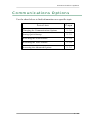
Organization . . . . . . . . . . . . . . . . . . . . . . . . . . xiv
Manual Conventions
. . . . . . . . . . . . . . . . . . . . . xvi
Help Screens and Documentation . . . . . . . . . . . . . . xviii
3270 Communications Overview . . . . . . . . . . . . . . . xix
Benefits and Features . . . . . . . . . . . . . . . . . . . . xxiv
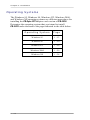
Workstation Requirements . . . . . . . . . . . . . . . . . xxvi
Section One: Solution Setup
Chapter 1: Installation
Quick Installation Guide . . . . . . . . . . . . . . . . . . 1 - 2
PC Hardware Configurations . . . . . . . . . . . . . . . 1 - 3
AutoSync 2 Modem . . . . . . . . . . . . . . . . . . . . . 1 - 4
Hardware Installation . . . . . . . . . . . . . . . . . . . 1 - 5
Software Installation . . . . . . . . . . . . . . . . . . . 1 - 9
CQ-Sync PCI Adapter Card . . . . . . . . . . . . . . . . 1 - 11
Windows 95 . . . . . . . . . . . . . . . . . . . . . . . 1 - 13
Windows 98 . . . . . . . . . . . . . . . . . . . . . . . 1 - 20
Windows NT . . . . . . . . . . . . . . . . . . . . . . 1 - 26
Windows 2000 . . . . . . . . . . . . . . . . . . . . . 1 - 29
Windows XP . . . . . . . . . . . . . . . . . . . . . . 1 - 34
CQ-Sync PCMCIA Card . . . . . . . . . . . . . . . . . 1 - 40
Software Installation . . . . . . . . . . . . . . . . . . 1 - 41
PCMCIA Card Installation . . . . . . . . . . . . . . . 1 - 42
Modem/Device Installation . . . . . . . . . . . . . . . 1 - 47
Ethernet NIC . . . . . . . . . . . . . . . . . . . . . . . . 1 - 51
Hardware Installation . . . . . . . . . . . . . . . . . . 1 - 52
Software Installation . . . . . . . . . . . . . . . . . . 1 - 67
Token Ring Adapter Card . . . . . . . . . . . . . . . . . 1 - 73
Hardware Installation . . . . . . . . . . . . . . . . . . 1 - 74
Software Installation . . . . . . . . . . . . . . . . . . 1 - 104
vi
Table of Contents
Chapter 2: Configurator
Configurator Overview . . . . . . . . . . . . . . . . . 2 - 2
Accessing the Configurator . . . . . . . . . . . . . . . . . 2 - 3
Configurator Screens . . . . . . . . . . . . . . . . . . . . 2 - 5
CQ Configurator Screen . . . . . . . . . . . . . . . . . 2 - 6
Change Passwords Screen . . . . . . . . . . . . . . . . 2 - 10
Interface - Local Screen . . . . . . . . . . . . . . . . . 2 - 12
Advanced Options Screen . . . . . . . . . . . . . . . . 2 - 14
Configuration Tree Screen . . . . . . . . . . . . . . . . 2 - 15
Using the Configurator . . . . . . . . . . . . . . . . . . . 2 - 16
Configurations . . . . . . . . . . . . . . . . . . . . . . . 2 - 17
Creating a New Configuration . . . . . . . . . . . . . . 2 - 18
Opening a Configuration . . . . . . . . . . . . . . . . . 2 - 19
Saving a Configuration . . . . . . . . . . . . . . . . . . 2 - 20
Saving a Configuration as Another Name . . . . . . . . 2 - 21
Renaming a Configuration . . . . . . . . . . . . . . . . 2 - 22
Deleting a Configuration . . . . . . . . . . . . . . . . . 2 - 23
Using Multiple Drivers . . . . . . . . . . . . . . . . . . 2 - 24
Sessions . . . . . . . . . . . . . . . . . . . . . . . . . . . 2 - 26
Adding a New Session . . . . . . . . . . . . . . . . . . 2 - 27
Editing a Session . . . . . . . . . . . . . . . . . . . . . 2 - 28
Deleting a Session . . . . . . . . . . . . . . . . . . . . 2 - 28
Communications Options . . . . . . . . . . . . . . . . . . 2 - 29
Changing the Communications Options . . . . . . . . . 2 - 30
Setting Quick Startup . . . . . . . . . . . . . . . . . . 2 - 32
Activating the Audit Feature . . . . . . . . . . . . . . . 2 - 34
Activating the Trace Feature . . . . . . . . . . . . . . . 2 - 34
Accessing the Advanced Options . . . . . . . . . . . . 2 - 35
Passwords . . . . . . . . . . . . . . . . . . . . . . . . . . 2 - 36
Setting the Passwords from the Configurator . . . . . . 2 - 36
Configuration Options . . . . . . . . . . . . . . . . . . . 2 - 38
vii
Table of Contents
Chapter 3: Configuration Options
AutoSync 2 . . . . . . . . . . . . . . . . . . . . . . . . . 3 - 3
Sync Card . . . . . . . . . . . . . . . . . . . . . . . . . 3 - 20
DLC Interface . . . . . . . . . . . . . . . . . . . . . . . 3 - 41
Section Two:
Functions and Features
Chapter 4: 3270 Operation
Running a Configuration . . . . . . . . . . . . . . . . . . 4 - 2
Interface Screen . . . . . . . . . . . . . . . . . . . . . . . 4 - 8
Status Line Messages . . . . . . . . . . . . . . . . . . 4 - 16
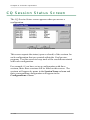
CQ Session Status Screen . . . . . . . . . . . . . . . . . 4 - 20
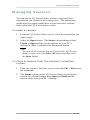
Managing Sessions . . . . . . . . . . . . . . . . . . . 4 - 21
Chapter 5: Print Functions
Print Commands . . . . . . . . . . . . . . . . . . . . . . . 5 - 2
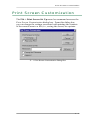
Print Screen Customization . . . . . . . . . . . . . . . . . 5 - 3
Setting the Print Screen Options . . . . . . . . . . . . . 5 - 5
Printing to a File . . . . . . . . . . . . . . . . . . . . . . . 5 - 7
Printing to a Printer . . . . . . . . . . . . . . . . . . . . . 5 - 8
Chapter 6: Edit Functions
Edit Commands . . . . . . . . . . . . . . . . . . . . . . . 6 - 2
Copy Command . . . . . . . . . . . . . . . . . . . . . . 6 - 3
Append Command . . . . . . . . . . . . . . . . . . . . 6 - 4
Select All Command . . . . . . . . . . . . . . . . . . . 6 - 5
View Clipboard Command . . . . . . . . . . . . . . . . 6 - 6
viii
Table of Contents
Chapter 7: File and Data Transfers
Transfer Commands . . . . . . . . . . . . . . . . . . . . 7 - 2
Send File . . . . . . . . . . . . . . . . . . . . . . . . . . 7 - 3
Setting the Send File Options . . . . . . . . . . . . . . 7 - 6
Sending a File . . . . . . . . . . . . . . . . . . . . . . 7 - 7
Receive File . . . . . . . . . . . . . . . . . . . . . . . . . 7 - 8
Setting the Receive File Options . . . . . . . . . . . . . 7 - 11
Receiving a File . . . . . . . . . . . . . . . . . . . . . 7 - 12
Receive Print Data . . . . . . . . . . . . . . . . . . . . . 7 - 13
Setting the Receive Print Data Options . . . . . . . . . 7 - 18
Receiving Print Data . . . . . . . . . . . . . . . . . . . 7 - 26
Chapter 8: Display Screen Functions
Display Commands . . . . . . . . . . . . . . . . . . . . . 8 - 2
Cursor . . . . . . . . . . . . . . . . . . . . . . . . . . 8 - 3
Fonts . . . . . . . . . . . . . . . . . . . . . . . . . . . 8 - 6
Colors . . . . . . . . . . . . . . . . . . . . . . . . . . 8 - 11
View Commands . . . . . . . . . . . . . . . . . . . . . . 8 - 16
Chapter 9: Scripts
Scripts Overview . . . . . . . . . . . . . . . . . . . . . . 9 - 2
Script Design . . . . . . . . . . . . . . . . . . . . . . . 9 - 3
Script Programming Styles . . . . . . . . . . . . . . . . 9 - 4
Script Writing Advice . . . . . . . . . . . . . . . . . . 9 - 6
CQ Scripting Language . . . . . . . . . . . . . . . . . . . 9 - 8
Script Commands . . . . . . . . . . . . . . . . . . . . . . 9 - 52
New Script Command . . . . . . . . . . . . . . . . . . 9 - 53
Open Script Command . . . . . . . . . . . . . . . . . . 9 - 55
Run Script Command . . . . . . . . . . . . . . . . . . 9 - 57
ix
Table of Contents
Chapter 10: Advanced Options
Advanced Commands . . . . . . . . . . . . . . . . . . . 10 - 2
Toolbar
. . . . . . . . . . . . . . . . . . . . . . . . . . 10 - 3
Edit Toolbar Button . . . . . . . . . . . . . . . . . . . 10 - 4
Editing a Toolbar Button . . . . . . . . . . . . . . . . 10 - 6
Add Toolbar Button . . . . . . . . . . . . . . . . . . . 10 - 7
Adding a Toolbar Button . . . . . . . . . . . . . . . . 10 - 9
Toolbar Button Descriptions . . . . . . . . . . . . . . 10 - 10
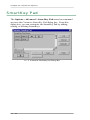
SmartKey Pad . . . . . . . . . . . . . . . . . . . . . . . 10 - 16
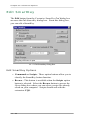
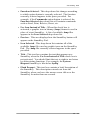
Edit SmartKey . . . . . . . . . . . . . . . . . . . . . 10 - 18
Editing a SmartKey . . . . . . . . . . . . . . . . . . . 10 - 20
Add SmartKey . . . . . . . . . . . . . . . . . . . . . 10 - 21
Adding a SmartKey . . . . . . . . . . . . . . . . . . . 10 - 23
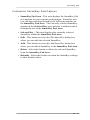
SmartKey Descriptions . . . . . . . . . . . . . . . . . 10 - 24
Keyboard . . . . . . . . . . . . . . . . . . . . . . . . . 10 - 25
Selecting a Keyboard . . . . . . . . . . . . . . . . . . 10 - 26
Change Password . . . . . . . . . . . . . . . . . . . . . 10 - 27
Setting the Run Time Password . . . . . . . . . . . . 10 - 28
Audit . . . . . . . . . . . . . . . . . . . . . . . . . . . . 10 - 29
Auditing Communications . . . . . . . . . . . . . . . 10 - 30
Trace . . . . . . . . . . . . . . . . . . . . . . . . . . . . 10 - 31
Tracing Communications . . . . . . . . . . . . . . . . 10 - 32
x
Table of Contents
Chapter 11: CQ Keyboard Remapper
Program Overview . . . . . . . . . . . . . . . . . . . . . 11 - 2
CQ Keyboard Remapper . . . . . . . . . . . . . . . . . . 11 - 3
Using the CQ Keyboard Remapper . . . . . . . . . . . . 11 - 5
Keyboards . . . . . . . . . . . . . . . . . . . . . . . . . 11 - 6
Creating a New Keyboard . . . . . . . . . . . . . . . . 11 - 7
Opening a Keyboard . . . . . . . . . . . . . . . . . . . 11 - 8
Saving a Keyboard . . . . . . . . . . . . . . . . . . . . 11 - 9
Saving a Keyboard as Another Name . . . . . . . . . 11 - 10
Deleting a Keyboard . . . . . . . . . . . . . . . . . . 11 - 11
Keyboard Options . . . . . . . . . . . . . . . . . . . . 11 - 12
Remapping a Function Key . . . . . . . . . . . . . . 11 - 13
Mapping a Function Key . . . . . . . . . . . . . . . . 11 - 13
Remapping a Character Key . . . . . . . . . . . . . . 11 - 14
Mapping a Character Key . . . . . . . . . . . . . . . 11 - 14
Chapter 12:
DES/Triple DES Security Options
Security Overview . . . . . . . . . . . . . . . . . . . . . 12 - 2
DES/Triple DES Encryption . . . . . . . . . . . . . . . . 12 - 4
DES Options Folder Tab . . . . . . . . . . . . . . . . . 12 - 5
Controller Folder Tab . . . . . . . . . . . . . . . . . . 12 - 7
Master Key Installation . . . . . . . . . . . . . . . . 12 - 19
xi
Table of Contents
Section Three: CQ Information
Chapter 13: Customer Services
About CQ . . . . . . . . . . . . . . . . . . . . . . . . . 13 - 2
Sales . . . . . . . . . . . . . . . . . . . . . . . . . . . . 13 - 3
CQ Web Site . . . . . . . . . . . . . . . . . . . . . . . . 13 - 4
Technical Support Policy . . . . . . . . . . . . . . . . . 13 - 5
Policies and Procedures . . . . . . . . . . . . . . . . . . 13 - 10
Chapter 14: CQ Solutions and Products
Productivity Solutions . . . . . . . . . . . . . . . . . . . 14 - 2
Connectivity Solutions . . . . . . . . . . . . . . . . . . 14 - 11
Hardware Connection Options . . . . . . . . . . . . . . 14 - 15
Index
xii
Introduction
Highlights
How this manual is organized
Conventions used in this manual
How to access and use CQ help screens
A brief overview of 3270 communications
A description of solution
benefits and features
A list of system requirements
Introduction
CQ-3270® delivers the ultimate in IBM 3270 interactive terminal
emulation by combining the depth and full range of IBM®
emulation with the simplicity and ease-of-use of the Windows®
Graphical User Interface (GUI). CQ’s 3270 software has been
designed specifically for Windows operating systems, including
Windows 95, Windows 98, Windows NT®, Windows 2000, and
Windows XP. This manual describes the basic operations of the
CQ-3270 emulation and customization for your applications and
requirements.
Organization
Section One: Solution Setup
Chapter 1: Installation explains how to install the complete
CQ-3270 solution on your computer.
Chapter 2: Configurator explains how to configure your
CQ-3270 software according to your specifications through CQ’s
Configurator program.
Chapter 3: Configuration Options explains the configuration
options associated with each of the communications drivers
available with your software.
Section Two: Functions and Features
Chapter 4: Solution Operation explains how to communicate
with the CQ-3270 software.
Chapter 5: Print Functions explains how to print certain areas
of the Interface screen with the print commands.
Chapter 6: Edit Functions explains how to edit certain areas of
the Interface screen with the edit commands.
xiv
Organization
Chapter 7: File and Data Transfers explains how to send and
receive files and data with the transfer commands.
Chapter 8: Display Screen Functions explains how to view the
convenient toolbar and SmartKey Pad from the Interface screen
as well as how to customize your display screen’s cursor, font,
and color attributes.
Chapter 9: Scripts explains how to create, modify, and run
scripts.
Chapter 10: Advanced Options explains the advanced options
of the Interface screen, including the toolbar and SmartKey Pad,
the diagnostic features such as the audit and trace functions, and
how to access another keyboard.
Chapter 11: CQ Keyboard Remapper explains how to use
CQ’s keyboard remapping utility program.
Chapter 12: DES/Triple DES Security Options explains the
optional single DES (Data Encryption Standard) and Triple DES
features.
Section Three: CQ Information
Chapter 13: Customer Services explains the customer services
available with CQ-3270.
Chapter 14: CQ Solutions and Products describes CQ’s
connectivity and productivity solutions.
The Index is included for further reference.
xv
Introduction
Manual Conventions
Single Characters and Command Keys
Single characters, command keys, and toolbar buttons appear in
SMALL CAPITAL LETTERS within square brackets:
[S]
[2]
[ENTER]
[F1]
Menu Bar Options and Commands
Menu bar options (i.e., File, Edit, Transfer, Options, or Help) and
menu bar commands appear in boldface:
File
Options
Print Screen to File
Script
Dialog Box Options
Dialog box options (i.e., any check box, drop-down list, scrolling
list, text box, command button, etc.) also appear in boldface:
OK
Prompt for Filename
Print Setup
Toolbar Buttons
Toolbar buttons appear in boldface:
Exit
Select All
Help Contents
Entering a Command
Text that the you must enter appears in a different TYPEFACE and is
framed:
A:SETUP
xvi
Manual Conventions
Brief Messages that Appear on the Screen
Brief messages that appear on the screen appear in a different
TYPEFACE:
This is an example of a brief message.
Filenames and Directory Paths
Filenames and directory paths appear in boldface:
example.txt
c:\cq\transfer\
Other Specific Names
Other information such as dialog boxes and Notes and Warnings
appear in italic:
CQ Script dialog box
Note:
This is an example of a Note. As you can see, it appears in italic
and the heading is indented and overscored.
Common Terms and Phrases
The host is sometimes referred to as the “mainframe”, the
“mainframe end”, or the “host end”.
A workstation is any PC or notebook computer running CQ-3270
with the intent to communicate with the host.
xvii
Introduction
Help Screens and
Documentation
Help Screens
CQ help screens are available throughout the CQ-3270 software
program. To display the help screens, select the Help button
from any dialog box or screen or select the Help command from
a screen’s menu bar if it is available. In many cases, you can also
press the [F1] key to access help information. For information on
using other context-sensitive help features, refer to the
documentation that came with your operating system.
CQ-3270 USER GUIDE in .PDF Format
The complete CQ-3270 USER GUIDE is included in Adobe®
Acrobat® .PDF format on your CQ-3270 CD. The name of this
file is 3270user.pdf.
Quick Installation Guide
Your CQ-3270 solution should have come with a Quick
Installation Guide. This guide contains detailed instructions on
how to install your CQ solution. In some cases, your Quick
Installation Guide may also be customized for communications
with a specific host site.
To install your CQ solution, CQ recommends that you follow the
instructions in the Quick Installation Guide. Other information
about your CQ solution can be found in the CQ-3270 USER
GUIDE.
xviii
3270 Communications Overview
3270 Communications
Overview
The number 3270 refers to a family of IBM devices that are
networked together to process information and to give users a
method of entering, receiving, and accessing information from an
IBM mainframe. These devices are control units, display
terminals, and printers.
Today’s software technology enables 3270 users to replace this
family of hardware devices with software, PCs, and PC printers.
A desktop, laptop, or notebook PC can run software that
performs the same functions as the 3270 devices. Software that
replaces the 3270 devices is referred to as 3270 emulation
software.
With CQ-3270 emulation software, your PC can emulate the
display terminal and the control unit. Your local PC printer can
perform the same tasks as a 3270 printer. To understand the
capabilities of CQ-3270, it is necessary to understand how real
IBM 3270 devices function.
xix
Introduction
IBM Mainframes
IBM Mainframes, also referred to as ES/9000, S/390, 30XX,
43XX, and 9370, store large amounts of data and run a wide
range of programs. Some of these programs, called applications,
manage everything from databases to the communications
network. Each 3270 control unit is linked to mainframes via a
communications network. The mainframe uses Virtual
Telecommunications Access Method (VTAM) to manage the
entire network. VTAM contains information on every device
linked to the mainframe.
The System Generation (SYSGEN), which is set up by the
mainframe personnel, tells VTAM the information for every
device linked to the mainframe.
3270 Control Units
Each 3270 control unit, also called a controller or a cluster
controller, links the 3270 display terminals and printers to the
mainframe. The physical communications link between terminals
and printers and the controller is a type of wire called a coax
cable.
3270 Display Terminals
There are a variety of 3270 display terminal types, all of which
are attached to the controller via a coax. The 3178 and 3278
display terminals are monochrome. The 3179 and 3279 terminals
are color. The 3179-G and the 3279-S3G terminals support
mainframe graphics images. Unlike PCs, display terminals do not
have hard disk storage.
Remember, VTAM stores information on all of the 3270 type
devices attached to the mainframe including the types and models
of terminals attached to each of the controllers.
xx
3270 Communications Overview
3270 Printers
The 3270 printers are attached via coax to the control unit. The
3270 printers are various 3287 printer models offering a range of
capabilities from simple printing to color and graphics printing.
Using a PC with 3270
Through 3270 emulation, a PC appears to a mainframe as a 3270
controller with attached devices, or as a single display terminal.
The 3270 emulation also enables a PC to appear as a controller
with multiple attached display terminals and printers. File
transfer capabilities are also available as a feature with most 3270
emulations.
There are two ways to use a PC to access the mainframe as a
3270 device:
1. The PC can be attached to an actual 3270 controller that is
attached to the mainframe.
2. The PC can be attached directly to the mainframe, appearing as
a 3270 controller with attached printers and display terminals.
In either case, no special hardware or software is required for the
controller or for the mainframe.
xxi
Introduction
Types of Communications Links
The 3270 printers and display terminals generally are connected
to the controller via coax cable. The type of communications
link between the controller and the mainframe varies. The most
common is remote synchronous modem connections. The most
common remote modem connections are dial-up Synchronous
Data Link Control (SDLC) and leased line SDLC.
The PC as a 3270 Controller with Attached
Devices
When the PC is used to emulate a 3270 controller with attached
devices, the communications characteristics of CQ-3270 change
considerably. Since the PC becomes the controller and the
attached devices, the type of communications link used to
connect the PC to mainframe can vary just as it does with a real
controller.
SDLC Connections
For SDLC connections, CQ-3270 provides remote modem
dial-up, leased line connections, and Integrated Services Digital
Network (ISDN) connections, all of which can be supplemented
by CCITT X.25 support.
Remote dial-up uses switched line telephone connections with
PCs attached to modems. CQ-3270 provides auto-dialing
capability through various modems, including extensive dial back
security support.
xxii
3270 Communications Overview
Leased Lines
This connection method uses non-switched telephone
connections to link the mainframe to the PC with modems
attached to the PC and front end processor (FEP). CQ-3270 also
uses this communications format to support high speed links such
as satellite and fractional T-1 communications.
Connections through Integrated Services Digital Network (ISDN)
links operate at 64K bps and support voice and data transfers.
CQ-3270 supports a variety of internal and external ISDN
terminal adapters.
Summary
In summary, CQ-3270 is an advanced software program that
allows users to easily and quickly initiate remote 3270
applications with host sites.
xxiii
Introduction
Benefits and Features
CQ-3270 is designed to enhance convenience and ease of use for
PC-to-host communications. Features include:
•
Interactive Graphical User Interface (GUI). The user
friendly interface makes installation, configuration, and use
of CQ-3270 simple and easy to understand.
•
Operating System Compatibility. The software is fully
compatible with Windows 32-bit operating systems,
including Windows 95, Windows 98, Windows NT,
Windows 2000, and Windows XP.
•
Customizable Features. The customizable toolbar and
floating SmartKey Pad allow users convenient and quick one
button access to scripts, complex commands, and other
programs, such as CQ’s optional productivity solutions.
Users can also customize the color, font, and cursor
attributes for each session through CQ’s simple display
customization procedures.
•
Printer Support. CQ-3270 supports any laser printer that is
supported by the Windows operating system. Customizable
print features such as the number of lines and columns and
page orientation can easily be setup through the software.
CQ-3270 also supports the Windows operating system print
spooler as well as older legacy printers for uses that require
raw line prints.
•
Numerous Connection Options. CQ-3270 displays its
flexibility through its numerous hardware connection
options. Whether communications is from a remote PC
workstation, a mobile laptop computer, or a direct local
network connection, CQ-3270 has a hardware connection
solution that will work in any of these environments as well
as many more.
xxiv
Benefits and Features
•
Security Features. Certain areas of the program are
password protected. The configuration data is decrypted
dependent upon the proper entry of the correct password.
Dial-back security is also supported. Also, for the ultimate
in secure communications, the Triple Data Encryption
Standard (Triple DES) security option is available as an
option at an additional cost.
•
Keyboard Remapper. Create and edit multiple keyboard
configurations through the CQ Keyboard Remapper utility
program.
•
Scripting and Scheduling for Unattended Operation.
CQ’s scripting language allows automated and unattended
CQ-3270 host site communications through customized
scripts and scheduling features.
•
Multiple Simultaneous LU Devices. CQ’s 3270 solution
provides emulation of multiple concurrent Logical Unit (LU)
devices. These include emulation of LU2 (IBM 3278/3279
Model 2, 3, 4, or 5 display) and LU1/LU3 (IBM 3287 host
printer) type devices.
•
IND$FILE File Transfers. CQ-3270 implements IBM’s
IND$FILE specifications for sending and receiving files.
Files can be transferred in either text or binary formats. The
solution supports multiple background, simultaneous
bi-directional file transfers that substantially increase data
throughput.
•
Data Transmissions. Frame Relay users can specify a large
max data size. By allowing users to set specific max data
sizes, CQ-3270 takes full advantage of the high throughput
rate for Frame Relay networks.
•
CQ Diagnostics. CQ-3270 provides accessible
communications logging features through its audit and trace
options. These features are used for tracking the user’s data
transfers and include time stamps, file send and receive
information, and file size information.
•
Automatic Features. CQ’s 3270 solution provides
auto-dialing and auto-answer support for a wide range of
modems and devices.
xxv
Introduction
Workstation Requirements
In order to run CQ-3270, you need to first make sure that your
workstation (PC, notebook, etc.) and other communications
hardware meet the following requirements:
Processor
CQ recommends an Intel Pentium/Celeron family
processor, AMD K6/Athlon/Duron family
processor, or compatible processor with a speed of
at least 1.0 GHz or higher.
Memory
CQ recommends at least 128 MB or higher of
RAM.
Hard Drive
CQ recommends at least 10 MB of available hard
disk space.
Operating
System
The workstation’s operating system must be a
Windows 32-bit operating system (i.e.,
Windows 95, Windows 98, Windows NT,
Windows 2000, Windows XP, etc.).
Other
Requirements
Other communications hardware (modem, adapter
card, etc.), available slots and/or ports, and
available settings may also be required depending
on the connection type. Also be aware that the
type of hardware used for your connection may
affect operating system compatibility. Contact CQ
for additional information.
Dedicated
Workstation
CQ recommends that the workstation be dedicated
for SNA 3270 communications only.
xxvi
Section One
Solution Setup
Chapters
Chapter 1: Installation
Chapter 2: Configurator
Chapter 3: Configuration Options
Chapter 1
Installation
Highlights
How to install the CQ solution for a
Hayes AutoSync 2 modem
How to install the CQ solution for a
CQ-Sync PCI adapter card
How to install the CQ solution for a
CQ-Sync PCMCIA card
How to install the CQ solution for an
Ethernet Network Interface Card (NIC)
How to install the CQ solution for a
Token Ring adapter card
Chapter 1: Installation
This chapter describes the procedures associated with installing
your CQ-3270 solution. This includes hardware and software
installation.
Quick Installation Guide
Your CQ-3270 solution should have come with a
Quick Installation Guide. This guide contains detailed
instructions on how to install your CQ solution. In
some cases, your Quick Installation Guide may also be
customized for communications with a specific host
site.
To install your CQ solution, CQ recommends that
you follow the instructions in the Quick Installation
Guide. The instructions that appear within the
remainder of this chapter are summary in nature and
are not host site specific.
1-2
Quick Installation Guide
PC Hardware Configurations
Your CQ-3270 connectivity solution is equipped with a primary
communications driver. This driver is based on your remote
computer’s hardware configuration that you indicated to CQ
when you ordered your software. Turn to the page number in the
table below that corresponds to the hardware configuration you
will be using.
PC Hardware Configuration
Page
AutoSync 2 Modem
This solution uses the AutoSync 2 communications driver
and requires an AutoSync 2 external, internal, or PCMCIA
modem. No additional hardware is required.
1-4
CQ-Sync PCI Adapter Card
This solution uses the Sync Card communications driver
and requires a CQ-Sync100 PCI, CQ-Sync200 PCI, or
CQ-Sync300 PCI adapter card and an external modem or
device.
1 - 11
CQ-Sync PCMCIA Card
This solution uses the Sync Card communications driver
and requires a CQ-Sync PCMCIA synchronous card.
1 - 40
Ethernet Network Interface Card (NIC)
This solution uses the DLC Interface communications
driver and requires an Ethernet NIC.
1 - 51
Token Ring Adapter Card
This solution uses the DLC Interface communications
driver and requires a Token Ring adapter card.
1 - 73
1-3
Chapter 1: Installation
AutoSync 2 Modem
The installation instructions in this section describe the
procedures associated with the AutoSync 2 communications
driver for Hayes™ AutoSync™ 2 modems.
CQ is the originator of the AutoSync 2 technology in
synchronous analog dial-up host communications software.
Modems with the AutoSync 2 feature automatically perform the
sync/async conversion that is necessary for synchronous host
connectivity. This way, you do not have to open the PC and
install an additional internal synchronous adapter card. As an
added convenience, these modems can also perform
asynchronous applications such as e-mail and Internet access
with no additional configuration or hardware requirements.
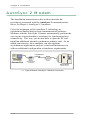
1 - 1 Typical Remote AutoSync 2 Modem Connection
1-4
AutoSync 2 Modem
AutoSync 2 Modem List
The following modems support the AutoSync 2 feature and are
available from CQ Computer Communications.
•
OPTIMA™ 56K external (H08-02892)
•
OPTIMA 56K internal (H08-02898)
•
OPTIMA 336 external (H08-02688)
•
OPTIMA 336 PCMCIA (08-02690)
You can also contact CQ for a current list of other modems that
support the AutoSync 2 feature.
Hardware Installation
Hardware installation depends on the type of AutoSync 2 modem
you are using. Determine the type of modem you are using and
turn to the page indicated in the table below.
Modem Type
Example Modem
Page
External
OPTIMA 56K (H08-02892)
OPTIMA 336 (H08-02688)
1-6
Internal
OPTIMA 56K (H08-02892)
1-7
PCMCIA
OPTIMA 336 (08-02690)
1-8
1-5
Chapter 1: Installation
External AutoSync 2 Modem
To install an external AutoSync 2 modem:
1. If your CQ software came with a CQ Security Key or similar
device, connect the Key to any parallel port on your
computer. If there is a printer cable attached to that port,
detach the printer cable and plug the Key into the port.
Reconnect the printer cable to the Key. The
CQ Security Key will not affect normal printer operation. If
you experience any problems, please contact CQ Technical
Support.
2. Follow the installation instructions that came with your
AutoSync 2 modem.
Note: Hayes OPTIMA Modem Drivers
Please note that the Hayes OPTIMA modem drivers that
came with your modem may not be the most current driver
file version. This is especially true when installing your
modem under the Windows 2000 and Windows XP
operating systems. For your convenience, CQ has
included the most current driver file versions on your CQ
software CD. To access these files, simply insert the CD,
select the Explore CD button, open the hayes directory,
open the directory for the modem you are using, and then
open the directory for the operating system you are using.
Note: Serial Cable Required
To connect the modem to your computer, your external
AutoSync 2 modem requires a ‘shielded, straight-through
modem cable’. You should be able to obtain this cable
from your local computer store. One end of the cable
requires a 25-pin male D connector. This end connects to
the modem. The other end of the cable requires either a
9-pin or 25-pin female connector, depending on the
computer. This end connects to the computer’s serial
COM port. Check the back of your computer to determine
the right cable connection.
Hardware installation is now complete. Turn to the section called
“Software Installation” on Page 1-9.
1-6
AutoSync 2 Modem
Internal AutoSync 2 Modem
To install an internal AutoSync 2 modem:
1. If your CQ software came with a CQ Security Key or similar
device, connect the Key to any parallel port on your
computer. If there is a printer cable attached to that port,
detach the printer cable and plug the Key into the port.
Reconnect the printer cable to the Key. The
CQ Security Key will not affect normal printer operation. If
you experience any problems, please contact CQ Technical
Support.
2. Follow the installation instructions that came with your
AutoSync 2 modem.
Note: Hayes OPTIMA Modem Drivers
Please note that the Hayes OPTIMA modem drivers that
came with your modem may not be the most current driver
file version. This is especially true when installing your
modem under the Windows 2000 and Windows XP
operating systems. For your convenience, CQ has
included the most current driver file versions on your CQ
software CD. To access these files, simply insert the CD,
select the Explore CD button, open the hayes directory,
open the directory for the modem you are using, and then
open the directory for the operating system you are using.
Hardware installation is now complete. Turn to the section called
“Software Installation” on Page 1-9.
1-7
Chapter 1: Installation
PCMCIA AutoSync 2 Modem
To install a PCMCIA AutoSync 2 modem:
1. If your CQ software came with a CQ Security Key or similar
device, connect the Key to any parallel port on your
computer. If there is a printer cable attached to that port,
detach the printer cable and plug the Key into the port.
Reconnect the printer cable to the Key. The
CQ Security Key will not affect normal printer operation. If
you experience any problems, please contact CQ Technical
Support.
2. Follow the installation instructions that came with your
AutoSync 2 modem.
Hardware installation is now complete. Turn to the section called
“Software Installation” on Page 1-9.
1-8
AutoSync 2 Modem
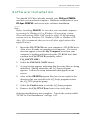
Software Installation
Now that you have completed hardware installation, you are
ready to install the CQ-3270 software.
Note:
Before installing CQ-3270, be sure that your computer is running
a Windows 32-bit operating system such as Windows 95,
Windows 98, Windows NT, Windows 2000, or Windows XP.
Also, CQ recommends that you exit all other applications that
might be active.
1. Insert the CQ-3270 CD into your computer’s CD-ROM drive.
After a few seconds, an opening screen appears. If a screen
does not appear, select the My Computer icon from your
computer’s desktop and then select the CD-ROM drive that
contains the CQ-3270 CD (probably called
CQ_SOFTWARE).
2. Select the INSTALL NOW button.
3. A setup screen appears indicating that the setup files are being
initialized. Shortly thereafter, the CQ Setup program
appears. Follow the setup instructions that appear on the
screen.
4. After all the CQ-3270 program files have been copied to the
directory that you specified, the CQ Setup program creates
the CQ_WIN program group.
5. Select the Finish button to exit the CQ Setup program.
6. Remove the CQ-3270 CD and store it in a safe place.
Software installation is now complete. Turn to the section called
“Configuration” on Page 1-10.
1-9
Chapter 1: Installation
Configuration
Installation of your CQ-3270 connectivity solution with the
AutoSync 2 communications driver for AutoSync 2 modems is
now complete. All CQ-3270 related programs will appear in the
CQ_WIN program group.
To access the CQ_WIN program group:
•
Select Start > Programs > CQ-3270 from your computer’s
desktop.
Note:
Windows XP users should select
Start > More Programs > CQ-3270.
Annual Release License
Sometime during the first month after initial software installation,
you will need to contact CQ for license authorization instructions
if the Software License Registration icon appears within the
CQ_WIN program group.
For more information on license registration, turn to the section
called “License Registration” in the Quick Installation Guide that
came with your solution. If you require additional license
registration assistance, you can also contact CQ.
CQ Configurator
Before you begin communications, you must first configure the
CQ-3270 communications parameters such as the logon, host
phone number, and other parameters. To set these parameters,
access the Configurator program.
To access the Configurator program:
•
Select the Configurator icon in the CQ_WIN program group.
For detailed information on how to use the Configurator
program, turn to Chapter 2: Configurator.
1 - 10
CQ-Sync PCI Adapter Card
CQ-Sync PCI Adapter Card
The installation instructions in this section describe the
procedures associated with the Sync Card communications
driver for CQ-Sync™ PCI adapter cards.
CQ provides advanced PCI-based internal synchronous adapter
cards for CQ’s software products.
•
CQ-Sync100™ PCI - This card comes with an RS-232 cable
and communicates at speeds up to 33.6 Kbps.
•
CQ-Sync200™ PCI - This card comes with an RS-232 cable
and communicates at speeds up to 128 Kbps.
•
CQ-Sync300™ PCI - This card comes with an V.35 cable and
communicates at speeds up to 128 Kbps.
CQ’s PCI cards provide efficient and reliable communications
over remote analog dial-up lines, dedicated leased lines, and
other high-speed lines through any external synchronous modem
or device. The high-speed CQ-Sync200 PCI and CQ-Sync300 PCI
cards can also be used for high-speed connections over T1,
Fractional T1, ISDN, satellite, Frame Relay, and other
connections.
1 - 2 Typical CQ-Sync PCI Adapter Card Connections
1 - 11
Chapter 1: Installation
Operating Systems
The Windows 95, Windows 98, Windows NT, Windows 2000,
and Windows XP operating systems use different procedures for
installing the CQ-Sync PCI adapter card version of CQ-3270.
Determine the operating system that you intend to install
CQ-3270 under and turn to the page indicated in the table below.
1 - 12
Operating System
Page
Windows 95
1 - 13
Windows 98
1 - 20
Windows NT
1 - 26
Windows 2000
1 - 29
Windows XP
1 - 34
CQ-Sync PCI Adapter Card
Windows 95
These instructions are for users that intend to install CQ-3270
under the Windows 95 operating system. These instructions will
not work for the Windows 98, Windows NT, Windows 2000, or
Windows XP operating systems.
Software Installation
Note:
Before installing CQ-3270, be sure that your computer is running
Windows 95. Also, CQ recommends that you exit all other
applications that might be active.
1. Insert the CQ-3270 CD into the CD-ROM drive. After a few
seconds, an opening screen appears. If a screen does not
appear, select the My Computer icon from your computer’s
desktop and then select the CD-ROM drive that contains the
CQ-3270 CD (probably called CQ_SOFTWARE).
2. Select the INSTALL NOW button.
3. A setup screen appears indicating that the setup files are being
initialized. Shortly thereafter, the CQ Setup program
appears. Follow the setup instructions that appear on the
screen.
4. After all the CQ-3270 program files have been copied to the
directory that you specified, the CQ Setup program creates
the CQ_WIN program group.
5. Select the Finish button to exit the CQ Setup program.
1 - 13
Chapter 1: Installation
6. DO NOT remove the CQ-3270 CD from your computer’s
CD-ROM drive. Leave the CD in the CD-ROM drive as you
will need to access it during hardware installation.
7. Select Start > Shut Down.
8. Select the Shut down the computer option and then select the
Yes button.
9. When the message appears that it is safe to turn off the
computer, turn off the computer.
Software installation is now complete. Turn to the section called
“Hardware Installation” on Page 1-15.
1 - 14
CQ-Sync PCI Adapter Card
Hardware Installation
1. Make sure that your computer is turned off before continuing
with these instructions.
2. Remove the cover, insert the CQ-Sync PCI card into an open
PCI slot, and replace the cover.
3. Attach one end of the cable that came with the CQ-Sync PCI
card to the adapter card’s 25-pin D port and the other end of
the cable to the modem or device.
4. If necessary, plug one end of a telephone cable into the wall
jack and the other end into the jack located at the back of the
modem or device usually labeled Line, Leased Line, Phone,
etc.
5. Plug the appropriate end of the supplied transformer into an AC
receptacle and the other end into the back of the modem or
device.
6. If your CQ software came with a CQ Security Key or similar
device, connect the Key to any parallel port on your
computer. If there is a printer cable attached to that port,
detach the printer cable and plug the Key into the port.
Reconnect the printer cable to the Key. The
CQ Security Key will not affect normal printer operation. If
you experience any problems, please contact CQ Technical
Support.
7. If you are connecting with a modem, turn on the modem.
8. Turn on the computer.
1 - 15
Chapter 1: Installation
9. After Windows 95 boots up, your next step depends on if the
New Hardware Found window appears followed shortly
thereafter by the Insert Disk window:
• If the New Hardware Found window appears followed by
the Insert Disk window, skip to the next numbered step
below (Step 10).
• If the New Hardware Found and Insert Disk windows
DO NOT appear, you have most likely already installed a
CQ-Sync PCI adapter card through a previous installation.
Turn to the section called “Reinstallation of CQ-Sync PCI
Adapter Card” on Page 1-18.
10. Shortly after the New Hardware Found window appears, the
Insert Disk window appears. The message instructs you to
insert the CQ Windows CD-ROM software CD and then
click OK. The CQ Windows CD-ROM software CD
should already be in your computer’s CD-ROM drive.
Therefore, simply select the OK button.
11. From the New Hardware Found window that appears, select
the Browse button.
12. From the Open window that appears, select the CD-ROM
drive letter from the Drives drop-down list.
13. Select the file called cqsynpci.vxd.
Note:
In some cases, the Windows 95 operating system will not
allow you to select the cqsynpci.vxd file. If this should
occur, simply type in the filename cqsynpci.vxd in the File
name text box.
1 - 16
CQ-Sync PCI Adapter Card
14. Select the OK button to select the cqsynpci.vxd file name.
15. Select the OK button.
Installation is now complete. Turn to the section called
“Configuration” on Page 1-39.
1 - 17
Chapter 1: Installation
Reinstallation of CQ-Sync PCI Adapter Card
Note:
Follow these instructions if the New Hardware Found and Insert
Disk windows DID NOT appear after following the instructions
in the previous section. Most likely, you have already installed a
CQ-Sync PCI adapter card through a previous installation.
10. Select Start > Settings > Control Panel.
11. Select the System icon.
12. From the System Properties window, select the
Device Manager folder tab.
13. If there is a “plus” (+) sign next to Other devices option,
select the “plus” sign to change it to a “minus” (-) sign.
14. Select the CQ-Sync xxx PCI Synchronous
Communications Card option for the CQ-Sync PCI adapter
card you are installing (where xxx is a CQ-Sync PCI card
number such as 100, 200, or 300).
15. Select the Properties button.
16. Select the Driver folder tab.
17. Select the Change Driver button.
18. Select the Other devices option from the scrolling list of
hardware types.
19. Select the OK button.
20. Select the Have Disk button.
21. Select the Browse button.
1 - 18
CQ-Sync PCI Adapter Card
22. From the Open window that appears, select the CD-ROM
drive letter from the Drives drop-down list.
23. Select the OK button.
24. Select the OK button from each screen that appears until the
Insert Disk dialog box appears.
25. From the Insert Disk dialog box, the message instructs you to
insert the CQ Windows CD-ROM software CD and then
click OK. The CQ Windows CD-ROM software CD
should already be in your computer’s CD-ROM drive.
Therefore, simply select the OK button.
Note:
If a message appears that states that the file cqsynpci.vxd
could not be found, select the Browse button, then select
the computer’s CD-ROM drive letter from the Drives
drop-down menu, then select the OK button, and then
select the OK button again.
26. Select the Close button.
27. Close the Control Panel screen.
Installation is now complete. Turn to the section called
“Configuration” on Page 1-39.
1 - 19
Chapter 1: Installation
Windows 98
These instructions are for users that intend to install CQ-3270
under the Windows 98 operating system. These instructions will
not work for the Windows 95, Windows NT, Windows 2000, or
Windows XP operating systems.
Software Installation
Note:
Before installing CQ-3270, be sure that your computer is running
Windows 98. Also, CQ recommends that you exit all other
applications that might be active.
1. Insert the CQ-3270 CD into the CD-ROM drive. After a few
seconds, an opening screen appears. If a screen does not
appear, select the My Computer icon from your computer’s
desktop and then select the CD-ROM drive that contains the
CQ-3270 CD (probably called CQ_SOFTWARE).
2. Select the INSTALL NOW button.
3. A setup screen appears indicating that the setup files are being
initialized. Shortly thereafter, the CQ Setup program
appears. Follow the setup instructions that appear on the
screen.
4. After all the CQ-3270 program files have been copied to the
directory that you specified, the CQ Setup program creates
the CQ_WIN program group.
1 - 20
CQ-Sync PCI Adapter Card
5. If the CQ_WIN program group is not already minimized on
your screen, minimize it now by selecting the “minimize”
button in the upper right-hand corner of the program group.
6. Select the Finish button to exit the CQ Setup program.
7. DO NOT remove the CQ-3270 CD from your computer’s
CD-ROM drive. Leave the CD in the CD-ROM drive as you
will need to access it during hardware installation.
8. Select Start > Shut Down.
9. Select the Shut down option and then select the OK button.
10. When the message appears that it is safe to turn off the
computer, turn off the computer.
Software installation is now complete. Turn to the section called
“Hardware Installation” on Page 1-22.
1 - 21
Chapter 1: Installation
Hardware Installation
1. Make sure that your computer is turned off before continuing
with these instructions.
2. Remove the cover, insert the CQ-Sync PCI card into an open
PCI slot, and replace the cover.
3. Attach one end of the cable that came with the CQ-Sync PCI
card to the adapter card’s 25-pin D port and the other end of
the cable to the modem or device.
4. If necessary, plug one end of a telephone cable into the wall
jack and the other end into the jack located at the back of the
modem or device usually labeled Line, Leased Line, Phone,
etc.
5. Plug the appropriate end of the supplied transformer into an AC
receptacle and the other end into the back of the modem or
device.
6. If your CQ software came with a CQ Security Key or similar
device, connect the Key to any parallel port on your
computer. If there is a printer cable attached to that port,
detach the printer cable and plug the Key into the port.
Reconnect the printer cable to the Key. The
CQ Security Key will not affect normal printer operation. If
you experience any problems, please contact CQ Technical
Support.
7. If you are connecting with a modem, turn on the modem.
8. Turn on the computer.
1 - 22
CQ-Sync PCI Adapter Card
9. After Windows 98 boots up, your next step depends on if the
New Hardware Found window appears followed shortly
thereafter by the Add New Hardware Wizard window:
• If the New Hardware Found window appears followed by
the Add New Hardware Wizard window, skip to the next
numbered step below (Step 10).
• If the New Hardware Found and Add New Hardware
Wizard windows DO NOT appear, you have most likely
already installed a CQ-Sync PCI adapter card through a
previous installation. Turn to the section called
“Reinstallation of CQ-Sync PCI Adapter Card” on
Page 1-24.
10. Shortly after the New Hardware Found window appears, the
Add New Hardware Wizard window appears. Select the
Next button.
11. Select the Search for the best driver for your device option
and then select the Next button.
12. From the list of devices, check the CD-ROM drive check box
and uncheck all other check boxes.
13. Select the Next button.
14. The wizard will begin looking for the most recent driver.
After it has found the driver called cqsynpci.inf from the
CD-ROM drive, select the Next button.
15. Select the Finish button.
Installation is now complete. Turn to the section called
“Configuration” on Page 1-39.
1 - 23
Chapter 1: Installation
Reinstallation of CQ-Sync PCI Adapter Card
Note:
Follow these instructions if the New Hardware Found and Add
New Hardware Wizard windows DID NOT appear after
following the instructions in the previous section. Most likely,
you have already installed a CQ-Sync PCI adapter card through a
previous installation.
10. Select Start > Settings > Control Panel.
11. Select the System icon.
12. From the System Properties window, select the
Device Manager folder tab.
13. If there is a “plus” (+) sign next to Other devices option,
select the “plus” sign to change it to a “minus” (-) sign.
14. Select the CQ-Sync xxx PCI Synchronous
Communications Card option for the CQ-Sync PCI adapter
card you are installing (where xxx is a CQ-Sync PCI card
number such as 100, 200, or 300).
15. Select the Properties button.
16. Select the Driver folder tab.
17. Select the Update Driver button.
18. Select the Next button.
19. Select the second option from the window that appears. This
option is called Display a list of all the drivers in a specific
location, so you can select the driver you want.
20. Select the Next button.
1 - 24
CQ-Sync PCI Adapter Card
21. Select the Other devices option from the scrolling list.
22. Select the Next button.
23. Select the Have Disk button.
24. Select the Browse button.
25. Select the CD-ROM drive letter from the Drives drop-down
list.
26. Select the file called cqsynpci.inf.
27. Select the OK button to select the cqsynpci.inf file name.
28. Select the OK button.
29. Select the Next button.
30. If the Update Driver Warning dialog box appears, select the
Yes button.
31. Select the Next button.
32. Select the Finish button.
33. Select the Close button.
34. Select the Close button.
35. Close the Control Panel screen.
Installation is now complete. Turn to the section called
“Configuration” on Page 1-39.
1 - 25
Chapter 1: Installation
Windows NT
These instructions are for users that intend to install CQ-3270
under the Windows NT operating system. These instructions will
not work for the Windows 95, Windows 98, Windows 2000, or
Windows XP operating systems.
Software Installation
Note:
Before installing CQ-3270, be sure that your computer is running
Windows NT and that you are using a logon that has
Administrative privileges. Also, CQ recommends that you exit all
other applications that might be active.
1. Insert the CQ-3270 CD into the CD-ROM drive. After a few
seconds, an opening screen appears. If a screen does not
appear, select the My Computer icon from your computer’s
desktop and then select the CD-ROM drive that contains the
CQ-3270 CD (probably called CQ_SOFTWARE).
2. Select the INSTALL NOW button.
3. A setup screen appears indicating that the setup files are being
initialized. Shortly thereafter, the CQ Setup program
appears. Follow the setup instructions that appear on the
screen.
4. After all the CQ-3270 program files have been copied to the
directory that you specified, the CQ Setup program creates
the CQ_WIN program group.
1 - 26
CQ-Sync PCI Adapter Card
5. If a message appears stating that you must restart your
computer to complete CQ driver installation, simply select
the OK button to continue.
6. If the CQ_WIN program group is not already minimized on
your screen, minimize it now by selecting the “minimize”
button in the upper right-hand corner of the program group.
7. If you are prompted to select if you want to shut down your
computer now or not, select the No, I will restart my
computer later option. In other words, you DO NOT want
to restart your computer at this time.
8. Select the Finish button to exit the CQ Setup program.
9. Remove the CQ-3270 CD from your computer’s CD-ROM
drive.
10. Select Start > Shut Down.
11. Select the Shut down the computer option and then select
the Yes button.
12. When the message appears that it is safe to turn off the
computer, turn off the computer.
Software installation is now complete. Turn to the section called
“Hardware Installation” on Page 1-28.
1 - 27
Chapter 1: Installation
Hardware Installation
1. Make sure that your computer is turned off before continuing
with these instructions.
2. Remove the cover, insert the CQ-Sync PCI card into an open
PCI slot, and replace the cover.
3. Attach one end of the cable that came with the CQ-Sync PCI
card to the adapter card’s 25-pin D port and the other end of
the cable to the modem or device.
4. If necessary, plug one end of a telephone cable into the wall
jack and the other end into the jack located at the back of the
modem or device usually labeled Line, Leased Line, Phone,
etc.
5. Plug the appropriate end of the supplied transformer into an AC
receptacle and the other end into the back of the modem or
device.
6. If your CQ software came with a CQ Security Key or similar
device, connect the Key to any parallel port on your
computer. If there is a printer cable attached to that port,
detach the printer cable and plug the Key into the port.
Reconnect the printer cable to the Key. The
CQ Security Key will not affect normal printer operation. If
you experience any problems, please contact CQ Technical
Support.
7. If you are connecting with a modem, turn on the modem.
8. Turn on the computer.
9. The Windows NT operating system will recognize the new
CQ-Sync PCI card automatically.
Installation is now complete. Turn to the section called
“Configuration” on Page 1-39.
1 - 28
CQ-Sync PCI Adapter Card
Windows 2000
These instructions are for users that intend to install CQ-3270
under the Windows 2000 operating system. These instructions
will not work for the Windows 95, Windows 98, Windows NT,
or Windows XP operating systems.
Software Installation
Note:
Before installing CQ-3270, be sure that your computer is running
Windows 2000 and that you are using a logon that has
Administrative privileges. Also, CQ recommends that you exit all
other applications that might be active.
1. Insert the CQ-3270 CD into the CD-ROM drive. After a few
seconds, an opening screen appears. If a screen does not
appear, select the My Computer icon from your computer’s
desktop and then select the CD-ROM drive that contains the
CQ-3270 CD (probably called CQ_SOFTWARE).
2. Select the INSTALL NOW button.
3. A setup screen appears indicating that the setup files are being
initialized. Shortly thereafter, the CQ Setup program
appears. Follow the setup instructions that appear on the
screen.
4. After all the CQ-3270 program files have been copied to the
directory that you specified, the CQ Setup program creates
the CQ_WIN program group.
1 - 29
Chapter 1: Installation
5. If the CQ_WIN program group is not already minimized on
your screen, minimize it now by selecting the “minimize”
button in the upper right-hand corner of the program group.
6. If you are prompted to select if you want to shut down your
computer now or not, select the No, I will restart my
computer later option. In other words, you DO NOT want
to restart your computer at this time.
7. Select the Finish button to exit the CQ Setup program.
8. DO NOT remove the CQ-3270 CD from your computer’s
CD-ROM drive. Leave the CD in the CD-ROM drive as you
will need to access it during hardware installation.
9. Select Start > Shut Down.
10. Select the Shut down option from the drop-down list and then
select the OK button.
11. When the message appears that it is safe to turn off the
computer, turn off the computer.
Software installation is now complete. Turn to the section called
“Hardware Installation” on Page 1-31.
1 - 30
CQ-Sync PCI Adapter Card
Hardware Installation
1. Make sure that your computer is turned off before continuing
with these instructions.
2. Remove the cover, insert the CQ-Sync PCI card into an open
PCI slot, and replace the cover.
3. Attach one end of the cable that came with the CQ-Sync PCI
card to the adapter card’s 25-pin D port and the other end of
the cable to the modem or device.
4. If necessary, plug one end of a telephone cable into the wall
jack and the other end into the jack located at the back of the
modem or device usually labeled Line, Leased Line, Phone,
etc.
5. Plug the appropriate end of the supplied transformer into an AC
receptacle and the other end into the back of the modem or
device.
6. If your CQ software came with a CQ Security Key or similar
device, connect the Key to any parallel port on your
computer. If there is a printer cable attached to that port,
detach the printer cable and plug the Key into the port.
Reconnect the printer cable to the Key. The
CQ Security Key will not affect normal printer operation. If
you experience any problems, please contact CQ Technical
Support.
7. If you are connecting with a modem, turn on the modem.
8. Turn on the computer.
1 - 31
Chapter 1: Installation
9. The Windows 2000 operating system will recognize that a new
hardware device has been inserted into the computer by
displaying the Found New Hardware window. Shortly
thereafter, the Found New Hardware Wizard window
appears.
Note:
If the CQ_WIN program group appears on your screen,
minimize it by selecting the “minimize” button in the upper
right-hand corner of the program group.
10. Select the Next button.
11. Select the second option on the window that appears. This
option is called Display a list of the known drivers for this
device so that I can choose a specific driver.
12. Select the Next button.
13. Select the Have Disk button.
14. Select the Browse button.
15. Select the CD-ROM drive letter from the Look in drop-down
list.
16. Select the file called cqsynpci.inf.
17. Select the Open button to select the cqsynpci.inf file name.
18. Select the OK button.
1 - 32
CQ-Sync PCI Adapter Card
19. Select the CQ-Sync xxx PCI Synchronous
Communications Card option for the CQ-Sync PCI adapter
card you are installing (where xxx is a CQ-Sync PCI card
number such as 100, 200, or 300).
Note:
DO NOT select the option called CQ-Sync x00 PCI
Synchronous Communications Card if it is available.
This is an older version of the CQ-Sync PCI card driver.
20. Select the Next button.
21. Select the Next button.
22. Select the Finish button.
Installation is now complete. Turn to the section called
“Configuration” on Page 1-39.
1 - 33
Chapter 1: Installation
Windows XP
These instructions are for users that intend to install CQ-3270
under the Windows XP operating system. These instructions will
not work for the Windows 95, Windows 98, Windows NT, or
Windows 2000 operating systems.
Software Installation
Note:
Before installing CQ-3270, be sure that your computer is running
Windows XP and that you are using a logon that has
Administrative privileges. Also, CQ recommends that you exit all
other applications that might be active.
1. Insert the CQ-3270 CD into the CD-ROM drive. After a few
seconds, an opening screen appears. If a screen does not
appear, select the My Computer icon from your computer’s
desktop and then select the CD-ROM drive that contains the
CQ-3270 CD (probably called CQ_SOFTWARE).
2. Select the INSTALL NOW button.
3. A setup screen appears indicating that the setup files are being
initialized. Shortly thereafter, the CQ Setup program
appears. Follow the setup instructions that appear on the
screen.
4. After all the CQ-3270 program files have been copied to the
directory that you specified, the CQ Setup program creates
the CQ_WIN program group.
1 - 34
CQ-Sync PCI Adapter Card
5. If the CQ_WIN program group is not already minimized on
your screen, minimize it now by selecting the “minimize”
button in the upper right-hand corner of the program group.
6. If you are prompted to select if you want to shut down your
computer now or not, select the No, I will restart my
computer later option. In other words, you DO NOT want
to restart your computer at this time.
7. Select the Finish button to exit the CQ Setup program.
8. DO NOT remove the CQ-3270 CD from your computer’s
CD-ROM drive. Leave the CD in the CD-ROM drive as you
will need to access it during hardware installation.
9. Select Start > Turn off computer.
10. Select the Turn Off button.
11. When the message appears that it is safe to turn off the
computer, turn off the computer.
Software installation is now complete. Turn to the section called
“Hardware Installation” on Page 1-36.
1 - 35
Chapter 1: Installation
Hardware Installation
1. Make sure that your computer is turned off before continuing
with these instructions.
2. Remove the cover, insert the CQ-Sync PCI card into an open
PCI slot, and replace the cover.
3. Attach one end of the cable that came with the CQ-Sync PCI
card to the adapter card’s 25-pin D port and the other end of
the cable to the modem or device.
4. If necessary, plug one end of a telephone cable into the wall
jack and the other end into the jack located at the back of the
modem or device usually labeled Line, Leased Line, Phone,
etc.
5. Plug the appropriate end of the supplied transformer into an AC
receptacle and the other end into the back of the modem or
device.
6. If your CQ software came with a CQ Security Key or similar
device, connect the Key to any parallel port on your
computer. If there is a printer cable attached to that port,
detach the printer cable and plug the Key into the port.
Reconnect the printer cable to the Key. The
CQ Security Key will not affect normal printer operation. If
you experience any problems, please contact CQ Technical
Support.
7. If you are connecting with a modem, turn on the modem.
8. Turn on the computer.
1 - 36
CQ-Sync PCI Adapter Card
9. The Windows XP operating system will recognize that a new
hardware device has been inserted into the computer by
displaying the Found New Hardware window.
Note:
If the CQ_WIN program group appears on your screen,
minimize it by selecting the “minimize” button in the upper
right-hand corner of the program group.
10. Select the second option on the window that appears. This
option is called Install from a list or specific location
(Advanced).
11. Select the Next button.
12. Select the Don’t search. I will choose the driver to install
option.
13. Select the Next button.
14. Select the Have Disk button.
15. Select the Browse button.
16. Select the CD-ROM drive letter from the Look in drop-down
list.
17. Select the file called cqsynpci.inf.
Note:
In some cases, the file extension .inf may not appear. In
these cases, select the file called cqsynpci as the .inf file
extension is simply hidden.
18. Select the Open button to select the cqsynpci.inf file name.
1 - 37
Chapter 1: Installation
19. Select the OK button.
20. Select the CQ-Sync xxx PCI Synchronous
Communications Card option for the CQ-Sync PCI adapter
card you are installing (where xxx is a CQ-Sync PCI card
number such as 100, 200, or 300).
Note:
DO NOT select the option called CQ-Sync x00 PCI
Synchronous Communications Card if it is available.
This is an older version of the CQ-Sync PCI card driver.
21. Select the Next button.
22. Select the Finish button.
Installation is now complete. Turn to the section called
“Configuration” on Page 1-39.
1 - 38
CQ-Sync PCI Adapter Card
Configuration
Installation of your CQ-3270 connectivity solution with the
Sync Card communications driver for CQ-Sync PCI adapter cards
is now complete. All CQ-3270 related programs will appear in
the CQ_WIN program group.
To access the CQ_WIN program group:
•
Select Start > Programs > CQ-3270 from your computer’s
desktop.
Note:
Windows XP users should select
Start > More Programs > CQ-3270.
Annual Release License
Sometime during the first month after initial software installation,
you will need to contact CQ for license authorization instructions
if the Software License Registration icon appears within the
CQ_WIN program group.
For more information on license registration, turn to the section
called “License Registration” in the Quick Installation Guide that
came with your solution. If you require additional license
registration assistance, you can also contact CQ.
CQ Configurator
Before you begin communications, you must first configure the
CQ-3270 communications parameters such as the logon, host
phone number, and other parameters. To set these parameters,
access the Configurator program.
To access the Configurator program:
•
Select the Configurator icon in the CQ_WIN program group.
For detailed information on how to use the Configurator
program, turn to Chapter 2: Configurator.
1 - 39
Chapter 1: Installation
CQ-Sync PCMCIA Card
The installation instructions in this section describe the
procedures associated with the Sync Card communications
driver for CQ-Sync PCMCIA cards.
CQ provides support for the CQ-Sync PCMCIA card. This
PCMCIA card is a Quatech MPAP-100 single channel RS-232
multi-protocol synchronous communications card.
The CQ-3270 software can be used for two types of
communications through a CQ-Sync PCMCIA card:
•
CONNECTION 1: Dial-Up/Leased Line Connection Remote analog dial-up connections are supported through
any external synchronous modem or device at speeds up to
33.6 Kbps. Leased lines are supported at speeds up to
64 Kbps. The modem or device connects to the PCMCIA
card through a special RS-232 cable.
•
CONNECTION 2: Direct Connection - Direct
connections are supported through a special RS-232 cable at
speeds up to 64 Kbps.
1 - 3 Typical CQ-Sync PCMCIA Card Connections
1 - 40
CQ-Sync PCMCIA Card
Software Installation
You should NOT have already inserted your CQ-Sync PCMCIA
card into your notebook computer. Hardware installation of your
CQ-Sync PCMCIA card occurs after software installation.
Note:
Before installing CQ-3270, be sure that your notebook computer
is running the Windows 95 or Windows 98 operating system.
These instructions WILL NOT work for other 32-bit operating
systems such as Windows NT, Windows 2000, or Windows XP.
Also, CQ recommends that you exit all other applications that
might be active.
1. Insert the CQ-3270 CD into your computer’s CD-ROM drive.
After a few seconds, an opening screen appears. If a screen
does not appear, select the My Computer icon from your
computer’s desktop and then select the CD-ROM drive that
contains the CQ-3270 CD (probably called
CQ_SOFTWARE).
2. Select the INSTALL NOW button.
3. A setup screen appears indicating that the setup files are being
initialized. Shortly thereafter, the CQ Setup program
appears. Follow the setup instructions that appear on the
screen.
4. After all the CQ-3270 program files have been copied to the
directory that you specified, the CQ Setup program creates
the CQ_WIN program group.
5. Select the Finish button to exit the CQ Setup program.
6. Remove the CQ-3270 CD and store it in a safe place.
Software installation is now complete. Turn to the section called
“PCMCIA Card Installation” on Page 1-42.
1 - 41
Chapter 1: Installation
PCMCIA Card Installation
These instructions are for users that have installed CQ-3270 under
the Windows 95 or Windows 98 operating system. These
instructions will not work for the Windows NT, Windows 2000,
or Windows XP operating systems.
1. Select Start > Settings > Control Panel.
2. Select the Add New Hardware icon.
3. Select the Next button.
4. Select the No option and then select the Next button.
5. From the list of Hardware types, select the Other devices
option and then select the Next button.
6. Select the Have Disk button.
7. Select the Browse button and locate the directory where you
installed CQ-3270.
Note:
The default directory that you most likely used during
software installation is C:\CQ3270.
8. Locate the directory where one or more of CQ’s .inf files are
located. For example, the file named cqpcmpap.inf should
be located in this directory.
9. After you have selected the directory where one or more of
CQ’s .inf files are located, select the OK button.
10. Select the OK button.
11. Select the Quatech option from the Manufacturers list.
12. Select the Quatech MPAP-100: PCMCIA RS-232
Synchronous Adapter option from the Models list.
13. Select the Next button.
14. Select the Next button.
1 - 42
CQ-Sync PCMCIA Card
15. Select the Finish button.
16. Insert the CQ-Sync PCMCIA card (the Quatech MPAP-100
PCMCIA card) into your notebook computer’s PCMCIA slot.
17. The Windows 95/98 operating system will recognize the
CQ-Sync PCMCIA card and automatically set the card’s IRQ
and I/O address settings with settings that are not in use by
any other devices installed on your notebook computer. A
series of windows may appear indicating that the card is
being configured, etc. DO NOT close any of these windows.
Some of them may be useful in determining the settings that
were assigned to the CQ-Sync PCMCIA card.
PCMCIA card installation is now complete. Turn to the section
called “Determine the Assigned Settings” on Page 1-44.
1 - 43
Chapter 1: Installation
Determine the Assigned Settings
You must find out the settings that were automatically assigned
to the CQ-Sync PCMCIA card in the previous section. These
assigned settings are required for configuration of the CQ-3270
software.
Your first step depends on if the SystemSoft CardWizard window
(or similarly titled window) appears on your desktop:
•
If the SystemSoft CardWizard window (or similarly titled
window) appears on your desktop, turn to the section called
“Using the SystemSoft CardWizard” on Page 1-45.
•
If the SystemSoft CardWizard window (or similarly titled
window) DOES NOT appear on your desktop, close all
current windows that are open on your desktop and turn to
the section called “Using the Device Manager” on Page 1-46.
1 - 44
CQ-Sync PCMCIA Card
Using the SystemSoft CardWizard
1. From the SystemSoft CardWizard window (or similarly titled
window), select View > Properties from the menu bar.
2. Select the Resources folder tab.
3. The SystemSoft CardWizard will display the Interrupt
Request (IRQ) and Input/Output Range (I/O Address)
settings that were assigned to your CQ-Sync PCMCIA card.
Write these settings down in the space provided below, as
you will need them during software configuration.
• IRQ: ________
• I/O Address: ________
Note:
CQ requires only the first four digits of the I/O address.
4. Close all open windows on your desktop.
You have determined the assigned settings for your
CQ-Sync PCMCIA card. Turn to the section called
“Modem/Device Installation” on Page 1-47.
1 - 45
Chapter 1: Installation
Using the Device Manager
1. Select Start > Settings > Control Panel.
2. Select the System icon.
3. Select the Device Manager folder tab. The Quatech
MPAP-100: PCMCIA RS-232 Synchronous Adapter
option will be located in either the Other devices or Modem
device types.
4. Select the Quatech MPAP-100: PCMCIA RS-232
Synchronous Adapter option and then select the Properties
button.
5. Select the Resources folder tab.
6. The Interrupt Request (IRQ) and Input/Output Range
(I/O Address) settings that were assigned to your
CQ-Sync PCMCIA card are displayed. Write these settings
down in the space provided below, as you will need them
during software configuration.
• IRQ: ________
• I/O Address: ________
Note:
CQ requires only the first four digits of the I/O address.
7. Close all open windows on your desktop.
You have determined the assigned settings for your
CQ-Sync PCMCIA card. Turn to the section called
“Modem/Device Installation” on Page 1-47.
1 - 46
CQ-Sync PCMCIA Card
Modem/Device Installation
The CQ-Sync PCMCIA card can be used for two types of
communications with the CQ-3270 software. After you determine
the type of connection you intend to use, turn to the page
indicated in the table below.
Type of Connection
Page
Dial-Up/Leased Line Connection
1 - 48
Direct Connection
1 - 49
1 - 47
Chapter 1: Installation
Dial-Up/Leased Line Connection
1. If you have not already inserted the CQ-Sync PCMCIA card into
the PCMCIA slot of your notebook computer, insert it now.
2. Attach the appropriate end of the special RS-232 cable that
came with your CQ-Sync PCMCIA card to the interface end of
the CQ-Sync PCMCIA card.
3. Connect the other end of the special RS-232 cable to the port
located on the modem or device.
4. If necessary, plug one end of a telephone cable into the wall
jack and the other end into the jack located at the back of the
modem or device usually labeled Line, Leased Line, Phone,
etc.
5. If your CQ software came with a CQ Security Key or similar
device, connect the Key to any parallel port on your
computer. If there is a printer cable attached to that port,
detach the printer cable and plug the Key into the port.
Reconnect the printer cable to the Key. The
CQ Security Key will not affect normal printer operation. If
you experience any problems, please contact CQ Technical
Support.
6. If you are connecting with a modem, turn on the modem.
Installation is now complete. Turn to the section called
“Configuration” on Page 1-50.
1 - 48
CQ-Sync PCMCIA Card
Direct Connection
1. If you have not already inserted the CQ-Sync PCMCIA card into
the PCMCIA slot of your notebook computer, insert it now.
2. Attach the appropriate end of the special RS-232 cable that
came with your CQ-Sync PCMCIA card to the interface end of
the CQ-Sync PCMCIA card.
3. Connect the other end of the special RS-232 cable to the port
located on the Data Communications Equipment (DCE).
4. If your CQ software came with a CQ Security Key or similar
device, connect the Key to any parallel port on your
computer. If there is a printer cable attached to that port,
detach the printer cable and plug the Key into the port.
Reconnect the printer cable to the Key. The
CQ Security Key will not affect normal printer operation. If
you experience any problems, please contact CQ Technical
Support.
Installation is now complete. Turn to the section called
“Configuration” on Page 1-50.
1 - 49
Chapter 1: Installation
Configuration
Installation of your CQ-3270 connectivity solution with the
Sync Card communications driver for the CQ-Sync PCMCIA
adapter card is now complete. All CQ-3270 related programs will
appear in the CQ_WIN program group.
To access the CQ_WIN program group:
•
Select Start > Programs > CQ-3270 from your computer’s
desktop.
Annual Release License
Sometime during the first month after initial software installation,
you will need to contact CQ for license authorization instructions
if the Software License Registration icon appears within the
CQ_WIN program group.
For more information on license registration, turn to the section
called “License Registration” in the Quick Installation Guide that
came with your solution. If you require additional license
registration assistance, you can also contact CQ.
CQ Configurator
Before you begin communications, you must first configure the
CQ-3270 communications parameters such as the logon, host
phone number, and other parameters. Also, you will need to set
the IRQ, I/O Address, and possibly the Connection type from
the Configurator program. To set these parameters, access the
Configurator program.
To access the Configurator program:
•
Select the Configurator icon in the CQ_WIN program group.
For detailed information on how to use the Configurator
program, turn to Chapter 2: Configurator.
1 - 50
Ethernet NIC
Ethernet NIC
The installation instructions in this section describe the
procedures associated with the DLC Interface communications
driver for users on Ethernet networks that are installing a 3Com®
EtherLink PCI Network Interface Card (NIC),
Part No. 3C905CX-TX-M.
The CQ-3270 software can be used for two types of
communications through Ethernet NIC connections:
•
CONNECTION 1: Routed Network Connection Remote high-speed connections over a routed network
(Frame Relay, etc.).
•
CONNECTION 2: Direct Connection - Direct local
connections over an Ethernet network.
1 - 4 Typical Ethernet NIC Connections
1 - 51
Chapter 1: Installation
Hardware Installation
This section describes the procedures associated with hardware
installation of a 3Com EtherLink PCI NIC
(Part No. 3C905CX-TX-M) for use with your CQ-3270 solution.
Operating Systems
The Windows 95, Windows 98, Windows NT, Windows 2000,
and Windows XP operating systems use different procedures for
hardware and driver installation of your 3Com Ethernet NIC.
Determine the operating system that you intend to install your
3Com Ethernet NIC under and turn to the indicated in the table
below.
Operating System
Page
Windows 95
1 - 53
Windows 98
1 - 58
Windows NT
1 - 63
Windows 2000
1 - 65
Windows XP
1 - 67
Note:
Users intending to run CQ-3270 on a computer with the
Windows XP operating system should first read the section called
“DLC Protocol and Windows XP” on Page 1-67 for information
on the DLC protocol for the Windows XP operating system.
1 - 52
Ethernet NIC
Windows 95
These instructions are for users that intend to install a 3Com
Ethernet NIC under the Windows 95 operating system.
3Com Ethernet NIC and Driver Installation
1. Consult the 3Com User Guide for detailed information on
installing and configuring the 3Com Ethernet NIC for your
computer. This guide should have been included with your
3Com Ethernet NIC and may also be available in electronic
form on the EtherCD that came with your 3Com Ethernet
NIC.
After you have fully installed the 3Com Ethernet NIC, including
all necessary 3Com drivers, proceed to the next section.
DLC Protocol Driver Installation
2. Select Start > Settings > Control Panel.
3. Select the Network icon.
4. Select the Add button.
5. Highlight the Protocol network component option.
6. Select the Add button.
7. Highlight the Microsoft option from the Manufacturers list.
1 - 53
Chapter 1: Installation
8. Highlight the Microsoft 32-bit DLC option from the Network
Protocols list. Do not select the Microsoft DLC option
from the Networks Protocols list. The option you must
select contains the “32-bit” term within it and is called
Microsoft 32-bit DLC.
Note:
If you do not have the Microsoft 32-bit DLC option
available in your list, contact Microsoft to obtain the
Windows 95 Service Pack 1 on either CD-ROM or floppy
disk. You may be able to obtain this from Microsoft’s web
site at www.microsoft.com.
9. Select the OK button. If Windows 95 displays any special
instructions, follow these instructions.
10. Return to the Network window and highlight the
3Com EtherLink 10/100 PCI option (or similar option
depending on the specific type of 3Com Ethernet NIC you
are installing).
11. Select the Properties button.
12. Select the Bindings folder tab and make sure that the
Microsoft 32-bit DLC option is checked. A check mark
indicates that this option is bound to the 3Com Ethernet NIC.
All other binding options, if present, should be unchecked.
13. Select the OK button.
1 - 54
Ethernet NIC
14. From the Network screen, highlight all other adapter cards and
make sure that the Microsoft 32-bit DLC option is NOT
bound to them. To do this, highlight each card, select the
Properties button, select the Bindings folder tab, and
uncheck any occurrences of Microsoft 32-bit DLC.
15. Select the OK button to close the Network window. If
Windows 95 displays any special instructions, follow these
instructions.
16. If a question appears asking you if you want to restart your
computer, select the Yes or OK button.
1 - 55
Chapter 1: Installation
DLC Protocol Driver Update
17. Check to make sure that the 32-bit DLC binding was set
correctly in the previous steps. You must check that the
binding was set correctly before installing the DLC driver
update.
To check the binding, follow these steps:
a. Select Start > Settings > Control Panel.
b. Select the Network icon.
c.
Highlight the 3Com EtherLink 10/100 PCI option (or
similar option depending on the specific type of 3Com
Ethernet NIC you are installing).
d. Select the Properties button.
e.
Select the Bindings folder tab and make sure that the
Microsoft 32-bit DLC is checked. A check mark
indicates that this option is bound to the 3Com
Ethernet NIC. All other binding options, if present,
should be unchecked.
Note:
If the Microsoft 32-bit DLC is NOT bound to the 3Com
Ethernet NIC, DO NOT proceed with the DLC protocol
driver update installation. You will need to return to the
section called “DLC Protocol Driver Installation” on
Page 1-53 and repeat the steps in that section. Also, be
sure not to bind the Microsoft 32-bit DLC driver to any
other adapter cards on your computer.
f.
Select the Cancel button after you have confirmed the
Microsoft 32-bit DLC driver is bound to the 3Com
Ethernet NIC.
g. Select the Cancel button to exit the Network screen.
1 - 56
Ethernet NIC
18. After you have confirmed that the Microsoft 32-bit DLC is
bound to the 3Com Ethernet NIC, insert the CQ-3270 CD
into your computer’s CD-ROM drive. After a few seconds,
an opening screen appears. If a screen does not appear,
select the My Computer icon from your computer’s desktop
and then select the CD-ROM drive that contains the
CQ-3270 CD (probably called CQ_SOFTWARE).
19. Select the Explore CD button.
Note:
DO NOT select the INSTALL NOW button at this time.
Software installation will occur later in these
instructions.
20. Open the Dlc_upd directory.
21. Copy the file called dlc32upd.exe from the CQ-3270 CD in
your computer’s CD-ROM drive to your computer’s hard
drive (in most cases, the C: drive).
22. Select Start > Run.
23. Type the command C:\dlc32upd.exe and then select the OK
button.
24. A message appears stating that this program updates the DLC
Protocol Driver. Select the Yes button.
25. After the driver has been updated, select the OK button and
then remove the CD.
26. Select Start > Shut Down.
27. Select the Restart the computer option and then select the
Yes button.
Hardware installation of your 3Com Ethernet NIC is now
complete. Turn to the section called “Software Installation” on
Page 1-71.
1 - 57
Chapter 1: Installation
Windows 98
These instructions are for users that intend to install a 3Com
Ethernet NIC under the Windows 98 operating system.
3Com Ethernet NIC and Driver Installation
1. Consult the 3Com User Guide for detailed information on
installing and configuring the 3Com Ethernet NIC for your
computer. This guide should have been included with your
3Com Ethernet NIC and may also be available in electronic
form on the EtherCD that came with your 3Com Ethernet
NIC.
After you have fully installed the 3Com Ethernet NIC, including
all necessary 3Com drivers, proceed to the next section.
DLC Protocol Driver Installation
2. Select Start > Settings > Control Panel.
3. Select the Network icon.
4. Select the Add button.
5. Highlight the Protocol network component option.
6. Select the Add button.
7. Highlight the Microsoft option from the Manufacturers list.
1 - 58
Ethernet NIC
8. Highlight the Microsoft 32-bit DLC option from the Network
Protocols list. Do not select the Microsoft DLC option
from the Networks Protocols list. The option you must
select contains the “32-bit” term within it and is called
Microsoft 32-bit DLC.
Note:
If you do not have the Microsoft 32-bit DLC option
available in your list, contact Microsoft to obtain the
Windows 98 Service Pack 1 on either CD-ROM or floppy
disk. You may be able to obtain this from Microsoft’s web
site at www.microsoft.com.
9. Select the OK button.
10. Return to the Network window and highlight the
3Com EtherLink 10/100 PCI option (or similar option
depending on the specific type of 3Com Ethernet NIC you
are installing).
11. Select the Properties button.
12. Select the Bindings folder tab and make sure that the
Microsoft 32-bit DLC option is checked. A check mark
indicates that this option is bound to the 3Com Ethernet NIC.
All other binding options, if present, should be unchecked.
13. Select the OK button.
1 - 59
Chapter 1: Installation
14. From the Network screen, highlight all other adapter cards and
make sure that the Microsoft 32-bit DLC option is NOT
bound to them. To do this, highlight each card, select the
Properties button, select the Bindings folder tab, and
uncheck any occurrences of Microsoft 32-bit DLC.
15. Select the OK button to close the Network window. If
Windows 98 displays any special instructions, follow these
instructions.
16. If a question appears asking you if you want to restart your
computer, select the Yes or OK button.
1 - 60
Ethernet NIC
DLC Protocol Driver Update
17. Check to make sure that the 32-bit DLC binding was set
correctly in the previous steps. You must check that the
binding was set correctly before installing the DLC driver
update.
To check the binding, follow these steps:
a. Select Start > Settings > Control Panel.
b. Select the Network icon.
c.
Highlight the 3Com EtherLink 10/100 PCI option (or
similar option depending on the specific type of 3Com
Ethernet NIC you are installing).
d. Select the Properties button.
e.
Select the Bindings folder tab and make sure that the
Microsoft 32-bit DLC is checked. A check mark
indicates that this option is bound to the 3Com Ethernet
NIC. All other binding options, if present, should be
unchecked.
Note:
If the Microsoft 32-bit DLC is NOT bound to the 3Com
Ethernet NIC, DO NOT proceed with the DLC protocol
driver update installation. You will need to return to the
section called “DLC Protocol Driver Installation” on
Page 1-58 and repeat the steps in that section. Also, be
sure not to bind the Microsoft 32-bit DLC driver to any
other adapter cards on your computer.
f.
Select the Cancel button after you have confirmed the
Microsoft 32-bit DLC driver is bound to the 3Com
Ethernet NIC.
g. Select the Cancel button to exit the Network screen.
1 - 61
Chapter 1: Installation
18. After you have confirmed that the Microsoft 32-bit DLC is
bound to the 3Com Ethernet NIC, insert the CQ-3270 CD
into your computer’s CD-ROM drive. After a few seconds,
an opening screen appears. If a screen does not appear,
select the My Computer icon from your computer’s desktop
and then select the CD-ROM drive that contains the
CQ-3270 CD (probably called CQ_SOFTWARE).
19. Select the Explore CD button.
Note:
DO NOT select the INSTALL NOW button at this time.
Software installation will occur later in these
instructions.
20. Open the Dlc_upd directory.
21. Copy the file called dlc32upd.exe from the CQ-3270 CD in
your computer’s CD-ROM drive to your computer’s hard
drive (in most cases, the C: drive).
22. Select Start > Run.
23. Type the command C:\dlc32upd.exe and then select the OK
button.
24. A message appears stating that this program updates the DLC
Protocol Driver. Select the Yes button.
25. After the driver has been updated, select the OK button and
then remove the CD.
26. Select Start > Shut Down.
27. Select the Restart option and then select the Yes button.
Hardware installation of your 3Com Ethernet NIC is now
complete. Turn to the section called “Software Installation” on
Page 1-71.
1 - 62
Ethernet NIC
Windows NT
These instructions are for users that intend to install a 3Com
Ethernet NIC under the Windows NT operating system.
3Com Ethernet NIC and Driver Installation
1. Consult the 3Com User Guide for detailed information on
installing and configuring the 3Com Ethernet NIC for your
computer. This guide should have been included with your
3Com Ethernet NIC and may also be available in electronic
form on the EtherCD that came with your 3Com Ethernet
NIC.
After you have fully installed the 3Com Ethernet NIC, including
all necessary 3Com drivers, proceed to the next section.
DLC Protocol Driver Installation
2. Select Start > Settings > Control Panel.
3. Select the Network icon.
4. Select the Bindings folder tab.
5. Select the Show bindings for drop-down list, select the all
adapters option.
6. Select the 3Com EtherLink 10/100 PCI option (or similar
option depending on the specific type of 3Com Ethernet NIC
you are installing).
7. If there is a “plus” (+) sign next to 3Com EtherLink
10/100 PCI option, select the “plus” sign to change it to a
“minus” (-) sign.
1 - 63
Chapter 1: Installation
8. Enable only the DLC Protocol option by highlighting it and
selecting the Enable button.
9. Disable all other protocols by highlighting each one and
selecting the Disable button.
10. From the list of adapters, highlight all other adapters and
disable the DLC Protocol option for each one by selecting
the Disable button.
11. Select the OK button.
12. If a question appears asking you if you want to restart your
computer, select the Yes button.
Hardware installation of your 3Com Ethernet NIC is now
complete. Turn to the section called “Software Installation” on
Page 1-71.
1 - 64
Ethernet NIC
Windows 2000
These instructions are for users that intend to install a 3Com
Ethernet NIC under the Windows 2000 operating system.
3Com Ethernet NIC and Driver Installation
1. Consult the 3Com User Guide for detailed information on
installing and configuring the 3Com Ethernet NIC for your
computer. This guide should have been included with your
3Com Ethernet NIC and may also be available in electronic
form on the EtherCD that came with your 3Com Ethernet
NIC.
After you have fully installed the 3Com Ethernet NIC, including
all necessary 3Com drivers, proceed to the next section.
DLC Protocol Driver Installation
2. Select Start > Settings > Control Panel.
3. Select the Network and Dial-up Connections icon.
4. Right mouse-click on the connection that utilizes the 3Com
Ethernet NIC and select the Properties option.
Note:
Before continuing, verify that the term 3Com EtherLink
10/100 PCI (or similar 3Com Ethernet NIC) is displayed
in the Connect using area near the top of the current
window. If it is not, go back to the previous step and try
another connection.
1 - 65
Chapter 1: Installation
5. Select the Install button.
6. Highlight the Protocol network component option.
7. Select the Add button.
8. Highlight the DLC Protocol option from the Network
Protocol list.
9. Select the OK button.
10. Make sure that there is a check mark next to DLC Protocol
option. All other components, if present, should be
unchecked.
Note:
Be aware that some items may not be able to be unchecked.
11. Select the Close button.
12. Right mouse-click on all other connections and select the
Properties option. Within each of these connections,
uncheck the DLC Protocol option and then select the OK
button.
13. Close all open windows on your desktop.
Hardware installation of your 3Com Ethernet NIC is now
complete. Turn to the section called “Software Installation” on
Page 1-71.
1 - 66
Ethernet NIC
Windows XP
These instructions are for users that intend to install a 3Com
Ethernet NIC under the Windows XP operating system.
DLC Protocol and Windows XP
Microsoft has posted the following article (Article ID: 306037)
on the Microsoft Web site regarding DLC support under
Windows XP:
The DLC Protocol Is Not Available in Windows XP
Support for the Data Link Control (DLC) protocol has
been discontinued in Windows XP. This protocol is not
available to install in Windows XP.
A Windows XP version of the DLC protocol is
available as a free download from the following
Microsoft Web site:
http://www.microsoft.com/downloads
NOTE: The Windows XP version of the DLC protocol
is provided as is. The DLC protocol may not work
properly with Windows XP, and Microsoft does not
support the DLC protocol with Windows XP.
As a service to CQ’s users, CQ provides the download mentioned
above (called dlc.exe) on the CQ-3270 CD that came with your
solution. This executable file is referenced in the instructions in
this section.
1 - 67
Chapter 1: Installation
CQ’s policy regarding CQ-3270 communications through the
DLC protocol in Windows XP is that the software may be limited
due to Microsoft’s policy regarding DLC connections under
Windows XP. CQ does not claim that the DLC version of the
CQ-3270 software will run error free or without incidents in
Windows XP, only that support provided by CQ for CQ-3270
DLC connections running in Windows XP is subject to and
limited by Microsoft’s policy for running DLC connections in
Windows XP.
3Com Ethernet NIC and Driver Installation
1. Consult the 3Com User Guide for detailed information on
installing and configuring the 3Com Ethernet NIC for your
computer. This guide should have been included with your
3Com Ethernet NIC and may also be available in electronic
form on the EtherCD that came with your 3Com Ethernet
NIC.
After you have fully installed the 3Com Ethernet NIC, including
all necessary 3Com drivers, proceed to the next numbered
step below (Step 2).
DLC Protocol Driver Installation
under Windows XP
2. Create a directory on your computer’s hard drive called DLC.
3. Insert the CQ-3270 CD into your computer’s CD-ROM drive.
After a few seconds, an opening screen appears. If a screen
does not appear, select the My Computer icon from your
computer’s desktop and then select the CD-ROM drive that
contains the CQ-3270 CD (probably called
CQ_SOFTWARE).
4. Select the Explore CD button.
Note:
DO NOT select the INSTALL NOW button at this time.
Software installation will occur later in these instructions.
1 - 68
Ethernet NIC
5. Open the Disk1\Apps\ directory.
6. Double click the file called dlc.exe. The WinZip Self-Extractor
screen appears.
7. Select the Browse button and browse to the DLC directory that
you created earlier in these instructions.
8. Select the DLC directory.
9. Select the Unzip button.
10. After the files have been successfully unzipped to the DLC
directory, select the OK button.
11. Select the Close button.
12. From your computer’s desktop, open the directory called
DLC.
13. Double-click the file called install.cmd to install the DLC
protocol on your computer.
14. After all files have been installed, press any key to continue.
15. Select Start > Turn off computer.
16. Select the Turn Off button.
17. When the message appears that it is safe to turn off the
computer, turn off the computer.
1 - 69
Chapter 1: Installation
DLC Protocol Driver Installation and Binding
18. Select Start > Settings > Control Panel.
19. Select the Network Connections icon.
20. Right mouse-click on the connection that utilizes the 3Com
Ethernet NIC and select the Properties option.
Note:
Before continuing, verify that the term 3Com EtherLink
10/100 PCI (or similar 3Com Ethernet NIC) is displayed
in the Connect using area near the top of the current
window. If it is not, go back to the previous step and try
another connection.
21. Select the Install button.
22. Highlight the Protocol network component option.
23. Select the Add button.
24. Highlight the DLC Protocol option from the Network
Protocol list.
25. Select the OK button.
26. Make sure that there is a check mark next to DLC Protocol
option. All other components, if present, should be
unchecked.
Note:
Be aware that some items may not be able to be unchecked.
27. Select the Close button.
28. Right mouse-click on all other connections and select the
Properties option. Within each of these connections,
uncheck the DLC Protocol option and then select the OK
button.
29. Close all open windows on your desktop.
Hardware installation of your 3Com Ethernet NIC is now
complete. Turn to the section called “Software Installation” on
Page 1-71.
1 - 70
Ethernet NIC
Software Installation
Now that you have completed hardware installation, you are
ready to install the CQ-3270 software.
The CQ software has been designed specifically for Microsoft’s
popular Windows 32-bit operating systems that support the DLC
protocol. For the Windows XP operating system, please see the
section called “DLC Protocol and Windows XP” on Page 1-67
for information on the DLC protocol for the Windows XP
operating system.
Note:
Before installing CQ-3270, be sure that your computer is running
a Windows 32-bit operating system that supports the DLC
protocol, such as Windows 95, Windows 98, Windows NT,
Windows 2000, or Windows XP. Also, CQ recommends that you
exit all other applications that might be active.
1. Insert the CQ-3270 CD into your computer’s CD-ROM drive.
After a few seconds, an opening screen appears. If a screen
does not appear, select the My Computer icon from your
computer’s desktop and then select the CD-ROM drive that
contains the CQ-3270 CD (probably called
CQ_SOFTWARE).
2. Select the INSTALL NOW button.
3. A setup screen appears indicating that the setup files are being
initialized. Shortly thereafter, the CQ Setup program
appears. Follow the setup instructions that appear on the
screen.
4. After all the CQ-3270 program files have been copied to the
directory that you specified, the CQ Setup program creates
the CQ_WIN program group.
5. Select the Finish button to exit the CQ Setup program.
6. Remove the CQ-3270 CD and store it in a safe place.
Software installation is now complete. Turn to the section called
“Configuration” on Page 1-72.
1 - 71
Chapter 1: Installation
Configuration
Installation of your CQ-3270 connectivity solution with the
DLC Interface communications driver for Ethernet networks is
now complete. All CQ-3270 related programs will appear in the
CQ_WIN program group.
To access the CQ_WIN program group:
•
Select Start > Programs > CQ-3270 from your computer’s
desktop.
Note:
Windows XP users should select
Start > More Programs > CQ-3270.
Annual Release License
Sometime during the first month after initial software installation,
you will need to contact CQ for license authorization instructions
if the Software License Registration icon appears within the
CQ_WIN program group.
For more information on license registration, turn to the section
called “License Registration” in the Quick Installation Guide that
came with your solution. If you require additional license
registration assistance, you can also contact CQ.
CQ Configurator
Before you begin communications, you must first configure the
CQ-3270 communications parameters such as the logon, host
phone number, and other parameters. To set these parameters,
access the Configurator program.
To access the Configurator program:
•
Select the Configurator icon in the CQ_WIN program group.
For detailed information on how to use the Configurator
program, turn to Chapter 2: Configurator.
1 - 72
Token Ring Adapter Card
Token Ring Adapter Card
The installation instructions in this section describe the
procedures associated with the DLC Interface communications
driver for users on Token Ring networks that are installing a
Madge® Smart MK4 PCI Token Ring adapter card,
Part No. 51-05.
The CQ-3270 software can be used for two types of
communications through Token Ring adapter card connections:
•
CONNECTION 1: Routed Network Connection Remote high-speed connections over a routed network
(Frame Relay, etc.).
•
CONNECTION 2: Direct Connection - Direct local
connections over a Token Ring network.
1 - 5 Typical Token Ring Adapter Card Connections
1 - 73
Chapter 1: Installation
Hardware Installation
This section describes the procedures associated with hardware
installation of a Madge Smart MK4 PCI Token Ring adapter card
(Part No. 51-05) for use with your CQ-3270 solution.
Madge Token Ring Adapter Card Installation
Consult the Madge LSS 8.0 Guide for detailed information on
installing the Madge Token Ring adapter card. This guide is
included in .PDF format on the Madge LSS 8.0 CD that was
included with your solution (LANSS8.pdf).
Summary information is provided as follows:
a.
Turn off the computer and remove the cover.
b. Install the Madge Smart MK4 Token Ring adapter card
in a PCI slot that supports bus mastering.
Note:
If you have another PCI adapter card installed in your
computer, remove that card first, re-boot Windows, and
remove the old card from the system.
c.
Connect a token ring cable between the Madge
Token Ring adapter card and a multi station access
unit (MAU), a controlled access unit (CAU), or a
token ring switch.
d. Reattach the cover and turn on the computer.
1 - 74
Token Ring Adapter Card
Operating Systems
The Windows 95, Windows 98, Windows NT, Windows 2000,
and Windows XP operating systems use different procedures for
hardware and driver installation of your Madge Token Ring
adapter card. Determine the operating system that you intend to
install your Madge Token Ring adapter card under and turn to the
page indicated in the table below.
Operating System
Page
Windows 95
1 - 76
Windows 98
1 - 82
Windows NT
1 - 88
Windows 2000
1 - 91
Windows XP
1 - 96
Note:
Users intending to run CQ-3270 on a computer with the
Windows XP operating system should first read the section called
“DLC Protocol and Windows XP” on Page 1-96 for information
on the DLC protocol for the Windows XP operating system.
1 - 75
Chapter 1: Installation
Windows 95
These instructions are for users that intend to install a Madge
Token Ring adapter card under the Windows 95 operating system.
Madge Driver Installation
1. After Windows 95 boots, the New Hardware Found dialog box
appears. This dialog box requests you to load a driver for the
detected PCI adapter.
2. Select the Driver from disk provided by hardware
manufacturer option and then select the OK button.
3. The Install from Disk dialog box then prompts you to specify
the drive containing the CD. Insert the Madge LSS 8.0 CD
into your CD ROM drive. This CD contains the Madge
Token Ring adapter card driver.
4. Select the Browse button.
5. From the Open window that appears, select the CD ROM drive
letter from the Drives drop-down list.
6. From the Folders area, select the directory
Madge\Drivers\Windows\95-ndis4. The driver file you
need should be in this directory.
7. Select the OK button.
8. Select the OK button.
9. Select the OK button.
Note:
If you are prompted at any time to insert other CDs into
your CD-ROM drive (i.e., Windows 95 CD-ROM, etc.),
simply remove the Madge LSS 8.0 CD and follow the
directions that appear on your screen.
1 - 76
Token Ring Adapter Card
10. If a question appears asking you if you want to restart your
computer, select the Yes or OK button.
Note:
If you removed the Madge LSS 8.0 CD in one of the
earlier steps, be sure to re-insert the CD now into your
computer’s CD-ROM drive.
1 - 77
Chapter 1: Installation
DLC Protocol Driver Installation
11. Select Start > Settings > Control Panel.
12. Select the Network icon.
13. Select the Add button.
14. Highlight the Protocol network component option.
15. Select the Add button.
16. Highlight the Microsoft option from the Manufacturers list.
17. Highlight the Microsoft 32-bit DLC option from the
Network Protocols list. Do not select the Microsoft DLC
option from the Networks Protocols list. The option you
must select contains the “32-bit” term within it and is called
Microsoft 32-bit DLC.
Note:
If you do not have the Microsoft 32-bit DLC option
available in your list, contact Microsoft to obtain the
Windows 95 Service Pack 1 on either CD-ROM or floppy
disk. You may be able to obtain this from Microsoft’s web
site at www.microsoft.com.
18. Select the OK button. If Windows 95 displays any special
instructions, follow these instructions.
19. Return to the Network window and highlight the Smart MK4
PCI Adapter option (or similar option depending on the
specific type of Madge Token Ring adapter card you are
installing).
20. Select the Properties button.
21. Select the Bindings folder tab and make sure that the
Microsoft 32-bit DLC option is checked. A check mark
indicates that this option is bound to the Madge Token Ring
adapter card. All other binding options, if present, should be
unchecked.
1 - 78
Token Ring Adapter Card
22. Select the OK button.
23. From the Network screen, highlight all other adapter cards and
make sure that the Microsoft 32-bit DLC option is NOT
bound to them. To do this, highlight each card, select the
Properties button, select the Bindings folder tab, and
uncheck any occurrences of Microsoft 32-bit DLC.
24. Select the OK button to close the Network window. If
Windows 95 displays any special instructions, follow these
instructions.
25. If a question appears asking you if you want to restart your
computer, select the Yes or OK button.
1 - 79
Chapter 1: Installation
DLC Protocol Driver Update
26. Check to make sure that the 32-bit DLC binding was set
correctly in the previous steps. You must check that the
binding was set correctly before installing the DLC driver
update.
To check the binding, follow these steps:
a. Select Start > Settings > Control Panel.
b. Select the Network icon.
c.
Highlight the Smart MK4 PCI Adapter option (or
similar option depending on the specific type of
Madge Token Ring adapter card you are installing).
d. Select the Properties button.
e.
Select the Bindings folder tab and make sure that the
Microsoft 32-bit DLC is checked. A check mark
indicates that this option is bound to the Madge
Token Ring adapter card. All other binding options, if
present, should be unchecked.
Note:
If the Microsoft 32-bit DLC is NOT bound to the Madge
Token Ring adapter card, DO NOT proceed with the DLC
protocol driver update installation. You will need to
return to the section called “DLC Protocol Driver
Installation” on Page 1-78 and repeat the steps in that
section. Also, be sure not to bind the Microsoft 32-bit
DLC driver to any other adapter cards on your computer.
f.
Select the Cancel button after you have confirmed the
Microsoft 32-bit DLC driver is bound to the Madge
Token Ring adapter card.
g. Select the Cancel button to exit the Network screen.
1 - 80
Token Ring Adapter Card
27. After you have confirmed that the Microsoft 32-bit DLC is
bound to the Madge Token Ring adapter card, insert the
CQ-3270 CD into your computer’s CD-ROM drive. After a
few seconds, an opening screen appears. If a screen does not
appear, select the My Computer icon from your computer’s
desktop and then select the CD-ROM drive that contains the
CQ-3270 CD (probably called CQ_SOFTWARE).
28. Select the Explore CD button.
Note:
DO NOT select the INSTALL NOW button at this time.
Software installation will occur later in these
instructions.
29. Open the Dlc_upd directory.
30. Copy the file called dlc32upd.exe from the CQ-3270 CD in
your computer’s CD-ROM drive to your computer’s hard
drive (in most cases, the C: drive).
31. Select Start > Run.
32. Type the command C:\dlc32upd.exe and then select the OK
button.
33. A message appears stating that this program updates the DLC
Protocol Driver. Select the Yes button.
34. After the driver has been updated, select the OK button and
then remove the CD.
35. Select Start > Shut Down.
36. Select the Restart the computer option and then select the
Yes button.
Hardware installation of your Madge Token Ring adapter card is
now complete. Turn to the section called “Software Installation”
on Page 1-104.
1 - 81
Chapter 1: Installation
Windows 98
These instructions are for users that intend to install a Madge
Token Ring adapter card under the Windows 98 operating system.
Madge Driver Installation
1. After Windows 98 boots, the New Hardware Found dialog box
appears followed shortly thereafter by the Add New
Hardware Wizard window.
2. Select the Next button.
3. Select the Search for the best driver for your device
(Recommended) option and then select the Next button.
4. Insert the Madge LSS 8.0 CD into your CD-ROM drive. This
CD contains the Madge Token Ring adapter card driver.
5. Check the Specify a location check box and uncheck all other
check boxes.
6. Select the Browse button.
7. Browse to the drive letter that contains the Madge LSS 8.0 CD
(the CD title appears as
Lss_80_cd) and then select the directory
Madge\Drivers\Windows\98-ndis5.
8. Select the OK button.
9. Select the Next button.
10. Select the Next button.
11. If a message appears for you to insert the Madge Networks
Driver Disk, select the OK button.
12. From the Insert Disk screen, select the Browse button.
1 - 82
Token Ring Adapter Card
13. Browse to the drive letter that contains the
Madge LSS 8.0 CD (the CD title appears as Lss_80_cd) and
then select the directory Madge\disks\ndis5. The driver file
you need should be in this directory.
14. Select the OK button.
15. Select the OK button.
Note:
If you are prompted at any time to insert other CDs into
your CD-ROM drive (i.e., Windows 98 CD-ROM, etc.),
simply remove the Madge LSS 8.0 CD and follow the
directions that appear on your screen.
16. Select the Finish button once all the driver files have been
copied.
Note:
If you removed the Madge LSS 8.0 CD in one of the
earlier steps, be sure to re-insert the CD now into your
computer’s CD-ROM drive.
17. If a question appears asking you if you want to restart your
computer, select the Yes or OK button.
1 - 83
Chapter 1: Installation
DLC Protocol Driver Installation
18. Select Start > Settings > Control Panel.
19. Select the Network icon.
20. Select the Add button.
21. Highlight the Protocol network component option.
22. Select the Add button.
23. Highlight the Microsoft option from the Manufacturers list.
24. Highlight the Microsoft 32-bit DLC option from the
Network Protocols list. Do not select the Microsoft DLC
option from the Networks Protocols list. The option you
must select contains the “32-bit” term within it and is called
Microsoft 32-bit DLC.
Note:
If you do not have the Microsoft 32-bit DLC option
available in your list, contact Microsoft to obtain the
Windows 98 Service Pack 1 on either CD-ROM or floppy
disk. You may be able to obtain this from Microsoft’s web
site at www.microsoft.com.
25. Select the OK button.
26. Return to the Network window and highlight the Smart MK4
PCI Adapter option (or similar option depending on the
specific type of Madge Token Ring adapter card you are
installing).
27. Select the Properties button.
28. Select the Bindings folder tab and make sure that the
Microsoft 32-bit DLC option is checked. A check mark
indicates that this option is bound to the Madge Token Ring
adapter card. All other binding options, if present, should be
unchecked.
1 - 84
Token Ring Adapter Card
29. Select the OK button.
30. From the Network screen, highlight all other adapter cards and
make sure that the Microsoft 32-bit DLC option is NOT
bound to them. To do this, highlight each card, select the
Properties button, select the Bindings folder tab, and
uncheck any occurrences of Microsoft 32-bit DLC.
31. Select the OK button to close the Network window. If
Windows 98 displays any special instructions, follow these
instructions.
32. If a question appears asking you if you want to restart your
computer, select the Yes or OK button.
1 - 85
Chapter 1: Installation
DLC Protocol Driver Update
33. Check to make sure that the 32-bit DLC binding was set
correctly in the previous steps. You must check that the
binding was set correctly before installing the DLC driver
update.
To check the binding, follow these steps:
a. Select Start > Settings > Control Panel.
b. Select the Network icon.
c.
Highlight the Smart MK4 PCI Adapter option (or
similar option depending on the specific type of
Madge Token Ring adapter card you are installing).
d. Select the Properties button.
e.
Select the Bindings folder tab and make sure that the
Microsoft 32-bit DLC is checked. A check mark
indicates that this option is bound to the Madge
Token Ring adapter card. All other binding options, if
present, should be unchecked.
Note:
If the Microsoft 32-bit DLC is NOT bound to the Madge
Token Ring adapter card, DO NOT proceed with the DLC
protocol driver update installation. You will need to
return to the section called “DLC Protocol Driver
Installation” on Page 1-84 and repeat the steps in that
section. Also, be sure not to bind the Microsoft 32-bit
DLC driver to any other adapter cards on your computer.
f.
Select the Cancel button after you have confirmed the
Microsoft 32-bit DLC driver is bound to the Madge
Token Ring adapter card.
g. Select the Cancel button to exit the Network screen.
1 - 86
Token Ring Adapter Card
34. After you have confirmed that the Microsoft 32-bit DLC is
bound to the Madge Token Ring adapter card, insert the
CQ-3270 CD into your computer’s CD-ROM drive. After a
few seconds, an opening screen appears. If a screen does not
appear, select the My Computer icon from your computer’s
desktop and then select the CD-ROM drive that contains the
CQ-3270 CD (probably called CQ_SOFTWARE).
35. Select the Explore CD button.
Note:
DO NOT select the INSTALL NOW button at this time.
Software installation will occur later in these
instructions.
36. Open the Dlc_upd directory.
37. Copy the file called dlc32upd.exe from the CQ-3270 CD in
your computer’s CD-ROM drive to your computer’s hard
drive (in most cases, the C: drive).
38. Select Start > Run.
39. Type the command C:\dlc32upd.exe and then select the OK
button.
40. A message appears stating that this program updates the DLC
Protocol Driver. Select the Yes button.
41. After the driver has been updated, select the OK button and
then remove the CD.
42. Select Start > Shut Down.
43. Select the Restart option and then select the Yes button.
Hardware installation of your Madge Token Ring adapter card is
now complete. Turn to the section called “Software Installation”
on Page 1-104.
1 - 87
Chapter 1: Installation
Windows NT
These instructions are for users that intend to install a Madge
Token Ring adapter card under the Windows NT operating
system.
Madge Driver Installation
1. The Windows NT operating system will automatically
recognize the Madge Token Ring adapter card. Select
Start > Settings > Control Panel.
2. Select the Network icon.
3. Select the Adapters folder tab.
4. Select the Add button.
5. Insert the Madge LSS 8.0 CD into your CD-ROM drive. This
CD contains the Madge Token Ring adapter card driver.
6. Select the Have Disk button.
7. In the space provided, enter the following pathname depending
on the current version of Windows NT you are running:
• Windows NT 4.0 - E:\Madge\Drivers\Windows\Nt4
• Windows NT 3.51 - E:\Madge\Drivers\Windows\Nt351
Note:
The drive letter E: in the pathnames listed above should be
the drive letter of the CD-ROM for your computer. Be
sure to change this according to your computer’s
CD-ROM drive letter.
1 - 88
Token Ring Adapter Card
8. After you have entered the appropriate pathname and have
made sure to change the drive letter accordingly, select the
OK button.
Note:
If a message appears stating that Setup cannot find the
.INF files, select the OK button and repeat the previous
step again until Setup finds the files.
9. From the Select OEM Option, highlight the Madge Automated
Installation - RECOMMENDED option, and then select
the OK button.
10. Select the Close button.
Note:
If Windows NT displays a window (such as the Microsoft
TCP/IP Properties window) that asks for you to setup the
TCP/IP settings, cancel out of these windows. You
DO NOT want to setup your Madge Token Ring adapter
card with a TCP/IP configuration.
11. If a question appears asking you if you want to restart your
computer, select the Yes button.
1 - 89
Chapter 1: Installation
DLC Protocol Driver Installation
12. Select Start > Settings > Control Panel.
13. Select the Network icon.
14. Select the Bindings folder tab.
15. Select the Show bindings for drop-down list, select the all
adapters option.
16. Select the Smart MK4 PCI Adapter option (or similar
option depending on the specific type of Madge Token Ring
adapter card you are installing).
17. If there is a “plus” (+) sign next to Smart MK4 PCI Adapter
option, select the “plus” sign to change it to a “minus” (-)
sign.
18. Enable only the DLC Protocol option by highlighting it and
selecting the Enable button.
19. Disable all other protocols by highlighting each one and
selecting the Disable button.
20. From the list of adapters, highlight all other adapters and
disable the DLC Protocol option for each one by selecting
the Disable button.
21. Select the OK button.
22. If a question appears asking you if you want to restart your
computer, select the Yes button.
Hardware installation of your Madge Token Ring adapter card is
now complete. Turn to the section called “Software Installation”
on Page 1-104.
1 - 90
Token Ring Adapter Card
Windows 2000
These instructions are for users that intend to install a Madge
Token Ring adapter card under the Windows 2000 operating
system.
After Windows 2000 boots, your first step depends on if the
Found New Hardware window appears followed shortly
thereafter by the Found New Hardware Wizard window:
•
If the Found New Hardware window appears followed by
the Found New Hardware Wizard window, turn to the
section called “Madge Driver Installation” on Page 1-92.
•
If the Found New Hardware and Found New Hardware
Wizard windows DO NOT appear, Windows 2000 has
already recognized the Madge Token Ring adapter card and
all that you must do is update the current driver. Turn to the
section called “Madge Driver Update” on Page 1-93.
1 - 91
Chapter 1: Installation
Madge Driver Installation
1. Select the Next button.
2. Select the Search for a suitable driver for my device
(recommended) option.
3. Insert the Madge LSS 8.0 CD into your CD-ROM drive. This
CD contains the Madge Token Ring adapter card driver
update.
4. Select the Next button.
5. From the list of optional search locations, check the Specify a
location check box and uncheck all other check boxes.
6. Select the Next button.
7. Select the Browse button.
8. Browse to the drive letter that contains the Madge LSS 8.0 CD
(the CD title appears as
Lss_80_cd) and select the directory
Madge\Drivers\Windows\2000.
9. Select the Open button.
10. Select the OK button.
11. Select the Next button.
12. Select the Finish button.
Your Madge Token Ring adapter card driver is now installed.
Turn to the section called “DLC Protocol Driver Installation” on
Page 1-95 and continue with Step 22 in the instructions.
1 - 92
Token Ring Adapter Card
Madge Driver Update
1. Select Start > Settings > Control Panel.
2. Select the System icon.
3. Select the Hardware folder tab.
4. Select the Device Manager button.
5. If there is a “plus” (+) sign next to Network adapters option,
select the “plus” sign to change it to a “minus” (-) sign.
6. Highlight the Madge Smart 100/16/4 PCI Ringnode option.
7. Right mouse-click on the Madge Smart 100/16/4 PCI
Ringnode option and select the Properties option.
8. Select the Driver folder tab.
9. Select the Update Driver button.
10. Select the Next button.
11. Select the Search for a suitable driver for my device
(recommended) option.
12. Insert the Madge LSS 8.0 CD into your CD-ROM drive.
This CD contains the Madge Token Ring adapter card driver
update.
13. From the list of optional search locations, check the Specify a
location check box and uncheck all other check boxes.
14. Select the Next button.
15. Select the Browse button.
16. Browse to the drive letter that contains the
Madge LSS 8.0 CD (the CD title appears as
Lss_80_cd) and then select the directory
Madge\Drivers\Windows\2000.
1 - 93
Chapter 1: Installation
17. Select the Open button.
18. Select the OK button.
19. Select the Next button.
20. Select the Finish button.
21. Select the Close button.
Your Madge Token Ring adapter card driver is now updated.
Turn to the section called “DLC Protocol Driver Installation” on
Page 1-95.
1 - 94
Token Ring Adapter Card
DLC Protocol Driver Installation
22. Select Start > Settings > Control Panel.
23. Select the Network and Dial-up Connections icon.
24. Right mouse-click on the connection that utilizes the Madge
Token Ring adapter card and select the Properties option.
Note:
Before continuing, verify that the term Smart MK4 PCI
Adapter (or similar Madge Token Ring adapter card) is
displayed in the Connect using area near the top of the
current window. If it is not, go back to the previous step
and try another connection.
25. Select the Install button.
26. Highlight the Protocol network component option.
27. Select the Add button.
28. Highlight the DLC Protocol option from the Network
Protocol list.
29. Select the OK button.
30. Make sure that there is a check mark next to DLC Protocol
option. All other components, if present, should be
unchecked.
Note:
Be aware that some items may not be able to be unchecked.
31. Select the Close button.
32. Right mouse-click on all other connections and select the
Properties option. Within each of these connections,
uncheck the DLC Protocol option and then select the OK
button.
33. Close all open windows on your desktop.
Hardware installation of your Madge Token Ring adapter card is
now complete. Turn to the section called “Software Installation”
on Page 1-104.
1 - 95
Chapter 1: Installation
Windows XP
These instructions are for users that intend to install a Madge
Token Ring adapter card under the Windows XP operating
system.
DLC Protocol and Windows XP
Microsoft has posted the following article (Article ID: 306037)
on the Microsoft Web site regarding DLC support under
Windows XP:
The DLC Protocol Is Not Available in Windows XP
Support for the Data Link Control (DLC) protocol has
been discontinued in Windows XP. This protocol is not
available to install in Windows XP.
A Windows XP version of the DLC protocol is
available as a free download from the following
Microsoft Web site:
http://www.microsoft.com/downloads
NOTE: The Windows XP version of the DLC protocol
is provided as is. The DLC protocol may not work
properly with Windows XP, and Microsoft does not
support the DLC protocol with Windows XP.
As a service to CQ’s users, CQ provides the download mentioned
above (called dlc.exe) on the CQ-3270 CD that came with your
solution. This executable file is referenced in the instructions in
this section.
1 - 96
Token Ring Adapter Card
CQ’s policy regarding CQ-3270 communications through the
DLC protocol in Windows XP is that the software may be limited
due to Microsoft’s policy regarding DLC connections under
Windows XP. CQ does not claim that the DLC version of the
CQ-3270 software will run error free or without incidents in
Windows XP, only that support provided by CQ for CQ-3270
DLC connections running in Windows XP is subject to and
limited by Microsoft’s policy for running DLC connections in
Windows XP.
After Windows XP boots, your first step depends on if the Found
New Hardware window appears followed shortly thereafter by
the Found New Hardware Wizard window:
•
If the Found New Hardware window appears followed by
the Found New Hardware Wizard window, turn to the
section called “Madge Driver Installation” on Page 1-98.
•
If the Found New Hardware and Found New Hardware
Wizard windows DO NOT appear, Windows XP has already
recognized the Madge Token Ring adapter card and all that
you must do is update the current driver. Turn to the section
called “Madge Driver Update” on Page 1-99.
1 - 97
Chapter 1: Installation
Madge Driver Installation
1. Select the Next button.
2. Select the Search for a suitable driver for my device
(recommended) option.
3. Insert the Madge LSS 8.0 CD into your CD-ROM drive. This
CD contains the Madge Token Ring adapter card driver
update.
4. Select the Next button.
5. From the list of optional search locations, check the Specify a
location check box and uncheck all other check boxes.
6. Select the Next button.
7. Select the Browse button.
8. Browse to the drive letter that contains the Madge LSS 8.0 CD
(the CD title appears as Lss_80_cd) and select the directory
Madge\Drivers\Windows\XP.
9. Select the Open button.
10. Select the OK button.
11. Select the Next button.
12. Select the Finish button.
Your Madge Token Ring adapter card driver is now installed.
Turn to the section called “DLC Protocol Driver Installation
under Windows XP” on Page 1-101 and continue with Step 22 in
the instructions.
1 - 98
Token Ring Adapter Card
Madge Driver Update
1. Select Start > Settings > Control Panel.
2. Select the System icon.
3. Select the Hardware folder tab.
4. Select the Device Manager button.
5. If there is a “plus” (+) sign next to Network adapters option,
select the “plus” sign to change it to a “minus” (-) sign.
6. Highlight the Madge Smart 100/16/4 PCI Ringnode option.
7. Right mouse-click on the Madge Smart 100/16/4 PCI
Ringnode option and select the Properties option.
8. Select the Driver folder tab.
9. Select the Update Driver button.
10. Select the Next button.
11. Select the Search for a suitable driver for my device
(recommended) option.
12. Insert the Madge LSS 8.0 CD into your CD-ROM drive.
This CD contains the Madge Token Ring adapter card driver
update.
13. From the list of optional search locations, check the Specify a
location check box and uncheck all other check boxes.
14. Select the Next button.
15. Select the Browse button.
16. Browse to the drive letter that contains the Madge LSS 8.0
CD (the CD title appears as Lss_80_cd) and then select the
directory Madge\Drivers\Windows\XP.
17. Select the Open button.
18. Select the OK button.
1 - 99
Chapter 1: Installation
19. Select the Next button.
20. Select the Finish button.
21. Select the Close button.
Your Madge Token Ring adapter card driver is now updated.
Turn to the section called “DLC Protocol Driver Installation
under Windows XP” on Page 1-101.
1 - 100
Token Ring Adapter Card
DLC Protocol Driver Installation
under Windows XP
22. Create a directory on your computer’s hard drive called DLC.
23. Insert the CQ-3270 CD into your computer’s CD-ROM drive.
After a few seconds, an opening screen appears. If a screen
does not appear, select the My Computer icon from your
computer’s desktop and then select the CD-ROM drive that
contains the CQ-3270 CD (probably called
CQ_SOFTWARE).
24. Select the Explore CD button.
Note:
DO NOT select the INSTALL NOW button at this time.
Software installation will occur later in these instructions.
25. Open the Disk1\Apps\ directory.
26. Double click the file called dlc.exe. The WinZip
Self-Extractor screen appears.
27. Select the Browse button and browse to the DLC directory
that you created earlier in these instructions.
28. Select the DLC directory.
29. Select the Unzip button.
30. After the files have been successfully unzipped to the DLC
directory, select the OK button.
31. Select the Close button.
32. From your computer’s desktop, open the directory called
DLC.
33. Double-click the file called install.cmd to install the DLC
protocol on your computer.
34. After all files have been installed, press any key to continue.
1 - 101
Chapter 1: Installation
35. Select Start > Turn off computer.
36. Select the Turn Off button.
37. When the message appears that it is safe to turn off the
computer, turn off the computer.
The DLC protocol is now installed under Windows XP on your
computer. Turn to the section called “DLC Protocol Driver
Installation and Binding” on Page 1-103.
1 - 102
Token Ring Adapter Card
DLC Protocol Driver Installation and Binding
38. Select Start > Settings > Control Panel.
39. Select the Network Connections icon.
40. Right mouse-click on the connection that utilizes the Madge
Token Ring adapter card and select the Properties option.
Note:
Before continuing, verify that the term Smart MK4 PCI
Adapter (or similar Madge Token Ring adapter card) is
displayed in the Connect using area near the top of the
current window. If it is not, go back to the previous step
and try another connection.
41. Select the Install button.
42. Highlight the Protocol network component option.
43. Select the Add button.
44. Highlight the DLC Protocol option from the Network
Protocol list.
45. Select the OK button.
46. Make sure that there is a check mark next to DLC Protocol
option. All other components, if present, should be
unchecked.
Note:
Be aware that some items may not be able to be unchecked.
47. Select the Close button.
48. Right mouse-click on all other connections and select the
Properties option. Within each of these connections,
uncheck the DLC Protocol option and then select the OK
button.
49. Close all open windows on your desktop.
Hardware installation of your Madge Token Ring adapter card is
now complete. Turn to the section called “Software Installation”
on Page 1-104.
1 - 103
Chapter 1: Installation
Software Installation
Now that you have completed hardware installation, you are
ready to install the CQ-3270 software.
The CQ software has been designed specifically for Microsoft’s
popular Windows 32-bit operating systems that support the DLC
protocol. For the Windows XP operating system, please see the
section called “DLC Protocol and Windows XP” on Page 1-96
for information on the DLC protocol for the Windows XP
operating system.
Note:
Before installing CQ-3270, be sure that your computer is running
a Windows 32-bit operating system that supports the DLC
protocol, such as Windows 95, Windows 98, Windows NT,
Windows 2000, or Windows XP. Also, CQ recommends that you
exit all other applications that might be active.
1. Insert the CQ-3270 CD into your computer’s CD-ROM drive.
After a few seconds, an opening screen appears. If a screen
does not appear, select the My Computer icon from your
computer’s desktop and then select the CD-ROM drive that
contains the CQ-3270 CD (probably called
CQ_SOFTWARE).
2. Select the INSTALL NOW button.
3. A setup screen appears indicating that the setup files are being
initialized. Shortly thereafter, the CQ Setup program
appears. Follow the setup instructions that appear on the
screen.
4. After all the CQ-3270 program files have been copied to the
directory that you specified, the CQ Setup program creates
the CQ_WIN program group.
5. Select the Finish button to exit the CQ Setup program.
6. Remove the CQ-3270 CD and store it in a safe place.
Software installation is now complete. Turn to the section called
“Configuration” on Page 1-105.
1 - 104
Token Ring Adapter Card
Configuration
Installation of your CQ-3270 connectivity solution with the
DLC Interface communications driver for Token Ring networks
is now complete. All CQ-3270 related programs will appear in
the CQ_WIN program group.
To access the CQ_WIN program group:
•
Select Start > Programs > CQ-3270 from your computer’s
desktop.
Note:
Windows XP users should select
Start > More Programs > CQ-3270.
Annual Release License
Sometime during the first month after initial software installation,
you will need to contact CQ for license authorization instructions
if the Software License Registration icon appears within the
CQ_WIN program group.
For more information on license registration, turn to the section
called “License Registration” in the Quick Installation Guide that
came with your solution. If you require additional license
registration assistance, you can also contact CQ.
CQ Configurator
Before you begin communications, you must first configure the
CQ-3270 communications parameters such as the logon, host
phone number, and other parameters. To set these parameters,
access the Configurator program.
To access the Configurator program:
•
Select the Configurator icon in the CQ_WIN program group.
For detailed information on how to use the Configurator
program, turn to Chapter 2: Configurator.
1 - 105
Chapter 1: Installation
1 - 106
Chapter 2
Configurator
Highlights
An overview of the Configurator
How to access the Configurator
Descriptions of the
Configurator’s screens
How to use the Configurator
An introduction to
the configuration options
Chapter 2: Configurator
This chapter explains how to configure CQ-3270 through the
Configurator. This chapter is divided into two sections. The first
section gives a brief overview of the Configurator, including an
explanation of each of its screens. The second section explains
how to use the Configurator’s many options.
Configurator Overview
Before you can communicate with a host, you must first create
and set up a configuration file. Each configuration file that you
create contains the communications options that are necessary for
host communications. These options include the logon, LU
number, host phone number, and other information. Most of the
options in the Configurator program are accessible from one
simple screen with more advanced options accessible through
other screens.
CQ’s Configurator program allows you to create multiple
configuration files for CQ-3270 communications. This might be
helpful if, for example, you connect to multiple host sites or you
need to connect to the same host sites using different options.
2-2
Accessing the Configurator
Accessing the Configurator
To access the Configurator program, select the Configurator
icon in the CQ_WIN program group.
2 - 1 Configurator Program Icon
The Configurator program allows you to:
•
Create one or more new configuration files.
•
Change the option settings of one or more configuration files
that you have already created.
Note:
When you exit the Configurator after creating one or more new
configuration files, a new icon appears in the CQ_WIN program
group for each new configuration file that was created. To
connect to the host site, select one of these icons. This will run
the configuration file according to the communications options
that were set up through the Configurator. For more information
on host site communications, see Chapter 4: Solution Operation.
2-3
Chapter 2: Configurator
Special Note for Password Protected Users
If the Configurator program has been password protected, a
screen will appear that requests password entry. A
Configuration Password may be required for access to the
communications options within the Configurator program. A
Run Time Password may also be required for access to the
Configurator program.
These passwords protect the communications options on two
different levels of security:
•
Configuration Password - This password gives the user
access to all of the Configurator communications options.
Your central site administrator usually has access to this
password.
•
Run Time Password - This password gives the user access
to the majority of the parameters. Through the use of this
password, the Phone Number and Logon are encrypted.
Some central site administrators may find it useful to give
end users access to the majority of the communications
options (such as the COM Port, XID, etc.) and restrict
access to sensitive information such as the Phone Number
and Logon.
Once the required Passwords have been entered, the CQ
Configurator screen explained on Page 2-6 will appear. If no
Run Time Password was required, then all communications
options become available for modification. If a Run Time
Password was required, then all communications options except
for the Phone Number and Logon become available for
modification. For information on password protecting the
Configurator, see the option called “Password” on Page 2-9.
2-4
Configurator Screens
Configurator Screens
The Configurator consists of five screens:
1. CQ Configurator - This is the first screen that appears after
loading the Configurator. Most of the settings that you will
need appear on this screen.
2. Change Passwords - This screen is used to change the
passwords associated with CQ-3270.
3. Interface - Local - This screen is where 3270 communications
occur when you are connected with the host site. When this
screen is accessed through the Configurator, you can
customize features such as the receive data options, the
toolbar, the SmartKey Pad, and scripts.
4. Advanced Options - Intended for more advanced users, you can
set some of the more advanced options from this screen.
5. Configuration Tree - This screen gives a graphical
representation of the current configuration scheme.
These screens appear in order of complexity. For example, when
you first access the Configurator, the CQ Configurator screen
appears. From this screen, you can access the Change Passwords
screen to change the settings associated with the passwords or the
Interface - Local screen to customize features such as the receive
data options, the toolbar, the SmartKey Pad, and scripts. You can
also access the Advanced Options screen. This screen contains
more advanced options than the previous screen. Many of these
options are not absolutely necessary to facilitate communications.
The last screen is accessible through the Advanced Options
screen and is called the Configuration Tree screen. This screen is
intended for advanced users only that are using multiple
communications drivers.
2-5
Chapter 2: Configurator
CQ Configurator Screen
The first screen that appears after you select the Configurator
program icon is the CQ Configurator screen. This screen
displays the settings required by most users to complete
configuration. Some users may need to access the Advanced
Options for further customization.
2 - 2 CQ Configurator Screen
Note:
Some of the options that appear in the screen pictured above may
or may not appear on your version of CQ-3270 software. The
options that appear depend on the communications driver that
came with your software.
2-6
Configurator Screens
Menu Bar Options
The CQ Configurator screen menu bar has two options, File and
Help.
•
File - From this option, you can start a new configuration,
open an existing configuration, save the current
configuration, save the current configuration as another
name, rename the current configuration, delete the current
configuration, exit the Configurator, or open one of the most
recent configurations that you have accessed.
•
Help - From this option, you can access the CQ-3270 Help
file where you can use the Contents, Index, or Search
features to locate helpful information on the software. You
can also access the About screen for information about the
CQ-3270 software, including the serial number.
Screen Options
The screen options make up the majority of the CQ Configurator
screen.
•
Current Session - This drop-down list contains all of the
defined session names for the current configuration. The
session currently selected appears in the space provided.
You can change the name of the current session by entering
a new name in the space provided.
2-7
Chapter 2: Configurator
•
New Session - Select this button to add a new session to the
Current Session drop-down list. The name of this new
session is Sessionx, where x is the number given to the next
new session that you create for the current configuration.
For example, each new configuration is preset with one
session called Session1. If you select the New Session
button, another session called Session2 is created. New
sessions are preset with the default settings for your version
of CQ-3270.
•
Delete Session - Select this button to delete the session
displayed in the Current Session drop-down list.
•
Session Options - This area is reserved for options that are
absolutely necessary for communications. Be sure to enter
values for each of these options before attempting
communications. For more information on Session
Options, see Chapter 3: Configuration Options.
•
Audit - Activate this check box to initiate CQ’s audit
feature. An audit file gives a summary of all
communications events, including a date and time stamp of
the number of records sent or received, the number of bytes
sent or received, the filenames sent or received, and the
status of each file. For information on the audit feature, see
the section called “Audit” on Page 10-29.
•
Trace - Activate this check box to initiate CQ’s trace
feature. A trace file gives detailed descriptions of all
low-level communications events. For information on the
trace feature, see the section called “Trace” on Page 10-31.
2-8
Configurator Screens
•
Advanced - Select this button to access the Advanced
Options screen.
•
Interface - Select this button to access the current
configuration’s Interface screen in “Local” mode. From the
Interface - Local screen, you can configure options such as
the receive options, the toolbar, the SmartKey Pad, and
scripts. For more information on the Interface - Local
screen, see the section called “Interface Screen” on Page 4-8.
•
Password - Select this button to access the Change
Passwords screen. This screen allows you to change the
Configuration and Run Time Passwords. For more
information on the Change Passwords screen, see the section
called “Change Passwords Screen” on Page 2-10.
•
Save - Select this button to save the current settings on the
CQ Configurator screen.
•
Close - Select this button to close the Configurator program.
2-9
Chapter 2: Configurator
Change Passwords Screen
The Change Passwords screen is accessible through the CQ
Configurator screen. The Change Passwords screen is intended
for advanced users that want to password protect CQ-3270.
Note:
For information on how to set or modify the passwords, see the
section called “Passwords” on Page 2-36.
Change Passwords Screen Options
The Change Passwords screen has several options.
•
Configuration Password - The password modification
process requires the re-entry of the old password in the Old
Password text box, the entry of the new password in New
Password text box, and the re-entry of the new password in
the Confirm New Password text box. The characters that
are entered are displayed as asterisks (*) for security reasons.
•
Run Time Password - The password modification process
requires the re-entry of the old password in the Old
Password text box, the entry of the new password in New
Password text box, and the re-entry of the new password in
the Confirm New Password text box. The characters that
are entered are displayed as asterisks (*) for security reasons.
•
Minimum Length - This text box contains the minimum
length of the Run Time Password. It is recommended that
a minimum length be specified for this password. Only
passwords containing at least the minimum number of
characters will be accepted.
2 - 10
Configurator Screens
•
Allow user to change at run time - Activate this check box
to allow the user to change the Run Time Password
whenever the Interface screen for the current CQ-3270
configuration is accessed.
•
Require user to change on the first time execution Activate this check box to require the user to change the
Run Time Password upon initial execution of the Interface
screen for the current CQ-3270 configuration. The user will
not be required to enter a new Run Time Password unless
the Allow user to change at run time check box is activated.
2 - 11
Chapter 2: Configurator
Interface - Local Screen
The Interface - Local screen is where 3270 communications
occur. When this screen is accessed through the Configurator,
the term Local appears in the title bar. Each session within a
configuration is accessed through a separate Interface screen.
The purpose of accessing the Interface screen through the
Configurator is so you can configure options such as the receive
data options, the toolbar, the SmartKey Pad, and scripts without
being connected to the host site.
2 - 3 Interface - Local Screen
2 - 12
Configurator Screens
Interface - Local Screen Options
The Interface - Local screen consists of five parts:
•
Title Bar - The title bar is the horizontal bar at the top of the
Interface - Local screen that contains the session name and
the current connection mode. If the configuration is not
connected to the host, the term Local will appear as the
connection mode. If the configuration is connected to the
host, the term CQ-3270 will appear as the connection mode.
•
Menu Bar - The menu bar is the horizontal bar located just
below the title bar that contains the names of the menus,
including File, Edit, Transfer, Options, and Help.
•
Toolbar - The toolbar is the horizontal bar located just
below the menu bar that contains the icon buttons. These
buttons initiate the commands that are associated with them.
Think of toolbar buttons as shortcut commands. Another
part of the Interface screen similar to the toolbar is the
SmartKey Pad. This pad is independent of the
Interface - Local screen and may appear anywhere on your
computer’s desktop.
•
Console Area - The console area is the large rectangular
area located below the toolbar. CQ’s 3270 terminal
emulation occurs within the console area. Terminal
emulation includes all information involving the host
application. During configuration and times that you are not
connected to the host, this area remains blank.
•
Status Line - The status line is the horizontal bar located at
the bottom of the Interface - Local screen. This bar displays
information on the status of the current connection, including
data transfer events and other communications information.
2 - 13
Chapter 2: Configurator
Advanced Options Screen
The Advanced Options screen is accessible through the CQ
Configurator screen. The Advanced Options screen is intended
for more advanced users. Most options that are necessary for
host communications can be set through the CQ Configurator
screen. In some cases, it may be necessary to set some of the
options that do not appear on the CQ Configurator screen from
within the Advanced Options screen.
Advanced Options Screen Options
The Advanced Options screen has several options.
•
Folder Tabs - The Advanced Options screen uses a folder
format to group communications options. The number and
types of folders and their corresponding folder tabs depends
on the type of connection for the current configuration. For
more information on the folder tabs that are displayed with
your CQ-3270 solution, see Chapter 3: Configuration
Options.
•
Configuration Tree - Select this button to access the
Configuration Tree screen. This screen is intended for
advanced users with multiple communications drivers.
•
OK - Select this button to save any changes made on this
screen and return to the CQ Configurator screen.
•
Cancel - Select this button to cancel any changes made on
this screen and return to the CQ Configurator screen.
2 - 14
Configurator Screens
Configuration Tree Screen
The Configuration Tree screen gives a graphical representation of
the current configuration scheme. The main function of the
Configuration Tree screen is to allow users to add multiple
communications drivers to a configuration. Most CQ-3270 users
communicate with only one type of communications driver (i.e.,
AutoSync 2, Sync Card, DLC Interface, etc.) and therefore
need not be concerned with this screen.
From this screen, you can add and delete program modules as
directed by CQ’s Technical Support staff. A folder tab in the
Advanced Options screen represents each program module.
Please keep in mind that when you delete a program module, this
in turn deletes all of the modules above it. This is a very
powerful command. Be aware of this before you delete a module.
2 - 15
Chapter 2: Configurator
Using the Configurator
This section gives instructions on how to use the Configurator
program.
•
Configurations - Explains how to use the commands in the
File menu bar option of the CQ Configurator screen. This
section also explains the uses of the Configuration Tree
screen.
•
Sessions - Explains how to add, edit, and delete sessions for
configurations that you create.
•
Communications Options - Explains how to set the
communications options located throughout the
Configurator program as well as how to set the Audit and
Trace functions.
•
Passwords - Explains how to password protect the
Configurator program.
2 - 16
Configurations
Configurations
Use the chart below to find information on a specific topic.
Function
Page
Creating a New Configuration
2 - 18
Opening a Configuration
2 - 19
Saving a Configuration
2 - 20
Saving a Configuration as Another Name
2 - 21
Renaming a Configuration
2 - 22
Deleting a Configuration
2 - 23
Using Multiple Drivers (advanced users)
2 - 24
2 - 17
Chapter 2: Configurator
Creating a New Configuration
These instructions explain how to create a new configuration.
The filename of the current configuration appears in the title bar
at the top of the CQ Configurator screen. A configuration
filename always ends with the extension .CQC. Note that the
.CQC extension does not appear in the title bar. When accessing
the program for the first time, a default configuration called
Config1.CQC is created.
To create a new configuration:
1. From the CQ_WIN program group that was created during
installation, select the Configurator icon. The CQ
Configurator screen appears.
2. From the File menu, select New Configuration.
3. A dialog box appears and states that a new configuration has
been created with the default settings. The name of the new
configuration is Configx, where x is the number given to the
next new configuration you have created. For example, the
name of the configuration created when you first access the
Configurator is called Config1. If you create a new
configuration, it is called Config2. To rename the
configuration, select Rename from the File menu.
4. Select the OK button. A new CQ Configurator screen appears
with the default settings.
2 - 18
Configurations
Opening a Configuration
These instructions explain how to open a configuration that was
previously created and saved.
The filename of the current configuration appears in the title bar
at the top of the CQ Configurator screen. A configuration
filename always ends with the extension .CQC. Note that the
.CQC extension does not appear in the title bar.
To open an existing configuration:
1. From the CQ_WIN program group that was created during
installation, select the Configurator icon. The CQ
Configurator screen appears.
2. From the File menu, select Open Configuration. The Open
Configuration dialog box appears.
3. Highlight the configuration that you want to open from the
scrolling Configuration List.
4. Select the Open button. The CQ Configurator screen for the
configuration you selected appears.
2 - 19
Chapter 2: Configurator
Saving a Configuration
These instructions explain how to save any changes made to a
configuration since it was last saved.
To save changes made to a configuration using
the menu bar:
1. From the CQ Configurator screen, select Save from the File
menu.
2. Any changes that you have made since you last saved the
configuration will be saved.
To save changes made to a configuration using
the Save button:
1. From the CQ Configurator screen, select the Save button.
2. Any changes that you have made since you last saved the
configuration will be saved.
Note:
Once the current settings are saved, the Save button will
gray out until another change is made within the
Configurator.
2 - 20
Configurations
Saving a Configuration as
Another Name
These instructions explain how to save the current configuration
as another name. This way, both the previously named
configuration and the newly named configuration still exist.
To save the current configuration as another
name:
1. From the CQ Configurator screen, select Save As from the File
menu.
2. From the dialog box that appears, enter the new name that you
want to save the current configuration as in the space
provided.
3. Select the OK button. The name of the configuration at the top
of the CQ Configurator screen changes to the new name.
2 - 21
Chapter 2: Configurator
Renaming a Configuration
These instructions explain how to rename the current
configuration as another name. This way, the previously named
configuration is deleted and replaced with the newly renamed
configuration.
To rename the current configuration:
1. From the CQ Configurator screen, select Rename from the
File menu.
2. From the dialog box that appears, enter a new name for the
current configuration in the space provided.
3. Select the OK button. The name of the configuration at the top
of the CQ Configurator screen changes to the new name.
2 - 22
Configurations
Deleting a Configuration
These instructions explain how to delete the current configuration.
To delete the current configuration:
1. From the CQ Configurator screen, select Delete Configuration
from the File menu.
2. From the dialog box that appears, select the Yes button to
confirm that you want to delete the current configuration.
2 - 23
Chapter 2: Configurator
Using Multiple Drivers
The Configuration Tree screen gives a graphical representation of
the current configuration scheme. The main function of the
Configuration Tree screen is to allow users to add multiple
communications drivers to a configuration. Most CQ-3270 users
communicate with only one type of communications driver (i.e.,
AutoSync 2, Sync Card, DLC Interface, etc.) and therefore
need not be concerned with this screen.
To access the Configuration Tree:
1. From the CQ Configurator screen, select the Advanced button.
The Advanced Options screen appears.
2. Select the Configuration Tree button. The Configuration Tree
screen appears.
3. The program module that is selected corresponds to the folder
tab that was selected on the previous screen (Advanced
Options screen).
4. Once you have accessed the Configuration Tree screen, you
can add or delete modules:
To add a module to the Configuration Tree:
a. Select the program module that you want to add a branch
to and a side menu will pop-up. If the Add option is
grayed out, then you cannot add a branch to this
module due to certain restrictions. If the Add option
is available, select it.
b. Select the type of program module that you want to add
from the scrolling list that appears. The settings for
this module are set to their default values.
2 - 24
Configurations
To delete a module from the Configuration Tree:
a.
Select the program module that you want to delete and a
side menu will pop-up.
b. Select the Delete option.
c.
From the dialog box that appears, select the Yes button to
confirm that you want to delete the program module and
all other modules that appear above it.
2 - 25
Chapter 2: Configurator
Sessions
Use the chart below to find information on a specific topic.
Function
2 - 26
Page
Adding a New Session
2 - 27
Editing a Session
2 - 28
Deleting a Session
2 - 28
Sessions
Adding a New Session
These instructions explain how to add a new session to the
current configuration. Each configuration has at least one
session. If you want to add more sessions, follow these
instructions.
To add a new session:
1. From the CQ Configurator screen, select the New Session
button.
2. The new session name Sessionx appears in the Current
Session drop-down list, where x is the number given to the
next new session that you create for the current
configuration. For example, each new configuration is preset
with one session called Session1. If you select the New
Session button, another session called Session2 is created.
3. To change the session name, enter it directly into the Current
Session text box or in the Session Name text box within the
Session Options group box. To save the new session name,
change the focus on the screen (i.e., select the Save button).
Note:
CQ recommends that you rename your sessions with a
descriptive name. For example, if your mainframe site has
informed you that at bind time your session with an LU
Number of 02 will be a display session, you may want to
change the session name to Display.
2 - 27
Chapter 2: Configurator
Editing a Session
These instructions explain how to edit a session. You may need
to open a session in order to access its communications options.
To edit a session:
1. From the CQ Configurator screen, select the session that you
want to edit from the Current Session drop-down list.
2. The CQ Configurator screen changes to display the
communications options for the session you selected.
Deleting a Session
These instructions explain how to delete a session from the
current configuration.
To delete a session:
1. From the CQ Configurator screen, select the session that you
want to delete from the Current Session drop-down list.
2. Select the Delete Session button.
3. From the dialog box that appears, select the Yes button to
confirm that you want to delete the current session.
2 - 28
Communications Options
Communications Options
Use the chart below to find information on a specific topic.
Function
Page
Changing the Communications Options
2 - 30
Setting Quick Startup
2 - 32
Activating the Audit Feature
2 - 34
Activating the Trace Feature
2 - 34
Accessing the Advanced Options
2 - 35
2 - 29
Chapter 2: Configurator
Changing the Communications
Options
All of the communications options are located within the
Configurator program. The options that are most necessary for
establishing communications are located in the opening CQ
Configurator screen. All communications options are located in
the Advanced Options screen.
To change the communications options:
1. From the CQ_WIN program group that was created during
installation, select the Configurator icon. The CQ
Configurator screen appears and the current configuration
name appears in the title bar.
Note:
To open a configuration other than the one that is
currently open, select Open Configuration from the File
menu.
2. Make changes to the communications options that appear on
the screen. These options are the settings that are most
necessary for initiating and maintaining communications
with the host site. Some configurations may have multiple
sessions, so be sure to check the options for each session that
appears in the Current Session drop-down box
3. To change communications options that do not appear on the
CQ Configurator screen, select the Advanced button. The
Advanced Options screen appears.
2 - 30
Communications Options
4. To change the advanced options, select a folder tab to display
its options. If an option on the Advanced Options screen also
appears on the CQ Configurator screen, any changes that
you make on one screen will be reflected on the other.
Note:
For information on the options that came with your
solution, select the Help button associated with each folder
tab or see Chapter 3: Configuration Options.
5. After you have made your changes, return to the CQ
Configurator screen and select the Save button.
2 - 31
Chapter 2: Configurator
Setting Quick Startup
When you run a session set for Quick Startup, the software
automatically dials into and connects with the host site.
Note:
CQ recommends that you set all sessions for Quick Startup,
especially display sessions (LU type 2). This way, the mainframe
can attempt to bind with a session at its discretion. Otherwise,
the mainframe will not recognize that you have created a session
for it to bind to because the session will be closed.
To set a session for Quick Startup:
1. From the CQ Configurator screen, select the session that you
want to set for quick startup from the Current Session
drop-down list.
2. Activate the Quick Startup check box if it is not already
activated.
Example Configuration and Quick Startup
A configuration called Config1 is created with three sessions
called Display, Printer1, and Printer2. The first two sessions,
Display and Printer1, are set for quick startup. The final
session, Printer2, is not set for quick startup.
2 - 32
Communications Options
When you select the Config1 icon to connect with the
mainframe, the CQ Session Status screen appears. The three
sessions that you created for the Config1 configuration are listed
on this screen. The following events occur for each session:
•
Display - This session is listed in the CQ Session Status
screen as Open because it was set for quick startup. Also, an
Interface screen appears for this session and attempts to bind
with the mainframe.
•
Printer1 - This session is listed in the CQ Session Status
screen as Open because it was set for quick startup. Also, an
Interface screen appears for this session and attempts to bind
with the mainframe.
•
Printer2 - This session is listed in the CQ Session Status
screen as Closed because it was not set for quick startup. No
Interface screen appears for this session. The mainframe
cannot attempt to connect with this session until you change
the status on the CQ Session Status screen from Closed to
Open.
2 - 33
Chapter 2: Configurator
Activating the Audit Feature
Audit files give a summary of all communications events,
including a date and time stamp of the number of records sent or
received, the number of bytes sent or received, the filenames sent
or received, and the status of each file. Audit files are useful for
troubleshooting communications. For information on the audit
feature, see the section called “Audit” on Page 10-29.
To set up an audit:
1. From the CQ Configurator screen, select the session that you
want to audit from the Current Session drop-down list.
2. From the CQ Configurator screen, activate the Audit check
box if it is not already activated.
Activating the Trace Feature
Trace files give detailed descriptions of all low-level
communications events. Hexadecimal details of all
communications events are date and time stamped and include
details of options including SDLC framing. Trace files are useful
for troubleshooting communications. For information on the
trace feature, see the section called “Trace” on Page 10-31.
To set up a trace:
1. From the CQ Configurator screen, select the session that you
want to trace from the Current Session drop-down list.
2. From the CQ Configurator screen, activate the Trace check
box if it is not already activated.
2 - 34
Communications Options
Accessing the Advanced Options
The advanced options available for each configuration depend on
the communications driver for each configuration.
To access the Advanced Options:
1. From the CQ Configurator screen, select a session from the
Current Session drop-down list.
2. Select the Advanced button. The Advanced Options screen
appears.
3. To configure the advanced options, select a folder tab to display
its options.
Note:
For information on the options that came with your
solution, select the Help button associated with each folder
tab or see Chapter 3: Configuration Options.
2 - 35
Chapter 2: Configurator
Passwords
Setting the Passwords from the
Configurator
Both the Configuration and Run Time Passwords can be
modified from within the Configurator.
Warning:
When you password protect the Configurator or Interface, the
software will always be password protected. You can change the
password, but you cannot disable password protection. In order
to run the software without password protection after you have
installed a password, you will need to re-install the software.
Contact CQ Technical Support for more information before
proceeding.
Passwords Overview
The CQ Configurator and Interface screens can be password
protected by the Configuration and Run Time Passwords. The
configuration data is decrypted dependent upon the proper entry
of either password. You can set up these passwords through the
Configurator program.
When you first access the Configurator, the CQ Configurator
screen appears if the software is not currently password
protected. If a screen appears instructing you to enter a
password, the product has already been installed with a
Configuration Password. You must enter the correct
Configuration Password in order to have access to the
Configurator parameters.
2 - 36
Passwords
Some administrators may find it useful to give end users access
to only most of the parameters (such as COM Port, XID, etc.)
and not some of the more sensitive information (such as the
Phone Number and Logon). In this case, the end user would
enter the Run Time Password to have access to only most of the
parameters (the Phone Number and Logon are encrypted).
To modify the Configuration and Run Time
passwords:
1. From the CQ Configurator screen, select the Password button.
The Change Passwords dialog box appears and presents the
Configuration Password and Run Time Password fields
for modification.
2. The password modification process requires the re-entry of the
old password to provide additional security. The new
password also requires re-entry as confirmation of the new
password since the characters are not displayed.
3. Set the Configuration Password, Run Time Password, and
any options associated with the Run Time Password.
4. Select the OK button. The CQ Configurator screen reappears.
5. Select the Save button.
Note:
No changes are saved in any of the Configurator screens
until the Save button is selected.
2 - 37
Chapter 2: Configurator
Configuration Options
The configuration options for each version of CQ-3270 depends
on the communications driver that your software is configured to
use. CQ-3270 communications drivers include AutoSync 2,
Sync Card, and DLC Interface. The communications driver
determines which folder tabs appear on the Advanced Options
screen.
For example, if your software came with the AutoSync 2
communications driver, folder tabs such as Sync Card and
Local DLC would not appear as they are not relevant for
AutoSync 2 modem connections.
For more information on the configuration options that came with
your CQ-3270 solution, see Chapter 3: Configuration Options.
2 - 38
Chapter 3
Configuration
Options
Highlights
The communications drivers for
CQ-3270
The configuration options
for each communications driver
Chapter 3: Configuration Options
This chapter explains the communications options associated
with the Configurator program. This chapter is divided into
sections that explain the options associated for each
communications driver.
Note:
Communications options are located on the Advanced Options
screen of the Configurator program. Some of these options can
also be found on the CQ Configurator screen. If you change a
setting on one screen, it will also be changed on the other.
Communications Drivers
Using the table below, turn to the page number of the
communications hardware device that you installed in
Chapter 1: Installation.
Hardware
Device
Communications
Driver
Page
AutoSync 2 Modem
AutoSync 2
3-3
CQ-Sync100 PCI Card
Sync Card
3 - 20
CQ-Sync200 PCI Card
Sync Card
3 - 20
CQ-Sync300 PCI Card
Sync Card
3 - 20
CQ-Sync PCMCIA Card
Sync Card
3 - 20
Ethernet NIC
DLC Interface
3 - 41
Token Ring Adapter
DLC Interface
3 - 41
3-2
AutoSync 2
AutoSync 2
The communications options explained in this section are for
those users who have the AutoSync 2 version of CQ-3270. The
options can be accessed by selecting the Advanced button from
the CQ Configurator screen. These options are presented in a
folder format.
Use the following chart for information on the folder tabs for the
AutoSync 2 communications driver.
Folder Tab
Options
Page
IBM Terminal
Session Name, Script Name,
Translation Table, Quick Startup
3-4
3270 LU
Logon, LU Number
3-5
DES Options
Minimum Session-Level
Encryption, Trace Decrypted Data
3-6
Controller
XID, Max Data, Request
Discontact, Master Key Storage
Options (optional)
3-8
SDLC Protocol
SDLC Address, Duplex
3 - 12
SDLC Link
SDLC Framing Option
3 - 13
Modem
Baud Rate, Serial Port,
FIFO, NRZ or NRZI
3 - 14
Dialing
Host Phone Number,
Additional Modem Options,
Dial Back Security
3 - 15
3-3
Chapter 3: Configuration Options
IBM Terminal
The following options make up the IBM Terminal folder tab
options.
Note:
The IBM Terminal settings DO NOT apply to ALL sessions
within a configuration. These settings only apply to the currently
selected session.
•
Session Name - This text box contains the current session’s
name.
•
Script Name - This text box contains the name of the script
that will automatically run when you initiate the session. For
information on scripting, see Chapter 9: Scripts.
•
Translation Table - This drop-down list displays the
translation table selected for the current session. The default
translation table used by CQ-3270 is called <Internal>. You
can edit the STANDARD.XLT translation table as
necessary. Translation tables perform the ASCII/EBCDIC
conversion necessary for host communications.
•
Quick Startup - Activate this check box if you want the
current session to automatically begin communications when
you run the current configuration.
3-4
AutoSync 2
3270 LU
The following options make up the 3270 Logical Unit (LU)
folder tab options.
Note:
The 3270 LU settings DO NOT apply to ALL sessions within a
configuration. These settings only apply to the currently selected
session.
•
Logon - This text box contains the logon command used to
attach the LU to an application. Many host sites
automatically attach your LU to an application so this option
is not always necessary. An example of a logon is LOGON
APPLID (xxx).
•
LU Number - These text boxes contains the current
session’s LU number. You can usually get this number from
your host site contact or in the mainframe gen. This number
identifies the LU to the host. The LU Number may also be
known as the Local Address.
3-5
Chapter 3: Configuration Options
DES Options
The following options make up the DES Options folder tab
options.
Note:
The DES Options settings DO NOT apply to ALL sessions within
a configuration. These settings only apply to the currently
selected session.
Minimum Session-Level Encryption - You can choose the
minimum setting of session-level encryption for the current
session by selecting one of the option buttons. This option
specifies the minimum cryptography that is required in the
BIND for CQ-3270 to accept the BIND. If an option button
is grayed out, then this form of session-level encryption was
not included with your version of CQ-3270.
•
Note:
The single DES and Triple DES security options are
available as options to CQ-3270 at additional costs. Your
version of CQ-3270 may not be equipped with one of these
options. For information on how to upgrade your software
to CQ-3270/DES or CQ-3270/Triple DES, contact your CQ
Sales representative.
1. No Encryption - When this option button is selected,
NO session-level cryptography is required. This
option allows all sessions to be bound. Sessions do
not have to be encrypted through single DES or
Triple DES encryption in order to be bound.
2. Selective DES Encryption - When this option button is
selected, session-level selective or mandatory
cryptography is required through single DES or
Triple DES encryption.
3-6
AutoSync 2
3. Mandatory DES Encryption - When this option button is
selected, session-level mandatory cryptography is
required through single DES or Triple DES encryption.
4. Selective Triple-DES Encryption - When this option
button is selected, session-level selective or mandatory
cryptography is required through Triple DES encryption.
5. Mandatory Triple-DES Encryption - When this option
button is selected, session-level mandatory
cryptography is required through Triple DES encryption.
•
Trace Decrypted Data - In the event of communications
problems, you may require a communications log file to be
written. If the Trace Decrypted Data check box is
activated, the log file for the current session will be written
with un-encrypted data.
3-7
Chapter 3: Configuration Options
Controller
The following options make up the Controller folder tab options.
Note:
The Controller settings apply to ALL sessions within a
configuration.
•
XID - This text box contains the Exchange ID (XID)
required by the host site for dial-up line connections. The
XID consists of two parts, the IDBLK (three hexadecimal
digits) and the IDNUM (five hexadecimal digits). You can
usually get the XID from your host site contact.
•
Max Data - This drop-down list contains the maximum data
amount allocated for each block of data transmitted, usually
in 265 byte blocks. The max data currently selected appears
in the space provided.
•
Request Discontact - Activate this check box if you want to
send a signoff code to the host site when disconnecting. If
you experience difficulty logging back into a host and this
check box is not checked, you should make sure it is
activated (i.e., checked) and try again.
3-8
AutoSync 2
Master Key Storage Options
The Master Key Storage Options group box displays the
storage information for the DES Master Keys. These options
are only available with a Data Encryption Standard (single DES
or Triple DES) version of CQ-3270. If these options are
available, use them to enter one or more Master Keys. This
information is usually provided to you by your Central Site
contact. Also, in some cases, partial Master Key information
may have already been entered for you by your Central Site
contact.
Note:
For information on the single DES and Triple DES security
options, see Chapter 12: DES/Triple DES Security Options.
•
Master Key Number - By selecting a Master Key Number
option (1, 2, or 3), the remaining options within the Master
Key Storage Options group box change to display the
information for the selected Master Key Number.
•
Keyn Location - This drop-down list displays the location
of the currently selected Master Key Number.
1. NONE - When this option is selected, there is no Master
Key information for the currently selected Master Key
Number. In other words, you are not implementing this
Master Key Number.
2. Software - When this option is selected, the currently
selected Master Key Number is stored within the CQ
software.
3. Glenco - When this option is selected, the currently
selected Master Key Number is stored within a Glenco
Hardlock device attached to the computer.
4. Jones Card - When this option is selected, the currently
selected Master Key Number is stored within a Jones
Futurex ENC-347 card installed in the computer.
3-9
Chapter 3: Configuration Options
NONE Master Key Storage Options
When the NONE option is selected, there are no additional
options displayed within the Master Key Storage Options group
box.
Software and Glenco Master Key Storage Options
When the Software or Glenco option is selected, the following
additional options are displayed within the Master Key Storage
Options group box.
•
Partial Master Keyn - This text box contains the 16
hexadecimal digits that make up the Master Key. In most
cases, this information will have been provided to you by
your Central Site personnel. Also, in some cases, partial
Master Key information may have already been entered for
you in this text box by your Central Site contact.
•
Confirm Partial Key - This text box is used to confirm the
16 hexadecimal digits that were entered in the Partial
Master Keyn text box.
Note:
Any digits entered in the Partial Master Key and Confirm
Partial Key text boxes will always be blank when
re-entering the Controller folder tab screen. There will be
no indication that anything was ever entered into these
fields. These fields are used only to change, not display,
the Master Key.
•
Accept Partial Keyn - This button installs the Partial
Master Key that is entered in the Partial Master Key and
Confirm Partial Key text boxes.
•
Clear Master Keyn - This button clears the Partial Master
Key information.
3 - 10
AutoSync 2
Jones Card Master Key Storage Options
When the Jones Card option is selected, the following additional
options are displayed within the Master Key Storage Options
group box.
•
I/O Address - This text box contains the Jones card’s I/O
address. In most cases, this should have been pre-configured
for you by your Central Site personnel.
•
DES Keyn Slot # - This text box contains the Jones card’s
DES key slot number. In most cases, this should have been
pre-configured for you by your Central Site personnel.
3 - 11
Chapter 3: Configuration Options
SDLC Protocol
The following options make up the SDLC Protocol folder tab
options.
Note:
The SDLC Protocol settings apply to ALL sessions within a
configuration.
•
SDLC Address - This text box contains the SDLC Address
of the Physical Unit (PU). The SDLC Address consists of
two hexadecimal digits. An example of an SDLC Address
is C1. The SDLC Address may also be known as the PU
Address.
•
Duplex - You can select the type of physical unit by
selecting either the Full or Half option button. This option
should match the mainframe’s duplex specifications.
3 - 12
AutoSync 2
SDLC Link
The following option makes up the SDLC Link folder tab
options.
Note:
The SDLC Link settings apply to ALL sessions within a
configuration.
•
SDLC Framing Option - You can select the type of SDLC
framing by selecting either the Max Out 7 or Max Out 1
(AS/400) option button.
3 - 13
Chapter 3: Configuration Options
Modem
The following options make up the Modem folder tab options.
Note:
The Modem settings apply to ALL sessions within a configuration.
•
Baud Rate - This drop-down list contains a list of standard
baud rates that are available for communications. You can
also enter a baud rate directly into this text box. The baud
rate currently selected appears in the space provided.
•
Serial Port - This drop-down list contains all of the
available serial ports (COM1 - COM4) for communications.
Enter the serial port that will be driving your modem. The
serial port currently selected appears in the space provided.
•
FIFO - This drop-down list contains all of the available
FIFO depths (1-16). The FIFO depth currently selected
appears in the space provided. Increasing the FIFO depth
will improve the PC’s response time, especially when your
CQ software is running in the background.
•
NRZ or NRZI - You can select the Non-Return to Zero
(NRZ) or Non-Return to Zero Inverted (NRZI) option
button here. You can usually get this information from your
host site contact.
3 - 14
AutoSync 2
Dialing
The following options make up the Dialing folder tab options.
Note:
The Dialing settings apply to ALL sessions within a configuration.
•
Additional Modem Options - This text box contains any
additional modem commands required for dialing the host.
CQ’s software automatically supplies the required AT
commands to the modem to enable communications with the
host modem. By default, the program supplies additional
modem commands to speed tone dialing (S11=65). You can
enter any AT commands here. The leading AT is supplied
automatically. Consult your modem manual for additional
commands.
•
Dial Back Security - You can choose the type of dial back
security by selecting one of the option buttons.
1. None - When this option button is selected, the dial back
security option is disabled.
2. Answer Call Back - When this option button is selected,
you can also enter other dial back options in the Modem
Dial Back Options text box.
3. Dial Back Auto ID - When this option button is selected,
you can also enter other dial back options in the Modem
Dial Back Options text box. You must also enter the
Dial Back ID in the text box.
3 - 15
Chapter 3: Configuration Options
•
Host Phone Number - This text box contains the host site
phone number you will be dialing. It may also contain
special strings that, when the program is run, prompts the
user to enter a phone number, outside line access number,
calling card number, or any other numbers or characters.
There are several ways that you may enter the host site phone
number:
• If the host phone number is a seven digit number without
an area code (such as 555-1212), simply enter the
Host Phone Number as 555-1212. You can also enter
the number without using the dash (5551212).
• If the host phone number is a ten digit number with an
area code (such as 770-555-1212), simply enter the
Host Phone Number as 770-555-1212. You can also
enter the number without using the dash (7705551212).
• If you need to access an outside line before dialing the
host phone number, use a colon (:) to indicate a pause.
For example, if you need to dial a 9 and then the phone
number, enter the Host Phone Number as
9:770-555-1212.
• If the user will need to be prompted each time the
program is run to enter a host phone number, outside line
access number, calling card number, or any other
numbers, you can use a “question mark command”. This
option is explained on the next page under the heading
Question Mark Command.
3 - 16
AutoSync 2
Question Mark Command
The “question mark command” is a means of prompting the user
at runtime for various dialing entries such as phone numbers or
portions of a phone number.
By using a “question mark command” in the
Host Phone Number text box, a CQ User Input Field pop-up
window appears each time that you run the Interface using this
configuration and prompts the user to enter one or more numbers.
The pop-up window contains two parts:
1. Message - This is the text message that appears at the top of the
pop-up window.
2. Text Box - This is the text box entry field that appears at the
bottom of the pop-up window. This is the field where the
user enters one or more numbers.
Format
The command begins and ends with a question mark (?) and all
parameters are separated by colons (:).
?<string>[:D=default][:C=valid_chars][:L=valid_length]?
3 - 17
Chapter 3: Configuration Options
Description of Parameters
• <string> - This is the text message that appears at the top
of the pop-up window. This message is usually a request
for the user to enter something such as a phone number,
outside line access number, calling card number, or any
other numbers.
• [default] - This is the default answer that appears in the
text box entry field.
• [valid_chars] - This defines the allowable characters or a
range of allowable characters (using ASCII values) that
the user can input into the text box entry field. Some
examples include:
• 0-9 - Any numerical values.
• -0-9 - Any numerical values as well as the dash (-)
character that is most often used in telephone
numbers. Note that to allow the user to input the dash
character, it must be the first character of the
[valid_chars] string.
• -()0-9 - Any numerical values as well as the dash (-)
character and parenthesis characters that are most
often used in telephone numbers. Note that to allow
the user to input the dash character, it must be the first
character of the [valid_chars] string.
• [valid_length] - This defines the allowable character
lengths that the user can enter. The length can be any
string of numbers separated by any non-number other than
a dash, a range of allowable lengths, or any combination.
Some examples include:
• 16,32 - Allows entries of either 16 or 32 characters.
• 0,4-8 - Allows a blank entry or entries of between
four and eight characters.
3 - 18
AutoSync 2
Examples
•
The following example displays the string
Enter # for outside line at the top of the
CQ User Input Field pop-up window. The text box entry
field will display a default value of 9. The user may delete
this value or enter a single number between zero (0) and nine
(9).
?Enter # for outside line:D=9:C=0-9:L=0-1?:770-555-1212
The dialer will then take what the user has entered and append
:770-555-1212 to it.
•
The following example displays the string
Enter phone number at the top of the CQ User Input Field
pop-up window. The text box entry field will display a
default value of 770-555-1212. The user may enter a dash
(-) or any numerical digits between zero (0) and nine (9).
The length of characters that the user enters must be at least
seven (7) and no more than 15.
?Enter phone number:D=770-555-1212:C=-0-9:L=7-15?
Special Characters
If any of the following special characters are needed in the
display of default entries or in the text message string, use a
percent (%) sign in front of the special character.
•
Question Mark (?)
•
Colon (:)
•
Percent Sign (%)
For example, the following entry will display the question “What
is the area code?” with the question mark appearing at the end of
the sentence.
?What is the area code%??
3 - 19
Chapter 3: Configuration Options
Sync Card
The communications options explained in this section are for
those users who have the Sync Card version of CQ-3270.
Synchronous communications cards that are compatible with the
Sync Card communications driver include CQ-Sync100 PCI,
CQ-Sync200 PCI, CQ-Sync300 PCI, and CQ-Sync PCMCIA card.
The options can be accessed by selecting the Advanced button
from the CQ Configurator screen. These options are presented in
a folder format.
Use the following chart for information on the folder tabs for the
Sync Card communications driver.
Folder Tab
Options
Page
IBM Terminal
Session Name, Script Name,
Translation Table, Quick Startup
3 - 21
3270 LU
Logon, LU Number
3 - 22
DES Options
Minimum Session-Level
Encryption, Trace Decrypted Data
3 - 23
Controller
XID, Max Data, Request
Discontact, Master Key Storage
Options (optional)
3 - 25
SDLC Protocol
SDLC Address, Duplex
3 - 29
SDLC Link
SDLC Framing Option
3 - 30
Sync Card
Card Type, Card ID, I/O Address,
IRQ, NRZ or NRZI, Clocking,
Transmit Idle State
3 - 31
Dialing
Connection Method,
Host Phone Number,
V.25 Device Options
3 - 36
3 - 20
Sync Card
IBM Terminal
The following options make up the IBM Terminal folder tab
options.
Note:
The IBM Terminal settings DO NOT apply to ALL sessions
within a configuration. These settings only apply to the currently
selected session.
•
Session Name - This text box contains the current session’s
name.
•
Script Name - This text box contains the name of the script
that will automatically run when you initiate the session. For
information on scripting, see Chapter 9: Scripts.
•
Translation Table - This drop-down list displays the
translation table selected for the current session. The default
translation table used by CQ-3270 is called <Internal>. You
can edit the STANDARD.XLT translation table as
necessary. Translation tables perform the ASCII/EBCDIC
conversion necessary for host communications.
•
Quick Startup - Activate this check box if you want the
current session to automatically begin communications when
you run the current configuration.
3 - 21
Chapter 3: Configuration Options
3270 LU
The following options make up the 3270 Logical Unit (LU)
folder tab options.
Note:
The 3270 LU settings DO NOT apply to ALL sessions within a
configuration. These settings only apply to the currently selected
session.
•
Logon - This text box contains the logon command used to
attach the LU to an application. Many host sites
automatically attach your LU to an application so this option
is not always necessary. An example of a logon is LOGON
APPLID (xxx).
•
LU Number - These text boxes contains the current
session’s LU number. You can usually get this number from
your host site contact or in the mainframe gen. This number
identifies the LU to the host. The LU Number may also be
known as the Local Address.
3 - 22
Sync Card
DES Options
The following options make up the DES Options folder tab
options.
Note:
The DES Options settings DO NOT apply to ALL sessions within
a configuration. These settings only apply to the currently
selected session.
•
Minimum Session-Level Encryption - You can choose the
minimum setting of session-level encryption for the current
session by selecting one of the option buttons. This option
specifies the minimum cryptography that is required in the
BIND for CQ-3270 to accept the BIND. If an option button
is grayed out, then this form of session-level encryption was
not included with your version of CQ-3270.
Note:
The single DES and Triple DES security options are
available as options to CQ-3270 at additional costs. Your
version of CQ-3270 may not be equipped with one of these
options. For information on how to upgrade your software
to CQ-3270/DES or CQ-3270/Triple DES, contact your CQ
Sales representative.
1. No Encryption - When this option button is selected, NO
session-level cryptography is required. This option
allows all sessions to be bound. Sessions do not have to
be encrypted through single DES or Triple DES
encryption in order to be bound.
2. Selective DES Encryption - When this option button is
selected, session-level selective or mandatory
cryptography is required through single DES or
Triple DES encryption.
3 - 23
Chapter 3: Configuration Options
3. Mandatory DES Encryption - When this option button
is selected, session-level mandatory cryptography is
required through single DES or Triple DES
encryption.
4. Selective Triple-DES Encryption - When this option
button is selected, session-level selective or
mandatory cryptography is required through
Triple DES encryption.
5. Mandatory Triple-DES Encryption - When this option
button is selected, session-level mandatory
cryptography is required through Triple DES
encryption.
•
Trace Decrypted Data - In the event of communications
problems, you may require a communications log file to be
written. If the Trace Decrypted Data check box is
activated, the log file for the current session will be written
with un-encrypted data.
3 - 24
Sync Card
Controller
The following options make up the Controller folder tab options.
Note:
The Controller settings apply to ALL sessions within a
configuration.
•
XID - This text box contains the Exchange ID (XID)
required by the host site for dial-up line connections. The
XID consists of two parts, the IDBLK (three hexadecimal
digits) and the IDNUM (five hexadecimal digits). You can
usually get the XID from your host site contact.
•
Max Data - This drop-down list contains the maximum data
amount allocated for each block of data transmitted, usually
in 265 byte blocks. The max data currently selected appears
in the space provided.
•
Request Discontact - Activate this check box if you want to
send a signoff code to the host site when disconnecting. If
you experience difficulty logging back into a host and this
check box is not checked, you should make sure it is
activated (i.e., checked) and try again.
3 - 25
Chapter 3: Configuration Options
Master Key Storage Options
The Master Key Storage Options group box displays the
storage information for the DES Master Keys. These options
are only available with a Data Encryption Standard (single DES
or Triple DES) version of CQ-3270. If these options are
available, use them to enter one or more Master Keys. This
information is usually provided to you by your Central Site
contact. Also, in some cases, partial Master Key information
may have already been entered for you by your Central Site
contact.
Note:
For information on the single DES and Triple DES security
options, see Chapter 12: DES/Triple DES Security Options.
•
Master Key Number - By selecting a Master Key Number
option (1, 2, or 3), the remaining options within the Master
Key Storage Options group box change to display the
information for the selected Master Key Number.
•
Keyn Location - This drop-down list displays the location
of the currently selected Master Key Number.
1. NONE - When this option is selected, there is no Master
Key information for the currently selected Master
Key Number. In other words, you are not
implementing this Master Key Number.
2. Software - When this option is selected, the currently
selected Master Key Number is stored within the CQ
software.
3. Glenco - When this option is selected, the currently
selected Master Key Number is stored within a
Glenco Hardlock device attached to the computer.
4. Jones Card - When this option is selected, the currently
selected Master Key Number is stored within a Jones
Futurex ENC-347 card installed in the computer.
3 - 26
Sync Card
NONE Master Key Storage Options
When the NONE option is selected, there are no additional
options displayed within the Master Key Storage Options group
box.
Software and Glenco Master Key Storage Options
When the Software or Glenco option is selected, the following
additional options are displayed within the Master Key Storage
Options group box.
•
Partial Master Keyn - This text box contains the 16
hexadecimal digits that make up the Master Key. In most
cases, this information will have been provided to you by
your Central Site personnel. Also, in some cases, partial
Master Key information may have already been entered for
you in this text box by your Central Site contact.
•
Confirm Partial Key - This text box is used to confirm the
16 hexadecimal digits that were entered in the Partial
Master Keyn text box.
Note:
Any digits entered in the Partial Master Key and Confirm
Partial Key text boxes will always be blank when
re-entering the Controller folder tab screen. There will be
no indication that anything was ever entered into these
fields. These fields are used only to change, not display,
the Master Key.
•
Accept Partial Keyn - This button installs the Partial
Master Key that is entered in the Partial Master Key and
Confirm Partial Key text boxes.
•
Clear Master Keyn - This button clears the Partial Master
Key information.
3 - 27
Chapter 3: Configuration Options
Jones Card Master Key Storage Options
When the Jones Card option is selected, the following additional
options are displayed within the Master Key Storage Options
group box.
•
I/O Address - This text box contains the Jones card’s I/O
address. In most cases, this should have been pre-configured
for you by your Central Site personnel.
•
DES Keyn Slot # - This text box contains the Jones card’s
DES key slot number. In most cases, this should have been
pre-configured for you by your Central Site personnel.
3 - 28
Sync Card
SDLC Protocol
The following options make up the SDLC Protocol folder tab
options.
Note:
The SDLC Protocol settings apply to ALL sessions within a
configuration.
•
SDLC Address - This text box contains the SDLC Address
of the Physical Unit (PU). The SDLC Address consists of
two hexadecimal digits. An example of an SDLC Address
is C1. The SDLC Address may also be known as the PU
Address.
•
Duplex - You can select the type of physical unit by
selecting either the Full or Half option button. This option
should match the mainframe’s duplex specifications.
3 - 29
Chapter 3: Configuration Options
SDLC Link
The following option makes up the SDLC Link folder tab
options.
Note:
The SDLC Link settings apply to ALL sessions within a
configuration.
•
SDLC Framing Option - You can select the type of SDLC
framing by selecting either the Max Out 7 or Max Out 1
(AS/400) option button.
3 - 30
Sync Card
Sync Card
The following options make up the Sync Card folder tab options.
Note:
The Sync Card settings apply to ALL sessions within a
configuration.
•
Card Type - This drop-down list contains the names of the
synchronous adapter cards that your CQ software supports.
In most cases, only one option will appear in this drop-down
list, as this is the communication interface that came with
your solution.
•
CQ-Sync100 PCI - This option should be used for all
CQ-Sync100 PCI cards. These cards have a serial
number similar to SYNC-P1-nnnnnnn.
•
CQ-Sync200 PCI - This option should be used for all
CQ-Sync200 PCI cards. These cards have a serial
number similar to SYNC-P2-nnnnnnn.
•
CQ-Sync300 PCI - This option should be used for all
CQ-Sync300 PCI cards. These cards have a serial
number similar to SYNC-P3-nnnnnnn.
•
Quatech MPAP - This option should be used for CQ
software configured for the CQ-Sync PCMCIA card. The
CQ-Sync PCMCIA card is a Quatech MPAP-100 single
channel RS-232 card.
•
Jones Card - This option should be used for CQ
software configured for the Jones Futurex adapter card.
3 - 31
Chapter 3: Configuration Options
•
Card ID - This drop-down list contains a list of ID names
for CQ-Sync PCI cards installed in your PC. This option is
used only for users with multiple CQ-Sync PCI cards installed
in a PC. If you only have one CQ-Sync PCI card installed in
the PC, the Card ID should be left at its default setting of
CqSyncPci1. This option only appears for users that are
implementing a CQ-Sync PCI adapter card.
•
I/O Address - The default I/O Address assigned to this text
box is 280. This value may not correspond with the value
set on your internal adapter card or the value that was
automatically assigned to the CQ-Sync PCMCIA card during
installation. If these values do not correspond, enter the new
value in this text box. This option DOES NOT appear for
users that are implementing a CQ-Sync PCI adapter card.
Note:
Please note that the factory default I/O Address for all of
CQ’s Sync cards is 280H. The only reason for changing
this value is to avoid a conflict with another card in your
PC. If you must use an address other than 280H, set it on
the CQ-Sync card and change the value in this text box. A
DIP switch on the card selects the I/O Address. For more
information on how to set the I/O Address, see the
CQ-Sync User’s Guide that came with your CQ-Sync card.
3 - 32
Sync Card
•
IRQ - The default Interrupt Request (IRQ) assigned to this
drop-down menu is 3. This value may not correspond with
the value set on your internal adapter card or the value that
was automatically assigned to the CQ-Sync PCMCIA card
during installation. If these values do not correspond, select
the new value from this drop-down menu. This option
DOES NOT appear for users that are implementing a
CQ-Sync PCI adapter card.
Note:
The factory default IRQ for all of CQ’s Sync cards is 3.
The only reason for changing this value is to avoid a
conflict with another card in your PC. If you must use an
IRQ other than 3, set it on the CQ-Sync card and change
the value in this drop-down menu. The IRQ is selected by
positioning a small jumper on a set of posts. For more
information on how to set the IRQ, see the CQ-Sync User’s
Guide that came with your CQ-Sync card.
•
NRZ or NRZI - You can select the Non-Return to Zero
(NRZ) or Non-Return to Zero Inverted (NRZI) option
button here. You can usually get this information from your
host site contact.
3 - 33
Chapter 3: Configuration Options
•
Clocking - You can choose the type of clocking that your
modem/adapter card combination will supply by selecting
one of the option buttons.
1. Modem Supplies All Clocks - When this option button
is selected, the modem will supply all of the clocks
and the modem or device will supply the baud rate (the
Baud Rate drop-down list is grayed out).
Note:
When the CQ-Sync100 PCI option is selected in the Card
Type drop-down list, the Modem Supplies All Clocks
option is the only option available. The other two options
listed below are not available and are therefore grayed
out. The CQ-Sync100 PCI card uses the clocks supplied by
the modem or device. The card does not have the ability to
supply clocks. The CQ-Sync200 PCI and CQ-Sync300 PCI
cards can be used for higher clock rates.
2. Card Supplies All Clocks - When this option button is
selected, the CQ-Sync card will supply all of the clocks
and you can select a baud rate from the Baud Rate
drop-down list. You can also enter a baud rate directly
into the Baud Rate text box. Select this option for
direct connections to the Front End Processor (FEP).
3. Card Supplies Transmit Clock - When this option
button is selected, the CQ-Sync card will supply only
the transmit clock and you can select a baud rate from
the Baud Rate drop-down list. You can also enter a
baud rate directly into the Baud Rate text box. Some
modems or device require the card to supply the
transmit clock.
3 - 34
Sync Card
•
Transmit Idle State - You can choose the transmit idle state
that your modem/adapter card combination is set to by
activating the check boxes.
1. Force Request to Send (RTS) - When this check box is
activated, the RTS is set too high (i.e., on) at all times.
Also, the Force Flag Idle check box is ungrayed.
2. Force Flag Idle - Some host site modems and devices
require this option. When this check box is activated,
the host site modem or device will not hang up
immediately upon connecting.
3 - 35
Chapter 3: Configuration Options
Dialing
The following options make up the Dialing folder tab options.
Note:
The Dialing settings apply to ALL sessions within a configuration.
•
Connection Method - This drop-down list contains the
connection methods available with the sync card. These
methods include Leased Line, Manual Dial, and V.25
Auto-dial. The Connection Method currently selected
appears in the space provided.
•
V.25 Device Options - This text box contains any additional
V.25 modem commands required for dialing the host. If you
are supplying more than one V.25 device command, separate
the commands with a vertical bar ( | ). Consult the V.25
instructions in your modem or device manual for more
information.
3 - 36
Sync Card
•
Host Phone Number - This text box contains the host site
phone number you will be dialing. It may also contain
special strings that, when the program is run, prompts the
user to enter a phone number, outside line access number,
calling card number, or any other numbers or characters.
There are several ways that you may enter the host site phone
number:
• If the host phone number is a seven digit number without
an area code (such as 555-1212), simply enter the
Host Phone Number as 555-1212. You can also enter
the number without using the dash (5551212).
• If the host phone number is a ten digit number with an
area code (such as 770-555-1212), simply enter the
Host Phone Number as 770-555-1212. You can also
enter the number without using the dash (7705551212).
• If you need to access an outside line before dialing the
host phone number, use a colon (:) to indicate a pause.
For example, if you need to dial a 9 and then the phone
number, enter the Host Phone Number as
9:770-555-1212.
• If the user will need to be prompted each time the
program is run to enter a host phone number, outside line
access number, calling card number, or any other
numbers, you can use a “question mark command”. This
option is explained on the next page under the heading
Question Mark Command.
3 - 37
Chapter 3: Configuration Options
Question Mark Command
The “question mark command” is a means of prompting the user
at runtime for various dialing entries such as phone numbers or
portions of a phone number.
By using a “question mark command” in the
Host Phone Number text box, a CQ User Input Field pop-up
window appears each time that you run the Interface using this
configuration and prompts the user to enter one or more numbers.
The pop-up window contains two parts:
1. Message - This is the text message that appears at the top of the
pop-up window.
2. Text Box - This is the text box entry field that appears at the
bottom of the pop-up window. This is the field where the
user enters one or more numbers.
Format
The command begins and ends with a question mark (?) and all
parameters are separated by colons (:).
?<string>[:D=default][:C=valid_chars][:L=valid_length]?
3 - 38
Sync Card
Description of Parameters
• <string> - This is the text message that appears at the top
of the pop-up window. This message is usually a request
for the user to enter something such as a phone number,
outside line access number, calling card number, or any
other numbers.
• [default] - This is the default answer that appears in the
text box entry field.
• [valid_chars] - This defines the allowable characters or a
range of allowable characters (using ASCII values) that
the user can input into the text box entry field. Some
examples include:
• 0-9 - Any numerical values.
• -0-9 - Any numerical values as well as the dash (-)
character that is most often used in telephone
numbers. Note that to allow the user to input the dash
character, it must be the first character of the
[valid_chars] string.
• -()0-9 - Any numerical values as well as the dash (-)
character and parenthesis characters that are most
often used in telephone numbers. Note that to allow
the user to input the dash character, it must be the first
character of the [valid_chars] string.
• [valid_length] - This defines the allowable character
lengths that the user can enter. The length can be any
string of numbers separated by any non-number other than
a dash, a range of allowable lengths, or any combination.
Some examples include:
• 16,32 - Allows entries of either 16 or 32 characters.
• 0,4-8 - Allows a blank entry or entries of between
four and eight characters.
3 - 39
Chapter 3: Configuration Options
Examples
•
The following example displays the string
Enter # for outside line at the top of the
CQ User Input Field pop-up window. The text box entry
field will display a default value of 9. The user may delete
this value or enter a single number between zero (0) and nine
(9).
?Enter # for outside line:D=9:C=0-9:L=0-1?:770-555-1212
The dialer will then take what the user has entered and append
:770-555-1212 to it.
•
The following example displays the string
Enter phone number at the top of the CQ User Input Field
pop-up window. The text box entry field will display a
default value of 770-555-1212. The user may enter a dash
(-) or any numerical digits between zero (0) and nine (9).
The length of characters that the user enters must be at least
seven (7) and no more than 15.
?Enter phone number:D=770-555-1212:C=-0-9:L=7-15?
Special Characters
If any of the following special characters are needed in the
display of default entries or in the text message string, use a
percent (%) sign in front of the special character.
•
Question Mark (?)
•
Colon (:)
•
Percent Sign (%)
For example, the following entry will display the question “What
is the area code?” with the question mark appearing at the end of
the sentence.
?What is the area code%??
3 - 40
DLC Interface
DLC Interface
The communications options explained in this section are for
those users who have the DLC Interface version of CQ-3270.
Users connected to their networks through Ethernet Network
Interface Card (NIC) or Token Ring adapter card can use the
DLC Interface driver. The options can be accessed by selecting
the Advanced button from the CQ Configurator screen. These
options are presented in a folder format.
Use the following chart for information on the folder tabs for the
DLC Interface communications driver.
Folder Tab
Options
Page
IBM Terminal
Session Name, Script Name,
Translation Table, Quick Startup
3 - 42
3270 LU
Logon, LU Number
3 - 43
DES Options
Minimum Session-Level
Encryption, Trace Decrypted Data
3 - 44
Controller
XID, Max Data, Request
Discontact, Master Key Storage
Options (optional)
3 - 49
Host DLC
Host SAP Number,
Host Network Address
3 - 50
Local DLC
Local Adapter Number,
Local SAP Number,
Maximum Stations Supported
3 - 51
3 - 41
Chapter 3: Configuration Options
IBM Terminal
The following options make up the IBM Terminal folder tab
options.
Note:
The IBM Terminal settings DO NOT apply to ALL sessions
within a configuration. These settings only apply to the currently
selected session.
•
Session Name - This text box contains the current session’s
name.
•
Script Name - This text box contains the name of the script
that will automatically run when you initiate the session. For
information on scripting, see Chapter 9: Scripts.
•
Translation Table - This drop-down list displays the
translation table selected for the current session. The default
translation table used by CQ-3270 is called <Internal>. You
can edit the STANDARD.XLT translation table as
necessary. Translation tables perform the ASCII/EBCDIC
conversion necessary for host communications.
•
Quick Startup - Activate this check box if you want the
current session to automatically begin communications when
you run the current configuration.
3 - 42
DLC Interface
3270 LU
The following options make up the 3270 Logical Unit (LU)
folder tab options.
Note:
The 3270 LU settings DO NOT apply to ALL sessions within a
configuration. These settings only apply to the currently selected
session.
•
Logon - This text box contains the logon command used to
attach the LU to an application. Many host sites
automatically attach your LU to an application so this option
is not always necessary. An example of a logon is LOGON
APPLID (xxx).
•
LU Number - These text boxes contains the current
session’s LU number. You can usually get this number from
your host site contact or in the mainframe gen. This number
identifies the LU to the host. The LU Number may also be
known as the Local Address.
3 - 43
Chapter 3: Configuration Options
DES Options
The following options make up the DES Options folder tab
options.
Note:
The DES Options settings DO NOT apply to ALL sessions within
a configuration. These settings only apply to the currently
selected session.
•
Minimum Session-Level Encryption - You can choose the
minimum setting of session-level encryption for the current
session by selecting one of the option buttons. This option
specifies the minimum cryptography that is required in the
BIND for CQ-3270 to accept the BIND. If an option button
is grayed out, then this form of session-level encryption was
not included with your version of CQ-3270.
Note:
The single DES and Triple DES security options are
available as options to CQ-3270 at additional costs. Your
version of CQ-3270 may not be equipped with one of these
options. For information on how to upgrade your software
to CQ-3270/DES or CQ-3270/Triple DES, contact your CQ
Sales representative.
1. No Encryption - When this option button is selected,
NO session-level cryptography is required. This
option allows all sessions to be bound. Sessions do
not have to be encrypted through single DES or
Triple DES encryption in order to be bound.
2. Selective DES Encryption - When this option button is
selected, session-level selective or mandatory
cryptography is required through single DES or
Triple DES encryption.
3 - 44
DLC Interface
3. Mandatory DES Encryption - When this option button is
selected, session-level mandatory cryptography is
required through single DES or Triple DES encryption.
4. Selective Triple-DES Encryption - When this option
button is selected, session-level selective or mandatory
cryptography is required through Triple DES encryption.
5. Mandatory Triple-DES Encryption - When this option
button is selected, session-level mandatory
cryptography is required through Triple DES encryption.
•
Trace Decrypted Data - In the event of communications
problems, you may require a communications log file to be
written. If the Trace Decrypted Data check box is
activated, the log file for the current session will be written
with un-encrypted data.
3 - 45
Chapter 3: Configuration Options
Master Key Storage Options
The Master Key Storage Options group box displays the
storage information for the DES Master Keys. These options
are only available with a Data Encryption Standard (single DES
or Triple DES) version of CQ-3270. If these options are
available, use them to enter one or more Master Keys. This
information is usually provided to you by your Central Site
contact. Also, in some cases, partial Master Key information
may have already been entered for you by your Central Site
contact.
Note:
For information on the single DES and Triple DES security
options, see Chapter 12: DES/Triple DES Security Options.
•
Master Key Number - By selecting a Master Key Number
option (1, 2, or 3), the remaining options within the Master
Key Storage Options group box change to display the
information for the selected Master Key Number.
•
Keyn Location - This drop-down list displays the location
of the currently selected Master Key Number.
1. NONE - When this option is selected, there is no Master
Key information for the currently selected Master
Key Number. In other words, you are not
implementing this Master Key Number.
2. Software - When this option is selected, the currently
selected Master Key Number is stored within the CQ
software.
3. Glenco - When this option is selected, the currently
selected Master Key Number is stored within a
Glenco Hardlock device attached to the computer.
4. Jones Card - When this option is selected, the currently
selected Master Key Number is stored within a Jones
Futurex ENC-347 card installed in the computer.
3 - 46
DLC Interface
NONE Master Key Storage Options
When the NONE option is selected, there are no additional
options displayed within the Master Key Storage Options group
box.
Software and Glenco Master Key Storage Options
When the Software or Glenco option is selected, the following
additional options are displayed within the Master Key Storage
Options group box.
•
Partial Master Keyn - This text box contains the 16
hexadecimal digits that make up the Master Key. In most
cases, this information will have been provided to you by
your Central Site personnel. Also, in some cases, partial
Master Key information may have already been entered for
you in this text box by your Central Site contact.
•
Confirm Partial Key - This text box is used to confirm the
16 hexadecimal digits that were entered in the Partial
Master Keyn text box.
Note:
Any digits entered in the Partial Master Key and Confirm
Partial Key text boxes will always be blank when
re-entering the Controller folder tab screen. There will be
no indication that anything was ever entered into these
fields. These fields are used only to change, not display,
the Master Key.
•
Accept Partial Keyn - This button installs the Partial
Master Key that is entered in the Partial Master Key and
Confirm Partial Key text boxes.
•
Clear Master Keyn - This button clears the Partial Master
Key information.
3 - 47
Chapter 3: Configuration Options
Jones Card Master Key Storage Options
When the Jones Card option is selected, the following additional
options are displayed within the Master Key Storage Options
group box.
•
I/O Address - This text box contains the Jones card’s I/O
address. In most cases, this should have been pre-configured
for you by your Central Site personnel.
•
DES Keyn Slot # - This text box contains the Jones card’s
DES key slot number. In most cases, this should have been
pre-configured for you by your Central Site personnel.
3 - 48
DLC Interface
Controller
The following options make up the Controller folder tab options.
Note:
The Controller settings apply to ALL sessions within a
configuration.
•
XID - This text box contains the Exchange ID (XID)
required by the host site for dial-up line connections. The
XID consists of two parts, the IDBLK (three hexadecimal
digits) and the IDNUM (five hexadecimal digits). You can
usually get the XID from your host site contact.
•
Max Data - This drop-down list contains the maximum data
amount allocated for each block of data transmitted, usually
in 265 byte blocks. The max data currently selected appears
in the space provided.
•
Request Discontact - Activate this check box if you want to
send a signoff code to the host site when disconnecting. If
you experience difficulty logging back into a host and this
check box is not checked, you should make sure it is
activated (i.e., checked) and try again.
3 - 49
Chapter 3: Configuration Options
Host DLC
The following options make up the Host DLC folder tab options.
Note:
The Host DLC settings apply to ALL sessions within a
configuration.
•
Host SAP Number - This text box contains the host end
Service Access Point (SAP). The SAP consists of two
hexadecimal digits. The default Host SAP Number is 04.
•
Host Network Address - This text box contains the host
network node address. The address consists of 12
hexadecimal digits.
3 - 50
DLC Interface
Local DLC
The following options make up the Local DLC folder tab options.
Note:
The Local DLC settings apply to ALL sessions within a
configuration.
•
Local Adapter Number - This text box contains the local
adapter number to be used for the current configuration. If
you have only one adapter card installed in the PC, you
should accept the default value of 0 (zero) in this text box.
•
Local SAP Number - This text box contains the local
Service Access Point (SAP). The SAP consists of two
hexadecimal digits. The default Local SAP Number is 04.
•
Maximum Stations Supported - This text box contains the
maximum number of stations supported by the port. The
default number of stations is 1.
3 - 51
Chapter 3: Configuration Options
3 - 52
Section Two
Functions and
Features
Chapters
Chapter 4: Solution Operation
Chapter 5: Print Functions
Chapter 6: Edit Functions
Chapter 7: File and Data Transfers
Chapter 8: Display Screen Functions
Chapter 9: Scripts
Chapter 10: Advanced Options
Chapter 11: CQ Keyboard Remapper
Chapter 12: DES/Triple DES Security Options
Chapter 4
Solution
Operation
Highlights
How to run a configuration
A description of the
Interface screen
A description of the
Interface screen in
CQ In/Out Bound mode
An overview of
Status Line messages
A description of the
CQ Session Status screen
How to manage sessions
Chapter 4: Solution Operation
This chapter explains how to use the CQ-3270 software to
communicate with a host site.
Running a Configuration
Before you can use CQ-3270 to communicate with a host site, you
must have first created a configuration through the Configurator.
For more information on the Configurator, see Chapter 2:
Configurator.
When you exit the Configurator program after creating a new
configuration, a new program icon appears in the CQ_WIN
program group. The icon name is the same name that you saved
the configuration as in the Configurator program. For example,
the configuration that is used in the icon below is called Config1.
4 - 1 Interface Program Icon Example
To run the Config1 configuration, you would simply select this
icon from the CQ_WIN program group.
4-2
Running a Configuration
To run a configuration:
1. From the CQ_WIN program group that was created during
installation, select the icon for the configuration you want to
run. For example, if you saved a configuration under the
default name Config1, select the icon called Config1.
2. The CQ Session Status screen appears. You can use this screen
to open (i.e., run) or close sessions within the configuration
for communications with the host.
3. Also, for each session that was set for Quick Startup mode, an
Interface screen appears and the software attempts to connect
with the host according to the communications options
(phone number, etc.) that you set through the Configurator
program. Sessions set for Quick Startup mode are listed on
the CQ Session Status screen as Open.
For each session that was NOT set for Quick Startup mode, the
session is listed on the CQ Session Status screen as Closed.
You can use this screen to open (i.e., run) the session when
you are ready to connect with the host.
Note:
For more information on Quick Startup mode, see the
section called “Setting Quick Startup” on Page 2-32. For
more information on the CQ Script screen, see Chapter 9:
Scripts.
4-3
Chapter 4: Solution Operation
Special Note for Password Protected Users
If the Interface screen has been password protected, a screen will
appear that requests entry of the Run Time Password. Once the
Run Time Password has been entered, the Interface screen
explained in the next section appears.
For information on password protecting the Interface screen, see
the option called “Password” on Page 2-9.
Entering a New Run Time Password
In some cases involving the Run Time Password, you may have
the option of entering a new Run Time Password.
For example, if the Allow user to change at run time and/or
Require user to change on the first time execution check
boxes on the Change Passwords screen explained on Page 2-10
are activated, then a dialog box appears instructing you to enter
the Old Password as well as a New Password.
If this occurs, enter the Old Password and select the OK button.
Then, enter a New Password and confirm the New Password.
When you have successfully confirmed the New Password, the
Interface screen explained in the next section appears.
4-4
Running a Configuration
Troubleshooting DLC Interface Connections
In some cases, DLC Interface communications driver (Ethernet
or Token Ring) users may encounter the following error message:
•
Open ADAPTER Failure-0x5e
If this error message appears when you try and run a
configuration file, you may need to change the adapter number
that is set in the configuration to correspond with the adapter
number assigned by the operating system.
To change the adapter number:
1. Select Start > Programs > CQ-3270.
2. Select the Configurator icon.
3. Open the appropriate configuration file if it is not already open
by selecting File > Open Configuration option.
4. Select the Advanced button.
5. Select the Local DLC folder tab.
6. The Local Adapter Number text box displays the current
adapter number. This adapter number should be the same as
what is being reported by your NIC/adapter card for your
DLC protocol. Generally, this setting is either 0 or 1, but
could be different based on the amount of network adapter
cards installed on your computer.
Change the Local Adapter Number to another number, usually
between 0 and 4.
7. Select the OK button.
8. Select the Save button.
9. Select the Close button.
10. Try running your configuration file again. If it still does not
work, try entering another Local Adapter Number in step 6
above and try again.
4-5
Chapter 4: Solution Operation
Host ADAPTER Error - 0x5d
If the Host ADAPTER Error - 0x5d error message appears
when you try and run a configuration file, you may need to
modify the DLC start value within the registry.
To change the DLC start value:
1. Select the OK button.
2. Select the Save button.
3. Select the Close button.
4. Try running your configuration file again. If it still does not
work, try entering another Local Adapter Number in step 6
in the previous set of instructions and try again.
Host ADAPTER Error - 0x5e
If the Host ADAPTER Error - 0x5e error message appears
when you try and run a configuration file, you may need to
modify the DLC start value within the registry.
To change the DLC start value:
1. Select the OK button.
2. Select the Save button.
3. Select the Close button.
4. Try running your configuration file again. If it still does not
work, try entering another Local Adapter Number in step 6
in the previous set of instructions and try again.
4-6
Running a Configuration
Cannot Load File DLCAPI.DLL Error
If the Cannot Load File DLCAPI.DLL error message appears,
the problem is that the required files for the DLC protocol were
not copied to the correct subdirectories.
To copy the required DLC files to the correct subdirectory:
1. Create a directory on your computer’s hard drive called DLC.
2. Insert the CQ-3270 CD into your computer’s CD-ROM drive.
After a few seconds, an opening screen appears. If a screen
does not appear, select the My Computer icon from your
computer’s desktop and then select the CD-ROM drive that
contains the CQ-3270 CD (probably called
CQ_SOFTWARE).
3. Select the Explore CD button.
4. Open the Disk1\Apps\ directory.
5. Double click the file called dlc.exe. The WinZip Self-Extractor
screen appears.
6. Select the Browse button and browse to the DLC directory that
you created earlier in these instructions.
7. Select the DLC directory.
8. Select the Unzip button.
9. After the files have been successfully unzipped to the DLC
directory, select the OK button.
10. Select the Close button.
11. Copy the file called dlcapi.dll from the DLC directory you
created to the Windows\System32 subdirectory.
12. Copy the file called dlc.sys from the DLC directory you
created to the Windows\System32\Drivers subdirectory.
13. Through the Registry Editor, verify that the Registry Key
HKEY_LOCAL_MACHINE\System\CurrentControlSet\
Services\DLC\Start has a value of 2.
14. Reboot the computer.
4-7
Chapter 4: Solution Operation
Interface Screen
The Interface screen is where all SNA 3270 terminal emulation
communications occurs. All 3270 functions and features are
accessed through the Interface screen. Every session is accessed
through a separate Interface screen. An Interface screen appears
on your desktop for each session listed in the CQ Session Status
screen as Open. If a session is listed as Closed, an Interface
screen does not appear on your desktop until it is opened.
4 - 2 Interface Screen
4-8
Interface Screen
Interface Screen Description
The Interface screen consists of five parts.
1. Title Bar
The title bar is the horizontal bar at the top of the Interface screen
that contains the session name and the current connection mode.
If the session is not connected to the host, the term Local will
appear as the connection mode. If the session is connected to the
host, the term CQ-3270 will appear as the connection mode.
2. Menu Bar
The menu bar is the horizontal bar located just below the title bar
that contains the names of the menus, including File, Edit,
Transfer, Options, and Help.
3. Toolbar
The toolbar is the horizontal bar located just below the menu bar
that contains the icon buttons. These buttons initiate the
commands that are associated with them. Think of toolbar
buttons as shortcut commands. Another part of the Interface
screen similar to the toolbar is the SmartKey Pad. This pad is
independent of the Interface screen and may appear anywhere on
your computer’s desktop.
4-9
Chapter 4: Solution Operation
4. Console Area
The console area is the large rectangular area located below the
toolbar where CQ’s 3270 terminal emulation occurs. Terminal
emulation includes all interactive data transfers and file transfers
with the host site.
Interactive Mode
The type of emulation that occurs within the console area is
determined by the mainframe at bind time. The two interactive
session types are:
•
Display - These sessions emulate IBM 3278/3279 Model 2,
3, 4, or 5 controllers and are also known as Logical Unit
(LU) type 2 sessions.
•
Printer - These sessions emulate IBM 3287 host printers
and are also are known as Logical Unit (LU) type 1 or 3
sessions.
4 - 3 Interface Screen in Interactive Mode
4 - 10
Interface Screen
CQ In/Out Bound Mode
For batch file transfers using the IND$FILE file transfer
program, the console area appears in CQ In/Out Bound mode
when you are bound to the host.
4 - 4 Interface Screen in CQ In/Out Bound Mode
The console area in CQ In/Out Bound mode is divided into three
parts: Status, OutBound Console, and InBound Console.
•
Status - Contains status messages about the operation of the
current 3270 session. This information is divided into five
columns:
1. Device - The type of device the session is emulating.
2. Current Status - The current status of the corresponding
device, such as End, Closed, etc.
3. File Destination - The name of the file that the data is being
transmitted to.
4. Number of Bytes - The total number of bytes transmitted.
5. Percentage of Bytes Sent - The percentage of the bytes
transmitted.
4 - 11
Chapter 4: Solution Operation
Note:
Some of these columns may appear without a value during
transmissions. Blank values are caused by insufficient
information and DO NOT effect the speed or accuracy of
file transfers.
•
OutBound Console - Contains the outbound console data
transferred with the host. Any command that you enter in
the InBound Console area also appears in the OutBound
Console area.
•
InBound Console - Use this area to send commands to the
host. Once you have entered a command into the InBound
Console area, it is then displayed in the OutBound Console
area.
Note:
The InBound Console area of the console area will not
appear until after you have established a connection with
the host.
4 - 12
Interface Screen
5. Status Line
The status line is the horizontal bar located at the bottom of the
Interface screen. This bar displays information on the status of
the current session, data transfer events, and other
communications information.
The status line consists of six fields that display information
messages about the particular area that they monitor.
1
2
3
4
5
6
4 - 5 Sample Status Line with Numbered Fields
Field 1. Insert/Overwrite Status - This field indicates if the
InBound Console area of the Interface screen is in
Insert (INS) or Overwrite (OVR) mode. Insert mode
inserts the text you type into the console area at the
cursor location, while the Overwrite mode causes the
text you type at the cursor location to be placed over
any existing text. You can toggle between these
modes by pressing the [INSERT] key.
Field 2. Terminal Identification - This field displays the LU
Name your host staff uses to identify the session.
4 - 13
Chapter 4: Solution Operation
Field 3. Keyboard Status - This field displays the current
state of the keyboard. Use the following list for an
explanation of the terms that appear in this field.
This field remains blank for LU1 sessions.
• ENTER Inhibited - Pressing [ENTER] (or any AID
generating key) will switch state to Type Ahead until
this message disappears.
• Press RESET - You have tried to perform an action
that is not valid for the current state; you must press
the [RESET] key to continue.
• Printing - Screen Print in progress; you can continue
typing, and the state will switch to Type Ahead.
• Wait For Reply - Host response is pending. You can
continue typing, and the keyboard state will switch to
Type Ahead.
• System Lock - Keyboard is currently locked by host.
You may continue typing, and the keyboard state will
switch to Type Ahead. If the host fails to unlock the
keyboard, press [RESET].
4 - 14
Interface Screen
Field 4. Field Attribute - The field attribute status displays
the kind of field the cursor occupies. Use the
following list for an explanation of the terms that
appear in this field. This field remains blank for
LU1 sessions.
• Attribute - There is a Field attribute in this position.
Do not type here.
• Protected - This is a Host Reserved area. Do not
type here.
• Must Enter - You must enter something in this field.
• Must Fill - This field must be filled completely.
• Numeric - You can only enter numeric entries into
this field. Numeric entries include the numbers 0
through 9, a dash (-), and a decimal point (.).
• Alphabetic - You can only enter letters into this field.
• Digits - You can enter only digits into this field.
• Signed Num - You can enter only the digits plus (+),
minus (-), or a decimal point (.).
• Password - The contents of this field are not visible.
• Detectable - Any entry is allowed and the field is also
light pen or mouse selectable.
• Trigger - This field is automatically sent to the host
when you exit the field.
Field 5. Communications Status - This field shows the
current status of communications with the host. Use
the lists on the next few pages for detailed
explanations of the abbreviated status codes and
other messages that appear in this field.
4 - 15
Chapter 4: Solution Operation
Status Line Messages
Abbreviated Messages
•
INA (Communications Inactive) - There is currently no
connection with the host. This message appears when the
program is first loaded and run. It indicates that
communications has not yet been established.
•
CNT (Connecting) - The session is connecting with the host.
•
PRB (Communications Problem) - Communications was
established but has stopped for some reason. Many different
hardware and software problems such as modem failure, a
bad phone line, or too high a data rate can cause this
message.
•
IDL (Communications Idle) - The systems are in contact,
but no transmissions have been received for more than six
seconds. The link may be gone or the host response time
may be slow.
•
XID (Exchange ID Sent) - Each session responds to the
host and sends Exchange ID (XID). If XID continues to
appear on the status line, your XID was refused. Try again,
or contact the host site personnel for assistance.
•
ACT (Communications Active) - This message indicates
that CQ-3270 and the host are connected and ready to
transmit data.
4 - 16
Interface Screen
Long Messages
•
BUSY - The number that you are calling is busy.
•
DIAL TONE DETECTED - This message indicates that a
dial tone is detected, and that dialing is in process.
•
INTERNAL ERROR - No internal error messages should
occur. Write down the message error code, and contact CQ
Technical Support.
•
MODEM FIRMWARE VERSION INCOMPATIBLE If the modem firmware has changed so that it is
incompatible, this message will be displayed.
•
NO TONE DETECTED - The modem did not ‘hear’ a dial
tone on the phone line. Check to be sure that the phone line
is connected and operational.
•
NO TONE DETECTED - After issuing a dial command,
the modem sends status updates to the dial program.
Absence of an update for thirty seconds results in this
message.
•
RING - The number that you are calling is ringing.
•
MODEM REJECTED THE DIAL COMMAND - This
error occurs if you have invalid digits in the phone number.
Valid digits include numbers zero through nine (0-9),
asterisk (*), number sign (#), comma (,), space, the letters T
and P, and a hyphen (-). Check your modem documentation
for a valid character.
4 - 17
Chapter 4: Solution Operation
•
TRANSMIT TIMEOUT - A Transmit timeout error occurs
if there is no sign of a proper response from the modem.
Probable causes include the address of the modem is set
incorrectly, the address of the modem was entered
incorrectly during installation of CQ-3270, there is an address
conflict with another board, you have used the wrong COM
port (with the async version only), or there is a modem
problem. This message does not occur with a properly
installed modem.
•
UNEXPECTED RESPONSE FROM MODEM - This
message occurs if the modem does not respond properly, or
rejects a command.
•
WAITING FOR DIAL TONE - The modem has taken
control of the phone line, and is awaiting a dial tone.
4 - 18
Interface Screen
Field 6. Cursor Position - This field is the last portion of the
status line. It shows the current position of the
cursor in the console area of the Interface screen.
The format is as follows:
• Row,Column
For example, if the cursor is in the upper left hand
corner, the Cursor Position field will display 1,1.
4 - 19
Chapter 4: Solution Operation
CQ Session Status Screen
The CQ Session Status screen appears when you access a
configuration.
4 - 6 CQ Session Status Screen
This screen reports the status (open or closed) of the sessions for
each configuration that you created within the Configurator
program. Use this screen to keep track of the sessions associated
with each configuration.
For example, if you have set up a configuration with three
sessions, these three sessions will be listed on this screen. The
sessions will appear by name in the Session Name column and
their corresponding configuration will appear in the
Configurations column.
4 - 20
CQ Session Status Screen
Managing Sessions
You can use the CQ Session Status screen to open and close
sessions that you created in the Configurator. The instructions
on the next few pages explain how to open and close sessions
from within the CQ Session Status screen.
To open a session:
1. From the CQ Session Status screen, select the session that you
want to open.
2. Select the Open button. The Status column changes from
Closed to Open and the session appears on your PC’s
desktop in either a minimized or maximized format.
Note:
To open all the sessions that are listed on the CQ Session
Status screen, select the Select All button and then select
the Open button.
To close a session from the session’s Interface
screen:
1. From the session’s Interface screen, select the File > Exit menu
bar command.
2. The Status column on the CQ Session Status screen for the
session you closed changes from Open to Closed and the
session clears from your PC’s desktop.
4 - 21
Chapter 4: Solution Operation
To close a session from the CQ Session Status
screen:
1. From the CQ Session Status screen, select the session that you
want to close.
2. Select the Close button. The Status column changes from
Open to Closed and the session clears from your PC’s
desktop.
Note:
To close all the sessions that are listed on the CQ Session
Status screen, select the Select All button and then select
the Close button.
4 - 22
Chapter 5
Print Functions
Highlights
How to set the print options
How to print to a file
How to print to a printer
Chapter 5: Print Functions
This chapter explains how to use the printing features associated
with CQ-3270.
Print Commands
The print commands are located in the File menu bar option of
the Interface screen. CQ-3270 allows you to print the contents of
the console area of the Interface screen through these commands.
Note:
When the Interface screen is in CQ In/Out Bound mode for
IND$FILE transfers, the print commands allow you to print the
contents of the OutBound Console area. This area contains the
outbound console data transferred with the host.
Print commands include:
•
Print Screen to Printer - Use this command to send the
contents of the Interface screen’s console area to the
connected printer. This command is also available as a
toolbar button.
•
Print Screen to File - Use this command to save the
contents of the Interface screen’s console area to a file. This
command is also available as a toolbar button.
•
Print Screen Set Up - Use this command to access the Print
Screen Customization dialog box. From this dialog box, you
can change the settings associated with printing to a file (i.e.,
saving the screen) or printing to a printer. This command is
also available as a toolbar button.
The directions in this chapter explain how to setup CQ-3270 to
print the contents of the console area to a printer or save the
contents to a file.
5-2
Print Screen Customization
Print Screen Customization
The File > Print Screen Set Up menu bar command accesses the
Print Screen Customization dialog box. From this dialog box,
you can change the settings associated with printing the contents
of the console area to a file (i.e., saving the screen) or a printer.
5 - 1 Print Screen Customization Dialog Box
5-3
Chapter 5: Print Functions
Print Screen Customization Options
•
Print Setup - This button accesses the Print Setup dialog
box. From this dialog box, you can set printer options such
as printer properties, paper size and source, and page
orientation.
•
Raw Line Print - When this check box is selected, all data
is sent to the printer as raw print data. This is useful when
printing to generic text, line, dot matrix, and similar printers.
•
Filename - This field displays the name of the file you are
printing to on your computer. The Filename includes the
entire pathname, including all directories and subdirectories.
•
Browse - This button accesses the Browse dialog box where
you can select a file already saved on your computer. The
filename that you choose in this dialog box is displayed in
the Filename area, including all directories and
subdirectories.
•
Prompt for Filename - When this check box is selected,
you will be prompted for a filename each time you print the
console area text to a file.
•
Append - When this check box is selected, the console area
text being printed to a file is appended to a file by the same
name already on the computer.
5-4
Print Screen Customization
Setting the Print Screen Options
Before you print, it is recommended that you first check your
print options on the Print Screen Customization dialog box.
To customize for prints to a file:
1. Access the Print Screen Customization dialog box:
•
Select the File > Print Screen Set Up menu bar
command.
•
Select the Customize Screen Prints toolbar button
.
2. Select the Browse button to change the Filename displayed.
The Filename includes the entire pathname, including all
directories and subdirectories.
3. To be prompted for a filename each time you print to a file,
activate the Prompt for Filename check box. To print to
the default filename each time you print (this includes
overwriting), do not activate the Prompt for Filename
check box.
4. To append the contents being printed to a file by the same name
already on the computer, activate the Append check box. To
overwrite a file with the current contents being saved, do not
activate the Append check box.
5. Select OK.
5-5
Chapter 5: Print Functions
To customize for prints to a printer:
1. Access the Print Screen Customization dialog box:
•
Select the File > Print Screen Set Up menu bar
command.
•
Select the Customize Screen Prints toolbar button
.
2. To check the printer options, select the Print Setup button.
These options include the printer properties, paper size and
source, and page orientation.
3. To send data to the printer as raw data, activate the Raw Line
Print check box. This is useful when printing to generic
text, line, dot matrix, and similar legacy-type printers.
4. Select OK.
5-6
Printing to a File
Printing to a File
CQ-3270 allows you to print (i.e., save) the contents of the
console area of the Interface screen to a file.
Before you print to a file, make sure your print options are set
correctly. To check your print options, access the Print Screen
Customization dialog box. Print options include the filename to
print to, prompting for a filename, and appending to an existing
file.
Once you have checked your print options, there are two ways to
print the console area text to a file:
To print to a file using the menu bar:
•
Select the File > Print Screen to File menu bar command.
To print to a file using the toolbar:
•
Select the Save Screen to File toolbar button
.
5-7
Chapter 5: Print Functions
Printing to a Printer
CQ-3270 allows you to print the contents of the console area of
the Interface screen to a printer.
Before you print to a printer, make sure your print options are set
correctly. To check your print options, access the Print Screen
Customization dialog box. Print options include the print setup
options (i.e., destination, orientation, etc.), printing NUL lines,
and form feeding after each screen print.
Once you have checked your print options, there are two ways to
print the console area text to a printer:
To print to a printer using the menu bar:
•
Select the File > Print Screen to Printer menu bar
command.
To print to a printer using the toolbar:
•
Select the Print Screen to Printer toolbar button
.
5-8
Chapter 6
Edit Functions
Highlights
How to use the edit commands
Chapter 6: Edit Functions
This chapter explains how to use the edit features associated with
CQ-3270.
Edit Commands
The edit commands are located in the Edit menu bar option of
the Interface screen. CQ-3270 allows you to manipulate the
contents of the console area of the Interface screen through these
commands.
Note:
When the Interface screen is in CQ In/Out Bound mode for
IND$FILE transfers, the edit commands allow you to manipulate
the contents of the OutBound Console area. This area contains
the outbound console data transferred with the host.
Use the table below to find information on each command.
Command
6-2
Page
Copy
6-3
Append
6-4
Select All
6-5
View Clipboard
6-6
Edit Commands
Copy Command
The Copy command duplicates the selected area of the console
area text to the Clipboard. The Copy command does not delete
the selected area from the console area.
To copy text using the menu bar:
1. Select the text you want to copy by holding the left mouse
button and dragging the mouse across the console area text.
A box appears around the text you selected.
2. Select the Edit > Copy menu bar command.
3. The text has been copied to the Clipboard.
To copy text using the toolbar:
1. Select the text you want to copy by holding the left mouse
button and dragging the mouse across the console area text.
A box appears around the text you selected.
2. Select the Copy toolbar button
.
3. The text has been copied to the Clipboard.
6-3
Chapter 6: Edit Functions
Append Command
The Append command duplicates the selected area of the console
area to the Clipboard. If there is already text in the clipboard, the
Append command appends the new text to it. The Append
command does not delete any text from the console area.
Appended text is copied to the clipboard in a position
immediately after the text that is already present in the clipboard.
To append text to other text already in the
Windows Clipboard using the menu bar:
1. Select the text you want to append by holding the left mouse
button and dragging the mouse across the console area text.
A box appears around the text you selected.
2. Select the Edit > Append menu bar command.
3. The text has been appended to any text already in the Clipboard.
To append text to other text already in the
Windows Clipboard using the toolbar:
1. Select the text you want to append by holding the left mouse
button and dragging the mouse across the console area text.
A box appears around the text you selected.
2. Select the Append toolbar button
.
3. The text has been appended to any text already in the Clipboard.
6-4
Edit Commands
Select All Command
The Select All command selects all of the text within the console
area.
To select all of the text using the menu bar:
1. Select the Edit > Select All menu bar command.
2. All of the text is selected. A box appears around the entire
console area. You can now use one of the other Edit
commands to copy, append, etc. the selected text.
To select all of the text using the toolbar:
1. Select the Select All toolbar button
.
2. All of the text is selected. A box appears around the entire
console area. You can now use one of the other Edit
commands to copy, append, etc. the selected text.
6-5
Chapter 6: Edit Functions
View Clipboard Command
The View Clipboard command accesses the Clipboard Viewer.
The Clipboard Viewer enables you to view the contents of the
Clipboard.
Note:
If the View Clipboard command is grayed out, then the
Clipboard Viewer is not installed on your computer. To install
the ClipBrd.exe program, consult the Help files for your
Windows operating system.
To view the clipboard using the menu bar:
•
Select the Edit > View Clipboard menu bar command.
To view the clipboard using the toolbar:
•
6-6
Select the View Clipboard toolbar button
.
Chapter 7
File and Data
Transfers
Highlights
How to set the send data options
How to send data
How to set the receive print data options
How to receive print data
Chapter 7: File and Data Transfers
This chapter explains how to use the data transfer features
associated with CQ-3270.
Transfer Commands
The Transfer menu bar command from the Interface screen
accesses the features associated with sending data from the PC to
the host and receiving files and print data from the host to the PC.
From this menu bar command, you can select one of the
following commands:
•
Send File - Use this command to access the File Transfer:
Send dialog box. From this dialog box, you can change the
settings associated with sending a file from your PC to the
host using the IND$FILE file transfer feature and then select
the Send button to send the file. This command is also
available as a toolbar button.
•
Receive File - Use this command to access the File
Transfer: Receive dialog box. From this dialog box, you can
change the settings associated with receiving a file from the
host to your PC using the IND$FILE file transfer feature and
then select the Receive button to receive the file. This
command is also available as a toolbar button.
•
Receive Print Data - Use this command to access the
Receive Data dialog box. From this dialog box, you can
change the settings associated with receiving print data from
the host to your PC. This command is also available as a
toolbar button.
7-2
Send File
Send File
The Transfer > Send File menu bar command accesses the File
Transfer: Send dialog box. From this dialog box, you can change
the settings associated with sending a file from your PC to the
mainframe using the IND$FILE file transfer program.
7 - 1 File Transfer: Send Dialog Box
7-3
Chapter 7: File and Data Transfers
File Transfer: Send Options
•
Description - This drop-down list contains a list of short,
user-defined transfer descriptions. These descriptions are
added, deleted, and modified by selecting the New, Delete,
and Edit buttons.
•
New - Select this button to add a new description to the
Description drop-down list.
•
Delete - Select this button to delete the current description
displayed in the Description drop-down list.
•
Edit - Select this button to edit the name of the current
description displayed in the Description drop-down list.
•
PC Filename - This drop-down list contains the names of
the most recently sent files from your PC. These are the
names as they appear on your PC. The name of the file
currently selected to send appears in the space provided.
•
Browse - This button accesses the Browse dialog box where
you can select a file already saved on your PC to send.
•
Host Filename - This drop-down list contains the names of
the most recently received files on the host. These are the
names as they appear on the host. The filename that you
specify here is the name it will be given when the host
receives it. The name of the file currently selected to be
received on the host appears in the space provided.
7-4
Send File
•
Time Out - This text box contains the amount of seconds of
inactivity before the PC stops trying to send a file to the host.
•
Send Clear Key - When this check box is activated, a clear
key is sent to the mainframe when the file is sent. Some
mainframe sites require a clear key.
•
Options - This text box contains any options that you need
in order to send to the mainframe.
•
Send - Select this button to send a file to the mainframe.
7-5
Chapter 7: File and Data Transfers
Setting the Send File Options
Before you send a file to the host, it is a good idea to check your
send options in the File Transfer: Send dialog box.
To set your send file options:
1. Access the File Transfer: Send dialog box:
•
Select the Transfer > Send File menu bar command.
•
Select the Send File to Host toolbar button
.
2. Select a description. To add, delete, or edit a transfer
description, use the New, Delete, or Edit buttons.
3. Select a PC filename. If the filename you want to send is not in
the drop-down list, select the Browse button to access a file
already saved on the PC.
4. Select a host filename. The host filename is the name that you
want the file to be called on the host end.
5. Enter the number of seconds of inactivity before the PC stops
trying to send a file.
6. Select if you want a clear key sent.
7. Enter any send options you may need.
8. Select the Save button to save all changes.
7-6
Send File
Sending a File
Before you send a file to the host, make sure your send options
are set correctly. To check your send options, access the File
Transfer: Send dialog box.
Once you have checked your send options, there are two ways to
send a file.
To send a file using the menu bar:
1. Select the Transfer > Send File menu bar command.
2. Select the OK button to start the transfer.
To send a file using the toolbar:
1. Select the Send File to Host toolbar button
.
2. Select the OK button to start the transfer.
7-7
Chapter 7: File and Data Transfers
Receive File
The Transfer > Receive File menu bar command accesses the
File Transfer: Receive dialog box. From this dialog box, you can
change the settings associated with receiving a file from the
mainframe to your PC using the IND$FILE file transfer program.
7 - 2 File Transfer: Receive Dialog Box
7-8
Receive File
File Transfer: Receive Options
•
Description - This drop-down list contains a list of short,
user-defined transfer descriptions. These descriptions are
added, deleted, and modified by selecting the New, Delete,
and Edit buttons.
•
New - Select this button to add a new description to the
Description drop-down list.
•
Delete - Select this button to delete the current description
displayed in the Description drop-down list.
•
Edit - Select this button to edit the name of the current
description displayed in the Description drop-down list.
•
PC Filename - This drop-down list contains the names of
the most recently received files from your PC. These are the
names as they appear on your PC. The name of the file
currently selected to receive appears in the space provided.
•
Browse - This button accesses the Browse dialog box where
you can select a file already saved on your PC.
•
Host Filename - This drop-down list contains the names of
the most recently sent files from the host end. These are the
names as they appear on the host. The name of the file
currently selected to be sent appears in the space provided.
7-9
Chapter 7: File and Data Transfers
•
Time Out - This text box contains the amount of seconds of
inactivity before the PC stops trying to receive a file from
the host.
•
Send Clear Key - When this check box is activated, a clear
key is sent to the PC when the file is sent.
•
Append or Overwrite - If the host filename exists on your
PC, these option buttons allow you to either append to or
overwrite the file on your PC.
•
Options - This text box contains any options that you need
in order to receive from the mainframe.
•
Receive - Select this button to receive a file from the
mainframe.
7 - 10
Receive File
Setting the Receive File Options
Before you receive a file from the host, it is a good idea to check
your receive options in the File Transfer: Receive dialog box.
To set your receive file options:
1. Access the File Transfer: Receive dialog box:
•
Select the Transfer > Receive File menu bar command.
•
Select the Receive File from Host toolbar button
.
2. Select a description. To add, delete, or edit a transfer
description, use the New, Delete, or Edit buttons.
3. Select a PC filename. If the filename you want to receive is not
in the drop-down list, select the Browse button to access a
file already saved on the PC.
4. Select a host filename.
5. Enter the number of seconds of inactivity before the PC stops
trying to receive a file.
6. Select if you want a clear key sent at the start of the transfer.
7. For PC files that already exist, select if you want to append to
the file or overwrite it.
8. Enter any receive options you may need.
9. Select the Save button to save all changes.
7 - 11
Chapter 7: File and Data Transfers
Receiving a File
Before you receive a file from the host, make sure your receive
options are set correctly. To check your receive options, access
the File Transfer: Receive dialog box.
Once you have checked your receive options, there are two ways
to receive a file.
To receive a file using the menu bar:
1. Select the Transfer > Receive File menu bar command.
2. Select the Receive button to start the transfer.
To receive a file using the toolbar:
1. Select the Receive File from Host toolbar button
2. Select the Receive button to start the transfer.
7 - 12
.
Receive Print Data
Receive Print Data
The Transfer > Receive Print Data menu bar command
accesses the Receive Data dialog box. From this dialog box, you
can change the settings associated with receiving data from the
host.
7 - 3 Receive Data Dialog Box
Note:
The Receive Print Data command is reserved primarily for
printer sessions. For a display session, this command is reserved
for mainframe applications that generate continuous screen
prints.
7 - 13
Chapter 7: File and Data Transfers
Receive Data Options
•
Device Select - This drop-down list contains the name of the
device(s) currently selected.
•
To Printer - When this check box is activated, any printer
data that you receive from the host will be redirected to the
currently selected printer.
•
To File - When this check box is activated, any printer data
that you receive from the host will be redirected to a file that
you specify in the Filename text box.
•
To Window - When this check box is activated, any printer
data that you receive from the host will be redirected to the
display window.
•
Punch - Select this button to access the Receive Data Punch Options dialog box.
•
Form - Select this button to access the Receive Data - Form
Options dialog box.
•
Print Setup - This button accesses the Print Setup dialog
box. From this dialog box, you can set printer options such
as the destination, page orientation, paper size, and paper
source.
•
Raw Line Print - When this check box is selected, all data
is sent to the printer as raw print data. This is useful when
printing to generic text, line, dot matrix, and similar printers.
•
Maximum Number of Lines - This text box displays the
maximum number of lines that the Interface reserves for the
display window.
•
Filename - This drop-down list contains the names of the
most recently received files from the host. These are the
names as they appear on your computer. The name of the
file currently selected to be received appears in the space
provided. You can change this name by selecting from the
drop-down list, typing in a new name, or using the Browse
button to browse your computer for the filename.
7 - 14
Receive Print Data
•
Browse - This button accesses the Open File dialog box
where you can select a file already saved on your computer.
•
Keep Appending - When this option button is activated, if
more than one file is being sent from the host, then all of the
data is appended into the designated filename that appears in
the Filename text box.
•
Close File at End of Job - When this option button is
activated, the filename specified in the Filename text box is
automatically closed after a file is received from the host and
written to it. Also, the To File check box becomes
deselected to prevent appending to or overwriting that file.
•
Auto Increment File Extension - When this option button
is activated, CQ’s Automatic File Naming (AFN) feature is
activated. There are several ways to use the AFN feature.
These are explained in the section called “Automatic File
Naming” on Page 7-16.
•
Advanced - Select this button to access the Receive Data to
File - Advanced Options dialog box.
7 - 15
Chapter 7: File and Data Transfers
Automatic File Naming
To activate the Automatic File Naming (AFN) feature for
incoming printer data from the mainframe, activate the Auto
Increment File Extension option button on the Receive Data
dialog box.
The AFN feature is useful when you do not know exactly how
many files you will be receiving or if you have a large number of
files and do not want to name them one at a time. There are
several ways to use the AFN.
AFN with No Specified Numeric Extension
If the filename that you entered in the Filename text box does
not have an extension, AFN creates a new filename for each
incoming file using the filename you specify and a three-digit
extension plus one. The first three-digit extension is .000 or the
next available numeric extension in that subdirectory.
For example, if the filename you specify is called data and you
are receiving three files from the mainframe, they will be called
data.000, data.001, and data.002.
Note:
If a non-numeric extension exists, it will be replaced with a
numeric extension.
7 - 16
Receive Print Data
AFN with a Specified Numeric Extension
If the filename that you entered in the Filename text box has an
extension, AFN creates a filename and numeric extension you
specify to receive the first downloaded file. Then, AFN creates
the next filename for each incoming file using the filename you
specify and the three-digit extension plus one.
For example, if the filename you specify is called data.555 and
you are receiving three files from the mainframe, they will be
called data.555, data.556, and data.557.
Note:
If a file has a .999 extension, AFN names the next file with a .000
extension.
7 - 17
Chapter 7: File and Data Transfers
Setting the Receive Print Data
Options
Before you receive print data from the host, it is a good idea to
check your receive print data options in the Receive Data dialog
box.
To set the receive print data options:
1. Access the Receive Data dialog box:
•
Select the Transfer > Receive Print Data menu bar
command.
•
Select the Receive Print Data from Host toolbar button
.
2. Select the name of the device that the data being received is
going to.
3. Select which devices you want the data to be redirect to,
including the Printer, File, and/or Window.
4. Set the options associated with the device(s) you selected in
Step 3.
5. If you need to set the more advanced punch data receive
options, select the Punch button to access the Receive Data Punch Options dialog box.
6. If you need to set the more advanced form data receive options,
select the Form button to access the Receive Data - Form
Options dialog box.
7 - 18
Receive Print Data
7. If you need to set the more advanced receive data to file
options, select the Advanced button to access the Receive
Data to File - Advanced Options dialog box.
Note:
The next several sections explain the options associated with the
dialog boxes referenced in Steps 5 through 7. If you do not need
to set these options, turn to the section called “Receiving Print
Data” on Page 7-26 for instructions on how to receive print data.
7 - 19
Chapter 7: File and Data Transfers
Receive Data - Punch Options Dialog
Box
The Punch button from the Receive Data dialog box accesses the
Receive Data - Punch Options dialog box. From this dialog box,
you can change the settings associated with receiving punch data.
7 - 4 Receive Data - Punch Options Dialog Box
7 - 20
Receive Print Data
Receive Data - Punch Options
•
Record Size - This text box displays the default record size.
This record size is used if the host specifies a default size.
Otherwise, the host specified record size is used.
•
Translate To ASCII - When this check box is activated,
EBCDIC files will be translated to ASCII format. This box
must be activated if the first punch data file is a text file in
EBCDIC.
•
Terminate Records w/ CRLF - When this check box is
activated, each record will end with a Carriage Return Line
Feed (CRLF).
•
Blank Fill Records - When this check box is activated, short
records are blank filled to the indicated Record Size.
7 - 21
Chapter 7: File and Data Transfers
Receive Data - Form Options Dialog
Box
The Form button from the Receive Data dialog box accesses the
Receive Data - Form Options dialog box. From this dialog box,
you can change the settings associated with receiving form data.
7 - 5 Receive Data - Form Options Dialog Box
7 - 22
Receive Print Data
Receive Data - Form Options
•
Use FCB name specified by Host - When this check box is
activated, the Form Control Buffers (FCBs) will be set to the
host’s specifications. If it is not activated, then the FCBs
will be set according to the default settings. FCBs are used
to specify vertical margins and tab stops for different types
of forms you may use on your printer.
•
FCB Name - This drop-down list contains the names of
FCBs you have used.
•
New - Select this button to add a new FCB name to the FCB
Name drop-down list. The name of this new FCB name is
Formx, where x is the number given to the next new FCB
name that you create for the current session. For example,
each new session is preset with one FCB name that cannot
be deleted called Default. If you select the New button,
another FCB name called Form1 is created. New FCB
names are preset with the default settings for your version of
CQ-3270.
•
Delete - Select this button to delete the FCB name displayed
in the FCB Name drop-down list.
•
Lines Per Page - This text box contains the total number of
lines of printer data on one page.
•
Margins - The Top and Bottom text boxes contain the
margins for the top and bottom of one page.
•
Vertical Tab Stops - These text boxes contain the vertical
tab stops 2 through 12 (vertical tab 1 always goes to the top
margin of the page).
•
Maximum Characters Per Line - This text box contains
the maximum number of characters per line.
•
Characters Beyond Maximum - Use these option buttons
to Wrap or Truncate any characters that exceed the
maximum number of allowed characters per line.
7 - 23
Chapter 7: File and Data Transfers
Receive Data to File - Advanced
Options Dialog Box
The Advanced button from the Receive Data dialog box accesses
the Receive Data to File - Advanced Options dialog box. From
this dialog box, you can change the settings associated with
receiving advanced file data.
7 - 6 Receive Data to File - Advanced Options Dialog Box
7 - 24
Receive Print Data
Receive Data to File - Advanced Options
•
Ignore - When this option button is activated, there will not
be any form or job names used when receiving data.
•
Form Name from any PDIR - When this option button is
activated, the filename that you specified in the Receive Data
dialog box will be treated as a backup if there is no form
name specified in the Peripheral Data Information Record
(PDIR).
•
Form Name from Job Separator PDIR - When this option
button is activated, the data following the Job Separator
header (i.e., a banner page) can be written to a separate file
with the form name found in the PDIR.
•
Job Name from any PDIR - When this option button is
activated, the filename that you specified in the Receive Data
dialog box will be treated as a backup if there is no job name
specified in the PDIR.
•
Job Name from Job Separator PDIR - When this option
button is activated, the data following the Job Separator
header (i.e., a banner page) can be written to a separate file
with the job name found in the PDIR.
7 - 25
Chapter 7: File and Data Transfers
Receiving Print Data
Before you receive print data from the host, make sure your
receive print data options are set correctly. To review your
receive options, access the Receive Data dialog box.
Once you have reviewed your receive print data options, you are
ready to receive print data.
To receive print data:
•
Contact your host site. Instruct the site that you are ready to
receive their print data.
7 - 26
Chapter 8
Display Screen
Functions
Highlights
How to change the cursor attributes
How to change the font attributes
How to change the color attributes
How to view and hide
the toolbar
How to view and hide
the SmartKey Pad
Chapter 8: Display Screen Functions
This chapter explains how to customize your display session
screen. These characteristics include the cursor, font, and color.
This chapter also explains how to use the view functions
associated with the toolbar and SmartKey Pad of CQ-3270.
Display Commands
The Options > Display menu bar option from the Interface
screen accesses the features associated with changing the display
options of the session screen. From this menu bar option, you
can select the Display command:
•
8-2
Display - Use this command to customize the way text
appears within the Interface screen’s console area.
•
Cursor - Use this command to access the cursor options.
This command is also available as a toolbar button.
•
Fonts - Use this command to access the font options.
This command is also available as a toolbar button.
•
Colors - Use this command to access the color options.
This command is also available as a toolbar button.
Display Commands
Cursor
The Cursor command from the Options > Display menu bar
command accesses the Cursor dialog box. From this dialog box,
you can change the cursor that appears within the console area.
8 - 1 Cursor Dialog Box
Cursor Options
•
Shape - Select the shape of the cursor through the option
buttons Underline or Block.
•
Show Cursor - When this check box is activated, the cursor
will appear within the console area.
•
Blink - When this check box is activated, the cursor will
blink within the console area.
•
Defaults - Select this button to return the cursor settings to
their default values.
8-3
Chapter 8: Display Screen Functions
Changing the Cursor Shape
You can change the shape of the cursor that appears within the
console area of the Interface screen to either an underline or a
block.
To change the cursor shape using the menu bar:
1. Select the Options > Display > Cursor menu bar command.
2. In the Shape group box, select Underline or Block.
3. Select the OK button.
To change the cursor shape using the toolbar:
1. Select the Customize Cursor toolbar button
.
2. In the Shape group box, select Underline or Block.
3. Select the OK button.
8-4
Display Commands
Changing the Cursor Blink
You can set the cursor that appears within the console area of the
Interface screen to blink or not blink.
To change the cursor blink using the menu bar:
1. Select the Options > Display > Cursor menu bar command.
2. Set the Blink check box accordingly.
3. Select the OK button.
To change the cursor blink using the toolbar:
1. Select the Customize Cursor toolbar button
.
2. Set the Blink check box accordingly.
3. Select the OK button.
8-5
Chapter 8: Display Screen Functions
Fonts
The Fonts command from the Options > Display menu bar
command accesses the Fonts dialog box. From this dialog box,
you can change the characteristics of the fonts within the console
area.
8 - 2 Fonts Dialog Box
8-6
Display Commands
Fonts Options
•
Font - This scrolling list contains all of the available fonts.
The font currently selected is highlighted and appears in the
space provided.
•
Size - This scrolling list contains all of the sizes that are
available for the currently selected font. The size currently
selected is highlighted and appears in the space provided.
•
Sample - This field displays a sample of the currently
selected font type and size as it would appear within the
console area.
•
Automatic Sizing - When this check box is activated, the
font within the console area is automatically sized when you
change the size of the Interface screen.
•
Defaults - Select this button to return the font settings to
their default values.
8-7
Chapter 8: Display Screen Functions
Changing the Font Type
You can change the font type that is used for text that appears
within the console area of the Interface screen.
To change the font type using the menu bar:
1. Select the Options > Display > Fonts menu bar command.
2. Enter a new font type or select a new font type from the
scrolling list.
3. Select the OK button.
To change the font type using the toolbar:
1. Select the Customize Fonts toolbar button
.
2. Enter a new font type or select a new font type from the
scrolling list.
3. Select the OK button.
8-8
Display Commands
Changing the Font Size
You can change the font size that is used for text that appears
within the console area of the Interface screen.
To change the font size using the menu bar:
1. Select the Options > Display > Fonts menu bar command.
2. Enter a new font size or select a new font size from the
scrolling list.
3. Select the OK button.
To change the font size using the toolbar:
1. Select the Customize Fonts toolbar button
.
2. Enter a new font size or select a new font size from the
scrolling list.
3. Select the OK button.
To quickly change the font size to the next larger
font size using the toolbar:
•
Select the Increase Font Size toolbar button
.
To quickly change the font size to the next
smaller font size using the toolbar:
•
Select the Decrease Font Size toolbar button
.
8-9
Chapter 8: Display Screen Functions
Automatic Font Sizing
The automatic sizing feature automatically sizes the font
according to the size of the console area.
To activate the automatic sizing feature using the
menu bar:
1. Select the Options > Display > Fonts menu bar command.
2. Activate the Automatic Sizing check box if it has not already
been activated.
3. Select the OK button.
To activate the automatic sizing feature using the
toolbar:
1. Select the Customize Fonts toolbar button
.
2. Activate the Automatic Sizing check box if it has not already
been activated.
3. Select the OK button.
8 - 10
Display Commands
Colors
The Colors command from the Options > Display menu bar
command accesses the Colors dialog box. From this dialog box,
you can change the color characteristics of the text within the
console area.
8 - 3 Colors Dialog Box
8 - 11
Chapter 8: Display Screen Functions
Colors Options
•
Elements - Through this group box, you can change the
color attributes of eleven (11) different elements. The
currently selected element is highlighted in white.
•
Setting - The Foreground or Background option buttons
allow you to choose the part of the currently highlighted
color box that you want to change. For example, to change
the background color of the Normal, Unprotected element,
select the Background option button and highlight the
Normal, Unprotected color box. Then, choose a color
using the Color Palette and Color Intensity Scale.
•
Change All Background Colors - When this check box is
activated, all of the background colors are changed to the
color specified in the Color Palette and Color Intensity
Scale.
•
Color Palette - Use the color palette to change the color of
the currently selected element. When you press the left
mouse button at any point in this circle, the currently
highlighted color box changes to the color selected.
•
Color Intensity Scale - Use the color intensity scale to
change the color intensity (brightness) of the currently
selected element. When you press the left mouse button at
any point on this scale, the brightness of the currently
highlighted color box changes accordingly. The top of this
scale is always white and the bottom is always black.
•
Defaults - Select this button to return the color settings to
their default values.
8 - 12
Display Commands
Changing a Foreground Color
You can change a Foreground Color to any other color by using
the Color Palette and Color Intensity Scale. The Foreground
Colors are located in the Elements group box and are
represented by example text in each box.
To change a foreground color:
1. Access the Colors dialog box:
•
Select the Options > Display > Colors menu bar
command.
•
Select the Customize Colors toolbar button
.
2. From the Setting group box, select the Foreground option
button.
3. From the Elements group box, select the element that you want
to change.
4. Using the Color Palette and the Color Intensity Scale, select a
color.
5. Select the OK button.
8 - 13
Chapter 8: Display Screen Functions
Changing a Background Color
You can change a Background Color to any other color by using
the Color Palette and Color Intensity Scale. The Background
Colors are located in the Elements group box and are
represented by example text in each box.
To change a background color:
1. Access the Colors dialog box:
•
Select the Options > Display > Colors menu bar
command.
•
Select the Customize Colors toolbar button
.
2. From the Setting group box, select the Background option
button.
3. From the Elements group box, select the element that you want
to change.
4. Using the Color Palette and the Color Intensity Scale, select a
color.
5. Select the OK button.
8 - 14
Display Commands
Changing All Background Colors
You can change all the Background Colors simultaneously by
using the Color Palette and Color Intensity Scale. The
Background Colors are located in the Elements group box and
are represented by example text in each box.
To change all background colors simultaneously:
1. Access the Colors dialog box:
•
Select the Options > Display > Colors menu bar
command.
•
Select the Customize Colors toolbar button
.
2. From the Setting group box, select the Background option
button.
3. Activate the Change All Background Colors check box.
4. Using the Color Palette and the Color Intensity Scale, select a
color.
5. Select the OK button.
8 - 15
Chapter 8: Display Screen Functions
View Commands
The Options > View menu bar option from the Interface screen
accesses the features associated with showing or hiding the
toolbar and SmartKey Pad. From this menu bar option, you can
select the View command:
•
View - Use this command to either show or hide the toolbar
or SmartKey Pad.
•
Toolbar - This option functions as a toggle. If there is a
check mark next to it, the toolbar will appear on the
Interface screen. This command is also available as a
toolbar button.
•
SmartKey Pad - This option functions as a toggle. If
there is a check mark next to it, the floating SmartKey
Pad will appear on the computer’s desktop. This
command is also available as a toolbar button.
For more information on the toolbar and the SmartKey Pad
features of the Interface screen, see Chapter 10: Advanced
Options.
8 - 16
View Commands
Viewing the Toolbar
The View > Toolbar option functions as a toggle. The toolbar
appears just below the Interface screen’s menu bar.
To view the toolbar:
•
Select the Options > View menu bar command and make
sure that there is a check mark next to the Toolbar option.
To hide the toolbar:
•
Select the Options > View menu bar command and make
sure that there is not a check mark next to the Toolbar
option.
Note:
To quickly hide the toolbar, select the Hide Toolbar
toolbar button
.
8 - 17
Chapter 8: Display Screen Functions
Viewing the SmartKey Pad
The View > SmartKey Pad option functions as a toggle. The
SmartKey Pad appears on your desktop as a separate floating
window.
To view the SmartKey Pad:
•
Select the Options > View menu bar command and make
sure that there is a check mark next to the SmartKey Pad
option.
To hide the SmartKey Pad:
•
Select the Options > View menu bar command and make
sure that there is not a check mark next to the SmartKey
Pad option.
Note:
To quickly view or hide the SmartKey Pad, select the
Toggle SmartKey Pad toolbar button
8 - 18
.
Chapter 9
Scripts
Highlights
An overview of scripts
An explanation of the
CQ Scripting Language
The script commands
Chapter 9: Scripts
This chapter explains how to create, modify, and run scripts
within CQ-3270.
Scripts Overview
A script is a series of instructions that accomplish a particular
task and can be launched easily within CQ-3270. Once a script is
launched, it is executed without any further input from the user.
Scripts can be written from within CQ-3270 through the
Options > Script menu bar option of the Interface screen.
The CQ Scripting Language consists of several useful and
powerful commands. These script commands are entered within
the Script Text Area of the Script Editor dialog box explained
later in this chapter.
9-2
Scripts Overview
Script Design
The structure of a CQ script is one command per line. The
general format of the script commands appear as follows:
COMMAND parameters
•
COMMAND is the name of the CQ scripting command.
•
Parameters can be any combination of device names, file
names, event names, or strings. Multiple parameters are
separated by at least one space. Parameters may be optional
depending on the scripting command.
Spaces in front of commands are ignored allowing for
indentation. You can use spaces to help clearly document a script.
9-3
Chapter 9: Scripts
Script Programming Styles
The CQ Scripting Language provides the script programmer with
two styles of programming that are based on the way they are
executed. CQ scripts can be either executed Line-by-Line or
Event Driven.
Line-by-Line
With the Line-by-Line execution programming style, each task is
accomplished before moving to the next. This style is best used
for short scripts that consist of commands for sending and/or
receiving files.
The following script sends a signon, waits to receive a file, and
ends the script without ending communications.
SEND signon
WAIT_FOR SEND_COMPLETE
RECEIVE mydata.txt
WAIT_FOR RECEIVE_COMPLETE
EXIT
Event Driven Execution Style
With the Event Driven execution programming style, the code is
focused on the tasks to be accomplished for each event
independently of the others. This is accomplished by the WHEN
and OR_WHEN commands. As the command name suggests,
the code following the WHEN and OR_WHEN is the code
executed when the event happens. For any given phase of the
script, including scheduling calls, establishing the
communications link, sending and receiving files, and
terminating the communications link, there can be a collection of
WHEN commands for each anticipated event.
9-4
Scripts Overview
A collection of WHEN commands have the following format:
WHEN <event1>
(an unspecified number of script lines for event1 tasks)
OR_WHEN <event2>
(an unspecified number of script lines for event2 tasks)
OR_WHEN <event3>
(an unspecified number of script lines for event3 tasks)
OR_WHEN <event4>
(an unspecified number of script lines for event4 tasks)
END_WHEN
Execution of the script is suspended at the END_WHEN until
one of the events (event1, event2, etc.) occurs. After a WHEN
event occurs, all of the WHEN commands preceding the
END_WHEN command are disabled and the point of execution
begins with the first line following the END_WHEN command.
If there is no first line, the script terminates while
communications remains active. Structurally, the lines of code
following a given WHEN command are executable for that
WHEN command until an END_WHEN or OR_WHEN
command is encountered. Therefore, only the code for that
WHEN command event is executed. A GOTO command can be
used to reinstate a wait for the next event for same set of WHEN
commands.
Note:
For more information on the WHEN commands, see the section
called “WHEN Commands” on Page 9-35.
9-5
Chapter 9: Scripts
Script Writing Advice
•
Pad the script. Add a comment line at the end of your
script. The last line will not be executed so a non-essential
line is needed to pad the script.
•
Review and test the script. Make sure your script follows
the communications events properly. CQ suggests that you
review the audit file after you go through the
communications process manually.
For example, use the menus to send and receive files after you
make your connection. Also, use the ANY device option for
the manual trial. The incoming devices will be specified in
the audit file. After a successful completion of this process,
review the audit file. It will show all messages received from
the mainframe as CONSOLE data, your receive files coming
in on the devices of CONSOLE1, PRINTERx, or PUNCHx,
and your files sent by name and device. Your script should
model these events.
•
Be careful when using the WAIT_FOR commands. Trap
all errors and use the INACTIVITY command to avoid
waiting indefinitely for an event that will not happen. For
example, when sending a file with the SEND command, the
loss of communications may not generate an error. If you
use a WAIT_FOR command, the script might end up waiting
and unacceptably long period of time. Use WHEN
commands instead of WAIT_FOR commands in this
situation. WAIT_FOR commands are best used with
TIMER commands.
•
Limit each line of a script to only 200 characters. Do not
exceed 200 characters on any line of a script.
9-6
Scripts Overview
•
DO NOT nest calls within a script. This can occur when
using the CALL, WHEN, or IF commands. Inadvertent
nesting can also happen when you use a GOTO command
from a CALLed subroutine. For example, if you use the
CALL command to call another portion of the script, you
must first return to the original script location using the
RETURN command before you can place another call.
•
DO NOT send and receive at the same time. The only
time it is recommended that you try and send and receive at
the same time within a script is if you have more than one
Logical Unit (LU).
Note:
The number of LUs that you have are listed in the audit
file. An audit file is created if the Audit check box from the
Configurator program is activated. For information on
how to use and read Audit files, see the section called
“Audit Files and Scripts” on Page 10-30.
Common Scripting Questions
•
What is a device? A device can be thought of as a channel,
path, or connection type. A device name identifies a
particular channel on which the data flows.
•
How is received and sent data assigned? All received data
arrives “on” a device assigned by the host end. All sent data
arrives “on” a device assigned by you.
9-7
Chapter 9: Scripts
CQ Scripting Language
This section explains each of the CQ-3270 scripting commands
that make up the CQ Scripting Language. Use the table below to
find information on each command.
Command
;c o m m e n t
Page
9-9
Command
Page
DEBUG
9 - 31
UNATTEND
9 - 10
WAIT_FOR
9 - 33
ATTEND
9 - 10
WHEN
9 - 35
DISPLAY
9 - 11
OR_WHEN
9 - 35
BEEP
9 - 12
END_WHEN
9 - 35
CONNECT
9 - 13
IF
9 - 37
DISCONNECT
9 - 14
IF_EXIST
9 - 37
SEND
9 - 15
ELSE_IF
9 - 37
RECEIVE
9 - 18
ELSE
9 - 37
START
9 - 23
END_IF
9 - 37
STOP
9 - 25
DELETE
9 - 44
RESUME
9 - 26
SYSTEM
9 - 45
GOTO
9 - 27
MAIN_WINDOW
9 - 47
CALL
9 - 28
SCRIPT_WINDOW
9 - 48
RETURN
9 - 28
EXIT
9 - 49
CLEAR
9 - 30
9-8
CQ Scripting Language
Comment Command
The comment command is used to provide documentation within
your scripts. Any characters on a line to the right of a semicolon
will be ignored. The comment command is useful for
documenting your script.
Command Format
;comment
Examples
•
Comments on single lines:
; This is an example of a comment on a line by itself.
; Comments can also appear one line after another.
; Like this...
; And this...
; Etc.
•
Comments on lines with other commands:
GOTO exit
; goto the exit label
9-9
Chapter 9: Scripts
UNATTEND/ATTEND Commands
The UNATTEND command is used within scripts that are
intended to run without operator intervention. Scripts that run in
unattended mode continue to run despite any errors during
communications. It is expected that the scriptwriter will use the
error trapping commands provided through CQ’s software.
The ATTEND command is used within scripts that are intended
to run with an operator present. Many error messages and
exception events appear on the screen and are ready to be
handled in real time by the operator.
Note:
To set the script for attended mode, you do not have to enter the
command ATTEND at the beginning of a script. All scripts
automatically default to ATTEND mode. Use the UNATTEND
command to run a script in unattended mode and the ATTEND
command to return to attended command if necessary.
Command Format
UNATTEND
ATTEND
Example
•
The following example runs a script in unattended mode and
then returns the script to attended mode later in the script:
UNATTEND
(an unspecified number of script lines
that run in unattended mode)
9 - 10
CQ Scripting Language
DISPLAY Command
The DISPLAY command is used to display a message in the
Message scrolling text box portion of the CQ Script screen. This
command can also be used to optionally write the message to an
audit/log file.
Command Format
DISPLAY <string> [AUDIT]
Description of Parameters
•
<string> - A string is any number of characters contained
within quotation marks (“ ”). This is the message that will
appear on the display screen.
•
[AUDIT] - When AUDIT is included in the DISPLAY
command, the string is not only displayed on the screen, bit
it is also appended to the Audit file. For information on the
audit feature, see the section called “Audit” on Page 10-29.
Examples
•
The following example displays the string “File Received” in
the Message scrolling text box portion of the CQ Script
screen:
DISPLAY “File Received”
•
The following example displays the string “File Received” in
the Message scrolling text box portion of the CQ Script
screen and also inserts it into the Audit file:
DISPLAY “File Received” AUDIT
9 - 11
Chapter 9: Scripts
BEEP Command
The BEEP command is used to audibly signal the user by
producing a beep or succession of beeps from the computer.
Command Format
BEEP [number]
Description of Parameters
•
[number] - This is the number of beeps that will be
produced. The maximum number is ten. If no number is
specified, one beep will be produced.
Example
•
The following example produces five beeps:
BEEP 5
9 - 12
CQ Scripting Language
CONNECT Command
The CONNECT command establishes a communications link
between the remote computer and the host site.
If you are dialing into the host site, the CONNECT command
will begin dialing the host site phone number stored in the current
or specified configuration file.
The CONNECT command will generally establish the
communications link in accordance with the current or specified
configuration file. If you need to review or modify the connect
parameters, they can be found in that configuration file.
Command Format
CONNECT
Example
•
The CONNECT command appears on a line in a script with
no other options or values:
CONNECT
9 - 13
Chapter 9: Scripts
DISCONNECT Command
The DISCONNECT command disconnects the remote computer
from the host site. This is useful when there is a long period of
inactivity between the two sites. Also, before you can use the
DISCONNECT command you must first be connected to the host
site, usually through the CONNECT command.
Note:
The DISCONNECT command does not terminate the script or
necessarily close the Interface screen. The DISCONNECT
command simply terminates the communications link.
Command Format
DISCONNECT
Example
•
The DISCONNECT command appears on a line in a script
with no other options or values:
DISCONNECT
9 - 14
CQ Scripting Language
SEND Command
The SEND command is used to send files or strings within your
scripts.
Command Format
SEND [device] <{string} / {filename}> [send options]
Description of Parameters
•
•
[device] - This part of the command is optional (signified by
the brackets [ ]). Device names include:
•
CONSOLE - This is the default device when sending
strings.
•
CARD - This is the default device when sending files.
•
EXCHANGE
<{string} / {filename}> - You may either send a string or a
filename.
•
string - This is any number of characters contained
within quotation marks (“ ”). The default device for a
string is CONSOLE.
•
filename - This is any standard filename and may also
include a directory path. Do NOT enclose filenames
within quotation marks. The default device for a file is
CARD.
9 - 15
Chapter 9: Scripts
•
[send options] - There are several send options to choose
from:
9 - 16
•
TEXT / BINARY - Specifies whether you want to send
files as text (default) or binary data. When files are sent
as text data, the data is translated to EBCDIC character
set before it is sent. Carriage Return Line Feeds
(CRLFs) are replaced with a record separator and tabs
are expanded with spaces.
•
RECORD_SIZE=nn or RS=nn - If the files that are
being sent are text data, this option specifies the
maximum record size to send. Any lines larger than this
will be split. If the files that are being sent are binary
data, this option specifies the absolute record size of the
files. The default record size is 80 bytes.
•
MORE_DATA or MORE - This option specifies that
more data (i.e., another file) is to follow this file and is
to be included in the same job.
CQ Scripting Language
Examples
•
Send a text file called file.sgn as card reader data.
SEND file.sgn
Note:
The device automatically defaults to CARD data because
the file being sent is a text file.
•
Send JCL with a record size of 80 and then append more
binary data in the file that is to follow with a record size of
128.
SEND header.jcl RS=80 MORE
SEND data.dat BINARY RS=128
Note:
Separate multiple options with a space between each
option.
•
Send a string that signals the mainframe to start sending the
punch data:
SEND “$SPU1”
Note:
The device automatically defaults to CONSOLE data
because the text being sent is a string.
9 - 17
Chapter 9: Scripts
RECEIVE Command
The RECEIVE command is used to receive files within your
scripts.
Command Format
RECEIVE [device] <{filename} / PRINTER> [receive options]
Description of Parameters
•
•
[device] - This is the type of device you will be receiving
from. Device names include:
•
ANY (default)
•
CONSOLE_PRINTER
•
PRINTER1 through PRINTER16
•
PUNCH1 through PUNCH16
•
EXCHANGE1 through EXCHANGE16
<{filename} / PRINTER> - You may either send the data
that you receive to a filename that you specify or to the
PRINTER. A filename is any standard filename, with or
without the three-character extension. Do not enclose
filenames within quotation marks. There are numerous
options associated with sending received data to a filename.
These options are explained in the next section called
“Receive Options”.
Each [receive option] list is divided according to the type of
device. A printer is the name of the printer attached to the
computer that you defined in the Receive Data dialog box.
For more information, see Chapter 7: File and Data
Transfers.
•
[receive options] - You can choose from several different
receive options. These options depend on the type of device
that is receiving the data. The lists on the next few pages
explain the options that are specific to the devices.
9 - 18
CQ Scripting Language
Receive Options
These options apply only to PUNCH or EXCHANGE devices:
•
TEXT / BINARY - If the TEXT option is defaulted or
specified, the incoming data will be translated into ASCII. If
the BINARY option is specified, the incoming data will not
be translated.
•
RECORD_SIZE=nn or RS=nn - This option sets the
maximum record size for TEXT data or the absolute record
size for BINARY data.
•
INSERT_CRLFS - The incoming record separators are
replaced with Carriage Return Line Feeds (CRLFs).
Records larger than RECORD_SIZE are truncated and
CRLFs are inserted while the remaining part of that record is
processed as a separate record.
•
BLANK_FILL - Short records are filled with blanks until
RECORD_SIZE.
Note:
Incoming BINARY data is processed BLANK_FILL
regardless of the setting of INSERT_CRLF and
BLANK_FILL.
These options apply only to PRINTER devices:
•
HOSTFCBNAME - Specifying this option allows the host to
specify the Form Control Block (FCB) name to use.
HOSTFCBNAME is the form name expected from the host.
If you have not configured the forms for the given form
name, see the section called “Receive Data - Form Options
Dialog Box” on Page 7-22.
•
FCBNAME = name - The FCBNAME is used in the event
the HOSTFCBNAME is not given by the host or, if given by
the host, is not in the list of configured FCBs.
9 - 19
Chapter 9: Scripts
These options apply to PRINTER, PUNCH, or EXCHANGE
devices:
•
HOSTFORM or HOSTFORM_ST - HOSTFORM is used to
receive data to a file named from the host form name. If
HOSTFORM_ST is used, only the form name from the
Standard PDIR will be used. This typically is used to
capture only the data of a download exclusive of any banner
pages.
•
HOSTJOB or HOSTJOB_ST - HOSTJOB is used to receive
data to a file named from the host job name. If
HOSTJOB_ST is used, only the job name from the Standard
PDIR will be used. This typically is used to capture only the
data of a download exclusive of any banner pages.
These options apply to all devices and when writing to a file:
•
KEEP_OPEN - Append all data coming into the device into
one file.
•
CLOSE - Close the file after end of file is received from the
host. This is the default.
•
AUTO or AUTO_INC - The received file is named with a
numeric extension. If an extension is given, it is ignored
unless it is all numeric. If it is all numeric, that extension
will be used and should the name be a duplicate, the file will
be overwritten. Otherwise, if a non-numeric or no extension
is given, the first available (unduplicated) numeric extension
will be used. The numeric extension is automatically
incremented by one for each file received.
Note:
Only one of the options in the list above may be specified.
9 - 20
CQ Scripting Language
Examples
•
Receive data to an unknown number of files from any device:
RECEIVE report.fil AUTO
This command will direct all incoming data to files named
report.000, report.001, etc. according to the AUTO option.
Note that the extension .fil is overwritten. Since BINARY is
not specified, TEXT is the default. Since the device type is
not specified, ANY device is the default. The host for all
incoming data assigns the device type. The ANY device
parameter is useful if you are not sure as to what device types
the host has assigned or it may be used just to simplify your
script. For more information on devices, see the section
called “Corresponding Device/Event Names” beginning on
Page 9-50.
•
Receive untranslated data to a punch device for an unknown
number of files:
RECEIVE PUNCH1 edi_data BINARY AUTO
PUNCH1 is the specified device. If the host had assigned
PRINTER3, the data would not go to PUNCH1 so the file
(edi_data) would not be written. The data received will not
be translated. This is useful when the arriving data is already
in ASCII, there is post processing such as decompression to
be done, or the data contains unprintable characters.
9 - 21
Chapter 9: Scripts
•
Receive text data to the print device for an unknown number
of files. The files here are named according to the host’s
form name but do not include banner pages in the file:
RECEIVE PRINTER1 banners.dat HOSTFORM_ST KEEP_OPEN
When data needs special print formatting, the host’s Form Name
can name the file as well as identify the type of form to be
used with the data. Another method of letting the host name
the incoming files is the HOSTJOB option. This option can
be used to track incoming jobs (reports) via a file name.
Banner pages, and all jobs not named by the host, will go to
the file called banner.dat.
9 - 22
CQ Scripting Language
START Command
The START command resets a specified timer to zero and then
starts the timer within a script. The timer functions count up
from zero, similar to a stopwatch. There is no practical upper
limit to the timer. There can be a maximum of nine timers
running in a script.
The inactivity timer is a special timer that is always running.
Inactivity is any period where there is no active data transfer on
the communications line There is only one inactivity timer. It is
used to detect extended periods of inactivity.
The WAIT_FOR, WHEN, and IF commands are used to check a
timer. For more information on timer events, see the
“WAIT_FOR Command” (Page 9-33), “WHEN Commands”
(Page 9-35), and “IF Commands” (Page 9-37) sections in this
chapter.
Note:
The inactivity command resets to zero not only each time that you
call the command through the START INACTIVITY command,
but also when communications becomes active, a file is actively
being sent, or a file is actively being received.
Command Format
START <timer_device>
Description of Parameters
•
<timer_device> - This option is one of ten possible choices.
The choices are TIMER1 through TIMER9 and
INACTIVITY.
9 - 23
Chapter 9: Scripts
Examples
•
The START command is most often used in conjunction
with the WHEN command. In this example, the script waits
for 30 seconds before continuing.
START TIMER1
WHEN TIMER1 >= 30
END_WHEN
This script example can be used, for example, to wait between
busy signals. Once it is started, it continues until it is
stopped.
•
The START command can also be used with the
INACTIVITY option. In this example, the script waits for
30 seconds of inactivity before continuing.
START INACTIVITY
WHEN INACTIVITY >= 30
GOTO no_more_files
END_WHEN
9 - 24
CQ Scripting Language
STOP Command
The STOP command stops a specified timer within a script. This
command stops the timer number that you specify by suspending
its operation. It holds its count without changing until either it is
resumed or restarted at zero with the START command.
Command Format
STOP <timer_device>
Description of Parameters
•
<timer_device> - This option is one of nine possible choices.
The choices are TIMER1 through TIMER9.
Example
•
The STOP command:
STOP TIMER1
9 - 25
Chapter 9: Scripts
RESUME Command
The RESUME command resumes a timer after you have stopped
it. The specified timer continues counting from where it was
stopped through the STOP command.
Command Format
RESUME <timer_device>
Description of Parameters
•
<timer_device> - This option is one of nine possible choices.
The choices are TIMER1 through TIMER9.
Examples
•
The RESUME command:
RESUME TIMER1
•
Resuming another timer within a script:
RESUME TIMER2
9 - 26
CQ Scripting Language
GOTO Command
The GOTO command is used to jump unconditionally from one
part of a script to another part. This command can also initiate a
jump from one script to another script.
Command Format
GOTO <[filename::] [label]>
Description of Parameters
•
[filename::] - This parameter is used to jump to another
script from within the current script. The script filename
should be followed by two colons (::). If you do not enter a
filename, the script action stays within the current script and
does not access another script.
•
[label] - This is the place in the script the script action is
jumping to. A label is any arbitrary name of alphabetic
characters with no spaces allowed that ends with a colon (:).
If you do not enter a label, then the script action goes to the
first line in the script.
Examples
•
The following example forms a loop with a GOTO
command and a label:
mylabel:
(an unspecified number of script lines)
GOTO mylabel
•
The following example accesses another script called
get_data.cqs.
GOTO get_data.cqs::
The get_data script will then run from its first line.
9 - 27
Chapter 9: Scripts
CALL/RETURN Commands
The CALL command is used to jump to a subroutine either
within the same script or to another script. The RETURN
command appears at the end of the subroutine to return the script
execution point to the command line immediately following the
CALL command.
Command Format
CALL <[filename::] [label]>
RETURN
Description of Parameters
•
[filename::] - This parameter is used to jump to another
script from within the current script. The script filename
should be followed by two colons (::). If you do not enter a
filename, the script action stays within the current script and
does not access another script.
•
<label> - This is the name of the subroutine the script action
is jumping to. A label is any arbitrary name of alphabetic
characters with no spaces allowed that ends with a colon (:).
If you do not enter a label, then the script action goes to the
first line in the script.
Examples
•
The following example calls a subroutine and then returns to
where the subroutine was originally called.
CALL mysubroutine
(an unspecified number of script lines)
mysubroutine:
(an unspecified number of script lines)
RETURN
9 - 28
CQ Scripting Language
•
The following example calls a subroutine from another script
and then returns to the original script.
Original Script:
CALL get_data.cqs::mysubroutine
(an unspecified number of script lines)
get_data.cqs Script:
(an unspecified number of script lines)
mysubroutine:
(an unspecified number of script lines)
RETURN
As the original script runs, it calls the get_data.cqs script and
goes to the mysubroutine label. The script lines in the
get_data.cqs are then executed from the mysubroutine label
to the RETURN command, which returns back to the
original script on the next line after the CALL command.
9 - 29
Chapter 9: Scripts
CLEAR Command
The CLEAR command is used to clear the particular option that
you specify. This command is likely to be used only in the most
complex scripts.
Command Format
CLEAR <option>
Description of Parameters
•
<options> - There are three options to choose from:
•
EVENTS - Clears all of the currently programmed
events that may occur. Note that after a WHEN
command occurs, all other timer and inactivity events
are automatically cleared.
•
TIMERS - Sets the timer specified to zero (0), but does
not start the timer. This option can be any timer
between TIMER0 and TIMER9.
•
OUTBOUND DEVICES - Removes all previous
destinations for incoming files going to the specified
outbound device. This option can be any of the
outbound device names listed in the “Outbound
(Receive Command) Names” table on Page 9-50.
Examples
•
Examples of the CLEAR command:
CLEAR EVENTS
CLEAR PRINTER1
CLEAR TIMER3
9 - 30
CQ Scripting Language
DEBUG Command
Script writers use the DEBUG command to help debug their
scripts.
Command Format
DEBUG [options]
Description of Parameters
•
[options] - This part of the command is optional (signified
by the brackets []). The options available are ON and OFF.
•
If the DEBUG command is not used in a script or it has
been turned OFF, then the Device Status section of the
CQ Script dialog box will display communications event
information and the Message section will display
messages defined through the DISPLAY command, any
syntax errors, and other messages.
•
If the DEBUG command is turned ON, then the Device
Status section of the CQ Script dialog box will display
the script text as it runs and the Message section will
display detailed information about the status of each line
of the script as it is executed.
9 - 31
Chapter 9: Scripts
Examples
•
The following example turns the debug feature on:
DEBUG
During the DEBUG operation, the following CQ Script dialog
box tracks the script’s point by displaying lines as they are
executed.
9 - 1 CQ Script Dialog Box (DEBUG Command ON)
Note:
To set the debug command in a script, you do not have to
enter the term ON after the DEBUG command. ON is the
default.
•
The following example turns the debug feature off:
DEBUG OFF
9 - 32
CQ Scripting Language
WAIT_FOR Command
The WAIT_FOR command is used when you need to have the
script wait for a certain device to complete a certain event before
continuing.
Command Format
WAIT_FOR [device] <event>
Description of Parameters
•
[device] <event> - The type of device name must match the
corresponding type of event. For example, if the device type
is a send device, the event must be a send event. See the
section called “Corresponding Device/Event Names” on
Page 9-50 for information on the corresponding device and
event names.
Examples
•
Receive commands:
WAIT_FOR CONSOLE_PRINTER RECEIVE_ERROR
WAIT_FOR PRINTER1 ACTIVE
•
Send commands:
WAIT_FOR CONSOLE COMPLETE
WAIT_FOR CARD ACTIVE
•
Other communications commands:
WAIT_FOR COMMUNICATIONS DISCONNECTED
WAIT_FOR COMMUNICATIONS ACTIVE
9 - 33
Chapter 9: Scripts
•
Timer and inactivity commands:
WAIT_FOR TIMER1 > 60
WAIT_FOR INACTIVITY >= 1:00
9 - 34
CQ Scripting Language
WHEN Commands
The WHEN commands are used to perform tasks within a script
when devices complete defined events. The WHEN command is
used first. Each subsequent OR_WHEN command defines
another event. When there are no more WHEN or OR_WHEN
commands, the END_WHEN command must appear in the
script. Be aware that when you use the WHEN commands, the
script will always wait for one of the events to occur before
continuing past the END_WHEN command.
Command Format
WHEN [device] <event>
(unspecified number of commands)
OR_WHEN [device] <event>
(unspecified number of commands)
END_WHEN
Description of Parameters
•
[device] <event> - The type of device name must match the
corresponding type of event. For example, if the device type
is a send device, the event must be a send event. See the
section called “Corresponding Device/Event Names” on
Page 9-50 for information on the corresponding device and
event names.
•
(unspecified number of commands) - These are the
commands that are performed when the first WHEN or
OR_WHEN event occurs.
9 - 35
Chapter 9: Scripts
Example
•
The following example script language does a number of
things. When communications indicates a busy signal after
dialing (COMMUNICATIONS BUSY), a timer is started to
wait 60 seconds and execution goes back to the beginning of
the script until the next event. When the inactivity is more
than three minutes, the session disconnects and exits. Once
the communications is active, the inactivity timer is activated
and the script continues after the END_WHEN statement
where other commands, such as SEND and RECEIVE, are
executed.
START INACTIVITY
beginning:
CONNECT
WHEN COMMUNICATIONS ACTIVE
START INACTIVITY
OR_WHEN COMMUNICATIONS BUSY
START TIMER1
WAIT_FOR TIMER1 > 60
STOP TIMER1
GOTO beginning
OR_WHEN INACTIVITY > 3:00
DISCONNECT
EXIT
END_WHEN
continue:
(an unspecified number of script lines)
9 - 36
CQ Scripting Language
IF Commands
The IF commands are used to perform tasks within a script if
devices complete specified events, if system variables created by
calling other programs equal certain values, and if filenames exist
in an accessible location.
The IF command is used for the first event. Each subsequent
ELSE_IF command defines another event. You can also use the
ELSE command to automatically perform a task if none of the IF
or ELSE_IF commands are achieved. When there are no more
IF, ELSE_IF, or ELSE commands, the ENDIF command must
appear at the end of the list of IF commands. Be aware that when
you use the IF commands, the script will continue past the
ENDIF command even if none of the events occur.
There are three formats for the IF commands. These three
formats are explained separately on the next few pages.
1. IF [device] <event>
2. IF <system variable> <boolean> <value>
3. IF EXIST <filename>
9 - 37
Chapter 9: Scripts
1. IF [device] <event>
Command Format
IF [device] <event>
(unspecified number of commands)
ELSE_IF [device] <event>
(unspecified number of commands)
ELSE
(unspecified number of commands)
ENDIF
Description of Parameters
•
[device] <event> - The type of device name must match the
corresponding type of event. For example, if the device type
is a send device, the event must be a send event. See the
section called “Corresponding Device/Event Names” on
Page 9-50 for information on the corresponding device and
event names.
•
(unspecified number of commands) - These are the
commands that are performed when the IF, ELSE_IF, OR
ELSE events are achieved.
9 - 38
CQ Scripting Language
Example
•
The following example script language does a number of
things. If communications is active, a message is displayed
on the screen. If communications is disconnected, a
different message is displayed on the screen. If there is an
error in communications, the DEBUG command is called, a
message is displayed on the screen, and then the DEBUG
command is turned off. Keep in mind that if none of these
communications events occur (i.e., communications is busy),
then the script continues with the next command after
ENDIF.
IF COMMUNICATIONS ACTIVE
DISPLAY “The communications is active”
ELSE_IF COMMUNICATIONS DISCONNECTED
DISPLAY “The line has been disconnected”
ELSE_IF COMMUNICATIONS ERROR
DEBUG
DISPLAY “There is a communications error”
DISPLAY “Debugging in process”
DEBUG OFF
ENDIF
9 - 39
Chapter 9: Scripts
2. IF <system variable> <boolean> <value>
Note:
See the section called “SYSTEM Command” on Page 9-45 for
information on this format.
Command Format
IF <system variable> <boolean> <value>
(unspecified number of commands)
ELSE_IF [device] <event>
(unspecified number of commands)
ELSE
(unspecified number of commands)
ENDIF
Description of Parameters
•
<system variable> - This option can be either
SYSTEM_STATUS or SYSTEM_RETURNS. See the
section called “SYSTEM Command” on Page 9-45 for
information on these two options. Please note that the
SYSTEM_STATUS must be successful (return a value of
zero) to ensure that any SYSTEM_RETURNS values are
valid.
•
<boolean> - This option may be one of the following values:
9 - 40
•
> (greater than)
•
>= (greater than or equal to)
•
< (less than)
•
<= (less than or equal to)
•
= (equal to)
•
NOT (not equal to)
CQ Scripting Language
•
<value> - This option can be any positive or negative
number. Three possible values can be returned by the
SYSTEM command and accessed through the
SYSTEM_STATUS variable:
•
0 - The program that was accessed through the
SYSTEM command was successfully launched. If the
WAIT option was activated, a return code was also
successfully fetched. SYSTEM_RETURNS codes can
only be checked for valid returns if the
SYSTEM_STATUS returns a code of zero (0).
•
-1 - The program that was accessed through the
SYSTEM command failed to launch. This could be due
to a bad command, incorrect path, etc.
•
-2 - The program that was accessed through the
SYSTEM command failed to fetch a return code.
Other return code values can be accessed through the
SYSTEM_RETURNS variable. These return codes can be
any positive or negative number that is returned by the
program accessed through the SYSTEM command.
SYSTEM_RETURNS codes can only be checked for valid
returns if the SYSTEM_STATUS returns a code of zero (0).
•
(unspecified number of commands) - These are the
commands that are performed when the IF, ELSE_IF, OR
ELSE events are achieved.
9 - 41
Chapter 9: Scripts
Example
•
The following example script language checks the
completion status of the program that was called by a
SYSTEM command. If the program that was called returned
a SYSTEM_STATUS code less than zero (error codes -1 or
-2), the DEBUG command is called, a message is displayed
on the screen, and then the DEBUG command is turned off.
If the program that was called returned a
SYSTEM_STATUS code of zero, a different message is
displayed on the screen and the SYSTEM_RETURNS are
checked.
Note:
SYSTEM_RETURNS codes can only be checked for valid
returns if the SYSTEM_STATUS returns a code of zero (0).
SYSTEM “chekfile.exe myfile.txt”
IF SYSTEM_STATUS<0
DEBUG
DISPLAY “chekfile was not successfully executed”
DISPLAY “Debugging in process”
DEBUG OFF
ELSE_IF SYSTEM_STATUS=0
DISPLAY “chekfile ran, will now check system returns”
GOTO ok
ENDIF
(an unspecified number of script lines)
ok:
IF SYSTEM_RETURNS 12
DISPLAY “chekfile verifies ok, (returned error level 12)”
ELSE
DISPLAY “no file, myfile.txt” AUDIT
ENDIF
9 - 42
CQ Scripting Language
3. IF EXIST <filename>
Command Format
IF EXIST <filename>
<unspecified number of commands>
ELSE_IF [device] <event>
(unspecified number of commands)
ELSE
(unspecified number of commands)
ENDIF
Description of Parameters
•
<filename> - Through the IF EXIST command, the
<filename> option can be any complete pathname and/or
filename that is accessible from the 3270 workstation.
•
(unspecified number of commands) - These are the
commands that are performed when the IF, ELSE_IF, OR
ELSE events are achieved.
Example
•
The following example script language checks to see if the
file process.txt exists. If the file exists, it is sent to the host
through the SEND command and a message is displayed. If
it does not exist, a different message is displayed on the
screen.
IF EXIST process.txt
SEND process.txt
DISPLAY “Sending the file process.txt"
ELSE
DISPLAY “The file process.txt does not exist”
ENDIF
9 - 43
Chapter 9: Scripts
DELETE Command
The DELETE command is used to delete a file from the user’s
local drive or network. The filename may include all necessary
drive letter and pathname information.
Note:
The DELETE command does not support ambiguous filenames.
These include filenames with an asterisk (*) to indicate any
number and type of character or a question mark (?) to indicate
any character. The filename must be a specific filename.
Command Format
DELETE <filename>
Description of Parameters
•
<filename> - This is the filename to be deleted from the
user’s local drive or network. The filename may include all
necessary drive letter and pathname information.
Examples
•
The following example deletes a file from the user’s local
drive:
DELETE datafile.txt
Note:
The current drive letter and path are assumed in the
example above.
•
The following example deletes a file from the user’s network:
DELETE h:\user\transfer\datafile.txt
9 - 44
CQ Scripting Language
SYSTEM Command
The SYSTEM command is used access another program through
the current operating system.
Note:
When the SYSTEM command is used, the program that is
accessed generates a status code and an optional return code.
The generated status codes can be used to determine if the
accessed program was completed successfully or resulted in an
error. The user generated return codes can be used at the
discretion of the user. The IF command is used to check the
status and return codes. See the section called “IF <system
variable> <boolean> <value>” on Page 9-40 for information
on how to use the IF command to check the status and return
codes.
Command Format
SYSTEM “command string” [wait option]
Description of Parameters
•
•
“command string” - This option is the command used to
access the program through the current operating system.
•
For DOS commands, the command string should appear
as follows:
path.com /c <DOS command>.
•
For Windows commands, simply enter the program
name and any related commands.
[wait option] - This option can be one of two values:
•
WAIT (default) - The script will wait for the program
that has been accessed to completely execute and exit
before continuing with the script.
•
NO_WAIT - Both the script and the program that has
been accessed through the script will run simultaneously.
9 - 45
Chapter 9: Scripts
Example
•
The following example script language checks the
completion status of the program that was called by a
SYSTEM command. If the program that was called failed to
execute for whatever reason, then the SYSTEM_STATUS
will be less than zero (error codes -1 or -2) and a message
will be displayed on the screen as the “fail” label is accessed
through the GOTO command. If the program that was called
returned a SYSTEM_RETURNS code of twelve (12)
demonstrated in the example below, a different message is
displayed on the screen and the “ok” label is accessed
through the GOTO command.
Note:
Certain programs such as DOS batch files will not return error
levels. In these cases, SYSTEM_RETURNS values will not have
valid values. Operation results of DOS batch files can be
determined indirectly through the use of the IF EXIST command.
SYSTEM “chekfile.exe myfile.txt”
; test SYSTEM_STATUS to see if chekfile.exe
; executed successfully
IF SYSTEM_STATUS<0
DISPLAY “chekfile.exe failed to execute” AUDIT
GOTO fail
; else check what error level chekfile.exe returned
; (if any) since execution was on
ELSE_IF SYSTEM_RETURNS=12
DISPLAY “chekfile.exe returned error level 12” AUDIT
GOTO ok
ENDIF
9 - 46
CQ Scripting Language
MAIN_WINDOW Command
The MAIN_WINDOW command is used to restore or minimize
the Interface screen. The Interface screen automatically appears
in the taskbar in a minimized format when a script is initiated
through a configuration as it is accessed. The MAIN_WINDOW
command is useful for restoring the Interface screen.
Command Format
MAIN_WINDOW <options>
Description of Parameters
•
<options> - The two options are RESTORE and MIN. Use
the RESTORE option to restore the Interface screen from a
minimized state in the taskbar. Use the MIN option to
minimize the Interface screen to the taskbar.
Examples
•
The following example restores the Interface screen:
MAIN_WINDOW RESTORE
•
The following example minimizes the Interface screen:
MAIN_WINDOW MIN
9 - 47
Chapter 9: Scripts
SCRIPT_WINDOW Command
The SCRIPT_WINDOW command is used to restore or
minimize the CQ Script dialog box. When a configuration that
accesses an attached script is accessed, the CQ Script dialog box
automatically appears in a maximized format. The
SCRIPT_WINDOW command is useful for minimizing the
CQ Script dialog box into the taskbar.
Command Format
SCRIPT_WINDOW <options>
Description of Parameters
•
<options> - The two options are RESTORE and MIN. Use
the RESTORE option to restore the CQ Script dialog box
from a minimized state in the taskbar. Use the MIN option
to minimize the CQ Script dialog box to the taskbar.
Examples
•
The following example restores the CQ Script dialog box:
SCRIPT_WINDOW RESTORE
•
The following example minimizes the CQ Script dialog box:
SCRIPT_WINDOW MIN
9 - 48
CQ Scripting Language
EXIT Command
The EXIT command is used to exit from either a script or an
Interface screen.
Command Format
EXIT [options]
Description of Parameters
•
[options] - This part of the command is optional. The
default is SCRIPT. You can also choose to exit the current
Interface screen by entering PROGRAM.
Examples
•
The following example exits a script:
EXIT
Note:
To exit the script, you do not have to enter the term
SCRIPT after the EXIT command. SCRIPT is the default.
•
The following example exits an Interface screen:
EXIT PROGRAM
9 - 49
Chapter 9: Scripts
Corresponding Device/Event Names
The lists in this section summarize the devices and their
corresponding events. These combinations can be used in the
SEND, RECEIVE, WAIT, WHEN, and IF commands.
Outbound (Receive Command) Names
[device]
<event>
CONSOLE_PRINTER
PRINTER1 through PRINTER16
PUNCH1 through PUNCH16
EXCHANGE1 through EXCHANGE16
ANY
RECEIVE_ERROR
RECEIVE_COMPLETE
RECEIVE_ACTIVE
ACTIVE
COMPLETE
ERROR
Inbound (Send Command) Names
[device]
CONSOLE
CARD
EXCHANGE1
<event>
SEND_ERROR
SEND_COMPLETE
SEND_ACTIVE
ACTIVE
COMPLETE
ERROR
Other Names
[device]
COMMUNICATIONS
9 - 50
<event>
ACTIVE
DISCONNECTED
BUSY
ERROR
CQ Scripting Language
Timer and Inactivity Names
[device]
<event>
<boolean> <time>
The <boolean> may be either of two
symbols:
• > (greater than)
• >= (greater than or equal to)
TIMER1 through TIMER9
INACTIVITY
The <time> is in the format
[[hh:]mm:]ss, where hh is the hour
(between 0 and 23), mm is the minutes
(between 0 and 59), and ss is the
seconds (between 0 and 59).
Please note that you are not required to
enter every field of the time. If you
enter 50, this signifies 50 seconds. If
you enter 90, this will automatically be
converted to 1:30, or one minute and 30
seconds.
9 - 51
Chapter 9: Scripts
Script Commands
The Options > Script menu bar option from the Interface screen
accesses the features associated with creating, modifying, or
running scripts. From this menu bar option, you can select one of
the following commands:
•
New Script - Use this command to create a new script. This
command is also available as a toolbar button.
•
Open Script - Use this command to open an existing script.
This command is also available as a toolbar button.
•
Run Script - Use this command to run an existing script.
This command is also available as a toolbar button.
9 - 52
Script Commands
New Script Command
The Options > Script > New Script menu bar command
accesses the Script Editor dialog box. From this dialog box, you
can write a new script.
9 - 2 Script Editor Dialog Box
Script Editor Options
•
Script Text Area - This scrolling text box contains all of the
text and commands associated with the script. You can edit
the script text in this box.
•
Save - Select this button to save the current script.
•
Save As - Select this button to save the current script as
another name.
•
Run - Select this button to run the current script.
•
Close - Select this button to close the current script.
9 - 53
Chapter 9: Scripts
Creating a New Script
To create a new script from the Interface screen:
1. Access the Script Editor dialog box:
•
Select the Options > Script > New Script menu bar
command.
•
Select the Create a New Script toolbar button
.
2. In order to write a script, you will need to use the CQ Scripting
Language explained in this chapter. For information on the
CQ Scripting Language, turn to the section called
“CQ Scripting Language” on Page 9-8.
To create a new script from a text editor:
1. You can create a script using a text editor such as DOS Edit or
Notepad. Do not use a program that automatically formats
text, such as Microsoft Word or WordPerfect. If you use a
text editor to create a script, the file must have the extension
.cqs.
2. In order to write a script, you will need to use the CQ Scripting
Language explained in this chapter. For information on the
CQ Scripting Language, turn to the section called
“CQ Scripting Language” on Page 9-8.
9 - 54
Script Commands
Open Script Command
The Options > Script > Open Script menu bar command
accesses the Script Editor dialog box. From this dialog box, you
can edit an existing script.
9 - 3 Script Editor Dialog Box
Script Editor Options
•
Script Text Area - This scrolling text box contains all of the
text and commands associated with the script. You can edit
the script text in this box.
•
Save - Select this button to save the current script.
•
Save As - Select this button to save the current script as
another name.
•
Run - Select this button to run the current script.
•
Close - Select this button to close the current script.
9 - 55
Chapter 9: Scripts
Opening an Existing Script
To open a script for editing from the Interface
screen:
1.
Access the Open dialog box:
•
Select the Options > Script > Open Script menu bar
command.
•
Select the Open a Script to Edit toolbar button
.
2. From the Open dialog box that appears, select the script you
want to open.
3. Edit the script within the Script Editor dialog box. In order to
edit a script, you will need to use the CQ Scripting Language
explained in this chapter. For information on the CQ
Scripting Language, turn to the section called
“CQ Scripting Language” on Page 9-8.
4. Select the Save button.
To open a script for editing from a text editor:
1. You can edit a script using a text editor such as DOS Edit or
Notepad. Do not use a program that automatically formats
text, such as Microsoft Word or WordPerfect. If you use a
text editor to edit a script, be sure to save the file with the
extension .cqs.
2. In order to edit a script, you will need to use the CQ Scripting
Language explained in this chapter. For information on the
CQ Scripting Language, turn to the section called
“CQ Scripting Language” on Page 9-8.
9 - 56
Script Commands
Run Script Command
The CQ Script dialog box is accessed through one of two ways:
1. The Run Script command from the Options > Script menu
bar command accesses the Run dialog box. After selecting a
script, the CQ Script dialog box appears containing the script
selected.
2. The Run button from the Script Editor dialog box accesses the
CQ Script dialog box.
Once the CQ Script dialog box is accessed, the script selected
automatically runs. From the CQ Script dialog box, you can
view a script as it runs.
9 - 4 CQ Script Dialog Box
9 - 57
Chapter 9: Scripts
CQ Script Options
•
Device Status - The contents of the Device Status scrolling
text box depend on whether or not the DEBUG command is
turned ON or OFF.
If the DEBUG command is not used in a script or it has been
turned OFF, then the Device Status section will display
communications events such as the host connection, send and
receive data progress reports, and host disconnection.
If the DEBUG command is turned ON, then the Device Status
section will display the script text as it runs.
•
Comm Status - This field displays the current status of
communications with the host. Turn to the section called
“Status Line Messages” on Page 4-16 for a complete list of
messages that may appear.
•
Message - The contents of the Message scrolling text box
depends on whether or not the DEBUG command is turned
ON or OFF.
If the DEBUG command is not used in a script or it has been
turned OFF, then the Message section will display messages
defined through the DISPLAY command, any syntax errors,
and other messages.
If the DEBUG command is turned ON, then the Message section
will display detailed information about the status of each line
of the script.
9 - 58
Script Commands
•
Run - Select this button to run the current script.
•
Abort - Select this button to abort the current script as it is
running.
•
Script - Select this button to view the script text in the
Device Status scrolling text box.
•
Save - Select this button to save the current script.
•
Close - Select this button to close the current script.
9 - 59
Chapter 9: Scripts
Running a Script
To run a script from the Interface screen:
1. Access the Run dialog box:
•
Select the Options > Script > Run Script menu bar
command.
•
Select the Run a Script toolbar button
.
2. From the Run dialog box that appears, select the script you
want to run.
3. Select the Run button.
9 - 60
Chapter 10
Advanced Options
Highlights
How to customize the toolbar,
including editing and adding
toolbar buttons
How to customize the SmartKey Pad,
including editing and adding
SmartKeys
How to select a keyboard
How to change the
Run Time Password
How to activate the audit feature
How to activate the trace feature
Chapter 10: Advanced Options
This chapter explains how to use the more advanced options of
CQ-3270. These options include the Interface screen’s toolbar,
the floating SmartKey Pad, selecting a keyboard, password
protection of the Interface screen, and the audit and trace
diagnostics features.
Advanced Commands
The Options > Advanced menu bar option from the Interface
screen accesses the advanced features associated with CQ-3270.
From this menu bar option, you can select one of the following
commands:
•
Toolbar - Use this command to add, edit, or delete toolbar
buttons from the toolbar. This command is also available as
a toolbar button.
•
SmartKey Pad - Use this command to add, edit, or delete
SmartKeys from the SmartKey Pad. This command is also
available as a toolbar button.
•
Keyboard - Use this command to select a different keyboard
for the current session. You can map different keyboards
through the CQ Keyboard Remapper utility program. This
command is also available as a toolbar button.
•
Change Password - Use this command to change the Run
Time Password for the Interface screen.
•
Audit - This option functions as a toggle. If there is a check
mark next to it, an audit file is created when you run the
configuration.
•
Trace - This option functions as a toggle. If there is a check
mark next to it, a trace file is created when you run the
configuration.
10 - 2
Toolbar
Toolbar
The Options > Advanced > Toolbar menu bar command
accesses the Customize Toolbar dialog box. From this dialog
box, you can customize the toolbar that appears within the
Interface screen by adding, editing, or deleting toolbar buttons.
10 - 1 Customize Toolbar Dialog Box
Customize Toolbar Options
•
Toolbar Area - This area displays the toolbar as it appears
for your current configuration. From this area you can drag
and drop toolbar buttons to different positions on the toolbar.
A small arrow appears below the toolbar button that is
currently selected.
•
Edit - This button accesses the Edit Toolbar Button dialog
box where you can edit the selected toolbar button.
•
Add Button - This button accesses the Add Toolbar Button
dialog box where you can add a toolbar button to the
Toolbar Area.
•
Delete - Select this button to delete the selected toolbar
button from the Toolbar Area.
•
Add Space - Select this button to add a space to the right of
the selected toolbar button in the Toolbar Area.
•
Defaults - Select this button to return the toolbar settings to
their default values.
10 - 3
Chapter 10: Advanced Options
Edit Toolbar Button
The Edit button from the Customize Toolbar dialog box accesses
the Edit Toolbar Button dialog box. From this dialog box, you
can edit a toolbar button.
10 - 2 Edit Toolbar Button Dialog Box
Edit Toolbar Button Options
•
Commands, Menu Items, or Scripts - These option buttons
allow you to classify the toolbar button function.
•
Browse - This button is available when the Scripts option
button is selected. Select the Browse button to access the
Open dialog box where you can select a script file already
saved on your computer. Scripts should end with the
extension .CQS.
10 - 4
Toolbar
•
Function Selected - This drop-down list changes according
to which option button is currently selected. The function
currently selected appears in the space provided. For
example, if the Commands option button is selected, the
Function Selected drop-down list will contain commands
such as Send, Print, Receive, Reset, etc.
•
Use Icon Instead of Title - When this check box is
activated, a graphic icon in bitmap (.bmp) format is used in
place of a text button. A list of available .bmp files appears
in the Icon Selected drop-down list.
•
Preview - This area displays how the toolbar button will
appear on the toolbar.
•
Icon Selected - This drop-down list contains all of the
available .bmp files that you can use as graphic icons on the
toolbar. The .bmp file currently selected appears in the
space provided.
Note:
You can use bitmap files that you have created and
customized. To use your own bitmap files most effectively
as toolbar button icons, make sure that each .bmp filename
is no more than eight characters long and that it is the
correct size (32 x 32 pixels), the correct resolution (1 dpi),
the correct number of colors (16 or less), and is then
placed in the same directory that you installed CQ-3270. It
will then be accessible through the Icon Selected
drop-down list as a toolbar button icon.
•
Title - This text box contains the text that appears on a
toolbar button when the Use Icon Instead of Title check
box is not activated. You should limit the text to only two or
three letters by abbreviating functions. For example, the
Help toolbar button is labeled as Hp.
•
Flash Prompt - This text box contains a brief description of
the toolbar button. This description extends out from the
toolbar button when you leave the mouse cursor idle over the
button for more than one second.
10 - 5
Chapter 10: Advanced Options
Editing a Toolbar Button
To edit a toolbar button:
1.
Access the Customize Toolbar dialog box:
•
Select the Options > Advanced > Toolbar menu bar
command.
•
Select the Customize Toolbar toolbar button
.
2. Select the toolbar button you want to edit from the Toolbar
Area.
3. Select the Edit button to edit the selected toolbar button.
4. Make all necessary changes to the toolbar button in the Edit
Toolbar Button dialog box. Changes include button
function, button label (appearance), and the flash prompt.
5. Select OK.
6. Select OK to return to the Interface screen.
10 - 6
Toolbar
Add Toolbar Button
The Add Button button from the Customize Toolbar dialog box
accesses the Add Toolbar Button dialog box. From this dialog
box, you can add a toolbar button.
10 - 3 Add Toolbar Button Dialog Box
Add Toolbar Button Options
•
Commands, Menu Items, or Scripts - These option buttons
allow you to classify the new toolbar button function.
•
Browse - This button is available when the Scripts option
button is selected. Select the Browse button to access the
Open dialog box where you can select a script file already
saved on your computer. Scripts should end with the
extension .CQS.
10 - 7
Chapter 10: Advanced Options
•
Function Selected - This drop-down list changes according
to which option button is currently selected. The function
currently selected appears in the space provided. For
example, if the Commands option button is selected, the
Function Selected drop-down list will contain commands
such as Send, Print, Receive, Reset, etc.
•
Use Icon Instead of Title - When this check box is
activated, a graphic icon in bitmap (.bmp) format is used in
place of a text button. A list of available .bmp files appears
in the Icon Selected drop-down list.
•
Preview - This area displays how the toolbar button will
appear on the toolbar.
•
Icon Selected - This drop-down list contains all of the
available .bmp files that you can use as graphic icons on the
toolbar. The .bmp file currently selected appears in the
space provided.
Note:
You can use bitmap files that you have created and
customized. To use your own bitmap files most effectively
as toolbar button icons, make sure that each .bmp filename
is no more than eight characters long and that it is the
correct size (32 x 32 pixels), the correct resolution (1 dpi),
the correct number of colors (16 or less), and is then
placed in the same directory that you installed CQ-3270. It
will then be accessible through the Icon Selected
drop-down list as a toolbar button icon.
•
Title - This text box contains the text that appears on a
toolbar button when the Use Icon Instead of Title check
box is not activated. You should limit the text to only two or
three letters by abbreviating functions. For example, the
Help toolbar button is labeled as Hp.
•
Flash Prompt - This text box contains a brief description of
the toolbar button. This description extends out from the
toolbar button when you leave the mouse cursor idle over the
button for more than one second.
10 - 8
Toolbar
Adding a Toolbar Button
To add a toolbar button:
1.
Access the Customize Toolbar dialog box:
•
Select the Options > Advanced > Toolbar menu bar
command.
•
Select the Customize Toolbar toolbar button
.
2. Select the Add Button button.
3. Design the toolbar button using the Add Toolbar Button dialog
box. Be sure to select a button function, button label (either
a graphic .bmp file or text), and flash prompt description.
4. Select OK.
5. Select OK to return to the Interface screen.
10 - 9
Chapter 10: Advanced Options
Toolbar Button Descriptions
Toolbar buttons quickly perform the command(s) assigned to
them. These buttons appear on the toolbar, a horizontal bar
located just below the menu bar in the Interface screen. Think of
a toolbar button as a shortcut to a 3270 command, script, or menu
item.
3270 Commands
A toolbar button can initiate a 3270 command. To add or edit a
toolbar button to perform a 3270 command, access the Customize
Toolbar dialog box. The table below lists the 3270 commands
that you can make available through a toolbar button.
Command
Description
Alternate Cursor
(Alt Cursor)
Alternates the cursor.
APL Toggle
Toggles between APL on and APL
off.
Attention
(Attn)
Signals the mainframe.
Backspace
Moves the cursor one space to the
left.
BackTab
Moves the cursor to the first input
location of the previous
unprotected field.
Blink
Selects the blink attribute.
Blue
Selects the blue color attribute.
Clear
Clears the 3270 session window.
Clear Partition
Clears the partition.
Cursor Down
Moves the cursor down one line.
10 - 10
Toolbar
Command
Description
Cursor Left
Moves the cursor left one
character position.
Cursor Right
Moves the cursor right one
character position.
Cursor Select Light Pen
(Cursor Sel)
Performs the light pen selection
function at the current cursor
position.
Cursor Up
Moves the cursor up one line.
Delete
Erases the character at the cursor
and moves all the characters to the
right of the cursor right one
position.
Device Cancel
Cancels a current print request in
the printer queue.
Double Left
Moves the cursor two characters
to the left.
Duplicate
(Dup)
Duplicates.
Enter
Sends the data to the mainframe.
Erase to End-of-Field
(Erase EOF)
Erases the current field from the
cursor position to the end of the
field.
Erase Input
Erases all input fields in the
session window.
Escape
Escapes.
Field Mark
Informs the program that the end
of the field has been reached.
Forward Tab
Moves the cursor to the first input
location of the next unprotected
field.
Green
Selects the green color attribute.
10 - 11
Chapter 10: Advanced Options
Command
Description
Home
Move the cursor to the first input
character of the field.
Insert
Inserts a character.
Monochrome/Color Toggle
(Mono-Color Toggle)
Toggles between a Monochrome
and a Color display screen.
New Line
Moves the cursor to the first input
character of the next line.
Next Page
Moves the cursor to the first input
character of the next page.
Program Access Keys 1-3
(PA1 - PA3)
Sends user-defined signals to the
mainframe.
Partition Jump
Jumps to the next partition.
Program Function Keys 1-24
(PF1 - PF24)
Sends user-defined signals to the
mainframe.
Pink
Selects the pink color attribute.
Previous Page
Moves the cursor to the first input
character of the previous page.
Print 3270 Screen
(Print 3270 Scrn)
Prints the 3270 screen, excluding
the status line.
Red
Selects the red color attribute.
Remove Color
Removes a color attribute.
Remove Highlight
Removes a highlight attribute.
Reset
Resets.
Scrol Back
Scrolls back one line.
Scroll Forward
Scrolls forward one line.
Scroll Left
Scrolls left one character position.
Scroll Right
scrolls right one character position.
System Request
System request.
10 - 12
Toolbar
Command
Description
Turquoise
Selects the turquoise color
attribute.
Underscore
Selects the underscore attribute.
White
Selects the white color attribute.
Yellow
Selects the yellow color attribute.
Scripts
A toolbar button can initiate a script. CQ scripts end with the
extension .CQS. To add or edit a toolbar button to run a script,
access the Customize Toolbar dialog box.
10 - 13
Chapter 10: Advanced Options
Menu Items
A toolbar button can initiate a menu bar command. To add or
edit a toolbar button to perform a menu bar command, access the
Customize Toolbar dialog box. The next few pages list the menu
items that you can make available through a toolbar button. The
corresponding bitmap (.bmp) files are located in the main
directory where you installed CQ-3270.
File menu bar items:
•
Print Screen to Printer . . . . . . prntscrn.bmp
•
Save Screen to File . . . . . . . . . save.bmp
•
Print Screen Set Up . . . . . . . . pr_setup.bmp
•
Reconnect to Host . . . . . . . . . reconect.bmp
•
Exit . . . . . . . . . . . . . . . . . exit.bmp
Edit menu bar items:
•
Copy . . . . . . . . . . . . . . . . copy.bmp
•
Append . . . . . . . . . . . . . . . append.bmp
•
Select All . . . . . . . . . . . . . . selc_all.bmp
•
View Clipboard . . . . . . . . . . viewclip.bmp
10 - 14
Toolbar
Transfer menu bar items:
•
Send File to Host . . . . . . . . . . send.bmp
•
Receive File from Host . . . . . . . recv.bmp
•
Receive Print Data from Host . . . recv_prn.bmp
Options menu bar items:
•
Customize Cursor . . . . . . . . . . cursor.bmp
•
Customize Fonts . . . . . . . . . . . fonts.bmp
•
Customize Colors . . . . . . . . . . color.bmp
•
Hide Toolbar . . . . . . . . . . . . tbr_hide.bmp
•
Toggle SmartKey Pad . . . . . . . smk_togl.bmp
•
Create a New Script . . . . . . . . scr_new.bmp
•
Open a Script . . . . . . . . . . . . scr_open.bmp
•
Run a Script
•
Customize Toolbar . . . . . . . . . tbr_cust.bmp
•
Customize SmartKey Pad . . . . . smk_cust.bmp
•
Select Keyboard . . . . . . . . . . . keyboard.bmp
. . . . . . . . . . . . scr_run.bmp
Help menu bar items:
•
Contents & Index . . . . . . . . . . help_con.bmp
•
About . . . . . . . . . . . . . . . . about.bmp
10 - 15
Chapter 10: Advanced Options
SmartKey Pad
The Options > Advanced > SmartKey Pad menu bar command
accesses the Customize SmartKey Pad dialog box. From this
dialog box, you can customize the SmartKey Pad by adding,
editing, or deleting SmartKeys.
10 - 4 Customize SmartKey Pad Dialog Box
10 - 16
SmartKey Pad
Customize SmartKey Pad Options
•
SmartKey Pad Area - This area displays the SmartKey Pad
as it appears for your current configuration. From this area
you can drag and drop SmartKeys to different positions on
the SmartKey Pad Area. The currently selected SmartKey
appears in the Selected Key area and also is outlined with a
rectangular box in the SmartKey Pad Area.
•
Selected Key - This area displays the currently selected
SmartKey within the SmartKey Pad Area.
•
Edit - This button accesses the Edit SmartKey dialog box
where you can edit the selected SmartKey.
•
Add - This button accesses the Add SmartKey dialog box
where you can add a SmartKey to the SmartKey Pad Area.
•
Delete - Select this button to delete the selected SmartKey
from the SmartKey Pad Area.
•
Defaults - Select this button to return the SmartKey settings
to their default values.
10 - 17
Chapter 10: Advanced Options
Edit SmartKey
The Edit button from the Customize SmartKey Pad dialog box
accesses the Edit SmartKey dialog box. From this dialog box,
you can edit a SmartKey.
10 - 5 Edit SmartKey Dialog Box
Edit SmartKey Options
•
Commands or Scripts - These option buttons allow you to
classify the SmartKey button function.
•
Browse - This button is available when the Scripts option
button is selected. Select the Browse button to access the
Open dialog box where you can select a script file already
saved on your computer. Scripts should end with the
extension .CQS.
10 - 18
SmartKey Pad
•
Function Selected - This drop-down list changes according
to which option button is currently selected. The function
currently selected appears in the space provided. For
example, if the Commands option button is selected, the
Function Selected drop-down list will contain commands
such as Send, Print, Receive, Reset, etc.
•
Use Icon Instead of Title - When this check box is
activated, a graphic icon in bitmap (.bmp) format is used in
place of a text SmartKey. A list of available .bmp files
appears in the Icon Selected drop-down list.
•
Preview - This area displays how the SmartKey button will
appear on the SmartKey Pad.
•
Icon Selected - This drop-down list contains all of the
available .bmp files used as graphic icons on the SmartKey
Pad. The .bmp file currently selected appears in the space
provided.
•
Title - This text box contains the text that appears on a
SmartKey when the Use Icon Instead of Title check box is
not activated. You should limit the text to eight to ten letters
by abbreviating functions. For example, the System
Request SmartKey is labeled as SysRq.
•
Flash Prompt - This text box contains a brief description of
the SmartKey. This description extends out from the
SmartKey when you leave the mouse cursor idle over the
SmartKey for more than one second.
10 - 19
Chapter 10: Advanced Options
Editing a SmartKey
To edit a SmartKey:
1.
Access the Customize SmartKey Pad dialog box:
•
Select the Options > Advanced > SmartKey Pad menu
bar command.
•
Select the Customize SmartKey Pad toolbar button
.
2. Select the SmartKey you want to edit from the SmartKey Pad
Area.
3. Select the Edit button to edit the selected SmartKey.
4. Make all necessary changes to the SmartKey in the Edit
SmartKey dialog box. Changes include function, button
label (appearance), and the flash prompt.
5. Select OK.
6. Select OK to return to the Interface screen.
10 - 20
SmartKey Pad
Add SmartKey
The Add button from the Customize SmartKey Pad dialog box
accesses the Add SmartKey dialog box. From this dialog box,
you can add a SmartKey.
10 - 6 Add SmartKey Dialog Box
Add SmartKey Options
•
Commands or Scripts - These option buttons allow you to
classify the new SmartKey button function.
•
Browse - This button is available when the Scripts option
button is selected. Select the Browse button to access the
Open dialog box where you can select a script file already
saved on your computer. Scripts should end with the
extension .CQS.
10 - 21
Chapter 10: Advanced Options
•
Function Selected - This drop-down list changes according
to which option button is currently selected. The function
currently selected appears in the space provided. For
example, if the Commands option button is selected, the
Function Selected drop-down list will contain commands
such as Send, Print, Receive, Reset, etc.
•
Use Icon Instead of Title - When this check box is
activated, a graphic icon in bitmap (.bmp) format is used in
place of a text SmartKey. A list of available .bmp files
appears in the Icon Selected drop-down list.
•
Preview - This area displays how the SmartKey will appear
on the SmartKey Pad.
•
Icon Selected - This drop-down list contains all of the
available .bmp files used as graphic icons on the SmartKey
Pad. The .bmp file currently selected appears in the space
provided.
•
Title - This text box contains the text that appears on a
SmartKey when the Use Icon Instead of Title check box is
not activated. You should limit the text to eight to ten letters
by abbreviating functions. For example, the System
Request SmartKey is labeled as SysRq.
•
Flash Prompt - This text box contains a brief description of
the SmartKey. This description extends out from the
SmartKey when you leave the mouse cursor idle over the
SmartKey for more than one second.
10 - 22
SmartKey Pad
Adding a SmartKey
To add a SmartKey:
1.
Access the Customize SmartKey Pad dialog box:
•
Select the Options > Advanced > SmartKey Pad menu
bar command.
•
Select the Customize SmartKey Pad toolbar button
.
2. Select the SmartKey from within the SmartKey Pad Area
with a question mark on it:
.
3. Select the Add button.
4. Design the SmartKey using the Add SmartKey dialog box. Be
sure to select a button function, button label (either a graphic
.bmp file or text), and flash prompt description.
5. Select OK.
6. Select OK to return to the Interface screen.
10 - 23
Chapter 10: Advanced Options
SmartKey Descriptions
SmartKeys quickly perform the command(s) assigned to them.
SmartKeys appear on the SmartKey Pad, a floating keypad
window that you can move anywhere on your computer’s
desktop. SmartKeys are similar to toolbar buttons in that they
both quickly access 3270 commands or scripts.
3270 Commands
A SmartKey can initiate a 3270 command. To add or edit a
SmartKey to perform a 3270 command, access the Customize
SmartKey Pad dialog box.
For a complete list of 3270 commands, turn to the section called
“3270 Commands” on Page 10-10.
Scripts
A SmartKey can initiate a script. CQ scripts end with the
extension .CQS. To add or edit a SmartKey to run a script,
access the Customize SmartKey Pad dialog box.
10 - 24
Keyboard
Keyboard
The Options > Advanced > Keyboard menu bar command
accesses the Select Keyboard dialog box. From this dialog box,
you can select a keyboard that you mapped out from the CQ
Keyboard Remapper utility program.
10 - 7 Select Keyboard Dialog Box
Select Keyboard Options
•
Current Keyboard - This area displays the currently
selected keyboard.
•
Keyboard List - This scrolling list contains all of the
keyboard names that you have defined in the CQ Keyboard
Remapper utility program.
Note:
For more information on how to map a keyboard, see
Chapter 11: CQ Keyboard Remapper.
10 - 25
Chapter 10: Advanced Options
Selecting a Keyboard
You can select a keyboard that you mapped out from the CQ
Keyboard Remapper utility program.
Note:
For more information on how to map a keyboard, see
Chapter 11: CQ Keyboard Remapper.
To select a new keyboard:
1. Access the Select Keyboard dialog box:
•
Select the Options > Advanced > Keyboard menu bar
command.
•
Select the Select Keyboard toolbar button
2. From the Keyboard List, select a new keyboard.
3. Select the OK button.
10 - 26
.
Change Password
Change Password
The Options > Advanced > Change Password menu bar
command accesses the Change Password dialog box. From this
dialog box, you can password protect the Interface screen.
10 - 8 Change Password Dialog Box
Change Password Options
•
Run Time Password - The password modification process
requires the re-entry of the old password in the Old
Password text box, the entry of the new password in the
New Password text box, and the re-entry of the new
password in the Confirm New Password text box. The
characters that are entered are displayed as asterisks (*) for
security reasons.
•
Minimum Length - This text box contains the minimum
length of the Run Time Password. It is recommended that
a minimum length be specified for this password. Only
passwords containing at least the minimum number of
characters will be accepted.
10 - 27
Chapter 10: Advanced Options
Setting the Run Time Password
The Run Time Password can be modified within the Interface
screen.
Passwords Overview
The Interface screen can be password protected by a Run Time
Password. When a password is activated, the user must enter it
before communicating with the software. You can set up this
password through the Interface screen.
To modify the Run Time password from the
Interface screen:
1. Select the Options > Advanced > Change Password menu
bar command.
2. The Change Password dialog box appears and presents the
Run Time Password fields for modification. The password
modification process requires the re-entry of the old
password to provide additional security. The new password
also requires re-entry as confirmation of the new password
since the characters are not displayed.
3. Set the Run Time Password and any options associated with
the Run Time Password.
4. Select the OK button to return to the Interface screen.
10 - 28
Audit
Audit
The Options > Advanced > Audit menu bar command functions
as a toggle. If there is a check mark next to it, an audit file is
created when you run the configuration.
Note:
You can also set a configuration to save an audit through the
Configurator program. Simply activate the Audit check box on
the CQ Configurator screen. For more information, see the
section called “Activating the Audit Feature” on Page 2-34.
Description of Audit Files
Audit files give a summary of all communications events,
including a date and time stamp of the number of records sent or
received, the number of bytes sent or received, the filenames sent
or received, and the status of each file.
Naming Audit Files
CQ-3270 automatically names each audit file as the same name as
the configuration with the extension .cqa. All CQ audit files are
located in the directory that you installed CQ-3270 under during
installation. Previous audit files with the same name are
overwritten each time you run a configuration with the audit
feature activated.
10 - 29
Chapter 10: Advanced Options
Audit Files and Scripts
Each time you run CQ-3270, a new audit file is created with the
extension .cqa. If a script terminates communications and then
restarts communications at a later time without exiting CQ-3270,
the audit file for the second communications will be appended to
the first audit file.
Auditing Communications
To audit communications:
1. Select the Options > Advanced menu bar command.
2. Select the Audit option if a check mark is not currently beside
it. The check mark indicates that the audit feature is
activated.
10 - 30
Trace
Trace
The Options > Advanced > Trace menu bar command functions
as a toggle. If there is a check mark next to it, a trace file is
created when you run the configuration.
Note:
You can also set a configuration to save a trace through the
Configurator program. Simply activate the Trace check box on
the CQ Configurator screen. For more information, see the
section called “Activating the Trace Feature” Page 2-34.
Description of Trace Files
Trace files give detailed descriptions of all low-level
communications events. Hexadecimal details of all
communications events are date and time stamped and include
details of options including SDLC framing.
Naming Trace Files
CQ-3270 automatically names each trace file as the same name as
the configuration with the extension .cqt. All CQ trace files are
located in the directory that you installed CQ-3270 under during
installation. Previous trace files with the same name are
overwritten each time you run a configuration with the audit
feature activated.
10 - 31
Chapter 10: Advanced Options
Tracing Communications
To trace communications:
1. Select the Options > Advanced menu bar command.
2. Select the Trace option if a check mark is not currently beside
it. The check mark indicates that the trace feature is
activated.
10 - 32
Chapter 11
CQ Keyboard
Remapper
Highlights
How to customize the keyboard, including
remapping and mapping function and character
keys
Chapter 11: CQ Keyboard Remapper
This chapter explains how to use the CQ Keyboard Remapper
utility program, including mapping and remapping character and
function keys. This chapter is divided into two sections. The
first section gives a brief overview of the CQ Keyboard
Remapper, including how to access the program. The second
section explains how to use the CQ Keyboard Remapper’s
functions.
Note:
The CQ Keyboard Remapper utility program comes standard
with all versions of CQ-3270.
Program Overview
The CQ Keyboard Remapper utility program is used to change
the mapping of certain keyboard functions. You can save
different remapped keyboards under different names and then
access these keyboards through separate 3270 sessions.
Accessing the CQ Keyboard Remapper
To access the CQ Keyboard Remapper utility program, select the
CQ Keyboard Remapper icon in the CQ_WIN program group.
11 - 1 CQ Keyboard Remapper Utility Program Icon
11 - 2
CQ Keyboard Remapper
CQ Keyboard Remapper
The CQ Keyboard Remapper screen is used to change the
mapping of certain keyboard functions.
11 - 2 CQ Keyboard Remapper Screen
Menu Bar Option
•
File - From this option, you can start a new keyboard to
map, open an existing keyboard, save the current keyboard,
save the current keyboard as another name, delete the current
keyboard, or exit the CQ Keyboard Remapper utility
program.
Screen Options
•
List of 3270 Function Keys - This scrolling list contains all
of the 3270 function keys available and their corresponding
key label. The currently selected function key is highlighted.
•
Add - Select this button to add a function key to the List of
3270 Function Keys.
11 - 3
Chapter 11: CQ Keyboard Remapper
•
Delete - Select this button to delete the selected function key
from the List of 3270 Function Keys.
•
List of 3270 Character Keys - This scrolling list contains
all of the 3270 character keys available and their
corresponding key label. The currently selected character
key is highlighted.
•
Add - Select this button to add a character key to the List of
3270 Character Keys.
•
Delete - Select this button to delete the selected character
key from the List of 3270 Character Keys.
•
Shift State - These option buttons correspond to the shift
states of the key selected in the either the List of 3270
Function Keys or List of 3270 Character Keys.
For example, if the Clear function key is selected in the List of
3270 Function Keys, the Unshifted option buttons will be
selected for Shift and Ctrl, the Shifted option button will be
selected for Alt, and the N/A (Not Applicable) option
buttons will be selected for Cap and Num because they do
not apply to the function.
•
PC Key - This scrolling list box contains the PC key that
corresponds to the 3270 key selected in the either the List of
3270 Function Keys or List of 3270 Character Keys. The
currently selected PC key is highlighted.
•
Defaults - Select this button to return the keyboard settings
to their default values.
•
Save - Select this button to save the current settings on the
CQ Keyboard Remapper screen.
•
Close - Select this button to close the CQ Keyboard
Remapper utility program.
11 - 4
Using the CQ Keyboard Remapper
Using the CQ Keyboard
Remapper
The remainder of this chapter gives instructions on how to use
the CQ Keyboard Remapper program.
•
Keyboards - Explains how to use the commands in the File
menu bar option of the CQ Keyboard Remapper screen.
•
Keyboard Options - Explains how to set the keyboard
options located throughout the CQ Keyboard Remapper
screen.
11 - 5
Chapter 11: CQ Keyboard Remapper
Keyboards
Use the chart below to find information on a specific topic.
Function
11 - 6
Page
Creating a New Keyboard
11 - 7
Opening a Keyboard
11 - 8
Saving a Keyboard
11 - 9
Saving a Keyboard as Another Name
11 - 10
Deleting a Keyboard
11 - 11
Keyboards
Creating a New Keyboard
These instructions explain how to create a new keyboard using
the CQ Keyboard Remapper utility program.
The filename of the current keyboard appears in the title bar at
the top of the CQ Keyboard Remapper screen. A keyboard
filename always ends with the extension .KBD. Note that the
.KBD extension does not appear in the title bar. When accessing
the program for the first time, a default configuration called
Default.KBD is created.
To create a new keyboard:
1. From the CQ_WIN program group that was created during
installation, select the CQ Keyboard Remapper icon. The
CQ Keyboard Remapper screen appears.
2. From the File menu, select New Keyboard.
3. A dialog box appears and states that a new keyboard has been
created with the default settings. The name of the new
keyboard is KBMapx, where x is the number given to the
next new keyboard you have created. To rename the
keyboard, select Save As from the File menu.
4. Select the OK button. The settings on the screen change to the
default settings and the name in the title bar changes to the
new keyboard name.
11 - 7
Chapter 11: CQ Keyboard Remapper
Opening a Keyboard
These instructions explain how to open a keyboard that was
previously created and saved using the CQ Keyboard Remapper
utility program.
The filename of the current keyboard appears in the title bar at
the top of the CQ Keyboard Remapper screen. A keyboard
filename always ends with the extension .KBD. Note that the
.KBD extension does not appear in the title bar.
To open an existing keyboard:
1. From the CQ_WIN program group that was created during
installation, select the CQ Keyboard Remapper icon. The
CQ Keyboard Remapper screen appears.
2. From the File menu, select Open Keyboard. The Open
Keyboard dialog box appears.
3. Select the keyboard that you want to open from the scrolling
Keyboard List.
4. Select the OK button. The settings on the screen change to the
settings for the keyboard you selected and the name in the
title bar changes to the name of the keyboard you selected.
11 - 8
Keyboards
Saving a Keyboard
These instructions explain how to save any changes made to a
keyboard since it was last saved.
To save changes made to a keyboard using the
menu bar:
1. From the CQ Keyboard Remapper screen, select Save from the
File menu.
2. Any changes that you have made since you last saved the
keyboard will be saved.
To save changes made to a keyboard using the
Save button:
1. From the CQ Keyboard Remapper screen, select the Save
button.
2. Any changes that you have made since you last saved the
keyboard will be saved.
Note:
Once the current settings are saved, the Save button will
gray out until another change is made within the CQ
Keyboard Remapper screen.
11 - 9
Chapter 11: CQ Keyboard Remapper
Saving a Keyboard as Another
Name
These instructions explain how to save the current keyboard as
another name. This way, both the previously named keyboard
and the newly named keyboard still exist.
To save a keyboard as another name:
1. From the CQ Keyboard Remapper screen, select Save As from
the File menu.
2. From the dialog box that appears, enter the new name that you
want to save the current keyboard as in the space provided.
3. Select the OK button. The name of the keyboard at the top of
the CQ Keyboard Remapper screen changes to the new name.
11 - 10
Keyboards
Deleting a Keyboard
These instructions explain how to delete the current keyboard.
To delete an existing keyboard:
1. From the CQ Keyboard Remapper screen, select Delete
Keyboard from the File menu.
2. From the dialog box that appears, select the Yes button to
confirm that you want to delete the current keyboard.
11 - 11
Chapter 11: CQ Keyboard Remapper
Keyboard Options
Use the chart below to find information on a specific topic.
Function
11 - 12
Page
Remapping a Function Key
11 - 13
Mapping a Function Key
11 - 13
Remapping a Character Key
11 - 14
Mapping a Character Key
11 - 14
Keyboard Options
Remapping a Function Key
These instructions explain how to remap (i.e., edit) a function key
that already exists on a keyboard map that you have previously
created and saved.
To remap a function key:
1. From the CQ Keyboard Remapper screen, select the key you
want to remap from the List of 3270 Function Keys.
2. Make all necessary changes to the Key Label. Changes
include the PC key and shift states.
3. Select the Save button to save the new key into the keyboard
map.
Mapping a Function Key
These instructions explain how to map (i.e., add) a function key
to a keyboard map that you have previously created and saved.
To map a function key:
1. From the CQ Keyboard Remapper screen, select the key you
want to map from the List of 3270 Function Keys.
2. Select the Add button located directly to the right of the List of
3270 Function Keys.
3. The new key appears in the List of 3270 Function Keys with
an [Undefined] Key Label.
4. Make all necessary changes to the Key Label. Changes
include the PC key and shift states.
5. Select the Save button to save the new key into the keyboard
map.
11 - 13
Chapter 11: CQ Keyboard Remapper
Remapping a Character Key
These instructions explain how to remap (i.e., edit) a character
key that already exists on a keyboard map that you have
previously created and saved.
To remap a character key:
1. From the CQ Keyboard Remapper screen, select the key you
want to remap within the List of 3270 Character Keys.
2. Make all necessary changes to the Key Label. Changes
include the PC key and shift states.
3. Select the Save button to save the new key into the keyboard
map.
Mapping a Character Key
These instructions explain how to map (i.e., add) a character key
to a keyboard map that you have previously created and saved.
To map a character key:
1. From the CQ Keyboard Remapper screen, select the key you
want to map from the List of 3270 Character Keys.
2. Select the Add button directly to the right of the List of 3270
Character Keys.
3. The new key appears in the List of 3270 Character Keys with
an [Undefined] Key Label.
4. Make all necessary changes to the Key Label. Changes
include the PC key and shift states.
5. Select the Save button to save the new key into the keyboard
map.
11 - 14
Chapter 12
DES/Triple DES
Security Options
Highlights
Overview of the software’s
security features
DES/Triple DES
Encryption overview
How to set the minimum
session-level encryption
How to install a Master Key
Chapter 12: DES/Triple DES Security Options
This chapter explains the Data Encryption Standard (DES)
security options (single DES and Triple DES) that may have
come with your version of CQ-3270.
Note:
The DES and Triple DES security options are available as
options to CQ-3270 at additional costs. Your version of CQ-3270
may not be equipped with one of these options. For information
on how to upgrade your software to CQ-3270/DES or
CQ-3270/Triple DES, contact your CQ Sales representative.
Security Overview
CQ-3270 supports several password protection options as well as
the Data Encryption Standard (DES) and Triple DES forms of
encryption. These features provide exceptional security for 3270
communications.
Encrypted Files
All CQ configuration files are encrypted on the CQ-3270
distribution CD or diskettes and remain encrypted when they are
loaded onto your computer. These files can only be viewed
through the Configurator program or through the CQ-3270
software during run time.
12 - 2
Security Overview
Password Protection
Access to the Configurator and Interface programs can be
restricted by implementation of passwords. The passwords can
be set through the Configurator program or through the Interface
screen during run time.
•
For more information on setting passwords through the
Configurator program, see the section called “Passwords” on
Page 2-36.
•
For more information on setting passwords through the
Interface screen during run time, see the section called
“Change Password” on Page 10-27.
If your CQ-3270 software was initially configured with password
protection off-site (usually by a Central Site administrator), the
Configuration Password, Run Time Password, and all
password related parameters may have already been set for you.
The actual values of the passwords are never displayed on the
screen. You will need to get this password information in order
to access CQ-3270.
DES/Triple DES Encryption
The DES options, including Master Key information, are also
set through the Configurator program. The remainder of this
chapter explains the features of the single DES and Triple DES
security options.
12 - 3
Chapter 12: DES/Triple DES Security Options
DES/Triple DES Encryption
CQ-3270 supports the Data Encryption Standard (DES) through
the single DES and Triple DES security options. Your DES
version of CQ-3270 depends on the DES option that came with
your software:
•
CQ-3270/DES - This version supports single DES data
encryption. A single Master Key is stored through this
version.
•
CQ-3270/Triple DES - This version supports Triple DES data
encryption. Up to three Master Keys are stored through this
version.
All DES security option information appears on two folder tabs
within the Configurator program. These folder tabs are called
DES Options and Controller.
12 - 4
DES/Triple DES Encryption
DES Options Folder Tab
The DES Options folder tab contains the settings associated with
the minimum setting of session-level encryption that is required
in the BIND for CQ-3270 to accept the BIND.
The encryption levels that you may choose from depends on the
DES version of CQ-3270 that you are using. CQ-3270 supports
five different levels of minimum session-level encryption.
Encryption Level
Versions
Supported
No Encryption - No session-level
cryptography is required.
CQ-3270
CQ-3270/DES
CQ-3270/Triple DES
Selective DES Encryption Session-level selective or mandatory
cryptography is required through single
DES or Triple DES encryption.
CQ-3270/DES
CQ-3270/Triple DES
Mandatory DES Encryption Session-level mandatory cryptography is
required through single DES or
Triple DES encryption.
CQ-3270/DES
CQ-3270/Triple DES
Selective Triple-DES Encryption Session-level selective or mandatory
cryptography is required through
Triple DES encryption.
CQ-3270/Triple DES
Mandatory Triple-DES Encryption Session-level mandatory cryptography is
required through Triple DES encryption.
CQ-3270/Triple DES
12 - 5
Chapter 12: DES/Triple DES Security Options
To set the minimum session-level encryption:
1. From the CQ_WIN program group that was created during
installation, select the Configurator icon.
2. Enter the Configuration Password if you are prompted to do
so. The CQ Configurator screen appears.
3. Select the Advanced button. The Advanced Options screen
appears.
4. Select the DES Options folder tab.
5. From this screen, select the option button that corresponds with
the Minimum Session-Level Encryption that you want
required in order for CQ-3270 to accept the BIND. If an
option button is grayed out, then this form of session-level
encryption was not included with your version of CQ-3270
(see the previous table).
6. In the event of communications problems, you may require a
communications log file to be written. This log file can be
written to include data in decrypted or encrypted form. This
log file may be interpreted by users familiar with the SNA
protocols and by personnel who are authorized to view
decrypted data. If you want to log the decrypted data, select
the Trace Decrypted Data check box. The communications
log file will be written with un-encrypted data.
7. Select the OK button to return to the CQ Configurator screen.
8. Select the Save button.
9. Select the Close button.
12 - 6
DES/Triple DES Encryption
Controller Folder Tab
The Controller folder tab contains the settings associated with
storage of a Master Key.
The following Master Key storage locations are available for use
with the DES versions of CQ-3270.
•
Software - Master Key is stored through the CQ software
(Page 12-8).
•
Glenco - Master Key is stored through a Glenco Hardlock
device attached to the computer (Page 12-9).
•
Jones Card - Master Key is stored through a Jones Futurex
ENC-347 card installed in the computer (Page 12-17).
The next few sections explain each of these storage locations in
greater detail as well as specific hardware installation instructions
where applicable. Turn to the page number indicated above for
more information on each of these storage locations.
12 - 7
Chapter 12: DES/Triple DES Security Options
Software DES
CQ-3270 supports Master Key storage through the CQ software.
Software storage eliminates the expense and maintenance of
additional hardware.
Master Key Distribution
CQ-3270 supports the split key method defined in the American
National Standards Institute (ANSI) X9.17 standard. The split
key method splits the Master Key into two parts. The
Master Key is split at the Central Site before distribution to
Remote Sites. After the key is split, the Central Site personnel
enters the first part of the Master Key and then distributes the
CQ software to each Remote Site where the second part of the
Master Key is entered.
Note:
If you are a Central Site administrator, you can contact CQ for
more information on splitting the Master Key during Central Site
installation.
CQ-3270 also supports entering the Master Key in its entirety at
either the Central Site or Remote Site.
Master Key Installation
For information on installing a Master Key, turn to the section
called “Master Key Installation” on Page 12-19.
12 - 8
DES/Triple DES Encryption
Glenco Hardlock Device
CQ-3270 supports Master Key storage through the Glenco
Engineering, Inc.’s (a.k.a. Aladdin Knowledge Systems, Inc.)
Hardlock devices. This form of DES Master Key storage
requires an external 306060 Hardlock DES dongle device
attached to a computer’s parallel printer port.
Dongle Description
The dongle is a portable external module that connects directly to
the printer port on a PC, notebook computer, or compatible
machine. The printer cable can be attached to the dongle,
allowing the end user to perform normal printer tasks while the
dongle is attached to the computer. The dongle’s data rate is
limited by the printer port to just under 6K bytes per second.
Note:
Due to certain limitations of Windows 95, CQ recommends that
you quit or temporarily suspend any printer sessions that are
using the printer port that the dongle is attached to during
initialization. Once the Master Key has been obtained from the
dongle by CQ-3270 and you are logged onto a DES session, you
can resume all print jobs without interruption.
The GL306060 Hardlock dongle contains an application-specific
integrated circuit that supports the Master Key for the DES
algorithm stored in the EEPROM cells. The Master Key may be
written and used but there are no functions that permit the
Master Key to be read.
A feature of the Hardlock DES device is its ability to merge an
external key part with the internal key storage, either storing the
result or using it as a DES key without transferring it to
EEPROM storage.
12 - 9
Chapter 12: DES/Triple DES Security Options
Master Key Distribution
There are two different ways that your Central Site personnel can
choose to distribute the Master Key. Your Central Site
personnel should instruct you which of the following ways you
will use to install the Master Key.
•
Option 1: Glenco Hardlock Device Only - CQ-3270
supports entering the Master Key in its entirety. This
method involves simply plugging the pre-programmed
Glenco Hardlock device into your computer’s printer port.
There is no configuration that needs to occur within the
Configurator program. If your Central Site personnel
supplies you with the dongle device and does not provide
any type of a hexadecimal code, this is most likely the option
you will use.
•
Option 2: Glenco Hardlock Device and Hexadecimal
Code (Split Key Method) - CQ-3270 supports the split key
method defined in the American National Standards Institute
(ANSI) X9.17 standard. The split key method splits the
Master Key into two parts. The Master Key is split at the
Central Site before distribution to Remote Sites. After the
key is split, the Central Site personnel distribute the
pre-programmed Glenco Hardlock device and CQ-3270
software to each Remote Site. Each Remote Site then plugs
the Glenco device into the computer’s printer port and enters
the second part of the Master Key through the Configurator
program. If your Central Site personnel supply you with the
dongle device as well as a hexadecimal code, this is most
likely the option you will use.
12 - 10
DES/Triple DES Encryption
Hardware Installation
For the Windows 2000 and Windows XP operating systems, you
must install a special Glenco device driver that came with your
CQ software CD to properly use the Glenco Hardlock DES
dongle. Windows 95, Windows 98, and Windows NT users are
not required to install this device driver.
•
Windows 95, Windows 98, and Windows NT Users - For
information on installing the Glenco Hardlock DES dongle,
turn to the section called “Windows 95, Windows 98, and
Windows NT Installation” on Page 12-12.
•
Windows 2000 Users - For information on installing the
Glenco Hardlock DES dongle as well as the required
Windows 2000 dongle device driver, turn to the section
called “Windows 2000 Installation” on Page 12-13.
•
Windows XP Users - For information on installing the
Glenco Hardlock DES dongle as well as the required
Windows XP dongle device driver, turn to the section called
“Windows XP Installation” on Page 12-15.
12 - 11
Chapter 12: DES/Triple DES Security Options
Windows 95, 98, and NT Installation
Note:
These instructions are intended for users running CQ-3270 under
the Windows 95, Windows 98, or Windows NT operating systems.
1. Connect the Glenco Hardlock DES dongle to any parallel port
on your computer. If there is a printer cable attached to that
port, detach the printer cable and plug the dongle into the
port. Reconnect the printer cable to the dongle. The Glenco
Hardlock DES dongle should not affect normal printer
operation.
Glenco Hardlock DES dongle installation is now complete. For
information on installing a Master Key, turn to the section called
“Master Key Installation” on Page 12-19.
12 - 12
DES/Triple DES Encryption
Windows 2000 Installation
Note:
These instructions are intended for users running CQ-3270 under
the Windows 2000 operating system. The Windows 2000
operating system requires special dongle device driver
installation that is explained in these instructions.
1. Connect the Glenco Hardlock DES dongle to any parallel port
on your computer. If there is a printer cable attached to that
port, detach the printer cable and plug the dongle into the
port. Reconnect the printer cable to the dongle. The Glenco
Hardlock DES dongle should not affect normal printer
operation.
2. Select Start > Settings > Control Panel.
3. Select the Add/Remove Hardware icon.
4. Select the Next button.
5. Select the Add/Troubleshoot a device button and then select
the Next button.
6. From the list of Devices, select the Add a new device option
and then select the Next button.
7. Select the No, I want to select the hardware from a list
option and then select the Next button.
8. From the list of Hardware types, select the Other devices
option and then select the Next button. After a few
moments, the next screen appears.
9. Select the Have Disk button.
12 - 13
Chapter 12: DES/Triple DES Security Options
10. Select the Browse button and locate the directory where you
installed CQ-3270.
Note:
The default directory that you most likely used during
software installation is C:\CQ3270.
11. Select the glendngl.inf file and then select the Open button.
12. Select the OK button.
13. Select the Hardlock DES Dongle option and then select the
Next button.
14. Select the Next button.
15. Select the Finish button.
Glenco Hardlock DES dongle installation is now complete. For
information on installing a Master Key, turn to the section called
“Master Key Installation” on Page 12-19.
12 - 14
DES/Triple DES Encryption
Windows XP Installation
Note:
These instructions are intended for users running CQ-3270 under
the Windows XP operating system. The Windows XP operating
system requires special dongle device driver installation that is
explained in these instructions.
1. Connect the Glenco Hardlock DES dongle to any parallel port
on your computer. If there is a printer cable attached to that
port, detach the printer cable and plug the dongle into the
port. Reconnect the printer cable to the dongle. The Glenco
Hardlock DES dongle should not affect normal printer
operation.
2. Select Start > Control Panel.
3. Find the Add Hardware icon that should appear somewhere
within the Control Panel. You may have to switch to
“classic view” or change other settings in order for the Add
Hardware icon to appear.
4. Once you have found the Add Hardware icon, select the Add
Hardware icon.
5. Select the Next button. The Add Hardware Wizard will search
for new hardware.
6. A question will appear asking you if you have already
connected the new hardware to your computer. Select the
Yes, I have already connected the hardware option and
then select the Next button.
12 - 15
Chapter 12: DES/Triple DES Security Options
7. From the list of Installed hardware, select the Add a new
hardware device option and then select the Next button.
8. Select the Install the hardware that I manually select from a
list (Advanced) option.
9. From the list of Common hardware types, select the Show
All Devices option and then select the Next button. After a
few moments, the next screen appears.
10. Select the Have Disk button.
11. Select the Browse button and locate the directory where you
installed CQ-3270.
Note:
The default directory that you most likely used during
software installation is C:\CQ3270.
12. Select the glendngl.inf file and then select the Open button.
13. Select the OK button.
14. Select the Hardlock DES Dongle option and then select the
Next button.
15. Select the Next button.
16. A message appears stating that the Hardlock DES dongle has
not passed Windows Logo testing. Select the Continue
Anyway button to continue with installation.
17. Select the Finish button.
Glenco Hardlock DES dongle installation is now complete. For
information on installing a Master Key, turn to the section called
“Master Key Installation” on Page 12-19.
12 - 16
DES/Triple DES Encryption
Jones Futurex ENC-347 Card
CQ-3270 supports Master Key storage through the Jones Futurex
Encryptor 347 SDLC adapter card. This form of DES requires
an internal Jones Futurex ENC-347 card installed in a PC.
ENC-347 Adapter Card Description
The Jones Futurex ENC-347 card provides security for remote
computers, mainframes, and networks by encrypting sensitive
data over synchronous communication lines to remote sites. The
ENC-347 is equipped with a single synchronous port that is
functionally compatible with IBM’s SDLC adapter card. This
allows CQ-3270 to operate with the ENC-347 without any
modifications.
Security features of the ENC-347 include:
•
A user supplied key to encrypt and decrypt sensitive data.
•
Keyword protection through the use of fixed and variable
keys. The fixed and variable keywords used in conjunction
with CQ-3270 provide a variety of logical and physical
security options. Among these options are multi-layered
security, user authentication, and PC identification.
•
Physical security is accomplished by encasing sensitive
components directly on the card in a steel enclosure filled
with x-ray opaque epoxy. This security prevents intruders
from probing and reading the keywords while the board is
resident in the PC.
12 - 17
Chapter 12: DES/Triple DES Security Options
The Jones Futurex ENC-347 card contains an application-specific
integrated circuit that supports the Master Key for the DES
algorithm stored in the EEPROM cells. The Master Key may be
written and used but there are no functions that permit the
Master Key to be read.
A feature of the Jones Futurex ENC-347 card is its ability to
merge an external key part with the internal key storage, either
storing the result or using it as a DES key without transferring it
to EEPROM storage.
Master Key Distribution
With the Jones Futurex ENC-347 Card, the Master Key is
distributed in its entirety from within the card. This method
involves simply installing the pre-programmed Jones Futurex
card into a slot on your PC. There is no configuration that needs
to occur within the Configurator program. The Central Site
personnel distribute the pre-programmed Jones Futurex card and
CQ software to each Remote Site. Each Remote Site then plugs
the Jones Futurex card into an open PC slot.
Hardware Installation
Follow the Jones Futurex card installation instructions you should
have received from your Central Site personnel. When the card
is installed, continue with the Master Key installation
instructions later in this chapter.
For information on installing a Master Key, turn to the section
called “Master Key Installation” on Page 12-19.
12 - 18
DES/Triple DES Encryption
Master Key Installation
In most cases, you should receive specific instructions on how to
install one or more Master Keys for use with your DES version
of CQ-3270. The instructions in this section serve as a guideline.
Master Key Notes
When going through these instructions, be aware that
CQ-3270/Triple DES users will need to enter a double or triple
key. In most cases, simply a double key will do. This means that
Master Key Numbers 1 and 2 will have Key Locations such as
Software, Glenco, or Jones Card as well as the appropriate
Master Key information. Master Key Number 3 will have a
Key Location of NONE.
Also, be aware that CQ-3270/DES users will need to enter a single
key. This means that Master Key Number 1 will have a Key
Location such as Software, Glenco, or Jones Card as well as
the appropriate Master Key information. Master Key Numbers
2 and 3 are grayed out so no information needs to be entered for
these options.
Hardware Installation
If you are using a Glenco Hardlock DES dongle device, you
should have already installed the device according to the previous
instructions in this chapter. For Glenco Hardlock DES dongle
installation instructions, turn to the section called “Hardware
Installation” on Page 12-11. When the Glenco Hardlock DES
dongle device is plugged in, continue with the Master Key
installation instructions on the next page.
If you are using a Jones Futurex card, follow the Jones Futurex
card installation instructions you should have received from your
Central Site personnel. When the Jones card is installed,
continue with the Master Key installation instructions on the
next page.
12 - 19
Chapter 12: DES/Triple DES Security Options
To install a Master Key at the Remote Site:
1. From the CQ_WIN program group that was created during
installation, select the Configurator icon.
2. Enter the Configuration Password if you are prompted to do
so. The CQ Configurator screen appears.
3. Select the Advanced button. The Advanced Options screen
appears.
4. Select the Controller folder tab. There should be a group box
on the Controller folder tab page called Master Key
Storage Options.
5. From the Master Key Number options, select an option
number for the Master Key you intend to configure. For
example, single DES users should always select 1.
Triple DES users should select option 1, 2, or 3 depending
on the Master Key to be configured. If installing a Master
Key for the first time, always select option 1.
Note:
If you are upgrading from a previous DES version of
CQ-3270, select the Clear Master Key button now before
continuing. DO NOT select the Clear Master Key button if
you are NOT upgrading your version of CQ-3270 software
or if you received your software from a Central Site
contact. Your Central Site contact may have already
configured part of the Master Key in your software. By
selecting this button, you will clear the first part of the
Master Key entered by the Central Site if they implemented
the split key method.
6. From the Keyn Location drop-down list, select the location of
the Master Key. Available options include Software,
Glenco, and Jones Card. If you select the NONE option,
no DES Master Key information will occur for the currently
selected Master Key Number.
12 - 20
DES/Triple DES Encryption
7. If you selected Software or Glenco as the Key Location:
a.
Enter the 16 hexadecimal digits of the Master Key that
was provided to you by your Central Site personnel into
the Partial Master Keyn text box.
b. Confirm your entry in the text box labeled Confirm
Partial Key.
c. Select the Accept Partial Keyn button. This is the button
located directly below the Confirm Partial Key heading.
8. If you selected Jones Card as the Key Location, the options in
the Master Key Storage Options group box ( I/O Address
and DES Keyn Slot #) should have been pre-configured for
you by your Central Site personnel. If you were instead
instructed to enter these values now, enter them in the spaces
provided.
9. If you need to enter another Master Key, repeat steps 5
through 8 for each Master Key. For example, Triple DES
users should have been instructed by their Central Site
personnel to enter at least two keys.
10. After you have entered your encryption options, select the OK
button to return to the CQ Configurator screen.
11. Select the Save button.
12. Select the Close button.
Note:
If you entered hexadecimal digits in the Partial Master
Keyn and Confirm Partial Key text boxes, these text boxes
will always be blank when re-entering the Controller
folder tab screen. There will be no indication that
anything was ever entered into these fields. These fields
are used only to change, not display, the Master Key.
12 - 21
Chapter 12: DES/Triple DES Security Options
12 - 22
Section Three
CQ Information
Chapters
Chapter 13: Customer Services
Chapter 14: CQ Solutions and Products
Chapter 13
Customer
Services
Highlights
CQ corporate information
CQ Sales Department information
CQ web site information
CQ Technical Support policy information
Policies and procedures
Chapter 13: Customer Services
This chapter explains the customer services available through CQ
Computer Communications, Inc.
About CQ
CQ Computer Communications, Inc. has been a leading
communications connectivity and post-processing solution
provider since it was founded in 1982. CQ designs, engineers,
and distributes these solutions to clients worldwide.
Address:
Telephone:
CQ Computer Communications, Inc.
570 Peachtree Parkway
Cumming, GA USA 30041-6820
770-844-0233
Office Hours: Mon-Fri, 9:00 A.M. to 5:00 P.M., EST
Fax:
770-886-7021
E-Mail:
[email protected]
[email protected]
tech @cq-comm.com
Internet:
http://www.cq-comm.com
13 - 2
Sales
Sales
CQ’s sales department staff is ready to answer your sales
questions Monday through Friday during regular office hours
(9-5, EST).
Contact your CQ sales representative for information on CQ’s
complete line of products, software upgrade information, CQ’s
beneficial software maintenance plan, and more. If you need
technical assistance, please contact the CQ Technical Support
Department.
Sales Phone:
1-800-523-6807
770-844-0233
Office Hours: Mon-Fri, 9:00 A.M. to 5:00 P.M., EST
International:
1-770-844-0233
Sales Fax:
770-886-7021
Sales E-Mail:
[email protected]
Internet:
http://www.cq-comm.com
13 - 3
Chapter 13: Customer Services
CQ Web Site
CQ’s web site address is:
• http://www.cq-comm.com
Check us out for information concerning your CQ product.
User Registration Form
Please take the time to fill out the User Registration Form
enclosed with your CQ product. Upon receipt of this form, you
become eligible for special incentives offered through CQ
including discounts on software upgrades and any other special
programs offered by CQ.
User Registration Online
For your convenience, you can register your new CQ software
conveniently through CQ’s web site. Just locate your software
serial number and follow these simple steps:
Note:
Your software serial number can be found most easily through
the Help > About menu bar command from the CQ Configurator
or Emulator screens.
1. Point your web browser to CQ’s User Registration page:
• http://www.cq-comm.com/user_reg.htm
2. Fill in the User Registration ONLINE form and submit it to CQ.
3. Upon submission of this form, you become eligible for special
incentives offered through CQ including discounts on
software upgrades and any other special programs offered by
CQ.
13 - 4
Technical Support Policy
Technical Support Policy
CQ recognizes the importance of providing our customers with
thorough technical services and support. To achieve this goal,
CQ offers maintenance programs that provide responsive and
knowledgeable technical support and that help to ensure
long-term support and uninterrupted operation of CQ solutions
for years to come. These maintenance programs also serve as a
“software protection service” by offering future software patches,
upgrades, and feature enhancements to our customers for free or
at special discounted prices depending upon level of support
selected that could save thousands of dollars down the line.
Customers enrolled in these maintenance programs benefit from
CQ’s expert services and industry resources to efficiently evolve
our customers towards future technologies with new features and
upgrades, while keeping productivity at its peak. To protect the
investment in CQ solutions, CQ offers a choice of maintenance
programs that best fits your organization’s needs. Maintenance
programs include the Initial Maintenance Program (IMP) and
the Premium Maintenance Program (PMP).
Features
Initial
Premium
Initial Telephone Tech Support (30 mins)
Yes
Yes
Unlimited Toll-Free Tech Support
—-
Yes
Unlimited E-Mail Tech Support
Yes
Yes
Free Software Updates (patches, etc.)
Yes
Yes
Free Software Upgrades (new features)
—-
Yes
Next Day Hardware Replacement and
“Loaner” Service
—-
Yes
13 - 5
Chapter 13: Customer Services
All CQ software products purchased from CQ include enrollment
in the Initial Maintenance Program (IMP) for one full year
from the date of purchase. At the time the product is purchased
from CQ, the customer is also given the opportunity to purchase
a subscription to the Premium Maintenance Program (PMP)
or the Ultimate Maintenance Program (UMP). At the very
least, CQ strongly recommends that all customers subscribe to
the PMP plan. For the ultimate in software maintenance, large
organizations may purchase the UMP plan. The UMP plan
provides all the features of the PMP plan, plus on-site technical
support and evaluation services.
Some of CQ’s high-end products and post-processing application
programs are automatically enrolled in CQ’s Annual Software
Maintenance Program (ASMP). This program includes all the
benefits and technical services of both the IMP and PMP plans
as well as initial software license authorization and subsequent
annual license renewal.
These maintenance programs provide an enhanced level of
support and service and ensure that CQ’s solution will function at
peak performance. Summaries for each of these maintenance
programs can be found on the next few pages. For a detailed
description of the programs, please contact CQ.
Initial Maintenance Program (IMP)
All CQ software products purchased from CQ include enrollment
in the Initial Maintenance Program (IMP) for one full year
from the date of purchase. Some features of this plan include
initial telephone technical support for up to 30 minutes for initial
installation and configuration assistance; unlimited e-mail
technical support for issues including installation help, simple
configuration of communications parameters, basic CQ product
operating procedures, and limited troubleshooting of hardware
and software issues; and free same version software updates
(patches, bug fixes, etc.) that are downloadable from CQ’s web
site.
13 - 6
Technical Support Policy
All technical support issues will be limited to applications that
involve CQ products. If there is an identified error through the
use of CQ’s products due to other environmental issues such as
operating system conflicts or with conflicts with other installed
software or hardware, CQ’s responsibility will be limited to the
discovery of the problem or simply ruling out CQ’s products as
the cause of the problem.
Premium Maintenance Program (PMP)
The Premium Maintenance Program (PMP) provides all the
benefits of the Initial Maintenance Program (IMP) as well as
other benefits and technical services. A PMP subscription may
be purchased for CQ products within one year from the date of
the original CQ product purchase. The initial support period will
expire one year from the date of original product purchase.
Some features of this plan include unlimited toll-free telephone
technical support, free new version software upgrades (new
features, etc.) that are downloadable from CQ’s web site, and
enrollment in CQ’s next day hardware replacement and “loaner”
service. Through this service, if a CQ hardware product has been
determined by CQ to be defective, CQ will ship via overnight
delivery within one business day a replacement CQ hardware
product. The replacement CQ hardware product will be identical
when possible, or, at CQ’s sole discretion, a comparable
hardware product may be shipped if the original hardware
product is no longer obtainable. The customer also agrees to ship
back to CQ the defective CQ hardware product.
13 - 7
Chapter 13: Customer Services
Annual Software Maintenance Program
All of CQ’s high-end, high-speed connectivity solution
customers and post-processing application program customers
are automatically enrolled in CQ’s Annual Software
Maintenance Program (ASMP). This program includes all the
benefits and technical services of both the IMP and PMP plans
as well as initial software license authorization and subsequent
annual license renewal. This on-going and non-optional program
is automatically renewed on an annual basis. After the first year,
the agreement is billed to the customer on the purchase
anniversary date over the term of the product’s installation and/or
usage.
Ultimate Maintenance Program (UMP)
The Ultimate Maintenance Program (UMP) provides all the
benefits of the Initial and Premium Maintenance Programs
(IMP and PMP) as well as the benefit of on-site technical
support from CQ. Through the UMP plan, a CQ technical
representative will visit your organization and acquire in-depth
knowledge of your technology environment and, more
specifically, determine how CQ’s products and services can
better be used at your facility. For more information on what
type of on-site support can be provided to your organization by
CQ, contact CQ.
CQ Technical and Consulting Services
Please note that CQ technical and consulting services that are
provided by CQ to customers without enrollment in an applicable
Maintenance Program are available on an hourly basis at the
then current hourly rate with a minimum charge of four hours and
may be subject to the current CQ prices, terms, and conditions at
the time the technical and consulting services are used. For
on-site technical and consulting services, the customer must
agree to accept reasonable costs determined by CQ that are
associated with travel expenses for CQ support personnel.
13 - 8
Technical Support Policy
Contacting Technical Support
If you have a technical question that you cannot answer with
CQ’s Help screens or product documentation and you are
currently enrolled in one of CQ’s Maintenance Programs,
please contact the CQ Technical Support department. CQ
Technical Support representatives look forward to answering
your questions regarding your CQ products.
770-844-0233
Tech Support
Phone:
Technical support representatives are available Monday
through Friday (excluding certain holidays) from 9:00 A.M.
to 5:00 P.M., EST
Tech Support
E-Mail:
[email protected]
Before contacting CQ, please have the following
information ready:
•
NAME - Your name as well as the name of the person
within your company or organization that purchased the CQ
product.
•
COMPANY - Your company as well as the name of the
company or organization that purchased the CQ product (in
some cases, this may be an outside consultant, etc.).
•
PHONE - A phone number where you can be reached.
•
SERIAL NUMBER - Your CQ software serial number can
be found most easily through the Help > About menu bar
command from the CQ Configurator or Emulator screens.
Also, please provide the serial numbers of any CQ hardware
you may be using.
•
TECHNICAL DESCRIPTION - A detailed description of
your current technical issue. This may include error
messages you are receiving, your operating system, the name
of the mainframe/host site, the types of hardware you are
using such as modems, etc.
13 - 9
Chapter 13: Customer Services
Policies and Procedures
Product Reproduction Policy
The customer agrees to make no more than one copy of the CQ
software, for backup purposes, at any one time. The customer
also agrees to label the backup copy with the software name,
serial number, and copyright and trademark notices provided by
CQ on the original software media. The only copies of the
software that that are permitted the customer are the original
copy, the backup copy, and one copy of the CQ software loaded
and in use on one computer at any time.
Backup Systems
CQ always recommends the purchase of a backup system for
contingency purposes. To help encourage the implementation of
backup systems, CQ offers discounts on products used for
backup purposes. Discounts are offers contingent on the
customer’s agreement to use backup products for reserve backup
purposes only and not for additional processing capacity (i.e.,
another “active” system). Backup products should not be placed
in service while the machine with the original software installed
is running except for periodic updating of the backup system to
mirror the main original system.
CQ cannot be held responsible for a lack of appropriate
contingency and disaster-recovery planning on the customer’s
part. Therefore, CQ strongly encourages its customers to
maintain a backup system according to their connectivity needs.
13 - 10
Policies and Procedures
Software Protection Policy
CQ protects its software assets and intellectual property from
illegal, unauthorized duplication and piracy through three
different methods. These methods in no way hinder or otherwise
obstruct the CQ software’s capabilities. One method is by
linking the software to a “CQ Security Key”, a physical device
that must be installed on one of the computer’s ports in order for
the software to function. Another method is by linking the
software to a specific CQ hardware product that is required for
the software to function. The third method is by linking the
software to the workstation through “Key Codes”.
The first two methods of software protection are linked to
hardware devices that must be present on the workstation in order
for the software to function properly. The “CQ Security Key”
involves the placing of a “dongle” device on one of the
workstation’s ports. This dongle device is available in a parallel
port format or a USB format. The software will not function
unless the “CQ Security Key” is attached to the appropriate port.
The same can be said for software that is linked to a CQ
hardware product. If the CQ hardware product (i.e., CQ adapter
card) is not installed on the workstation, then the software will
not function properly.
The third method of software protection links the software to the
workstation where the software is loaded. The software is linked
to the workstation through “Key Codes” that are based on some
of the workstation’s internal characteristics. This prevents the
software from being installed and used without authorization on
more than one workstation. In order to enable the software on
more than one workstation, additional “Key Codes” must be
generated for each workstation. CQ permits a customer to
transfer the software from one workstation to another by
invalidating the prior “Key Codes” and issuing new “Key
Codes”. In order for CQ to issue these new “Key Codes”, the
customer must provide CQ with a valid removal file that is
generated by the software. Customers with environments where
frequent reinstallation, regular system changes, or other
modifications are a natural occurrence are strongly advised to opt
for one of the previous two software protection methods.
13 - 11
Chapter 13: Customer Services
Product Evaluation Policy
Customers may request CQ products for evaluation from CQ for
a set period of time. CQ will evaluate each evaluation request on
a case-by-case basis to determine if the product that is requested
for evaluation will solve the customer’s needs. CQ may at any
time demand return of any products under evaluation. Evaluation
products not returned within the agreed upon period of time or
not returned to CQ following a request by CQ for its return will
be considered to have been purchased and the customer will be
invoiced accordingly.
Payment Policy
Customers that have been granted payment terms of “NetDue”
agree that CQ is to receive payment immediately upon receipt of
CQ’s invoice. Customers that have been granted payment terms
of “Net30" (or similarly, ”Net15", “Net45", etc.) agree that CQ is
to receive payment within 30 days or less of the date that the
customer’s products are shipped or 30 days or less from the date
that technical services are rendered by CQ.
Failure to pay invoices within the agreed amount of time subjects
the customer to loss of credit approval and other privileges for
future orders. CQ may further withhold technical support
services, disregard Hardware Warranties to customers, and/or
further withhold CQ services to customers that are past due on
payments to CQ, until the customer’s accounts are brought
current. Furthermore, CQ reserves the right to collect the full list
price of CQ products with the forfeiture of any discounts that
might have been granted to the customer, and also in collection of
past due balances, CQ may add interest or finance charges of
1.5% of the unpaid balance per month, retroactive to the original
billing date. If use of a third-party agency, such as a collection
agency, or if any formal legal action is required by CQ in order to
recover payment of past due invoices, the customer is further
liable for reimbursement to CQ of all third-party fees, including
collection agency fees, attorneys’ fees, court fees, plus any
additional expenses incurred in preparation of testimony and/or
travel to testify before a court, to the fullest extent allowed by the
applicable laws at the customer’s location.
13 - 12
Policies and Procedures
Return Policy
CQ strives to make all of our customers completely satisfied with
the purchase of CQ solutions. To this end, all CQ software and
hardware products are warranted to function properly and to meet
the needs of the customer through the products’ represented
purposes. If a customer chooses to return a CQ product in good
condition within 30 days of the original purchase date, CQ will
credit, at its sole discretion, any payments that have been made to
CQ, less shipping costs, and any unpaid bill will be adjusted to
only include any unpaid shipping costs.
CQ will accept any returned products to CQ after 30 days of the
original purchase date at CQ’s sole discretion. These returns may
be subject to a twenty-five percent (25%) restocking fee. In order
for a product to be returned to CQ after 30 days, the customer
must first contact CQ and receive an authorized Return
Authorization Number (RA#). Once an RA# has been assigned,
the product must be returned in the original packing and the
product received by CQ before CQ will authorize a refund.
Returned products and refunds are subject to CQ’s approval.
Shipping and Delivery Procedures
Terms of shipment are F.O.B. Destination. In case of damage,
shipments received should be accepted and the appropriate carrier
should be contacted for freight claims processing. Damaged
shipments received via common and air carriers must be accepted
with all damages clearly noted on the bill of lading. The
Consignee must place damage claims with the carrier. All
damage claims are the responsibility of the Consignee.
13 - 13
Chapter 13: Customer Services
Changes to Policies and Procedures
CQ reserves the right to change policies and procedures at any
time. All other rights are reserved by CQ Computer
Communications, Inc., 570 Peachtree Parkway, Cumming,
Georgia 30041-6820 USA (www.cq-comm.com).
13 - 14
Chapter 14
CQ Solutions and
Products
Chapter 14: CQ Solutions and Products
CQ Computer Communications, Inc. has been a leading
communications connectivity and post-processing solution
provider since it was founded in 1982. CQ designs, engineers,
and distributes these solutions to clients worldwide. For more
information on these solutions, contact CQ at 770-844-0233 or
[email protected].
Productivity Solutions
Have you been researching data management tools that can offer
your organization the benefits of increased efficiency and lower
costs? Or, are you simply tired of not getting the benefits that
you had hoped for from the data management technology
initiatives that you have already implemented? Either way, look
no further than CQ’s complete line of powerful data management
application programs. These products offer superior data
management tools that improve efficiencies while driving down
the costs associated with the management of large quantities of
recurring data.
It is often a daunting task to manage the massive amounts of data
that organizations receive everyday. Many times, this data
includes reports and files sent on a daily basis from mainframe
computers to remote workstations. So, the simple question
becomes, “How can I efficiently manage all this data?”.
CQ offers application programs that include automated and
time-saving features that allow users to efficiently manage data.
Many of these programs can be used independently, combined
with other CQ application programs, or combined with CQ
communications software such as CQ-3770®, CQ-3780®, and
CQ-3270® for the ultimate data connectivity solution. Each
program focuses on a particular aspect of data management that
allows users to efficiently manage data and thus increase overall
productivity.
14 - 2
Productivity Solutions
CQ-Forms Manager™
CQ’s form selection management solution allows
efficient management of the micro/mainframe file
transfer process.
The CQ-Forms Manager productivity solution, used in
conjunction with a CQ connectivity solution such as CQ-3770,
allows you to both receive forms from a mainframe queue and to
also send forms to a mainframe site.
The solution is customizable according to your organization’s
forms download and upload needs. For example, the solution
allows you to pick and choose the files you download from
mainframe queues, and then rename or redirect these files
according to your needs.
The CQ-Forms Manager solution can be divided into two
components: the Receive Component and the Send Component.
Receive Component
Historically, the JES application running on the mainframe
provides a queue for print jobs. Some example print jobs might
include collections reports or year-end reports. Often times,
these print jobs are stored in a queue on the mainframe computer
with a “form report” name that describes the print job. Some
example “form report” names include COLL and YEND.
Typically, an operator in charge of retrieving these forms (or
reports) will retrieve the queue list from the mainframe and then
request one of the reports. This review of the mainframe queue
and the retrieval of “forms” are done using the mainframe
application’s JES commands.
14 - 3
Chapter 14: CQ Solutions and Products
While the CQ-3770 connectivity solution enables the operator to
accomplish these tasks through the JES commands, it is a
time-consuming, multi-step process to specify the destination
(either a file or printer), view the mainframe queue, specify the
wanted form with or without a banner page, request the form
download, and finally to close out the mainframe queue.
The CQ-Forms Manager productivity solution provides simple,
point-and-click access to user-customized forms lists and even
allows for unattended forms downloads of the mainframe queue.
With CQ-Forms Manager, all forms download jobs can be setup
and saved in advance and then run with ease when it is time for a
download to occur.
Send Component
The second component of the CQ-Forms Manager program is the
Send Component.
The Send Component allows you to send forms (i.e., reports) to
the mainframe site. Through this component of the solution, you
can setup separate configurations for unique sets of forms that
you can send to the mainframe site manually (attended) or
through a command line in a script (unattended).
Technical Features
•
Easy maintenance of send and receive lists.
•
Form retrieval specifications.
•
Customizable destination specifications.
•
Alternative file naming.
•
For sending of files, customization of JCL specifications.
•
Attended downloads and uploads.
•
Unattended downloads and uploads.
•
Integration with the SmartKey Pad.
14 - 4
Productivity Solutions
CQ-Event Scheduler ™
CQ’s event scheduling solution allows the scheduling
of recurring computer tasks, including daily or
monthly data downloads. This solution allows you to
schedule recurring computer tasks, including daily or
monthly data downloads, that you would otherwise
have to initiate manually.
The CQ-Event Scheduler productivity solution provides an
automated way to schedule recurring computer tasks that you
would otherwise have to initiate manually. The solution is
especially ideal for the automation of daily, weekly, or monthly
tasks such as file management processes, report downloads, and
large after-hours print jobs.
For the ultimate in productive data management,
CQ-Event Scheduler can be integrated with other CQ productivity
solutions such as CQ-File Manager, CQ-Forms Manager, and
CQ-Print Administrator or other CQ connectivity solutions such
as CQ-3770 and CQ-3780. CQ-Event Scheduler allows for the
complete automation of CQ’s productivity and connectivity
solutions according to your unique requirements and
specifications.
This scheduled automation of events allows you to shift your
organization’s financial and labor resources to other tasks that
cannot be automated. By automating tasks, you also decrease the
likelihood of manual “human” errors from occurring. Finally,
automated tasks can be completed during off-peak business hours
when computers and their attached devices can be dedicated to a
particular task that many times takes a lengthy period of time to
complete.
14 - 5
Chapter 14: CQ Solutions and Products
Automated Task Scheduling
The CQ-Event Scheduler is a simple yet powerful solution. The
solution is useful in situations that require certain computer tasks
to be completed on a recurring basis. For example, the solution
can be configured for a task, such as a weekly file download, to
occur every Friday night at 11:59 P.M. The solutions also allows
you to move ahead at any time in the calendar year and change
certain download dates based on holidays or other possible
interruptions. Automated tasks can occur without any human
intervention. There is no limit to the number of tasks that can be
scheduled up to 12 months in advance.
To schedule one or more tasks, you can select a date or
continuous range of dates by using the solution’s intuitive
calendar screen. Once a date has been selected, the default task
and time is copied to the selected date or to the selected range
through the click of a button. Then, the user moves to a new
screen to refine the scheduling defaults. From this screen, one or
more tasks can be scheduled at multiple times.
For example, the user can have the CQ-Event Scheduler program
run a CQ-3780, CQ-3770, or CQ-3270 configuration file that in
turn downloads one or more files.
The CQ-Event Scheduler program can also be used with other CQ
productivity solutions such as CQ-Forms Manager,
CQ-Print Administrator and CQ-File Manager. For example, the
CQ-Event Scheduler program can be setup to automatically
download and print one or more text files through the
CQ-Print Administrator.
14 - 6
Productivity Solutions
CQ-Print Administrator™
CQ’s print management solution allows efficient
management of multiple text-based files to multiple
printers according to page ranges and specifications
set within the program. This solution allows you to
minimize the effects of crippling printer malfunctions
and errors by printing your large text-based files
through this program.
The CQ-Print Administrator productivity solution provides an
efficient way to manage and print text based files according to
your specific print layout requirements and specifications. The
solution is especially useful for large recurring print jobs that
require pre set file formatting options such as the number of
columns per line and the number of rows per page. The solution
also allows you to configure and save print Layouts that are
useful for unattended print jobs that you schedule through other
programs.
Print Files the Easy Way
CQ-Print Administrator is the ideal solution for print operators
that receive large, multi megabyte text based files that need to be
printed efficiently with little user intervention. The solution is
especially useful for print operators that receive print jobs on a
daily, weekly, or monthly recurring basis. The
CQ-Print Administrator solution provides all the tools and features
for complete print job satisfaction.
The solution simplifies the print process by allowing you to open
large text based files and preview these files on the screen. This
might sound like a simple task, but most programs in use today,
such as word processing programs, will automatically format text
and make it next to impossible to view it in an unformatted way.
14 - 7
Chapter 14: CQ Solutions and Products
The large Preview Area on the main CQ-Print Administrator’s
screen allows you to view each file in a fixed text format. You
simply enter in the maximum number of columns per page and
the CQ-Print Administrator shows you a true representation of
what your text will look like when it is printed.
Technical Features
•
Easily handles any size text-based file. Text files include
files in ASCII format.
•
Navigation features. You can easily move throughout text
files through the program’s navigation features.
•
Preview Area. The scrolling Preview Area allows you to
preview each page of the file.
•
Manage multiple files simultaneously. You can have
several files open simultaneously as the software can easily
format and print multiple files.
•
Print according to your page ranges.
•
Compatible with any attached printer. CQ’s software is
fully compatible with any laser printer that the Windows
operating system supports. Print jobs can also be sent to
printers as raw print data.
•
Print to multiple printers.
•
Unattended operation through pre-set print Layouts.
•
Set file formatting options. Options such as the maximum
number of columns per line, the maximum number of lines
per page, and whether to wrap or truncate long lines can be
set through the software.
•
Print recovery. Useful for paper jams, out of paper errors,
or other printing errors.
14 - 8
Productivity Solutions
CQ-File Manager™
CQ’s file management solution provides a
standardized interface that manages the file
processing tasks that are customized to specific file
processing requirements and specifications. The
solution allows you to avoid the time-consuming and
often times error-prone task of parsing data
manually by automating the process according to
your specific needs.
The CQ-File Manager productivity solution provides an
automated way to manage data that your organization receives,
usually through a recurring download, everyday. By automating
the management procedures, the solution can improve your
organization’s efficiencies and drive down the costs associated
with the management of large amounts of recurring data. The
solution is easily customizable according to the file processing
tasks that are unique to your requirements and specifications.
CQ-File Manager allows you to automate many of the daily data
management tasks so that you can shift your financial and
employee resources towards other issues. The processes that are
defined within your customized version of CQ-File Manager also
make manual “human” errors less likely as most of the processes
will now be automated. Some potential applications for the
solution include the daily “parsing” of data according to defined
file characteristics; redefinition of report fields; file reformating
and conversion; data conversion such as EBCDIC/ASCII
translation and field packing and unpacking; and data mining.
14 - 9
Chapter 14: CQ Solutions and Products
Customized File Processing Solution
File processing tasks vary widely from one organization to
another and even from task to task within the same organization.
More often than not, programs and procedures are uniquely
designed and written for each task. For example, you may have
the need to select specific fields of data from a file and then write
the contents of these specific fields to a separate output file. With
the assistance of CQ’s engineering staff, the CQ-File Manager
program can be customized to accomplish this task.
The CQ-File Manager program has taken the “tailor on demand”
approach in the way that it can be customized for your
applications and needs. CQ selected this approach in designing
the program because any “generic” program that attempts to
provide a user-customizable interface that allows for the
configuration of all conceivable file processing tasks would be
problematic and complex.
Instead, you simply provide CQ with your file processing
requirements and CQ will provide an engineering cost estimate to
accomplish your specified requirements. This “scope of work”
that you would provide to CQ would include a sequence of
events and procedures for management of your data that are
currently in place at your organization. CQ will then customize
CQ-File Manager to automate these procedures in a more efficient
way. When the customized program has been written by CQ,
you simply press the [Start] button from the CQ-File Manager’s
main screen and the output files are generated. For example, the
CQ-File Manager solution can help you avoid the time-consuming
and often times error-prone task of searching through your data
files manually by automating the process according to your
specific needs.
For the ultimate in productive data management,
CQ-File Manager can be integrated with other CQ productivity
solutions such as CQ-Forms Manager, CQ-Print Administrator,
and CQ-Event Scheduler or other CQ connectivity solutions such
as CQ-3770 and CQ-3780.
14 - 10
Connectivity Solutions
Connectivity Solutions
CQ Computer Communications, Inc. develops, manufactures,
and supports mainframe connectivity solutions to users around
the world. CQ’s products support multiple methods of
PC-to-host connection including remote analog dial-up lines,
dedicated leased lines, high-speed T1/Fractional T1 leased lines,
ISDN, Routed Networks (Frame Relay, etc.), direct connections,
and more.
These connections are supported through numerous hardware
connection options. Hardware options include Hayes™
OPTIMA™ modems with the AutoSync™ 2 feature; versatile
32-bit CQ-Sync™ PCI internal adapter cards and the
CQ-Sync PCMCIA card, with external synchronous
communications devices; Ethernet Network Interface Cards
(NICs) and Token Ring adapter cards; and Microsoft® Host
Integration Server connections for TCP/IP, IPX/SPX, and other
network connections. Other connection options are also available
from CQ.
14 - 11
Chapter 14: CQ Solutions and Products
CQ-3770
The CQ-3770 connectivity solution offers IBM® 377x SNA/RJE
terminal emulation for host/mainframe access to end users
through CQ’s advanced Graphical User Interface (GUI). The
solution provides simple and convenient connectivity from any
remote or local workstation or client running a Microsoft®
Windows® 32-bit operating system. Depending on the
workstation’s type of hardware connection, these operating
systems include Windows 95, Windows 98, Windows NT®,
Windows 2000, and Windows XP.
CQ-3770 Features
Along with standard 3776/3777 SNA/RJE terminal emulation,
CQ-3770 offers outstanding features in the following areas:
•
Terminal emulation of IBM’s 377x SNA/RJE functions.
•
Interactive Graphical User Interface (GUI).
•
Customizable features such as the toolbar and SmartKey Pad.
•
Scripting and scheduling features for unattended operation.
•
Emulator screen displays all communications information.
•
Easy configuration of communication parameters.
•
Expanded printer support.
•
ASCII/EBCDIC translation.
•
Audit and trace diagnostic features.
•
Security features.
•
Full Multiple Logical Unit (MLU) support.
•
Fast batch file transfers through data compaction and
repeated character compression.
•
Auto-dialing and auto-answer support.
•
Automatic file naming.
14 - 12
Connectivity Solutions
CQ-3780
The CQ-3780 connectivity solution offers IBM 3780/2780
BSC/RJE terminal emulation for host/mainframe access to end
users through CQ’s advanced Graphical User Interface (GUI).
The solution provides simple and convenient connectivity from
any remote or local workstation running a Microsoft Windows
32-bit operating system. Depending on the workstation’s type of
hardware connection, these operating systems include
Windows 95, Windows 98, Windows NT, Windows 2000, and
Windows XP.
CQ-3780 Features
Along with standard 3780/2780 Bisync/RJE terminal emulation,
CQ-3780 offers outstanding features in the following areas:
•
Terminal emulation of IBM’s 3780/2780 Bisync/RJE
functions.
•
CQ-File Transfer Options utility program for easy
customization of file transfer settings and actions.
•
Interactive Graphical User Interface (GUI).
•
Customizable features such as the toolbar and SmartKey Pad.
•
Scripting and scheduling features for unattended operation.
•
Emulator screen displays all communications information.
•
Easy configuration of communication parameters.
•
Expanded printer support.
•
ASCII/EBCDIC translation.
•
Audit and trace diagnostic features.
•
Fast batch file transfers through repeated character
compression.
•
Automated file distribution.
•
Auto-dialing and auto-answer support.
•
Automatic file naming.
14 - 13
Chapter 14: CQ Solutions and Products
CQ-3270
The CQ-3270 connectivity solution offers IBM SNA 3270
interactive terminal emulation for host/mainframe access to end
users through CQ’s advanced Graphical User Interface (GUI).
The solution provides simple and convenient connectivity from
any remote or local workstation or client running a Microsoft
Windows 32-bit operating system. Depending on the
workstation’s type of hardware connection, these operating
systems include Windows 95, Windows 98, Windows NT,
Windows 2000, and Windows XP.
CQ-3270 Features
Along with standard SNA 3270 terminal emulation, CQ-3270
offers outstanding features in the following areas:
•
Terminal emulation of IBM’s SNA 3270 interactive
terminals and controllers.
•
Interactive Graphical User Interface (GUI).
•
Customizable features such as the toolbar, SmartKey Pad,
and the display’s color, font, and cursor attributes.
•
Expanded printer support.
•
Emulator screen displays all communications information.
•
Easy configuration of communication parameters.
•
Security features, including CQ’s Triple DES security
option.
•
CQ graphical keyboard remapper.
•
Multiple simultaneous LU devices (LU2 display or
LU1/LU3 printer type sessions).
•
IND$FILE file transfer.
•
Audit and trace diagnostic features.
•
Auto-dialing and auto-answer support.
14 - 14
Hardware Connection Options
Hardware Connection
Options
To communicate with a mainframe or host computer using a CQ
terminal emulation software product, the PC or notebook
computer running the CQ software product must be equipped
with the proper hardware. In most cases, the host site almost
always determines the connection option for communications
between remote or local workstations and the mainframe
computer. For example, the host site might help to determine the
speed (baud rate) of the connection as the host site ultimately
controls this option. Other factors, such as port availability, type
of port, and other factors, are controlled by the workstation that is
connecting with the mainframe.
CQ supports several different connection options for use with the
CQ-3770, CQ-3780, and CQ-3270 software products. Some of
these connection options are only available with certain CQ
products due to limitations in the technology. For example, the
DLC Interface feature that is used for Ethernet and Token Ring
applications does not support the Bisync protocol, so the CQ-3780
product cannot connect through this option.
Hayes OPTIMA Modem
(with AutoSync 2)
Before the AutoSync technology, remote PC-to-host
communications users were required to install and configure
numerous hardware components on the workstation including an
internal synchronous adapter card, cable, external synchronous
modem, and, in some cases, additional hardware such as a switch
box.
14 - 15
Chapter 14: CQ Solutions and Products
In the 1980’s, CQ co-developed and engineered the original
AutoSync technology with Hayes Microcomputer Products, Inc.
The AutoSync technology allows synchronous PC-to-host users
to eliminate additional hardware that was previously required for
host connectivity. In AutoSync mode, the modem automatically
performs an internal asynchronous-to-synchronous conversion,
thus permitting easy PC-to-host communications without any
additional hardware required!
The AutoSync 2 feature automatically performs the sync/async
conversion that is necessary for synchronous host
communications over analog dial-up lines at speeds up to
33.6 Kbps. This feature is available in the OPTIMA line of
external and internal modems that are currently manufactured by
Zoom® Telephonics, Inc. PCMCIA versions of the OPTIMA
modem are available directly through CQ.
CQ-Sync100™ PCI Adapter Card
This internal 32-bit synchronous adapter card allows PC users to
connect remotely to host computers over analog dial-up or
dedicated leased lines at speeds up to 33.6 Kbps. The card uses
an RS-232 cable to connect to an external synchronous modem.
CQ-Sync PCMCIA Card
This PCMCIA synchronous communications card allows
notebook computer users to connect remotely to host computers
over analog dial-up lines at speed up to 33.6 Kbps or over
dedicated leased lines at speeds up to 64 Kbps.
14 - 16
Hardware Connection Options
CQ-Sync200™ PCI and CQ-Sync300™
PCI High-Speed Adapter Cards
These internal 32-bit high-speed synchronous adapter cards allow
PC users to connect remotely to host computers through two
different hardware configurations. The CQ-Sync200 PCI adapter
card uses an RS-232 cable to connect to an external synchronous
modem or high-speed device (CSU/DSU, Router, etc.). The
CQ-Sync300 PCI adapter card uses a V.35 cable.
a.
The first configuration uses the adapter cards to communicate
over analog dial-up lines, dedicated leased lines, ISDN lines,
T1/Fractional T1 leased lines, or other connection lines at
speeds between 2400 bps and 128 Kbps. The CQ-Sync PCI
card is installed at the remote workstation and is then
connected to an external synchronous modem or high-speed
device.
b. The second configuration uses the adapter cards and
high-speed devices to communicate through a local router
over routed networks.
Ethernet NIC or Token Ring Adapter
Card (DLC Interface)
These connections function through internal Network Interface
Cards (NICs) installed in a PC that is part of an Ethernet or
Token Ring network. The solution communicates to the host
through a local router over a routed network (Frame Relay, etc.).
This solution is only available for SNA products (CQ-3770 and
CQ-3270).
14 - 17
Chapter 14: CQ Solutions and Products
Local Direct Connection
This connection allows direct host connectivity through a local
workstation. If the workstation is connected to a local Ethernet
or Token Ring network, the software communicates through an
internal Ethernet NIC or Token Ring adapter card installed on the
local workstation. Another option is to use a CQ-Sync PCI
adapter card or CQ-Sync PCMCIA card to perform the direct
connection to the host. For the ultimate in high-speed
connectivity, CQ’s solutions support channel attach to the host
via Bus&Tag. This solution is only available for SNA products
(CQ-3770 and CQ-3270).
Microsoft Host Integration Server
This type of connection allows remote or local host connectivity
over TCP/IP, IPX/SPX, and other network connections. With
this connection, the CQ software operates with Microsoft’s
Windows Server Systems™ such as Host Integration Server 2004
and Host Integration Server 2000. The CQ software can reside
on either the network server PC or a Local Area Network (LAN)
network workstation. This solution is only available for SNA
products (CQ-3770 and CQ-3270).
14 - 18
Index
Index
A
C
accessing
advanced options 2-35
activating
Audit 2-34
Trace 2-34
Add SmartKey
dialog box 10-21
options 10-21
Add Toolbar Button
dialog box 10-7
options 10-7
Advanced
commands 10-2
Advanced Options screen
description 2-14
folder tabs 2-14
options 2-14
AFN
See Automatic File Naming
Append
command 6-4
ATTEND
script command 9-10
Audit
activating 2-34
command 10-29
file description 10-29
file naming 10-29
Automatic File Naming 7-16
AutoSync 2
communications driver 3-3
communications options 3-3
folder tabs 3-3
installation 1-4
modems 1-5
CALL
script command 9-28
Change Password
command 10-27
dialog box 10-27
options 10-27
Change Passwords screen
description 2-10
options 2-10
changing
communications options 2-30
CLEAR
script command 9-30
ClipBrd.exe
program 6-6
Colors
changing all background colors
8-15
changing background color
8-14
changing foreground color 8-13
command 8-11
dialog box 8-11
options 8-12
comment
script command 9-11
communications
options 2-29
configuration
communications drivers 3-2
See Also Configurator
creating 2-18
deleting 2-23
multiple drivers 2-24
new 2-18
opening 2-19
renaming 2-22
running 4-2
saving 2-20
saving as another name 2-21
using 2-17
Configuration Tree screen
description 2-15
B
BEEP
script command 9-12
Index - 2
Index
Configurator
accessing 2-3
Advanced Options screen 2-14
Change Passwords screen
2-10
communications drivers 3-2
See Also configuration
Configuration Tree screen 2-15
CQ Configurator screen 2-6
icon 2-3
Interface - Local screen 2-12
overview 2-2
passwords 2-36
screens 2-5
using 2-16
CONNECT
script command 9-13
Copy
command 6-3
CQ Configurator screen
description 2-6
menu bar options 2-7
quick configuration options 2-7
session options 2-8
CQ In/Out Bound mode
description 4-10
InBound Console 4-12
OutBound Console 4-12
Status 4-11
CQ Keyboard Remapper
accessing 11-2
CQ Keyboard Remapper screen
11-3
icon 11-2
overview 11-2
using 11-5
CQ Keyboard Remapper screen
description 11-3
menu bar option 11-3
screen options 11-3
CQ Script
dialog box 9-32, 9-57
options 9-58
CQ Scripting Language
ATTEND command 9-10
BEEP command 9-12
CALL command 9-28
CLEAR command 9-30
comment command 9-9
CONNECT command 9-13
DEBUG command 9-31
DELETE command 9-44
DISCONNECT command 9-14
DISPLAY command 9-11
EXIT command 9-49
GOTO command 9-27
IF commands 9-37
list of commands 9-8
MAIN_WINDOW command 9-47
RECEIVE command 9-18
RESUME command 9-26
RETURN command 9-28
SCRIPT_WINDOW command
9-48
SEND command 9-15
START command 9-23
STOP command 9-25
SYSTEM command 9-45
UNATTEND command 9-10
WAIT_FOR command 9-33
WHEN commands 9-35
CQ Session Status screen
description 4-20
managing sessions 4-21
CQ-3270
drivers 1-3
installation 1-3
CQ-Sync PCMCIA
See Sync Card
CQ-Sync100 PCI
See Sync Card
CQ-Sync200 PCI
See Sync Card
CQ-Sync300 PCI
See Sync Card
Cursor
changing blink 8-5
changing shape 8-4
command 8-3
dialog box 8-3
options 8-3
Customize SmartKey Pad
dialog box 10-16
options 10-17
Customize Toolbar
dialog box 10-3
options 10-3
Index - 3
Index
D
E
data
receiving 7-26
Data Encryption Standard
See DES
DEBUG
script command 9-31
delete
configuration 2-23
keyboard 11-11
sessions 2-28
DELETE
script command 9-44
DES
Glenco Hardlock 12-9
Jones Card 12-17
Master Key 12-19
options 12-4
overview 12-4
software 12-8
device
names 9-50
DISCONNECT
script command 9-14
Display
commands 8-2
script command 9-11
DLC Interface
communications driver 3-41
communications options 3-41
folder tabs 3-41
installation (Ethernet) 1-51
installation (Token Ring) 1-73
troubleshooting 4-5
DLCAPI.DLL 4-7
drivers 1-3, 3-2
AutoSync 2 1-4, 3-3
DLC Interface 1-51, 1-73,
3-41
multiple 2-24
Sync Card 1-11, 1-40, 3-20
edit
commands 6-2
sessions 2-28
Edit SmartKey
dialog box 10-18
options 10-18
Edit Toolbar Button
dialog box 10-4
options 10-4
encryption
See DES
Ethernet
See DLC Interface
Ethernet NIC
See DLC Interface
event
names 9-50
EXIT
script command 9-49
Index - 4
F
file
print 5-7
receiving 7-12
sending 7-7
File Transfer: Receive
dialog box 7-8
options 7-9
setting options 7-11
File Transfer: Send
dialog box 7-3
options 7-4
setting options 7-6
folder tabs
Advanced Options screen 2-14
AutoSync 2 driver 3-3
DLC Interface driver 3-41
Sync Card driver 3-20
Fonts
automatic font sizing 8-10
changing size 8-9
changing type 8-8
command 8-6
dialog box 8-6
options 8-7
Form Options
dialog box 7-22
options 7-23
Index
G
J
Glenco Hardlock
DES 12-9
GOTO
script command 9-29
Jones Card
DES 12-17
H
Hayes
See AutoSync 2
Host ADAPTER Error 4-6
I
icon
Configurator 2-3
CQ Keyboard Remapper 11-2
Interface 4-2
IF
script commands 9-37
installation
AutoSync 2 1-4
CQ-Sync PCI 1-11
CQ-Sync PCMCIA 1-40
DES Master Key 12-19
Ethernet NIC 1-51
hardware 1-3
Quick Installation Guide 1-2
software 1-3
Token Ring adapter 1-73
Interface
icon 4-2
Interface - Local screen
description 2-12
options 2-13
Interface screen
console area 4-10
CQ In/Out Bound mode 4-10
description 4-9
overview 4-8
password 10-28
status line 4-13
K
Keyboard
command 10-25
dialog box 10-25
options 10-25
selecting 10-26
keyboard options
mapping a character key 11-14
mapping a function key 11-13
remapping a character key 11-14
remapping a function key 11-13
using 11-12
Keyboard Remapper
See CQ Keyboard Remapper
keyboards
creating 11-7
delete 11-11
new 11-7
open 11-8
save 11-9
save as 11-10
using 11-6
M
MAIN_WINDOW
script command 9-47
mapping
character key 11-14
function key 11-13
Master Key
installation 12-19
menu bar options
CQ Configurator screen 2-7
CQ Keyboard Remapper screen
11-3
messages
abbreviated 4-16
long 4-17
Index - 5
Index
N
P
new
configuration 2-18
keyboard 11-7
sessions 2-27
New Script
command 9-53
NIC
See DLC Interface
passwords
Configurator 2-10
overview 12-3
Run Time 10-28
setting 2-36
print
commands 5-2
to a file 5-7
to a printer 5-8
print data
receiving 7-26
Print Screen Customization
dialog box 5-3
options 5-4
Print Screen Set Up
command 5-3
how to 5-5
Print Screen to File
command 5-7
Print Screen to Printer
command 5-8
printer
print 5-8
product options
DES 12-2
Triple DES 12-2
Punch Options
dialog box 7-20
options 7-21
O
open
configuration 2-19
keyboard 11-8
Open ADAPTER Failure 4-5
Open Script
command 9-55
OPTIMA
modems 1-5
options
advanced 2-35
changing 2-30
communications 2-29
overview
scripts 9-2
security 12-2
Q
Quatech
See Sync Card
quick configuration options
CQ Configurator screen 2-7
Quick Installation Guide
installation 1-2
Quick Startup
setting 2-32
Index - 6
Index
R
S
RECEIVE
script command 9-18
Receive Data
dialog box 7-13
options 7-14
setting options 7-18
Receive Data - Advanced Options
dialog box 7-24
options 7-25
Receive File
command 7-8
Receive Print Data
command 7-13
receiving a file 7-12
receiving data 7-26
receiving print data 7-26
Remapper
See CQ Keyboard Remapper
remapping
character key 11-14
function key 11-13
rename
configuration 2-22
RESUME
script command 9-26
RETURN
script command 9-28
run
configuration 4-2
Run Script
command 9-57
Run Time Password
setting 10-28
save
configuration 2-20
keyboard 11-9
print 5-7
to a file 5-7
save as
configuration 2-21
keyboard 11-10
screen options
CQ Keyboard Remapper screen
11-3
screens
Configurator 2-5
Script
commands 9-52
Script Editor
dialog box 9-53, 9-55
options 9-53, 9-55
SCRIPT_WINDOW
script command 9-48
scripts
commands 9-52
See Also CQ Scripting Language
design 9-3
device/event names 9-50
edit 9-55
language 9-8
new 9-53
open 9-55
overview 9-2
programming styles 9-4
run 9-57
writing advice 9-6
security
DES 12-2
overview 12-2
passwords 12-3
Triple DES 12-2
Select All
command 6-5
Select Keyboard
See Keyboard
SEND
script command 9-15
Send File
command 7-3
sending a file 7-7
Index - 7
Index
session options
CQ Configurator screen 2-8
sessions
adding 2-27
deleting 2-28
editing 2-28
managing 4-21
new 2-27
using 2-26
setting
passwords 2-36
Quick Startup 2-32
Single DES 12-4
See Also DES
SmartKey
descriptions 10-24
SmartKey Pad
3270 Commands 10-24
add SmartKey 10-23
command 10-16
edit SmartKey 10-20
hiding 8-18
Scripts 10-24
viewing 8-18
software
DES 12-8
START
script command 9-23
status line
abbreviated messages 4-16
Interface screen 4-13
long messages 4-17
STOP
script command 9-25
Sync Card
communications driver 3-20
communications options 3-20
folder tabs 3-20
installation (PCI) 1-11
installation (PCMCIA) 1-40
SYSTEM
script command 9-45
Index - 8
T
TIC
See DLC Interface
Token Ring
See DLC Interface
Toolbar
3270 Commands 10-10
add button 10-9
bitmap files 10-14
button descriptions 10-10
command 10-3
edit button 10-6
hiding 8-17
Menu Items 10-14
Scripts 10-13
viewing 8-17
Trace
activating 2-34
command 10-31
file description 10-31
file naming 10-31
Transfer
commands 7-2
Triple DES 12-4
See Also DES
U
UNATTEND
script command 9-10
V
View
commands 8-16
View Clipboard
command 6-6
Index
W
WAIT_FOR
script command 9-33
WHEN
script commands 9-35
Z
Zoom Telephonics
See AutoSync 2
Index - 9
Index
Index - 10