1
9.3.3
•
•
9.3.4
•
•
9.3.5
•
•
•
•
E
Editing a to
opic’s hidde
en labels
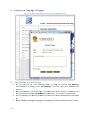
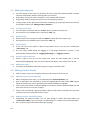
Hidden labels (12) (“Hidden Labels””) are unofficcial names or typos. Youu can add, change
c
or
d
delete hiddeen labels similarly to prefferred labels.
YYou can speccify several hidden
h
labelss per languagge.
E
Editing a to
opic’s descrription
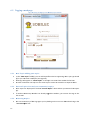
In the loweer most boxx, you can pprovide a more
m
detaile
ed descriptioon of the to
opic (13)
((“Descriptions”) in a similar way to tthe labels.
Please remember that yo
ou can have one descripttion per lang
guage.
E
Editing a to
opic’s relatiions
C
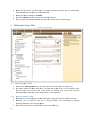
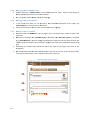
Clicking on the
t tab “Rela
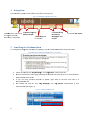
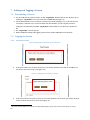
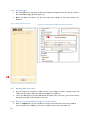
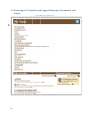
ations” (14) (see Figure 15) to see how a topic rrelates to others (see
Figure 16).
A
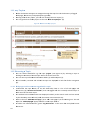
Add links to a broader (1
15) (“Broadeer Topics”), narrower
n
(16
6) (“Narroweer Topics”), or
o related
((17) (“Relate
ed Topics”) topic
t
by typinng the otherr topics name
e into the teext fields and
d click the
“Add” butto
on (see Figurre 16). The ssystem supp
ports you with auto com
mpletion functionality
((18).
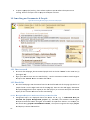
Removing any broader topic makess the topic a key topic on the upp er most level of the
vvocabulary.
A
Any changess you make are
a automatiically made in the tree. Iff you click onn one of the broader,
narrower or related topics, you can jjump to this topic in the tree.
Figuree 16: Editing a topic's
t
relations
15.
16.
17.
18.
19