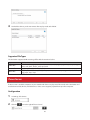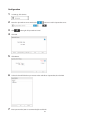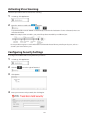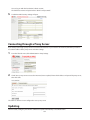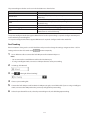
1
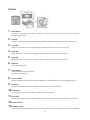
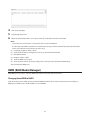
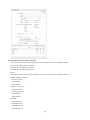
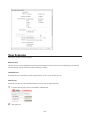
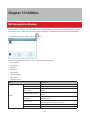
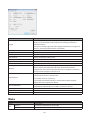
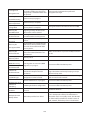
Name
Target
Model
Series
IP Address
Subnet Mask
Firmware
MAC Address
iSCSI Service
Volume
Current status
User authorization
Connect on Start Up
Refresh
Exit
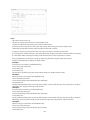
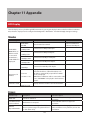
Description
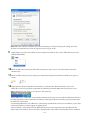
If a TeraStation is selected, clicking Register iSCSI Device will register all the
volumes in the TeraStation to the computer for enabling connection to
individual volumes.
If a volume is already registered, click Unregister iSCSI Device to unregister all
volumes, disconnecting them from the TeraStation.
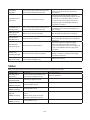
Displays TeraStation’s model name.
Displays TeraStation’s series name.
Displays TeraStation’s IP address.
Displays TeraStation’s subnet mask.
Displays TeraStation’s firmware version.
TeraStation’s MAC address.
Shows whether the iSCSI service of the TeraStation is running or stopped.
Select individual volumes from a registered TeraStation.
Select a volume and click Connect, then the selected volume will be
recognized as a local drive in My Computer on your computer. If a volume is
connected, click Unregister to disconnect it.
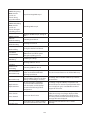
Displays current status of the selected volume.
- Disconnected: Volume is disconnected.
- Connected: Volume is connected.
- Connected to another PC: Volume is connected to another computer.
Displays the other computer’s IP address.
- Disabled:No authentication.
- Enabled:User authentication is needed to connect to a volume.
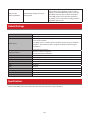
If selected, the computer will connect to the volume automatically at boot.
Search for network devices on the LAN.
Exit iSCSI Connection Tool.
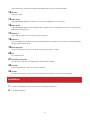
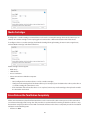
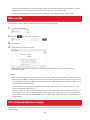
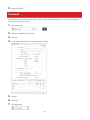
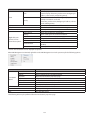
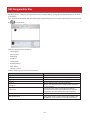
Menu
Name
File
Refresh
Exit
Description
Search for network devices on the LAN.
Closes the iSCSI Connection Tool.
141