1
Table of contents
Appointment the radio searching system...........................................................2
Principe of operation...........................................................................................4
Product selector..................................................................................................5
The main features of the system........................................................................7
Package content.................................................................................................8
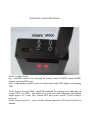
Controls and indicators.....................................................................................10
Power on and find the beacon..........................................................................11
Additional function............................................................................................12
Charging beacon and searching device.......................................................................12
Recording new beacon into searching device.............................................................13
Clear memory searching device..................................................................................14
”ALARM” mode beacon Sens......................................................................................14
How you can see last known beacon coordinates.......................................................15
Repeater.......................................................................................................................16
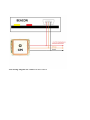
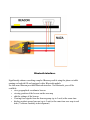
How to connect GPS receiver (OSD, DJI NAZA, ets... )..............................................16
Bluetooth interface.......................................................................................................19
Mode of operation with several beacons simultaneously.............................................20
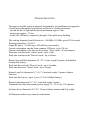
Characteristics..................................................................................................21
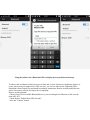
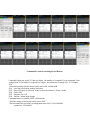
Appendix 1. Setting Bluetooth, connect to search system, view location beacon
on the map on the screen Android, change beacon setting..............................22
Appointment the radio searching system.
Radio search system Rockwell lBeacon designed to search for people, animals,
machinery or materials, which were be pre-installed beacons of this system. Very long
range - up to 8 km* , and long time work beacon from one battery - up to 2 years good
distinguish the search system from other similar products.
To work Rockwell lBeacon system does not require a cellular, SIM cards, payed
service and so on. You may using the beacons: on the ground as well as underground