1
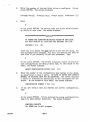
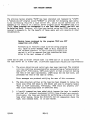
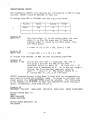
The SINGLE TRACK option can be selected when running SYSINT for
both the Format and Verify Modes. When S is entered the screen
displays:
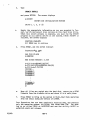
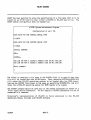
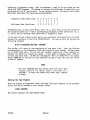
PLEASE ENTER TRACK NUMBER TO BE Formatted or Verified.
ENTER DESIRED TRACK THEN PRESS RETURN •••
Valid track numbers are in the range of 0 thru 1223 for 10 MB
dr~ves and 0 thru 1835 for 15 MB drives.
You must enter the track number in decimal. To calculate the
track number when given the head and cylinder numbers, use
the formula
Track# = (Cylinder# times # of Heads)
+
Head#
where
Cylinder# is in the range 0-305'
# of Heads is 4 for 10 MB drives and 6 for 15 ME drives
Head# is in the range 0-3 for 10 MB drives and 0-5 for 15 MB
drives
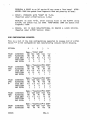
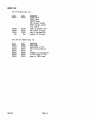
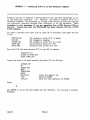
Here are some examples.
CYL
10
15
10
15
ME ST412
MB ST419
ME ST412
ME ST419
1
1
100
100
HD
0
0
2
2
TRACK
=
=
=
=
4
6
402
602
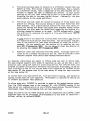
Single track formatting of tracks 0, 1, 2, 3, 4, and 5 should not be
done. These tracks are reserved for redirecting. Doing so will
write the pattern E5E5 (hex) in the Redirect Map Table which will
falsely indicate that all table entries are used (Table Full error
message).
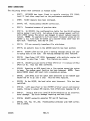
Single track formatting of any other track clears the redirect
flags in that track and clears the Redirect Map Table entries for
that track on cylinder O. If you format a track that contains
any bad sectors you must manually redirect all bad sectors for
that track using the Redirect option of SYSINT.
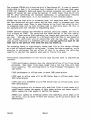
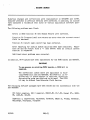
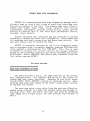
SYSINT Format Mode
SYSINT format mode with the all tracks option should only be used
to initialize new disk drives or to correct disk errors caused by
controller fail ure.
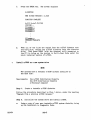
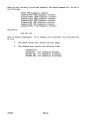
Run the SYSINT program from the Diagnostic Diskette by typing
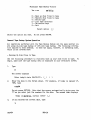
SYSINT in response to the CP/M prompt. The screen will display:
9