1
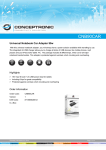
Universal External Laptop Battery - Specification and User Manual A. Specification 1) 2) 3) 4) 5) 6) 7) 8) 9) 10) Cell : 9 X Panasonic 18650 Li-Ion Input voltage 16.5V DC/2.0A ±5 Output voltage: ±3% 12-24V Power 90W Capacity 67Wh Charge time 4.5hours Usage time 3-5 hours (depending on programmes running) Cycles 300+ Work temperature -10°-70° Temperature for transportation -20° 60° 11) Size 171 (L) × 112 W × 25 H mm 12) Weight 622g (battery pack) B. Function 1 2 3 4 5 6 7 8 9 Over voltage protection Under voltage protection Over current protection Over output current protection Over output voltage protection Over temperature protection Safety fuse Standby current: Below 100 uA Automatic and digital display C. Accessories 1. 1 x AC Adapter(DC 16.5V) with ac power cord 2. 1 x Retractable charging cable 3. 11 x Interchangeable DC tips Compatible with most notebook computers including Acer, Compaq/HP, Dell, IBM/Lenovo, Samsung, Sony, Toshiba, and many other brands. Tip No Brand Voltage Tip 01 Sony, Fujitsu, Panasonic 16v Tip 02 Sony 19v, 19.5v Tip 03 Toshiba 15v Tip 04 IBM / Lenovo 16v Tip 05 Generic 5.5mm x 2.5mm 18v, 18.5v, 19v (fits many brands) Tip 07 Acer 18v, 18.5v, 19v Tip 08 Compaq / HP 18v, 18.5v, 19v Tip 09 Dell (with pin) 19.5v Tip 10 Compaq / HP (with pin) 18v, 18.5v, 19v Tip 13 Samsung 19v Tip 15 Lenovo (with pin) 20v D. User Manual: 1. 2. 3. 4. Charging the external battery: Turn the switch to “OFF/Charge”. Connect the AC adapter to the external battery at the “IN” socket; The LED will display “CHA” when you connect AC power. Press capacity button, the green light will flash and the battery will begin charging. When LED stops flashing when pressing the capacity button again, the battery is fully charged. Charging to the notebook: Turn the switch to “ON”, the LED light will display ”---” and will flash. Connect the tip suitable for your laptop to one end of the reel, and insert the other end of reel into the “OUT” socket. (The two socket ends of the reel are different so you cannot place the tip at the wrong end by accident – the tip will only fit one end). The output voltage will be displayed on the LED. Connect the end with the tip to the notebook. Please set the switch to “OFF/CHARGE” when not in use.