1
M88 Series Programmable DC Power Supply
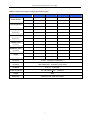
Diagram 4.3
Step Mode
Automatic Test (>Auto Test)
You can check if the equipment is qualified by editing the automatic test files, such as the value set,
comparison parameters, delay time, inputting the step number (50 steps at most). 4 data of automatic
test files can be edited.
How to edit automatic test files:
1) When the VFD display shows the item Menu Config,press the key ▼ tripple to select the item
Auto Test,followed by pressing the key
Enter
to confirm.
2) When the VFD display shows the item Load Atest File,press the key ▼ and choose the item
Enter
Edit Atest File, followed by pressing the key
to confirm.
3) When the VFD display shows the item Edit Atest File 1,press the keys
sequential number that need to be edited, followed by pressing the key
4) When the VFD display shows Atestx Steps=
of list file, followed by pressing the key
and ▼ and select the
Enter
to confirm.
xxx,press the numeric keys to set the total steps
Enter
to confirm.
5) When the VFD display shows Step 1 Test Curr, press the keys
and ▼ to select one of the
following testing types:
¾
Volt means to test the output voltage.
¾
Curr means to test the current.
¾
DVM means to test voltmeter input.
6) When the VFD display shows Step 1 Time= xxxxx S, press the numeric keys to set the test
duration, followed by pressing the key Enter
to confirm. Please note that the duration range is
0.2S-25.5S. If delay time is set as 25.5S, the power supply will be automatically in the pause
mode and go on excuting only when another trigger is input.
7) When the VFD display shows Step 1 Volt= xxxxx V, press the numeric keys to set the voltage,
followed by pressing the key
Enter
to confirm.
8) When the VFD display shows Step 1 Curr= xxxxx A, press the numeric keys to set the current,
followed by pressing the key
Enter
to confirm.
9) When the VFD display shows Step 1 Max= xxxxx X, press the numeric keys to set the maximum
value for the qualified test, followed by pressing the key
22
Enter
to confirm.