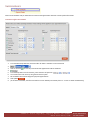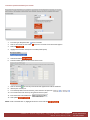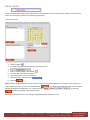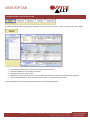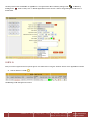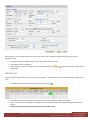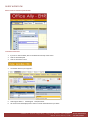
1
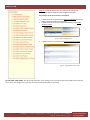
 OFFICE ALLY EHR OFFICE ALLY EHR ........................................................................................................................................................................... 1 OVERVIEW .................................................................................................................................................................................... 6 INTRODUCTION TO EHR MODULES ........................................................................................................................................................ 7 Main Tabs: ......................................................................................................................................................................................... 7 Secondary tabs: .................................................................................................................................................................................. 7 Links to other Office Ally systems: ...................................................................................................................................................... 7 DESKTOP TAB ......................................................................................................................................................................................... 8 Overview ............................................................................................................................................................................................ 8 PATIENT CHARTS .................................................................................................................................................................................... 9 Overview ............................................................................................................................................................................................ 9 Patient List screen .............................................................................................................................................................................. 9 Patient Summary screen .................................................................................................................................................................... 9 Progress Note screen ....................................................................................................................................................................... 11 Progress Note Summary screen ....................................................................................................................................................... 11 BILLING STATUS .................................................................................................................................................................................... 12 Overview .......................................................................................................................................................................................... 12 REFERENCES ......................................................................................................................................................................................... 12 Overview .......................................................................................................................................................................................... 12 MANAGE OFFICE .................................................................................................................................................................................. 13 Overview .......................................................................................................................................................................................... 13 NAVIGATING THE EHR ................................................................................................................................................................. 14 NAVIGATION OVERVIEW ...................................................................................................................................................................... 14 The Main Tabs .................................................................................................................................................................................. 14 Saving Data ........................................................................................................................................................................................................ 14 Entering Data ..................................................................................................................................................................................................... 14 Editing and Deleting .......................................................................................................................................................................................... 14 Copying and Pasting Data .................................................................................................................................................................................. 15 Searching ........................................................................................................................................................................................................... 15 Searching for Data Within Long “Pop‐up Lists” ................................................................................................................................................. 15 Searching for Data via “Icons” .......................................................................................................................................................................... 16 Multiple “Search Buttons” ................................................................................................................................................................................. 16 Searching for Data via “Links” ........................................................................................................................................................................... 17 Filtering Lists of Information ............................................................................................................................................................ 18 Drop‐Down “Search For” Filter .......................................................................................................................................................................... 18 “Display By” Filter .............................................................................................................................................................................................. 19 “Sort By” Filter ................................................................................................................................................................................................... 19 Diplaying Hidden Data ....................................................................................................................................................................................... 19 Navigating the Appointment List ....................................................................................................................................................................... 20 General Links .................................................................................................................................................................................... 21 Printing ............................................................................................................................................................................................. 21 Getting Help ..................................................................................................................................................................................... 21 TIME‐OUT TIP ....................................................................................................................................................................................... 22 MANAGE OFFICE ......................................................................................................................................................................... 23 MANAGE OFFICE OVERVIEW ................................................................................................................................................................ 23 ADMIN SECTION ................................................................................................................................................................................... 24 Overview .......................................................................................................................................................................................... 24 Company Information ...................................................................................................................................................................... 24 Manage Users .................................................................................................................................................................................. 25 32356 S. Coast Highway, Laguna Beach, CA 92651 www.officeally.com Phone: 949.464.9129
Fax: 949.376.6951 How to Add a User: ........................................................................................................................................................................................... 25 Import Data Wizard ......................................................................................................................................................................... 26 System Preferences .......................................................................................................................................................................... 27 USER SECTION ...................................................................................................................................................................................... 29 User Preferences .............................................................................................................................................................................. 30 Patient Summary Page SETTINGS .................................................................................................................................................... 30 Choosing Panels to Display on the Patient Summary Screen ............................................................................................................................ 31 Choosing Arrangement of Fields Within a Panel ............................................................................................................................................... 31 Patient Demographic SETTINGS ....................................................................................................................................................... 32 User Defined Diagnosis Codes .......................................................................................................................................................... 32 To Setup a Diagnosis Code Shortcut List: .......................................................................................................................................................... 32 User Defined CPT Codes ................................................................................................................................................................... 33 To Setup a CPT Code Shortcut List: .................................................................................................................................................................... 33 Select Multiple Tips ........................................................................................................................................................................................... 35 User Defined Medications ................................................................................................................................................................ 36 To Set‐up Medications: ..................................................................................................................................................................................... 36 More User Defined Set Up screens ................................................................................................................................................... 37 LIST MAINTENANCE.............................................................................................................................................................................. 38 Offices .............................................................................................................................................................................................. 39 To Establish a New Office: ................................................................................................................................................................................. 39 To Create New Referring Providers: .................................................................................................................................................................. 40 Facilities ........................................................................................................................................................................................... 41 To Create New Facilities: ................................................................................................................................................................................... 41 Insurances ........................................................................................................................................................................................ 42 To Create New Insurances: ................................................................................................................................................................................ 42 Superbills .......................................................................................................................................................................................... 43 To Create New Superbills: ................................................................................................................................................................................. 43 To Add Categories ............................................................................................................................................................................................. 44 Adding CPT Codes .............................................................................................................................................................................................. 44 Adding ICD9 Codes ............................................................................................................................................................................................ 45 REASON FOR VISIT ................................................................................................................................................................................ 47 To Create a New Reasons for Visit List: ............................................................................................................................................................. 47 Laboratories ..................................................................................................................................................................................... 47 To Create New Laboratories: ............................................................................................................................................................................. 47 TEMPLATES .......................................................................................................................................................................................... 49 Overview .......................................................................................................................................................................................... 49 Template Manager .......................................................................................................................................................................... 50 To Create or Edit a Letter: ................................................................................................................................................................................. 50 To Create or Edit a Form: .................................................................................................................................................................................. 51 Manual Token List: ............................................................................................................................................................................................ 54 Importing Templates From Other People: ........................................................................................................................................ 54 SOAP GUIDELINES ................................................................................................................................................................................ 56 To Create a Soap Guideline: .............................................................................................................................................................................. 56 BRIEF OVERVIEW OF OTHER PROGRESS NOTE SHORTCUTS ................................................................................................................. 58 Personal Pop‐up Shortcut Lists: ......................................................................................................................................................................... 58 Auto‐Complete Shortcut: .................................................................................................................................................................................. 58 Voice Recognition .............................................................................................................................................................................................. 58 Text Shortcut (Future functionality) ................................................................................................................................................................ 59 Template Shortcut: ............................................................................................................................................................................................ 59 APPOINTMENT SETTINGS ..................................................................................................................................................................... 60 Time Schedules ................................................................................................................................................................................. 61 To Create an Office Time Schedule ................................................................................................................................................................... 61 32356 S. Coast Highway, Laguna Beach, CA 92651 www.officeally.com Phone: 949.464.9129
Fax: 949.376.6951 To Create a Specialized Schedule for a Provider ............................................................................................................................................... 62 Special Dates .................................................................................................................................................................................... 63 To Edit Special Dates: ........................................................................................................................................................................................ 63 DESKTOP TAB .............................................................................................................................................................................. 64 INTRODUCTION TO THE DESKTOP TAB ................................................................................................................................................. 64 The Appointments Panel .................................................................................................................................................................. 65 The Messages ‐ Inbox Panel ............................................................................................................................................................. 66 The Routed Documents Panel .......................................................................................................................................................... 66 The Patient Channels Panel .............................................................................................................................................................. 67 PATIENT CHARTS TAB .................................................................................................................................................................. 68 INTRODUCTION TO PATIENT CHARTS ................................................................................................................................................... 68 The Five Main Patient Chart Sub‐Screens ........................................................................................................................................ 69 Patient Charts Tab: Patient List Screen ............................................................................................................................................ 70 Patients Charts Tab: Patient Summary Screen ................................................................................................................................. 71 Patients Charts Tab: Nurse Note Screen .......................................................................................................................................... 72 Patient Charts Tab: Progress Note Screen ....................................................................................................................................... 73 Progress Note Screen Sub‐Sections .................................................................................................................................................. 74 Progress Note Panel Shortcuts: ........................................................................................................................................................ 75 History Section Copy Shortcut: .......................................................................................................................................................................... 75 Personal Shortcut Lists: ..................................................................................................................................................................................... 75 Text Shortcut: (Future Functionality). .............................................................................................................................................................. 76 Completion Matching Shortcut: ........................................................................................................................................................................ 76 SOAP Guidelines: ............................................................................................................................................................................................... 77 Voice Recognition: ............................................................................................................................................................................................. 77 Template Shortcut: ............................................................................................................................................................................................ 78 Sample Templates: ............................................................................................................................................................................................ 78 More Progress Note Panels Features and Instructions: ................................................................................................................... 80 Vital Signs Panel: ............................................................................................................................................................................................... 80 Diagnosis and Procedure Panels:....................................................................................................................................................................... 80 Lab Orders ......................................................................................................................................................................................................... 81 Medications ....................................................................................................................................................................................................... 81 Manual Prescription Data Entry Directions: ...................................................................................................................................................... 82 Electronic Medication Data Entry Directions:.................................................................................................................................................... 82 Here’s how the electronic process works: ......................................................................................................................................................... 82 Patients Charts Tab: Progress Note Summary Screen ...................................................................................................................... 85 The Main Tabs: .................................................................................................................................................................................................. 85 Patient Menu Section: ....................................................................................................................................................................................... 85 Encounter Menu Section: .................................................................................................................................................................................. 87 The Encounter Navigator Section: ..................................................................................................................................................................... 88 The Current Progress Note Section: .................................................................................................................................................................. 88 Note Regarding EHR Drop‐Down Lists ............................................................................................................................................. 89 APPOINTMENTS TAB ................................................................................................................................................................... 90 APPOINTMENTS OVERVIEW ........................................................................................................................................................................ 90 Viewing Modes ................................................................................................................................................................................. 91 Search............................................................................................................................................................................................... 93 Printing the Calendars ...................................................................................................................................................................... 93 Appointments – Add/Edit ................................................................................................................................................................. 94 To Schedule an Existing Patient ......................................................................................................................................................................... 94 To Schedule a New Patient ............................................................................................................................................................... 95 32356 S. Coast Highway, Laguna Beach, CA 92651 www.officeally.com Phone: 949.464.9129
Fax: 949.376.6951 Check In ............................................................................................................................................................................................ 97 Create Visit ....................................................................................................................................................................................... 98 BILLING STATUS TAB .................................................................................................................................................................... 99 INTRODUCTION TO THE BILLING STATUS TAB ...................................................................................................................................... 99 How to use the Billing Status Screen: ................................................................................................................................................................ 99 REFRENCES TAB ......................................................................................................................................................................... 100 INTRODUCTION TO THE REFERENCE TAB ........................................................................................................................................... 100 WORKFLOWS TO ENABLE YOU TO USE THE EHR ......................................................................................................................... 101 INTRODUCTION .................................................................................................................................................................................. 101 Front Office Staff Workflow ........................................................................................................................................................... 102 Office Staff: Schedule an Appointment Using Practice Mate .......................................................................................................................... 102 Nurse Workflow ............................................................................................................................................................................. 105 Nurse: Create an Encounter from the EHR ...................................................................................................................................................... 105 To Create an Encounter: .................................................................................................................................................................................. 105 Provider Workflow ......................................................................................................................................................................... 107 Provider: Chart the Encounter in the EHR ....................................................................................................................................................... 107 Final Workflow ............................................................................................................................................................................... 111 Provider, Office Staff or Nurse: Send the Encounter to Practice Mate for Billing ........................................................................................... 111 32356 S. Coast Highway, Laguna Beach, CA 92651 www.officeally.com Phone: 949.464.9129
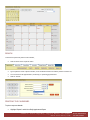
Fax: 949.376.6951 OVERVIEW Welcome to Office Ally EHR. This exciting web‐based program has been designed to facilitate charting, patient records and patient management ‐ as well as optimize staff resources. It is part of a growing health record management suite that is affordable, easy to use and designed by doctors. Unlike other EHR systems, which are very costly and must be installed on your PC or network server, our system is web‐based and fully accessed via the Office Ally website. This means that no special hardware is required, nor is there a need to purchase expensive software upgrades to take advantage of the latest program features. All you need is a unique username and password (assigned at the time of enrollment) and good broadband internet connectivity. You are able to access your account from anywhere, 24‐hours a day, and 7 days a week. Feel at ease because your data is safe. All records are securely stored and backed up on our network servers leaving it protected and your hard drive available for other uses. On top of that, you have total control over local office security because you can select who will or will not have access to patient’s medical records. Keep in mind that Office Ally EHR is also fully integrated with Practice Mate, Office Ally’s FREE practice management system. This gives you further flexibility to oversee scheduling, patient management, accounting and reporting. In addition to this, Office Ally EHR also works in conjunction with Office Ally’s electronic claims submission service, providing you with full access to our claims service menu. All of the pieces of Office Ally’s suite of programs are fully integrated, allowing information to flow seamlessly from one application to another, reducing user input time and freeing up valuable office resources. You are in complete control, free to use whatever application works best for your office. 32356 S. Coast Highway, Laguna Beach, CA 92651 www.officeally.com Phone: 949.464.9129
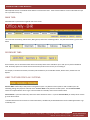
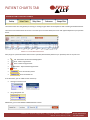
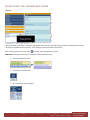
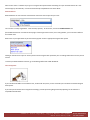
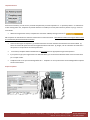
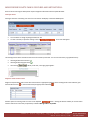
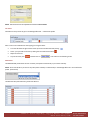
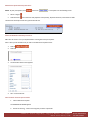
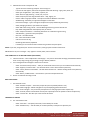
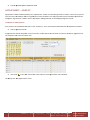
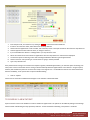
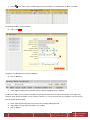
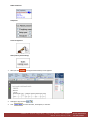
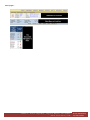
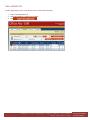
Fax: 949.376.6951 INTRODUCTION TO EHR MODULES Office Ally EHR consists of 5 modules which define its main functional units. Think of each module as a tab on a file folder that you use in your office every day. MAIN TABS: Each MAIN tab is opened with a single left click of the mouse. The 5 main tabs are Desktop, Patient Charts, Billing Status, References and Manage Office. They will be described in greater detail below. SECONDARY TABS: Some modules, such as the Patient Charts tab have secondary tabs that are available to you so that you can perform additional tasks. Secondary options are context sensitive and will vary based on what screen you are looking at. For example, in the above screenshot, secondary tasks available to you are Add New Patient, Recent Charts, Patient Lists and Reports. LINKS TO OTHER OFFICE ALLY SYSTEMS: Practice Mate is Office Ally’s FREE practice management system. Key features of the system are that it enables you to do scheduling, billing, take payments and send claims. Practice Mate is fully linked to the EHR system. See the Practice Mate manual for complete details. Note: To get to Practice Mate from the EHR, click on the link shown above. Service Menu is your link to office Ally’s electronic claims submission service. If you use Practice Mate you usually do not need to go to the Service Menu. To understand how the service menu or Practice Mate works, call Office Ally at 949.464.9129 and ask for a FREE appointment or go to officeally.com. 32356 S. Coast Highway, Laguna Beach, CA 92651 www.officeally.com Phone: 949.464.9129
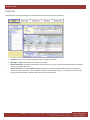
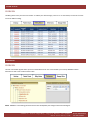
Fax: 949.376.6951 DESKTOP TAB OVERVIEW The Desktop tab controls scheduling, email, routed attachments and documents from Patient Ally. •
•
•
•
Schedule: Here you can view daily schedules for every Provider in the office. Messages – Inbox panel displays inter‐system, secure email. Routed Documents panel displays attachments and documents (i.e. letters, Progress Notes) that have been routed/sent to you by other Office Ally users. Patient Channels panel displays Patient Ally forms that have previously been filled out by a patient. (Patient Ally is under development and it focuses on new patient enrollment info and medical history. It will enable you to import data from electronic New Patient enrollment forms directly into the EHR record). 32356 S. Coast Highway, Laguna Beach, CA 92651 www.officeally.com Phone: 949.464.9129
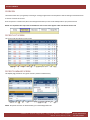
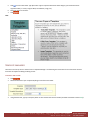
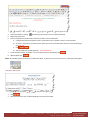
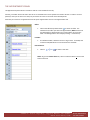
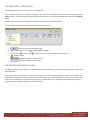
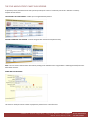
Fax: 949.376.6951 PATIENT CHARTS OVERVIEW The Patient Charts tab is your gateway to viewing or creating Progress Notes and Templates as well as viewing scanned Documents. It consists of 4 main sub‐screens. Since the system is context based, the screen that populates when you click on this tab depends on your previous choice Below are snapshots that represent the FOUR main sub‐screens that appear under the Patient Charts tab. PATIENT LIST SCREEN This is a list of all the patients in your system. ¾
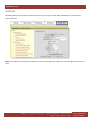
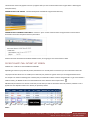
Clicking on a patient’s name opens the Patient Summary screen. PATIENT SUMMARY SCREEN This helpful page provides an at‐a‐glance view of a patient’s medical history. NOTE: The panels seen here are determined by you in the Manage Office tab. 32356 S. Coast Highway, Laguna Beach, CA 92651 www.officeally.com Phone: 949.464.9129
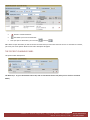
Fax: 949.376.6951 ¾
Clicking on Edit Note takes you to the Progress Notes screen. 32356 S. Coast Highway, Laguna Beach, CA 92651 www.officeally.com Phone: 949.464.9129
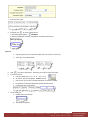
Fax: 949.376.6951 PROGRESS NOTE SCREEN This page allows a physician to type patient notes by hand or by using a growing number of exciting shortcut options. ¾
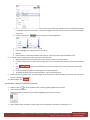
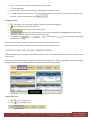
Clicking takes you to Progress Note summary screen. PROGRESS NOTE SUMMARY SCREEN From this page you can: •
•
•
•
View a Progress Note. Print the Note Securely route (send) the note to another user. Print orders (i.e. labs, meds, etc.). •
Attach scanned documents to a patient’s general record or to a specific encounter.
32356 S. Coast Highway, Laguna Beach, CA 92651 www.officeally.com Phone: 949.464.9129
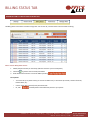
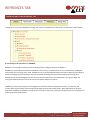
Fax: 949.376.6951 BILLING STATUS OVERVIEW The Billing Status tab is your next main module. It enables your office manager, nurse or P.A. to send the Dx, Px and cost of service to Practice Mate for billing. REFERENCES OVERVIEW The next main module appears when you click on the References tab. This screen enables you to look up SNOMED medical hierarchies as well as ICD‐9 and Procedure codes. NOTE: SNOMED is a terminology infrastructure that was developed by the College of American Pathologists. 32356 S. Coast Highway, Laguna Beach, CA 92651 www.officeally.com Phone: 949.464.9129
Fax: 949.376.6951 MANAGE OFFICE OVERVIEW The Manage Office tab is the final main module and it allows you to set up your office, build individualized user Templates and create favorites lists. NOTE: Future editions of the program will enable you to set‐up and manage all your weekly chart related things‐to‐do lists from one screen. 32356 S. Coast Highway, Laguna Beach, CA 92651 www.officeally.com Phone: 949.464.9129
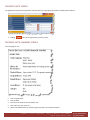
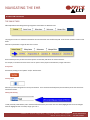
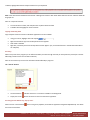
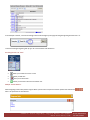
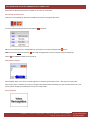
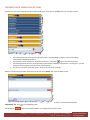
Fax: 949.376.6951 NAVIGATING THE EHR NAVIGATION OVERVIEW THE MAIN TABS Office Ally EHR has been designed using navigational tools familiar to Windows users. The program consists of 5 modules which define the main functional units of Office Ally EHR. Think of each module as a tab on a file folder. Each tab is opened with a single left click of the mouse. Some modules present you with even more options via secondary tabs which are context sensitive. For example, in the above screen shot the user can open a variety of patient attachments, images and letters. Saving Data Save data by clicking on the “Update” and/or “Add” buttons. Entering Data Data entry has been designed to be as easy and intuitive. Text is entered into fields (boxes) and the tab key moves the cursor from one field to another. Editing and Deleting To edit previously entered data, click in the desired field and move your mouse so that it selects/highlights the info to be changed. Once the highlighted text turns blue, simply type over it. 32356 S. Coast Highway, Laguna Beach, CA 92651 www.officeally.com Phone: 949.464.9129
Fax: 949.376.6951 To delete, highlight desired text and press Delete from your keyboard. Note: Some data cannot be deleted once entered. A dialogue box similar to that shown below will alert the user and these fields will be grayed out. Here are a couple of shortcuts: •
•
To select all data in a field, click multiple times anywhere within the field. A double‐click will highlight an entire sentence. Copying and Pasting Data Copy and paste functions common to Windows applications are also available. •
•
•
•
Using your mouse, highlight data to be copied Right‐click and select copy from the drop‐down list that appears Click inside a new field Right click, and select paste from the drop‐down list that appears. (Or, use the Edit function in the Windows Menu Bar to cut and paste) Searching Within many areas of the program you are offered the ability to search through lists that you have previously created (or ones that Office Ally provides such as CPT and ICD‐9 code lists). Here are the varous ways to search for information within Office Ally’s programs: The “Search” Button •
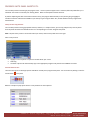
The search button indicates that there is a search‐list available in the background. •
Simply click on the button and select an item from the list that populates. Searching for Data Within Long “Pop‐up Lists” When a click on a search button the screen to lload faster. causes a long list to populate, the list will be capped and categorized alphabetically. This allows 32356 S. Coast Highway, Laguna Beach, CA 92651 www.officeally.com Phone: 949.464.9129
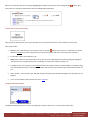
Fax: 949.376.6951 In the example at the left, a click on the Allergy search button brought up nine pages of allergies beginning with the letter “A”. To search for Allergies beginning with B, type “B” in the blank box and click Search. Searching for Data via “Icons” •
Allows you to View info such as a chart •
Allows you Edit info… •
Allows you to Delete info… •
Allows you to Route a document to another user Multiple “Search Buttons” When navigating sections with patient Progress Notes you will notice unique search button options that look like this Here is an explanation of these buttons: . 32356 S. Coast Highway, Laguna Beach, CA 92651 www.officeally.com Phone: 949.464.9129
Fax: 949.376.6951 •
User Defined List: The first search button displays a shortcut list that has been previously set‐up by you. Click on the search button, and choose an item from the list that poplulates. •
Office Ally List: The second search button displays a large list of pre‐determined system options that have been set‐up by Office Ally. SnowMed List: The third search button displays a list of medical terms from the SnowMed library. Add Button: The “A” button enables you to quickly add words or phrases to your user defined list (a.k.a. the first button). Here’s how to use the button: 1.
2.
Type a word, words, or phrase into the chart (as seen in the above screenshot) ‐ or choose previoulsy entered data Highlight the word or phrase with your mouse 3.
4.
5.
Click Click “Update” The word or phrase will now appear under search button #1 Searching for Data via “Links” Patient List
Underlined data (such as patient names in the Patient List) are shortcuts to other screens. In the example above, clicking on the name “Fred” or “Flinstone” in the Patient List will display Fred’s patient summary screen. Fred’s Patient Summary Screen
32356 S. Coast Highway, Laguna Beach, CA 92651 www.officeally.com Phone: 949.464.9129
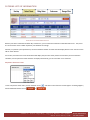
Fax: 949.376.6951 FILTERING LISTS OF INFORMATION Patient List as seen under the Patient Charts tab Because your data is maintained on Office Ally’s web servers, you can create and maintain an unlimited amount of it. Thus, there are no restrictions on the number of patients your database can manage. However, to optimize system performance, we have limited the number of records that will display when the user accesses certain tabs or search buttons. For instance, the Patient List screen shown above will display only the most recent patient records unless you tell it otherwise. Therefore, to find a particular record that does not display automatically, you must use filter or sort functions: Drop‐Down “Search For” Filter To use a Drop‐Down search menu, click on the down arrow, look for additional buttons such as or and select an item from the list that appears. If nothing happens, . 32356 S. Coast Highway, Laguna Beach, CA 92651 www.officeally.com Phone: 949.464.9129
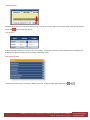
Fax: 949.376.6951 “Display By” Filter Additional filters allow you to search and display lists by a specific date or date range. In the example at left, enter the date and then click on the button to begin your search. “Sort By” Filter Sorting functionality enables you to sort lists by column header. For example, click once on the underlined column heading to sort by that column. (Double‐clicking sorts by ascending or descending order). Diplaying Hidden Data To keep certain screens clean, some data is “hidden” from view. To display hidden data, simply click on or 32356 S. Coast Highway, Laguna Beach, CA 92651 www.officeally.com Phone: 949.464.9129
Fax: 949.376.6951 Navigating the Appointment List There are a number of options for navigation within the main Appointments tab: Provider Schedule: Click on the Office dropdown button schedule. (Note: Default physican is set in the Manage Office tab). Click on or to change the date one day at a time or click on Click on a Patient’s name (i.e. to choose a different Provider/Staff to select a date from a calendar. ) to open Patient Summary information. 32356 S. Coast Highway, Laguna Beach, CA 92651 www.officeally.com Phone: 949.464.9129
Fax: 949.376.6951 GENERAL LINKS Office Ally EHR Provides links that enable you to move back and forth between screens. For instance, clicking on the above link will move you to the Patient List screen. NOTE: Generally it is best to move from screen to screen in the system by using appropriate Links, buttons and drop‐down lists. However, if all you need to do is go back one screen, then you can click on the Internet Explorer back arrow. PRINTING Several of the modules have screens or reports which can be printed as well as viewed. Look for the View/Print or Print button to print. GETTING HELP Office Ally EHR’s online manual can be accessed by clicking on “Help” from the Manage Office module. 32356 S. Coast Highway, Laguna Beach, CA 92651 www.officeally.com Phone: 949.464.9129
Fax: 949.376.6951 TIME‐OUT TIP If at any time you see this message, Click OK or follow steps 1 through 5 below. 1.
Click once in the expired address window to highlight the text that is displayed. 2.
Type over the expired web address by writing: “OfficeAlly.com.” 3.
4.
Press Enter on your keyboard. Click >>LOGIN 5.
You will auto‐logon to the EHR. If you ever see this message… Try clicking on the Back button (at the top left of your screen) or follow the steps found above at the top of this section
32356 S. Coast Highway, Laguna Beach, CA 92651 www.officeally.com Phone: 949.464.9129
Fax: 949.376.6951 MANAGE OFFICE MANAGE OFFICE OVERVIEW The Manage Office module is the place where you set‐up your Health Record system. The Mange Office tab provides the foundation from which all other modules are built. Decisions made here will affect the overall functionality of the application so, this tab needs your attention before doing anything else. NOTE: Data entered in Manage Office will affect both the HER system as well as the Practice Mate practice management system. The left hand side of the Manage Office screen will display a PROFILE TREE that is composed of the following main sub‐sections: •
•
•
•
Admin Section.: This section is set‐up by the system administrator only. The primary purpose of the profiles listed here is to establish Company and User Access. (Who is allowed to log into your office database and what level of security wills each person have). User Section: This section is set‐up by each user, who will define his or her own settings. The primary purpose of the profiles listed here are to allow you to create and edit Progress Note pop‐up lists, personal shortcuts and the layout of certain Provider screens. List Maintenance: This section is set‐up by the Administrator. The primary purpose of this segment is to create and edit company‐wide lists of Labs to be used, SOAP Guidelines and Provider Templates. Appointment Settings: This section is set up by either the Administrator or each user. The primary purpose of the profiles listed here is to establish the viewable scheduled hours for the office and for each Provider. TIP FOR FIRST‐TIME USERS: User and List set‐up can take some time, so try creating just 5 or 6 items for each of the profile screens found in the profile tree. This will give you a jump‐
start in learning system functionality in one sitting. 32356 S. Coast Highway, Laguna Beach, CA 92651 www.officeally.com Phone: 949.464.9129
Fax: 949.376.6951 ADMIN SECTION OVERVIEW The Admin Section allows one person in your office to setup company and user profiles, import data, and to tell the system whether or not to interact with Practice Mate (Office Ally’s practice management system). It is therefore important to note ‐ changes made in this section can only be made by the EHR Administrator! EHR DRIVING TIP: Office Ally’s set‐up screens are fairly intuitive. When preparing to enter data into a profile, your most common starting points are one of these two buttons – Add New or Search
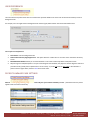
. COMPANY INFORMATION Click on Company Information and this screen will display company demographics that were provided to Office Ally at the time of your enrollment. Please review them to make sure that all information is correct. • User name is automatically assigned by our system once we establish your account. • The number of users with access to the program is determined at time of enrollment; typically, the startup number is 5 users. Call Office Ally if you need more. • NOTE: The email field may not be changed or edited except by contacting Office Ally, because it is used to contact you regarding the status of your claims 32356 S. Coast Highway, Laguna Beach, CA 92651 www.officeally.com Phone: 949.464.9129
Fax: 949.376.6951 MANAGE USERS The Manage Users screen allows the Administrator to create user profiles for employees who will have access to the program. Typically an office will be set‐up with one or two physicians, a receptionist, a biller or an office manager and perhaps a nurse. Each person can have a different level of security. NOTE: Any Provider added as a user must ALSO have a Provider Profile with a USERNAME that exactly matches the one entered here. (The Provider Profile is located near the bottom of the Profile Tree). MAKING CHANGES IN THE USER SECTION Screen Definitions: •
•
A “Y” in the PM column means that this user has basic security that enables him or her to use Practice Mate A “Y” on the EHR column means that this user has basic security that enables him or her to use the EHR •
•
Click Click •
Click Edit to change the user’s login and security settings. Delete to delete the user Change Password to change the user’s login password How to Add a User: 1.
2.
3.
Click Fill out the demographic details form that appears and then click The next image that you see is the security screen. 4.
When the security screen appears, check off appropriate security levels for the user and then click . and 32356 S. Coast Highway, Laguna Beach, CA 92651 www.officeally.com Phone: 949.464.9129
Fax: 949.376.6951 Tips: 1.
2.
The Administrator does not need to check‐off his or her own security because the administrator automatically has full access. The system will prompt you when you made a data entry error. (As seen below) 3.
Be sure to read security settings carefully. For example, know that you must first GRANT ACCESS to a module (see red arrow below) in order to define access details WITHIN that module (see short blue arrows below). IMPORT DATA WIZARD A click on the Import Data Wizard profile allows the administrator to import Provider, Insurance, and Patient data from a .CSV file saved from an outside program. If you use Practice Mate, your Provider, Insurance and Patient information is already stored in the EHR. If you have been using an outside billing program, you may be able to import Provider, Insurance and Patient data – depending on the export capabilities of your application. This will save you the time of re‐entering this information manually. For complete import instructions locate the Practice Mate manual at OfficeAlly.com. 32356 S. Coast Highway, Laguna Beach, CA 92651 www.officeally.com Phone: 949.464.9129
Fax: 949.376.6951 SYSTEM PREFERENCES From this profile you tell the system whether or not you want to show Practice Mate profiles and tabs in the HER. YES will cause the PROFILE TREE to expand because it will temporarily display profiles and tabs normally only seen in Practice Mate. When initially building your EHR office, you will want to see all possible profile options in order to do a complete set‐up. If You Choose YES, the Following Things Will Happen in your EHR system: 1.
Most of the Practice Mate profiles will also appear in the EHR PROFILE TREE. 2.
The Practice Mate appointments tab will appear in the EHR. 32356 S. Coast Highway, Laguna Beach, CA 92651 www.officeally.com Phone: 949.464.9129
Fax: 949.376.6951 NOTE: The schedule tab enables your office to set new appointments ‐ without having to use Practice Mate to do so. To see how the appointments screen works, consult the Appointments section of the Practice Mate manual (found at OfficeAlly.com). Tip: You can still send out your claims through Office Ally. 32356 S. Coast Highway, Laguna Beach, CA 92651 www.officeally.com Phone: 949.464.9129
Fax: 949.376.6951 USER SECTION Each user should set‐up his or her own User Section. Settings will automatically apply to the person that is logged in at the time. The purpose of the User Section is threefold: 1.
2.
It allows each user to determine key default functionality such as the ability to send prescriptions electronically. It allows each user to set‐up a unique look and feel for the Patient Summary screen. Figure 1 ‐ Patient Summary Screen 3.
It allows each user to create personal Progress Note pop‐up lists. Figure 2 ‐ Progress Notes S.O.A.P. Chart TIP FOR FIRST‐TIME USERS: Set‐up can take some time, so try creating just 5 or 6 items for each of the profile screens found on the list above. This will give you a jump‐start in learning system functionality in one sitting. 32356 S. Coast Highway, Laguna Beach, CA 92651 www.officeally.com Phone: 949.464.9129
Fax: 949.376.6951 USER PREFERENCES The User Preferences profile allows each user to determine personal defaults such as the color of the Patient Summary screen or background color. For example, one user might choose a background color theme of gold, while another chooses the blue default color. User Preference Definitions: 1.
2.
3.
4.
Color Theme: Sets the background color. Patient Chart Summary Page Appearance: This option allows for a multi‐color or one color view in the Patient Summary screen. Edit Medication Method: Allows you to choose whether or not to link to New Crop Online Prescription service. Skip Printing CPT Codes/Descriptions: As a part of the Progress Note workflow, the physician chooses diagnosis codes and procedure codes, (usually from a Superbill on his or her screen). If you do not want the CPT codes to be included in a printout of the Progress Note, indicate it here with a check‐mark. PATIENT SUMMARY PAGE SETTINGS Patient Summary Page Settings impact the look and feel of the Patient Summary screen. (The Patient Summary screen appears under the Patient Charts tab). 32356 S. Coast Highway, Laguna Beach, CA 92651 www.officeally.com Phone: 949.464.9129
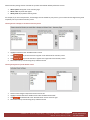
Fax: 949.376.6951 Patient Summary Settings consist of several set‐up boxes that establish default preferences such as: 1.
2.
3.
Which panels will appear on the summary page What order the panels will appear What fields will populate inside key panels For example, if you are an acupuncturist, and Vital Signs are not needed for your practice, you can leave the Vital Signs history panel completely out of your Patient Summary screen. Choosing Panels to Display on the Patient Summary Screen 1.
Highlight a Panel from the “Available Panels” section 2.
Click 3.
4.
Click if you want the item to appear on the right side of the summary screen Move field order up or down using the up and down arrows if you want the item to appear on the left side of the summary screen Choosing Arrangement of Fields Within a Panel 1.
2.
3.
4.
Choose a Panel using the drop down menu on the far left Highlight a desired field in the middle section called “Available Panel Fields” Click to add the field to the “Selected Fields” section on the far right Move field order up or down using the up and down arrows 32356 S. Coast Highway, Laguna Beach, CA 92651 www.officeally.com Phone: 949.464.9129
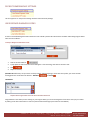
Fax: 949.376.6951 PATIENT DEMOGRAPHIC SETTINGS This set‐up option is in the process of being moved to Patient Summary Settings. USER DEFINED DIAGNOSIS CODES A click on User Defined Diagnosis Codes allows each user to build a personal Dx code shortcuts list which make taking Progress Notes easier and more efficient. To Setup a Diagnosis Code Shortcut List: 1.
2.
Click on the search box for A pop‐up box of codes from the Internet will appear. After searching, click select to choose a code 3.
4.
Click Repeat if necessary (DRIVING TIP: Office Ally’s set‐up screens are fairly intuitive. When preparing to enter data into a profile, your most common starting points are one of these two buttons – Add New or Search ) THE RESULT Snapshot of the Progress Notes screen as seen in the Patient Charts tab Congratulations! Now when you are working on your Progress Notes, you can access Diagnosis’s from the list that you just created by clicking on the first search button in each row (the second button brings up the entire ICD‐9 codebook). 32356 S. Coast Highway, Laguna Beach, CA 92651 www.officeally.com Phone: 949.464.9129
Fax: 949.376.6951 USER DEFINED CPT CODES A click on User Defined CPT Codes allows each user to build personal Px code shortcuts which are used to make taking Progress Notes easier and more efficient. To Setup a CPT Code Shortcut List: 1.
Click CPT Code Search button or click (see following page for Select Multiple instructions). 2.
3.
Enter a code in the blue box highlighted above. Click Search. Click Select. (You can select more than one code per page) The main screen re‐appears. The code and description will automatically display on this screen. 4.
Fill out the following info (POS = Place of Service and it must be entered as a numerical value). 5.
6.
Click Repeat as necessary THE RESULT Snapshot of the Progress Notes screen as seen in the Patient Charts tab 32356 S. Coast Highway, Laguna Beach, CA 92651 www.officeally.com Phone: 949.464.9129
Fax: 949.376.6951 Congratulations! Now when you are working on your Progress Notes, you can access CPT codes from the list that you just created by clicking on the first search button in each row. 32356 S. Coast Highway, Laguna Beach, CA 92651 www.officeally.com Phone: 949.464.9129
Fax: 949.376.6951 Select Multiple Tips TIP: ANY TIME you choose the following pop‐up screen appears: •
Only 100‐500 records display at once. •
As appropriate, change the Code/Description drop‐down setting from Description to Code or vice versa. •
Enter the desired word, letter, code or number and click Search. •
Click here to go to another page. •
Check‐off multiple codes. (NOTE: You can only select multiple checkboxes for one page at a time). 32356 S. Coast Highway, Laguna Beach, CA 92651 www.officeally.com Phone: 949.464.9129
Fax: 949.376.6951 USER DEFINED MEDICATIONS A click on User Defined Medications allows each user to build personal Medication shortcuts which are used to make taking Progress Notes easier and more efficient. To Set‐up Medications: 1.
2.
3.
Click on the Drug Name Search button or click Select a Medication (or multiple Medications) from the master list that appears Fill out the rest of the form 4.
5.
Click Repeat if necessary THE RESULT! Snapshot of the Progress Notes screen as seen in the Patient Charts tab Congratulations! Now when you are working on your Progress Notes, you can access your personal medication list by clicking on the first search button from the Current Medications Panel (shown above). 32356 S. Coast Highway, Laguna Beach, CA 92651 www.officeally.com Phone: 949.464.9129
Fax: 949.376.6951 MORE USER DEFINED SET UP SCREENS Each set‐up profile on the list on the left corresponds to a panel in the Progress Notes that has the same name. For example, when you set up “User Defined Chief Complaint Phrases,” you are building short‐cuts that can be accessed in the Progress Note panel shown below. Profile Tree The set‐up step‐actions for each of the profiles listed above are the same. Therefore, a generic set of instructions are provided below. Figure 3 ‐ Sample Set‐up Screen 1.
Click on the desired profile link in the User Section under the Manage Office tab 2.
3.
Click on the Search button, or click Select an item (or multiple items) from the master list that populates 4.
5.
Click Repeat as necessary 32356 S. Coast Highway, Laguna Beach, CA 92651 www.officeally.com Phone: 949.464.9129
Fax: 949.376.6951 LIST MAINTENANCE List Maintenance allows the administrator to create and store business information that will be used throughout the program. Only the System Administrator can change settings in List Maintenance. Creating List Maintenance profiles reduces data entry time and supports reporting functions. REMINDER: Many of the List Maintenance screens and forms will have already been filled out if you are a Practice Mate user. Nonetheless, you will want to check on them while you are initially putting together your EHR. Therefore, we recommend that the Manage Office > System Preferences profile be set to YES at first. Once you are satisfied with your Manage office settings, change System Preferences to NO and unnecessary Practice Mate profiles will only be seen in that application. Keeping this in mind, know that some of the following profiles will only be seen in Practice Mate once your initial build is complete. 32356 S. Coast Highway, Laguna Beach, CA 92651 www.officeally.com Phone: 949.464.9129
Fax: 949.376.6951 OFFICES A click on the Offices profile allows the administrator to create multiple office locations. In the easy‐to‐use screen that appears, you will enter the office information where the Provider typically performs services, such as “Redlands Office” and/or “Rialto Office.” TIP: Do not enter facilities such as a hospital, outpatient clinic, or other places where the Provider may see a patient. These are to be created under the “Facilities” profile. Office names and locations set up in this area of the program will display in a drop‐down box in the “Desktop” tab where it can be selected for appointment viewing. To Establish a New Office: 1.
Click (NOTE: Click to Edit and
to Delete existing data) 2.
Office ID will be automatically assigned 3.
Fill out the form that appears Click 32356 S. Coast Highway, Laguna Beach, CA 92651 www.officeally.com Phone: 949.464.9129
Fax: 949.376.6951 REFERRING PROVIDERS A click on Referring Providers allows the administrator to create physician referral profiles, including the doctor’s name, address, specialty, state, License # and NPI number. This information will feed into Practice Mate, and when needed, go out on a claim. To Create New Referring Providers: 1.
Click 2.
Fill out the form that appears 3.
Click 32356 S. Coast Highway, Laguna Beach, CA 92651 www.officeally.com Phone: 949.464.9129
Fax: 949.376.6951 FACILITIES A click on the Facilities profile allows the administrator to create a location from which services or supplies are rendered (I.e. hospital, outpatient clinic, lab, office, etc). The facility used for the encounter will populate into Box 32 of the CMS 1500 claim form and will include name and address and facility ID #. To Create New Facilities: 1.
Click 2.
Fill out the form that appears 3.
Click 32356 S. Coast Highway, Laguna Beach, CA 92651 www.officeally.com Phone: 949.464.9129
Fax: 949.376.6951 INSURANCES A click the Insurances profile allows the administrator to set‐up and maintain a list of all insurance companies that will be billed. By clicking you can easily import an insurance carrier’s electronic data (including Company name and Insurance type such as Blue Cross) from Office Ally’s database of 1800 carriers. If a payer is not in our database, you can hand‐type data into the form that you see in this profile and Office Ally will send the claim out for a minimal fee. To Create New Insurances: 1.
Click 2.
Click Browse to select an insurance company for Office Ally’s data base of 1800 carriers. 3.
4.
5.
6.
The Insurance Co. ID. will auto‐populate. If it does, then you don’t need to enter an address. If the insurance company is not found, manually enter the carrier’s name and address as you would like it to appear on the CMS 1500 claim form. Choose the Insurance Type. (This corresponds to Box 1 on the CMS 1500 Form) Click 32356 S. Coast Highway, Laguna Beach, CA 92651 www.officeally.com Phone: 949.464.9129
Fax: 949.376.6951 SUPERBILLS A click on the Superbills profile allows the administrator to create and customize superbills for use while writing your Progress Notes. You can create any number of superbills, such as one for each office, or one or more for each Provider. Each superbill can be customized to meet the needs of a particular medical specialty by adding CPT and ICD‐9 codes used by that specialty. To Create New Superbills: TIP: For starters, create a simple Superbill, and add to it later on. 1.
Click 2.
The Superbill form appears, fill out the following info: 3.
4.
Superbill Name: enter the name that you would like the system to store. (Superbill ID is auto‐created) Page Header Information (Top/Center): Enter the info that you would like to show in the top center of the Superbill form. This could be text such as the Practice, Physician, or Company name, tax ID & License. 32356 S. Coast Highway, Laguna Beach, CA 92651 www.officeally.com Phone: 949.464.9129
Fax: 949.376.6951 5.
6.
7.
8.
Page Header Information (Left): Like the previous step, this field is also user defined. It will appear in the top left portion of the Superbill. Suggestions for these fields include address, phone, etc. If you wish, leave this section blank. Page Header Information (Right): These optional fields are again user defined and might be used for information such as mailing address if different from office location. If you wish, leave this section blank. Provider: From the drop‐down list, choose the name of the physician(s) that will be using the bill Scroll down until you see the following text on your screen: “Instructions on How to Edit a Superbill.” Just below this is where you will be adding CPT and ICD‐9 codes and categories to your Superbill. To Add Categories Procedure Service/Categories The large box seen above‐left is where you define and add Procedure “categories” that will show up on the Superbill as a “header.” (Headers divide the bill into sections so that CPT codes can be grouped by service [i.e. Office Procedures, Vaccinations, Medications, etc)]). The large box shown above‐right is where you add CPT codes to be associated with categories. Here is what to do: 1.
Direct your attention to the large box on the LEFT side of your screen that is labeled Procedure/Service Categories 2.
3.
4.
Underneath the large box, click in the small, rectangular box labeled Category. Enter a name (This is the header under which you will add related CPT codes). Click Add The Category header will appear in the large box on the Left onto the Procedure/Service Categories. 5.
Repeat Steps 11‐14 to add more CPT categories Adding CPT Codes 1.
First, highlight a category from the Procedure/Service Categories box on the LEFT side of your screen 32356 S. Coast Highway, Laguna Beach, CA 92651 www.officeally.com Phone: 949.464.9129
Fax: 949.376.6951 2.
Next, direct your attention to the large box on the RIGHT side of your screen labeled CPT’s. 3.
Click on the search button 4.
From the pop‐up box that appears: a)
Choose Description b) Enter a desired CPT code in the rectangular search box. c)
Click Search. Click Select ‐ the large CPT box will re‐appear 5.
In the CPT Box, enter the fee for the procedure: 6.
Click Add 7.
Repeat steps 16‐20 to add more CPT codes Adding ICD9 Codes 1.
To add ICD‐9 codes, direct your attention to the large box at the BOTTOM of your screen labeled Diagnosis / Symptom Codes. 2.
Click on the search button 3.
From the pop‐up box that appears: a)
Choose Description b) Enter a desired CPT code in the rectangular search box. c)
Click Search d) Click Select – the large Diagnosis / Symptom Codes box will re‐appear 4.
Click Add 5.
TO CHECK YOUR WORK: Scroll half‐way up the screen and click on Preview 32356 S. Coast Highway, Laguna Beach, CA 92651 www.officeally.com Phone: 949.464.9129
Fax: 949.376.6951 6.
A sample Superbill will appear: Preview it and click Update to save your changes 32356 S. Coast Highway, Laguna Beach, CA 92651 www.officeally.com Phone: 949.464.9129
Fax: 949.376.6951 REASON FOR VISIT A click on Reason for Visit allows the administrator to create a pre‐built list of the most common visit descriptions for an encounter. The Reason for Visit list will display on the Nurse Notes screen, the Progress Note screen and in Practice Mate. NOTE: Reasons selected by the physician or nurse will automatically feed into Practice Mate. To Create a New Reasons for Visit List: 1.
2.
3.
Type a reason into the box labeled Reason for Visit Click Your choices will appear in the panel labeled Current Entries LABORATORIES A click on the Laboratories profile allows the administrator to create lists of labs to use in user Progress Notes ‐ as well as lists of tests that can be ordered. To Create New Laboratories: 1.
Click 32356 S. Coast Highway, Laguna Beach, CA 92651 www.officeally.com Phone: 949.464.9129
Fax: 949.376.6951 2.
Fill out the form that appears 3.
4.
Click The Laboratory List screen re‐appears 5.
6.
Select the desired lab by clicking Edit The Current Test Entries screen re‐appears 7.
8.
9.
Fill out the additional fields shown above Click Repeat as necessary THE RESULT! The above screenshot is a snapshot the Lab Orders panel that the physician will see when doing his or her Progress Note for a patient. If a Lab has been previously set‐up, the Provider will click on the down arrow to select a lab. Next, he or she can click on the search button to choose a test. Eventually the choices will be sent to the lab electronically. However at this time they must be printed manually. 32356 S. Coast Highway, Laguna Beach, CA 92651 www.officeally.com Phone: 949.464.9129
Fax: 949.376.6951 TEMPLATES Templates are documents that you: (1) Upload as‐is ‐such as an image or silhouette of a body that a Chiropractor would write notes on. (2) Create from scratch (i.e. a form used to make assessment and prognosis go more quickly). (3) Or, adapt –for example a previously used mail‐merge letter. Templates can be attached to the Patient’s overall chart or to a specific Encounter. For example, items such as a collection letter are useful if attached to the PATIENT’S chart, because a collection letter deals with guarantor issues. In contrast, an HTML form designed to aid Progress note taking might be best used if attached to a specific ENCOUNTER. In the near future Office Ally will be uploading a Template library of forms commonly used within various specialties. You can upload these Templates and use them as is, or modify them to suit your needs. Note: Templates are accessed anywhere in the system that you see a drop‐down list similar to the one shown below: OVERVIEW Here’s a general OVERVIEW on how to set‐up a Template: (Specific instructions are found on the following page). 1.
2.
Click The following form appears: 3.
Click to select Template Type a. Letter (Word Document that you can use to send mail‐merged letters. Can also be a written lab or MRI report). b. HTML Form (Allows you to create a fill‐in form with checkboxes). c. Image (Allows you to import a scanned image such as an silhouette of a body). 4.
Type a Personalized Name for your Template 32356 S. Coast Highway, Laguna Beach, CA 92651 www.officeally.com Phone: 949.464.9129
Fax: 949.376.6951 5.
6.
7.
Click to select a Document Type (Document Type is important determines what category your document will be organized under (i.e. Letter, Progress Note, Consultation, Image, etc). Build your Letter on the form. Click TIPS: TEMPLATE MANAGER There are a lot of set‐up icons to choose from in Template Manager. The following are instructions for use of the most common icons that are helpful in building or editing a letter. To Create or Edit a Letter: 1.
2.
Click Define the features of your Template by filling out the form seen below: 3.
Using freehand text, type your Company Name or other desired info into the Header (see blank area below in Green Text): 32356 S. Coast Highway, Laguna Beach, CA 92651 www.officeally.com Phone: 949.464.9129
Fax: 949.376.6951 4.
5.
6.
Center the Header by clicking (Formatting icons work the same as in Microsoft Word) Begin writing your letter Insert a merge token in the document wherever you want to insert system data a) A merge‐token tells the Template to pull in system data such as a Patient’s name or account number b) To insert a merge token into the document, place your curser on the document where you want the field to go (see Red Text) c) Click
d) The result will look something like this: ~PatientFirstName~ 7.
Format the letter further as needed. If you are taking a long time, periodically click
8.
When finished click NOTE: The formatting icons are the same as in Microsoft Word. If you hover your mouse over an icon, a description will appear. To Create or Edit a Form: 1.
2.
Click Define the features of your Template by filling out the form seen below: 32356 S. Coast Highway, Laguna Beach, CA 92651 www.officeally.com Phone: 949.464.9129
Fax: 949.376.6951 3.
Enter free text at will: 4.
If desired, click to create a check‐box list a. The following will appear: “ CheckBox1” b. With your keyboard, overwrite “Checkbox1” with desired text such as: Shortcut: 1.
2.
Copy and paste the just‐created check‐box data over and over to save time. Then, type over undesired text 5.
6.
Click to create a radio button. Follow the same steps as with a check‐box To insert a text box: a. Click the textbox icon Æ Æ Æ Æ Æ Æ Æ Æ b. An “INPUT” pop‐up box appears. CLOSE it for now. c. Click once on your screen in the desired location to insert the textbox d. Drag text box to desired length and if needed, desired location e. Erase default text inside the box 7.
To edit a text box: a. Double click on the text box b.
The INPUT box appears: 32356 S. Coast Highway, Laguna Beach, CA 92651 www.officeally.com Phone: 949.464.9129
Fax: 949.376.6951 c.
d.
8.
Insert text into the value field. If you want to pull in system data, such as patient name, manually type token data. (~Token Data must be in this format~). (Scroll to next page of the manual to get a list of Tokens that are available at this time). If desired, click on the button to format the textbox appearance e. Click the Font color box to change font color f. Click the Highlight box to give the text box a shadow. g. Click OK h. Cut and paste to create more textboxes and save time. Edit the text of the copied textboxes at will. If desired, insert a merge token anywhere you want in the document a. Merge tokens pull in data from Office Ally such as a patient’s name or account number b. To insert a merge token into the document, place your curser on the document where you want the token‐field to go c.
9.
Click (If the Insert Fields button is not seen, manually insert a token ‐ token list is on the next page). d. An inserted token will result in something like this ~PatientFirstName~ e. Tip: Merge token data can be inserted anywhere – even inside of text boxes. Format the form as needed. NOTE: The formatting icons are the same as in Microsoft Word. If you hover your mouse over an icon, a description will appear. 10. When finished, click TIP: OPTIONAL ‐ CREATING A TABLE FOR YOUR FORM 1.
2.
3.
Optional: Click on to create a table that will provide a graphical guideline for your form A table wizard will appear: Define the number of columns for your table by highlighting them with your mouse Click anywhere within the table to type free text or insert checkboxes, radio buttons, bullet points, etc. 32356 S. Coast Highway, Laguna Beach, CA 92651 www.officeally.com Phone: 949.464.9129
Fax: 949.376.6951 Manual Token List: PatientCity PatientDOB PatientFirstName PatientGender PatientID PatientLastName PatientPhone PatientState PatientZip ProviderAddress ProviderCity ProviderDEA ProviderFirstName ProviderID ProviderLastName ProviderState ProviderZip IMPORTING TEMPLATES FROM OTHER PEOPLE: 1.
Have the person trying to send you the Template that you want to import, first copy the HTML Code from that Template and paste it into a Word document. (*See steps 4‐11 for details) 2.
Click on Manage Office > Templates 3.
4.
Click The following form appears 5.
6.
Define the features of your Template by filling out the fields in the sample seen above Scroll to the bottom of the form 7.
8.
9.
Click HTML Scroll back up to the top of the form. HIGHLIGHT the default HTML code that you see and press DELETE on your keyboard 10. Open the Microsoft Word document 11. Highlight and copy all Codes seen in Microsoft Word 32356 S. Coast Highway, Laguna Beach, CA 92651 www.officeally.com Phone: 949.464.9129
Fax: 949.376.6951 12. Paste the code in the HTML form 13. Click 32356 S. Coast Highway, Laguna Beach, CA 92651 www.officeally.com Phone: 949.464.9129
Fax: 949.376.6951 SOAP GUIDELINES The SOAP Guidelines profile allows you to create shortcuts that appear as links in Progress Notes. Intro to Soap Shortcuts A certain breath mint advertised for years that it was “two mints in one.” So SOAP Guidelines can be used for multiple purposes. For example, you can think of them as a “favorites” list of your most‐used words or phrases. Also, they can be used to store treatment reminders that are categorized by specialty. Once created, SOAP Guideline shortcuts appear as links in Progress Note panels. You can create and save a different set of SOAP Guidelines for virtually every specialty that there is ‐ and these guidelines will be right at your fingertips when you are entering Progress Note data. Below is a brief example of the how to access SOAP guidelines while you are typing Progress Note text. If you look to the top of the Progress Note screen, you will see a drop‐down icon (this drop‐down icon is located next to the field entitled Guideline Name). A screenshot of what you should look for is shown directly below. Choose a specialty from the down list. If this specialty contains any of your pre‐built SOAP Guideline words or phrases, then these words or phrases will appear as links within appropriate Progress Note panels as seen below. Create these links to do whatever you want. For example, you can access a phrase or word that you use over and over in your practice, or you can access a treatment reminder paragraph. To Create a Soap Guideline: 1.
2.
3.
From the profile tree, click on the SOAP Guidelines profile (Manage Office > SOAP Guidelines) Click The following set‐up form appears 32356 S. Coast Highway, Laguna Beach, CA 92651 www.officeally.com Phone: 949.464.9129
Fax: 949.376.6951 a) Guideline ID is assigned by the system b) Enter a Guideline Name of your choosing c) Choose a Specialty from the list (Each specialty acts as a separate bucket to hold different sets of SOAP notes). d) Type desired words or phrases e)
f)
g)
h)
Highlight one word or phrase at a time Click Repeat as necessary Click 32356 S. Coast Highway, Laguna Beach, CA 92651 www.officeally.com Phone: 949.464.9129
Fax: 949.376.6951 BRIEF OVERVIEW OF OTHER PROGRESS NOTE SHORTCUTS SOAP Notes are NOT the only shortcuts available to you. Here are a few others: Personal Pop‐up Shortcut Lists: These are user‐created pop‐up directories available on virtually every Progress Note panel. You access them by clicking on the first search button in the panel. TIP: You can create these lists in Manage Office or create them on the fly by clicking the Add NOTE: Click on the second search button button. and a large and appropriate list of terms from the internet will pop‐up. Click on and SNOMED medical terms will pop‐up. Auto‐Complete Shortcut: Auto‐Complete allows you to access a smaller segment of a particular panel’s Shortcut List – with even less mouse clicks! Here’s how it works: If a word that you type in a Progress Note panel matches something from your Personal Shortcut list ‐ that word or phrase will pop‐up immediately so that you can easily select it. Voice Recognition 32356 S. Coast Highway, Laguna Beach, CA 92651 www.officeally.com Phone: 949.464.9129
Fax: 949.376.6951 If you have Vista or Microsoft Office version 2003, or later, loaded into your computer, you can use system voice capabilities to auto‐
transcribe your Progress Notes. Text Shortcut (Future functionality) TEXT provides an alternative for you to access phrases from your Personal Shortcut List or from elsewhere in the system. Here’s how it works, clicking the Add and a one‐to‐five letter association. button will allow you to associate key words or phrases from your shortcut list with dot (.) For example, “Mold” can be associated with “.M.” Then, when typing your Progress Notes you can access “Mold” by typing “.M”. Or, type “.P” and the patient name will automatically be entered. Template Shortcut: At the click of a button, you can access a pre‐made Template that you have adopted as‐is or have previously edited or created. NOTE: For More Information on system shortcuts see the module on Patient Charts. 32356 S. Coast Highway, Laguna Beach, CA 92651 www.officeally.com Phone: 949.464.9129
Fax: 949.376.6951 APPOINTMENT SETTINGS This section applies to administrators or users, who wish to create hours of operation or establish Provider schedules. Both of the Appointment Settings profiles will have already been set‐up if you are a Practice Mate user. Rest assured that any changes you make in data is reflected equally in both programs. 32356 S. Coast Highway, Laguna Beach, CA 92651 www.officeally.com Phone: 949.464.9129
Fax: 949.376.6951 TIME SCHEDULES Click on Time Schedules and you will be able to customize the appointment calendars to meet specific office needs. To Create an Office Time Schedule 1.
From the Office drop‐down box, select the office for which a calendar is to be customized 2.
3.
Click on the boxes 4.
5.
6.
7.
8.
9.
From the drop‐down menu for each day, select the hours of operation You can block out lunch hours by using the 2nd session option Set the Default Time Interval length for physician appointments Click Update (In the above screenshot, the office is closed for lunch on Monday and Tuesday from 12 – 2 and it is closed on Wednesday). for each day of the week that appointments will be scheduled 32356 S. Coast Highway, Laguna Beach, CA 92651 www.officeally.com Phone: 949.464.9129
Fax: 949.376.6951 To Create a Specialized Schedule for a Provider 1.
2.
3.
4.
From the Type: Drop‐down box select “Provider” Click on the Provider ID search box and choose a Provider from the list that appears Click Add Highlight the Providers name (seen in Providers/Staffs panel) 5.
6.
Click Edit Schedule A blank schedule appears at the bottom of the screen 7. Click on the boxes for each day of the week that appointments will be scheduled 8. Monday thru Tuesday etc 9. From the drop‐down menu for each day, select the hours of operation 10. You can block out lunch hours by using the 2nd session option 11. Enter the doctors exact EMR name 12. Click Update NOTE: to Edit a schedule later on, highlight the doctor’s name and click 32356 S. Coast Highway, Laguna Beach, CA 92651 www.officeally.com Phone: 949.464.9129
Fax: 949.376.6951 SPECIAL DATES Click on the Special Dates profile and the administrator or user can block out certain dates from the calendar when the office is closed. This prevents the inadvertent scheduling of appointments. To Edit Special Dates: 1.
2.
Choose an Office If needed change the month by clicking on the calendar arrow 3.
4.
5.
6.
7.
Click on the desired date in the calendar The Select Date boxes will auto‐populate Enter a Description (such as “Yom Kipper”) Choose the Action: Block This Date 8.
Click Add NOTE: Federally recognized Holidays such as Christmas or New years are already blacked out. Therefore, if you are open on a Federal Holiday, you must: (1) Click on the Holidays Button . (2) Choose the desired holiday from the list of federal holidays that appears by clicking Select. (3) Choose the Action: (4) Click Add. (5) Holiday will appear in the Exceptions panel. TIP: If you are finished with your initial settings, change Manage Office Preferences to Yes. 32356 S. Coast Highway, Laguna Beach, CA 92651 www.officeally.com Phone: 949.464.9129
Fax: 949.376.6951 DESKTOP TAB INTRODUCTION TO THE DESKTOP TAB The desktop module is the launching point for physicians, nurses or physician assistants – anyone in your office who sees a patient. 1.
2.
3.
4.
5.
From the Desktop tab the user can view four handy panels which contain: Physician Schedules for each Provider in the office Messages (secure inter‐system emails) Routed Documents (attachments sent to and from other users within your office or any other Office Ally physician) Patient Channel Documents (forms received from Patient Ally – a new patient history system). The following page will contain more detailed descriptions of each of the Desktop panels: 32356 S. Coast Highway, Laguna Beach, CA 92651 www.officeally.com Phone: 949.464.9129
Fax: 949.376.6951 THE APPOINTMENTS PANEL The Appointments panel allows a Provider to view his or her schedule for the day. Primarily, a Provider will use this tab to view his or her schedule and to access patients that need to be seen. In order to access a patient (so that you can write in his chart) all you need to do is click on the name of the desired patient. Note that you cannot set an appointment from this panel. Appointments are set in the Appointments tab. Office: •
Click on the Office Drop‐down button to choose an office. The schedule for the office you select will appear below. (NOTE: At this time the default office is determined only in Practice Mate. Go to Practice Mate > the Manage Office tab> Company Settings > Preferences). Provider: •
The default Provider is based on the user’s log‐in name. If needed, click on the Provider/Staff button to see someone else’s schedule. Date Selection: •
Click on or or to select a new date. NOTE: To go to the Patient Chart tab, click on a Patient’s Name or click on the Patient Chart tab. 32356 S. Coast Highway, Laguna Beach, CA 92651 www.officeally.com Phone: 949.464.9129
Fax: 949.376.6951 THE MESSAGES ‐ INBOX PANEL The Messages panel works much like any other email application. Keep in mind that emails that you send to other people in your office or to other Office Ally users are secure and HIPAA compliant. (NOTE: Presently, front office staff must check the EHR to view email, but in the future they will be able to see them from Practice Mate). Attachments cannot be sent from this panel ‐ however they can be sent as Routed Documents. The screenshot below demonstrates inbox functionality available to the user: •
•
allows you to Create and SEND an email to VIEW FOLDER CONTENTS Click on the appropriate Folder •
•
Select an email and click VIEW
DELETES an email •
•
to read it (or click on the name of the person who sent it) MOVES your email to a different folder enables you to CREATE personal folders THE ROUTED DOCUMENTS PANEL This Routed Documents panel allows you to send attachments to other Providers in your office or to any other person who is using Office Alley EHR. Any type of document or attachment can be viewed as long as you have that particular application loaded in your computer. For example Microsoft Word files can be viewed if you have Word loaded. Many companies offer free versions of their software that allow you to read documents created with their programs (i.e. Adobe reader is free). Obtaining and downloading one of these programs into your computer extends your capabilities greatly. 32356 S. Coast Highway, Laguna Beach, CA 92651 www.officeally.com Phone: 949.464.9129
Fax: 949.376.6951 •
•
•
DELETES a routed attachment. VIEW allows you to see an attachment. Once you open an attachment, you can Print it or Save it . TIP: Within an open document you will see various icons that allow you to do more than Print or Save. To see what an icon does, just hover your mouse pointer above the icon and a description will appear THE PATIENT CHANNELS PANEL This panel is under development. The Next Step: To go to the Patient Charts tab, click on the Patient Charts tab (Also you can click on a Patients Name) 32356 S. Coast Highway, Laguna Beach, CA 92651 www.officeally.com Phone: 949.464.9129
Fax: 949.376.6951 PATIENT CHARTS TAB INTRODUCTION TO PATIENT CHARTS The Patient Charts tab is the gateway for viewing or creating Progress Notes and Templates as well as viewing scanned Documents. There are 5 main Patient Charts sub‐screens. Since the system is context based, the screen that appears depends on your previous choice. Patient List – one of the Patient Charts screens How you get to a particular Patient Charts screen is primarily determined by what icon you previously click on. Key icons are: •
Edit ‐ Edit Patient and Insurance demographics •
•
View ‐ View a Progress Note Delete ‐ Delete a Progress Note •
•
•
•
Open Chart ‐ Open and edit Progress Note Search Go to the Summary Screen Go to the Patient List As an alternative, you can JUMP to other screens by: •
clicking on a name in a list •
using a drop‐down list: Additionally, you can use SEARCH to MOVE between screens: 32356 S. Coast Highway, Laguna Beach, CA 92651 www.officeally.com Phone: 949.464.9129
Fax: 949.376.6951 THE FIVE MAIN PATIENT CHART SUB‐SCREENS As previously stated, the Patient Charts tab is primarily made up of a series of several key sub‐screens. Below is a summary snapshot of each of them: THE PATIENT LIST SUB‐SCREEN– enables you to navigate between patients. PATIENT SUMMARY SUB‐SCREEN ‐ Contains Progress Note summaries and patient history Note: You can create a new encounter from here by clicking on the File Menu item: Progress Notes > Add Progress Note/Encounter. More about this later. NURSE NOTE SUB‐SCREEN This screen is used by the Nurse in order to prepare the patient for his or her office visit. 32356 S. Coast Highway, Laguna Beach, CA 92651 www.officeally.com Phone: 949.464.9129
Fax: 949.376.6951 The Nurse Note screen only appears one time. (It appears after you click on the File Menu item: Progress Notes > Add Progress Notes/Encounter). PROGRESS NOTE SUB‐SCREEN‐ Contains blank panels and fields for Progress Note data entry PROGRESS NOTE SUMMARY SUB‐SCREEN ‐ Contains a “print” version of the encounter’s Progress Note as well as links to attachments and other vital patient summary information Now that we have overviewed the PATIENT CHARTS screens, we are going to cover each of them in detail PATIENT CHARTS TAB: PATIENT LIST SCREEN PATIENT LIST: A LIST OF ALL THE PATIENTS IN YOUR EHR Depending on what icon you previously clicked, the Patient List is normally the first screen that you see in the Patient Charts tab. The purpose of the Patient List is to enable you to view all of your patients at a glance so that you can navigate between them. For example: You think of something later in the day that you would like to add to a Patient’s unsigned chart. To get to that Patient’s medical records, you SEARCH for him from the PATIENT LIST screen and then choose “Open Chart” . TIP: Normally the Patient List is the first screen that you see when you click on the Patient Charts tab, however, whether or not it appears first can depend on what icon or button you previously clicked. Notes: 32356 S. Coast Highway, Laguna Beach, CA 92651 www.officeally.com Phone: 949.464.9129
Fax: 949.376.6951 •
•
•
Type: “P” means that the Patient is the guarantor / Primary Insured “D” means Dependant Status: An Active status means that the patient demographic information is active •
To change a patient to inactive, click on EDIT and select Inactive. TIP: By default, only active patients appear on the above list. To view inactive patient’s select: Driving Directions: •
•
•
•
•
EDIT allows you to view and edit a patient’s insurance record and demographics DEL removes a patient from the Patient list OPEN CHART takes you to the Patient Summary screen Allows you to add a new patient to your practice (complete with demographic information). Data entered here feeds into both Practice Mate and the EHR at once. Use the Search Bar or Next Page Bar to search for patients not viewed on the first Patient List page FYI: From the Desktop tab, clicking on a patient’s name opens the Patient Summary screen FYI: From Patient List, clicking on a patient’s name also opens the Patient Summary screen PATIENTS CHARTS TAB: PATIENT SUMMARY SCREEN PATIENT SUMMARY screen: a synopsis of vital patient information. This is your patient dashboard and it contains a snapshot of the patient’s chart. From here you can see historical lists of medications, encounters, vital signs, alerts… and more. (Remember, you determined what panels are seen here from the Manage Office tab > Patient Summary Screen Settings profile). DRIVING DIRECTIONS: 1.
2.
Click Click to edit a Progress Note to view a Progress Note 32356 S. Coast Highway, Laguna Beach, CA 92651 www.officeally.com Phone: 949.464.9129
Fax: 949.376.6951 3.
Also ‐ you can use the Progress Notes Drop‐down menu toeither view a note or create a new note Other Info •
A neat feature: you can left‐click on a panel and drag it to a new location on the fly THE NEXT STEP: To create a new Progress note, click on Progress Notes – Add Progress Note/Encounter: PATIENTS CHARTS TAB: NURSE NOTE SCREEN When you create a new encounter by clicking Notes – Add Progress Note/Encounter you will see the Nurse Note screen appear. •
•
This screen will only appear ONE TIME – only after you click on Progress Notes > Add New Progress Note/Encounter. Fill out this screen and click update or leave blank. THE NEXT STEP: From the Nurse Note screen, click to go to the Progress Note screen: 32356 S. Coast Highway, Laguna Beach, CA 92651 www.officeally.com Phone: 949.464.9129
Fax: 949.376.6951 PATIENT CHARTS TAB: PROGRESS NOTE SCREEN Overview The Progress Note screen allows a Provider to type patient notes by hand or by using a growing number of exciting shortcut options. This screen is grouped into several sections – each made up of panels that relate to that section. TIP: to expand panels: Click on the arrows located to next to the appropriate section REMINDER: The Progress Note screen is accessed a number of different ways: •
From the PATIENT list screen: •
Anywhere you see these icon: •
Or ‐ from the Encounter Navigator: 32356 S. Coast Highway, Laguna Beach, CA 92651 www.officeally.com Phone: 949.464.9129
Fax: 949.376.6951 PROGRESS NOTE SCREEN SUB‐SECTIONS Below is a list of the main groupings of Progress Note panels which can be seen on the LEFT side of your computer screen: •
•
•
•
The History panels keep a running record of Patient history, including Medical, Surgical, Family, Social, Allergy, Immunization and Medication history. The Encounters panel contains a list of previous encounters. (Click VIEW to go to a previous encounter). The Documents panel contains a list of documents and Templates attached to the encounter. (Coming soon – you will be able to attach Templates to the encounter from this panel). The Nurse’s Note panel reveals info typed in by the nurse prior to the encounter. Below is a sample of Progress Note panels which can be seen on the RIGHT side of your computer screen: • Progress Notes panels are used for data entry. Type your progress notes in them, or use shortcuts listed below. IMPORTANT TIP: Click to see additional panels. FYI: Clicking on takes you to PATIENT CHARTS > the Progress Note summary screen. 32356 S. Coast Highway, Laguna Beach, CA 92651 www.officeally.com Phone: 949.464.9129
Fax: 949.376.6951 PROGRESS NOTE PANEL SHORTCUTS: You can always choose to hand‐type your progress notes – much as you did in paper charts. However, Office Allys HER offers you a multitude of shortcuts to minimize your charting efforts. Below is a description of these shortcuts. So, before explaining the LAST of the Patient Charts screens, (The progress Note Summary screen) we are going to highlight a number of shortcuts and features available to you while you type a Progress Note. Also, we will demonstrate key Progress Note Panel features. History Section Copy Shortcut: You can always choose to hang type patient histories, however, in a couple of clicks, you can copy and paste any word or phrase from the panels located in the HISTORY section to a corresponding current info Progress Note panel. Note: The past history section is on the left side of your screen, while current panels are on the right. Here is how you do it: •
•
•
Highlight a word or phrase in a panel on the left side of your screen Click Copy The word or phrase will automatically copy to the appropriate progress note panel for the CURRENT encounter. Personal Shortcut Lists: There are exciting user‐created pop‐up lists available on virtually every Progress Note panel. You access them by clicking on the first search button in the panel. Below is a sample of a pop‐up list shortcut. Each panel has its own unique list. 32356 S. Coast Highway, Laguna Beach, CA 92651 www.officeally.com Phone: 949.464.9129
Fax: 949.376.6951 TIP: You can create shortcut lists on the fly by highlighting the desired word or phrase, then clicking the Add shortcut lists are created and maintained in numerous Manage Office tab profiles. button! Also, Text Shortcut: (Future Functionality). TEXT provides an alternative for you to access phrases from your Personal Shortcut List or from elsewhere in the system. Here’s how it works: •
Set‐up for your .TEXT directory occurs when you click on the ADD button. Once you click on this button, you will be allowed to correlate key words or phrases from your shortcut list with a dot(.) and a one‐to‐five letter association. •
For example, “Mold” can be related to “.M.” •
Usage: Once a particular .TEXT association is set‐up, you can access a desired word or phrase by typing the appropriate .TEXT shortcut from a Progress Note panel. For example, you could access “Mold” by typing “.M”. •
In addition to this, you can bring in certain system phrases such as patient name or account number. For example, typing .PAT while editing the chart for “Franklin Antonio Smith,” will cause the system to auto‐type “Franklin Antonio Smith” for you. •
Here is another .TEXT example: Type .AGE and the age of the patient will automatically appear in the panel that you are typing in. •
To see a list of available .TEXT shortcuts click on the .TEXT link. Completion Matching Shortcut: Completion Matching allows you to access a mini‐segment of a panel’s Shortcut List – with even less mouse clicks! 32356 S. Coast Highway, Laguna Beach, CA 92651 www.officeally.com Phone: 949.464.9129
Fax: 949.376.6951 Here’s how it works: If a word that you type in a Progress Note panel matches something from your Personal Shortcut list ‐ that word will pop‐up automatically. Click on the automatically completed word as shown above. SOAP Guidelines: SOAP Guidelines are user shortcuts and treatment instructions that are pre‐set by the user. You can select a variety of guidelines ‐ each sorted by specialty. To choose one, click on the Guideline Name icon. (The Guideline Name icon is located at the top‐right of the Progress Note screen). From each guideline, you can choose a different list of SOAP notes. SOAP notes are pre‐typed words or phrases and they appear as links in appropriate Progress Note panels. Clicking on the link inserts a pre‐set word or phrase into the Progress Note panel that your are editing. SOAP notes can save you lots of time! To create your SOAP Guideline shortcuts, go to the Manage Office tab > SOAP Guidelines. Voice Recognition: If you own Microsoft Office version 2003 or later, or Microsoft Vista, then you can transcribe your comments into desired Progress Notes panels. If you want special medical voice recognition technology, consider purchasing Dragon Naturally Speaking ®as this software is compatible with Windows. 32356 S. Coast Highway, Laguna Beach, CA 92651 www.officeally.com Phone: 949.464.9129
Fax: 949.376.6951 Template Shortcut: At the click of a button, you can access a pre‐made Template that you have imported as‐is – or previously edited – or created from scratch. Among other uses, Templates can provide check‐lists to enable you to easily select words or phrases as‐you‐go. Here are some details: •
Within the Progress Note screen, Templates are accessed or added by clicking on this bar Æ FYI: Templates are attachments to either the Patient Chart or Patient encounter. (Attachments linked in the Progress Notes screen are automatically associated with the encounter). •
There are three types of Templates: (1) HTML documents that contain checklists and text boxes that can be edited. (2) Letters or written lab reports that can be merged with Patient chart data. (3) Images, such as a silhouette of a back that a chiropractor or acupuncturist can mark‐up with notes. •
In the future, Templates will be available that will auto‐feed data into appropriate Progress Note panels!!! •
If you prefer to type your Progress Notes into Microsoft Word, you can attach the Word document to the encounter with just a couple of clicks. •
Template Forms are set up in the Manage Office tab > Templates. For set‐up instructions see the Manage Office template section of this manual. Sample Templates: 32356 S. Coast Highway, Laguna Beach, CA 92651 www.officeally.com Phone: 949.464.9129
Fax: 949.376.6951 32356 S. Coast Highway, Laguna Beach, CA 92651 www.officeally.com Phone: 949.464.9129
Fax: 949.376.6951 MORE PROGRESS NOTE PANELS FEATURES AND INSTRUCTIONS: Some of the current Progress Note panels require navigation information which is explained below: Vital Signs Panel: Vital signs that were entered by your nurse for an encounter will display in the VITAL SIGNS panel: •
•
You can add to or change anything listed here at will. To view a summary of previous vital signs click on and a chart will appear. The Vital Signs chart above includes a historical list of all vitals by encounter. You can see each history in graphical form by: •
•
checking off desired encounters checking off desired graph items •
then clicking When you do this, a vital sign graph appears. Diagnosis and Procedure Panels: Diagnosis and procedure codes can be auto‐entered into the appropriate panels by either clicking the first search button (your Personal Shortcut List) or the second button (the appropriate code book) . button. Clicking this button enables you to enter ICD‐9 Another option for entering codes is to click on the Superbill and CPT codes from a form that you previously created in Manage Office > Superbills. 32356 S. Coast Highway, Laguna Beach, CA 92651 www.officeally.com Phone: 949.464.9129
Fax: 949.376.6951 NOTE: Data entered from the Superbill will feed into Practice Mate Lab Orders Lab Order lists are pre‐built by you in the Manage Office tab > Laboratories profile. Here is how to use Lab Order lists while typing your Progress Notes: •
•
•
From the Lab Orders Progress Notes Panels you choose the desired lab by clicking Access your pre‐built list of tests by clicking the Test Code search button Repeat for each test. •
To print the order, click and then click on > Lab orders on the following screen. Medications The MEDICATIONS panel allows the user to submit prescriptions electronically or print them manually. NOTE: You choose whether you want to do prescriptions manually or electronically in the Manage Office tab > User Preferences profile. (Seen below) The Manual Prescription Data Entry panel looks like this: 32356 S. Coast Highway, Laguna Beach, CA 92651 www.officeally.com Phone: 949.464.9129
Fax: 949.376.6951 Manual Prescription Data Entry Directions: NOTE: To print prescriptions, click and click on > Prescriptions on the following screen. •
Select a drug ID •
Click Directions and on the form that populates enter quantity, dispense directions, and number of refills. The Electronic Prescription Data Entry panel looks like this: Electronic Medication Data Entry Directions: TIP: Don’t hit “Enter” from your keyboard when entering electronic prescriptions. Here is what you do the FIRST time you click on the Online Prescription button: 1.
2.
Click on Click Add 3.
The Prescriber Details screen appears 4.
Fill it out and click Save Here’s how the electronic process works: 1.
Click on Online Prescription The COMPOSE RX SCREEN appears 2.
Search for the Drug, ‐ Click on the Drug that you want to prescribe. 32356 S. Coast Highway, Laguna Beach, CA 92651 www.officeally.com Phone: 949.464.9129
Fax: 949.376.6951 3.
Add SIG info into the “Compose RX” tab: ‐ Type in the name of the drug and press “Search Drug List.” ‐ From the list that appears, select how the patient should take the drug – apply, take, inhale, etc. ‐ Select type of application – pills, tablets, capsules, etc. ‐ Select where to apply the drug – mouth, ear, nose, etc. ‐ Select Frequency that the drug should be taken – daily, nightly, etc. ‐ Choose “PRN” to signifyas needed – This option will add “As Needed” to the label. ‐ Additional Sig – Whatever you type here will appear on the label. ‐ Pharmacist message – Type a message to the pharmacist (only viewable by pharmacist). ‐ Select packaging for bottle ‐ # per bottle not required. ‐ Select Add to Doc’s Drug / RX list – this will add drug with the Sig to their favorites list. ‐ Disp. # will change based on the frequency that you choose. ‐ DAW – Dispense as Written – if selected, pharmacist can’t substitute a generic drug ‐ 2nd RX 90 Day – generates a 2nd prescription. ‐ One time – No refills allowed. ‐ Ref – select the number of refills. ‐ Click Save to save the Sig ‐ Review Sig data that has populated. ‐ If needed, you can search and select another drug to add to this prescription. NOTE: If you click, “Drug Search/List” with no search criteria, it brings up the Provider’s favorites list. TIP: Watch for any error messages – they appear in a brown, bold, reverse text box. TAKE COMPLETE RX TO REVIEW SCREEN (REVIEW RX) 4.
5.
6.
Click the Pink Box ‐ “Take complete RX to review page” – this process will review the drugs prescribed and check if there are any drug to drug, drug to allergy or drug to disease problems. Four rectangular boxes will appear. Choose one of the four. ‐ Select “Proceed to Print/Transmit” – takes you to Route RX screen so that you can send the RX electronically. ‐ Select “Approve / Leave for Staff” – this will leave RX for nurse to finish and fax to pharmacy. ‐ Select “Finish / Add to Current Meds” – this will add to favorites list – without sending the RX to the pharmacy electronically. ‐ Select “Return / Additional RX” – this will return you to the Compose RX screen. Be sure to check‐off each drug to send ROUTE RX SCREEN 7.
The Route RX screen: ‐ Select “Number of Copies” – How many receipts do you want printed (default is one). ‐ Select Leaflet Language – Default is English for any accompanying patient documents. ‐ Select “Print as Singles” – this prints each prescription on its own page (some states require this). ‐ Select “Print RX / Add to Current Meds” this will print a prescription for the patient to take to the pharmacy. ‐ Select “Transmit RX – this takes you to the Transmit RX screen. TRANSMIT RX SCREEN 8.
The Transmit RX screen: ‐ Select “Click Here” – will specify mail‐order / home delivery for the RX. ‐ Select “Add Pharmacy” – this will allow you to add a pharmacy to the patient’s pharmacy list. 32356 S. Coast Highway, Laguna Beach, CA 92651 www.officeally.com Phone: 949.464.9129
Fax: 949.376.6951 9.
Select “Transmit RX / Add to Record” – this will fax the RX to the pharmacy and print copies of the receipt as well as a leaflet. THE NEXT STEP: Once you have finished entering your Progress Notes, clicking on summary screen. takes you to the Progress Note 32356 S. Coast Highway, Laguna Beach, CA 92651 www.officeally.com Phone: 949.464.9129
Fax: 949.376.6951 PATIENTS CHARTS TAB: PROGRESS NOTE SUMMARY SCREEN VIEWING PROGRESS NOTE SUMMARIES This screen allows you to view current and past progress notes, view lists of patient information and attach documents at the encounter AND patient levels. The first thing that you will probably notice here is a “printable” view of the Progress Note for the encounter that you just created. Secondly, you will probable notice that overall, this screen is divided into 5 sections. The following is a description of these segments. Overview of the 5 progress note summary screen SUBDIVISIONS The Main Tabs: At the top of the Progress Note Summary screen you will see the main EHR tabs. Patient Menu Section: The section immediately below the menu tabs is the PATIENT MENU section (see arrow located inside the Patient Information box above). In a nutshell, Patient Menus allow you to: (1) Go to other screens (2) Attach and view documents that are linked to the Patient’s overall medical record, and (3) View lists of information from Progress Note panels such as the Medications panel. (4) Create New Encounters. NOTE: It is IMPORTANT to understand that anything accessed from PATIENT LEVEL DROP‐DOWN MENUS are connected to the chart at the Patient level – (as opposed to the encounter level which is explained in the next main section). Think of files viewed here as you do when you see them in a paper hospital chart. Just as items in a hospital chart = data acquired during the entire history of the patient’s hospital stay, so items acquired with these tabs = documents acquired during the patient’s entire history with your office. 32356 S. Coast Highway, Laguna Beach, CA 92651 www.officeally.com Phone: 949.464.9129
Fax: 949.376.6951 Below is a description of each of the Patient Level drop‐down menus: and These two buttons take you to correspondingly named screens. •
Progress Notes / Encounters: Enables you to view a list of past Encounter Progress Notes. •
Add Progress Notes / Encounter: Enables you to CREATE a new encounter. (Very important functionality!). and Clicking on these links take you to lists of cumulative info such as a list of all lab orders, or lists of all medications in use by the patient. > ALERTS: Clicking on this link will enable you to view a list of alerts that you set for the patient. (Once you enter the Alerts list, clicking ADD ALERT will allow you to add new ones. NOTE: Alerts appear as pop‐ups when you access a patient through the EHR). Use this drop‐down menu to RETREIVE AND ATTACH saved documents or ADD new ones. (Reminder: Drop‐down menus in the brown section of your screen make attachments to the PATIENT). •
View All Documents – enables you to VIEW documents, letters and templates that are attached at the patient level. (Notice how they are sorted by categories such as letters, images, Progress Note forms, etc.). •
Add Documents – allows you to ADD documents, letters and templates (i.e. an interactive form) that has been previously saved in the Manage Office tab > Templates profile. •
Upload Documents – permits you to UPLOAD scanned images from your computer’s desktop (i.e. an insurance card or a MRI report). 32356 S. Coast Highway, Laguna Beach, CA 92651 www.officeally.com Phone: 949.464.9129
Fax: 949.376.6951 Encounter Menu Section: The next main subdivision that you probably will notice is the ENCOUNTER section. In brief, encounter drop‐down menu items (see box) allows you to: (1) Upload and view documents attached to the encounter that you are currently viewing. (2) Sign‐off , route or print a Progress Note, Lab Order or Prescription. : This menu item allows you to SIGN‐OFF the progress note that appears on the screen. Click Sign‐Off and follow the prompts that appear. enables you to SEND the encounter to another Office Ally user. allows you to PRINT the progress note that is currently seen in the Progress note summary screen. It also allows you to PRINT a lab order or prescription. REVISE Allows you to append a Progress Note (future functionality) : This menu works the same as it does at the Patient Level, EXCEPT that documents viewed and attached here are attached to the specific encounter/Progress Note that you see on the screen. •
View All Documents – enables you to VIEW encounter‐level documents, letters and templates. Note: Images such as an image of a back can be edited and marked. •
Add Documents – allows you to ADD documents, letters and templates that have been previously saved in the Manage Office tab > Templates profile. Encounter level document management works just like the Patient Level, therefore for instructions, see Textbox on previous page). Upload Documents – permits you to UPLOAD scanned images from your computer’s desktop such as an insurance card or a MRI report. Encounter level document management works just like the Patient Level, therefore for instructions, see Textbox on previous page). 32356 S. Coast Highway, Laguna Beach, CA 92651 www.officeally.com Phone: 949.464.9129
Fax: 949.376.6951 The Encounter Navigator Section: On the far right of your screen you will notice the Encounter Navigator. From here you can jump to the following: •
Click View to see a different note •
•
•
Click Edit Click Del Click to re‐edit a note to delete a note to Route a note to another user •
IMPORTANT! To sign a Progress note, click •
Click this link and follow the prompts to change the navigator to a list. (See Below) The Current Progress Note Section: The last, and most prominent sector to the Progress Note Summary Screen is a “print” view of the most recent progress note that has been viewed or edited. •
TIP: Use the Encounter navigator to go to a different note. 32356 S. Coast Highway, Laguna Beach, CA 92651 www.officeally.com Phone: 949.464.9129
Fax: 949.376.6951 NOTE REGARDING EHR DROP‐DOWN LISTS As you become familiar with Office Ally EHR, you will realize that drop‐down lists appear on other screens besides the Progress Note Summary screen. As you move about the system, know that: •
Anytime you see a BROWN list of menu options, you are looking at PATIENT LEVEL menus. •
Anytime you see a BLUE list of menu options, you are looking at ENCOUNTER LEVEL menus.
Important: To create a new Progress Note, click on: > 32356 S. Coast Highway, Laguna Beach, CA 92651 www.officeally.com Phone: 949.464.9129
Fax: 949.376.6951 APPOINTMENTS TAB APPOINTMENTS OVERVIEW The Appointment module has been designed to meet the needs of both single office/single provider practices and those with multiple providers and/or multiple offices. With a single click of the mouse, the appointment calendar can be viewed in daily, weekly, or monthly mode as well as by provider or office. The ability to toggle back and forth allows for quick and easy scheduling. You can view the calendar by Office, Provider/Staff, Time Interval and multiple Daily View modes. Office If the practice schedules for multiple offices, use the drop‐down box to select the office to view. Or, select “All” to view all office at the same time. Provider If the practice has multiple providers, choose the provider from the drop‐down box. Or, click "All" to view for all providers. The schedule shown below is filtered to just display Dr. Greene’s daily calendar. 32356 S. Coast Highway, Laguna Beach, CA 92651 www.officeally.com Phone: 949.464.9129
Fax: 949.376.6951 Appointments for both Dr. Greene and Dr. Smith can also be displayed together by clicking on “All” from “Provider.” This is displayed below. Time Intervals This allows the user to override the time intervals set up in Manage Office, “Appointment Settings.” VIEWING MODES Once the above filters have been selected, the calendar can be viewed in Daily, Weekly, or Monthly view. •
Click on one of these choices Daily View When the appointment module is launched, the calendar for the current date will appear. In this view, appointments can be added, deleted, or edited. You also have four Daily View Modes to customize your Daily view: Detail View, Provider/Staff/Resource View, Provider/Staff View, and Resource View. 32356 S. Coast Highway, Laguna Beach, CA 92651 www.officeally.com Phone: 949.464.9129
Fax: 949.376.6951 Weekly View Weekly view allows the user to view a full week’s calendar on the screen. Click on a date to toggle to the calendar for that particular date. Monthly View Monthly view will display the current month’s calendar as illustrated below. The number of bookings currently scheduled for each day of the month will be indicated. Click on a date to toggle to the calendar for that date. 32356 S. Coast Highway, Laguna Beach, CA 92651 www.officeally.com Phone: 949.464.9129
Fax: 949.376.6951 SEARCH To search for a particular patient in the calendar, •
Click on Search at the top of the menu •
•
•
Type in patient’s name or phone number, or use the browse function to find the patient in Patient List You can search for all appointments, last 30 days, or upcoming appointments Click on “Search” PRINTING THE CALENDARS To print or export a calendar
•
Highlight “Reports” and click on Daily Appointment Report
32356 S. Coast Highway, Laguna Beach, CA 92651 www.officeally.com Phone: 949.464.9129
Fax: 949.376.6951 •
You can print
p
the report or export it to excel
APP
POINTMEN
NTS – ADD
D/EDIT Appo
ointments can b
be scheduled (added) in the “Appointmentt” module or in
n the “Manage Patient” module. In either case, a patient must first exist in th
he database be
efore an appoin
ntment can bee scheduled. This chapter describes how to
o schedule an aappointment ugh the “Appointment” modu
ule. Refer to th
he Chapter “M
Manage Patientts” for scheduliing through that module. throu
To Scchedule an Exissting Patient If the patient to be scheduled alre
eady exists in the “Patient Lisst,” he or she ccan quickly be sscheduled in th
he Appointment module. •
Click on Ap
ppointments taab An ap
ppointment calendar will app
pear for the current day. Find
d the day and ttime for which you want to scchedule an app
pointment or use navigation toolss to find the co
orrect date. •
click on thee in the “A
Add” column to
o the date and time of the ap
ppointment to be scheduled This d
displays the “A
Add Appointme
ent” screen. 32356 S. Coast Highway, Laguna Beach, CA 92651 www.officeally.com Phon
ne: 949.464.91
129
Fax: 949.376.6951 1.
2.
3.
4.
5.
6.
7.
8.
9.
Enter the patient ID, or browse for it by clicking on Browse to search the Patient database If there is more than one office, select office from the drop‐down list Choose who the appointment is with: Provider, Lab Technician, Nurse or Therapist and select name from the drop‐down list Confirm appointment date and time shown, or change if necessary If you created Resource Rooms in “Manage Office” you may select the room Select the number of minutes to allow for appointment from the drop‐down list if other than that displayed You have the option of selecting a color code to distinguish between different types of appointments Choose reason for visit by clicking on search button or typing in the box provided Type in any desired notes If the patient will be coming in for treatment that requires regularly scheduled appointments, you have the option of entering how many times to return and at what interval. Doing so will automatically add these appointments to the calendar. Using this option, however, will schedule the patient at the same time of day as the original visit. It is advisable that the user first check those future dates for availability, as the system does not prevent double booking. •
Click on “Update” Patient visit has now been scheduled and will appear in the calendar as illustrated below. TO SCHEDULE A NEW PATIENT A patient must first exist in the database in order to schedule an appointment. The patient can be added by clicking on the Manage Patient module and following the steps previously outlined.” A faster method for scheduling a new patient is as follows: 32356 S. Coast Highway, Laguna Beach, CA 92651 www.officeally.com Phone: 949.464.9129
Fax: 949.376.6951 •
Click on in the “Add” column corressponding to th
he date and tim
me on the calen
ndar that you w
want to schedu
ule The ““Add Appointm
ment” screen w
will display. •
Click on the Browse The P
Patient List in M
Manage Patient module will d
display. •
Click on “A
Add New” •
Follow step
ps for adding aa new patient aas outlined in C
Chapter “Manaage Patients – Add/Edit” For th
he sake of speeed, you may ch
hoose to only aadd the requireed information
n at this time to
o the New Patiient record (naame only required). Other paatient informattion, such as employer, insurrance, etc, can be entered at the time the p
patient arrives for the visit. Once the patient haas been added,, •
•
•
Return to tthe Appointme
ent module to continue with scheduling thee appointmentt. Repeat Steeps 1 through 7
7 discussed earrlier in this Chaapter Click on “U
Update” 32356 S. Coast Highway, Laguna Beach, CA 92651 www.officeally.com Phon
ne: 949.464.91
129
Fax: 949.376.6951 The n
new patient is n
now scheduled
d for an appoin
ntment. This appointment caan be edited byy clicking on th
he clickin
ng on the show
wn below. or deeleted by while in “Daaily” view. In th
he Edit Appoin
ntment screen the user is able to change th
he appointmen
nt status as CHEECK IN Once you create an appointment for a patient yyou can now ch
heck them in using the “Checck In” button on the appointm
ment calendar
•
Click the “C
Check in” butto
on The fo
ollowing screeen will appear ffor Check In 32356 S. Coast Highway, Laguna Beach, CA 92651 www.officeally.com Phon
ne: 949.464.91
129
Fax: 949.376.6951 From this screen you can update the patient’s record, add a copay, print a superbill or change which provider or room the appointment is for •
•
Once you’ve made any needed selections, put a check mark in the Check in box Click Update to check the patient in •
This will change the Check in button on the appointment schedule from a appointment to a meaning the patient is ready for their CREATE VISIT Once you have checked a patient in you are ready to create their visit. The visit is where you will add the codes and charges for the claim •
From the appointment schedule Click on the “Create Visit” button •
•
This will bring you to the Patient Visit screen where you can add the codes and charges for the claim Note: If you have created a “template” for the patient you are creating a visit for the template information will appear in the visit. Patient Visit will be discussed in detail in the next chapter “Patient Visits”
•
32356 S. Coast Highway, Laguna Beach, CA 92651 www.officeally.com Phone: 949.464.9129
Fax: 949.376.6951 BILLING STATUS TAB INTRODUCTION TO THE BILLING STATUS TAB The Billing Status tab is where Providers manage their visits for the day and send them to Practice Mate for billing. How to use the Billing Status Screen: 1.
2.
Identify the patients that you saw today. (Notice that the list is pre‐sorted by date). Check‐off any patients that are ready to be billed. 3.
Send checked‐off encounters to Practice Mate by clicking Sort Options o
o
o
To sort the list by any other criteria, just click on a header item (i.e. Encounter ID, Provider, Location of Service, Patient Name, etc). Use the search box to search/sort by Encounter Date. Or, click to load all patients from Office Ally servers to your system. 32356 S. Coast Highway, Laguna Beach, CA 92651 www.officeally.com Phone: 949.464.9129
Fax: 949.376.6951 REFRENCES TAB INTRODUCTION TO THE REFERENCE TAB The References tab contains SNOMED terminology, ICD‐9 and CPT Codebook links as well as links to other health related websites. A little background information on SNOMED: SNOMED is a terminology infrastructure that was developed by the College of American Pathologists. SNOMED CT® (Systematized Nomenclature of Medicine‐Clinical Terms) is considered to be the most comprehensive, multilingual clinical healthcare terminology in the world. SNOMED CT® was a joint development between the NHS in England and the College of American Pathologists (CAP) to develop an international clinical terminology and was formed in 1999 by the convergence of SNOMED RT and the United Kingdom's Clinical Terms Version 3 (formerly known as the Read Codes). It has greater depth and coverage of healthcare than the versions of Clinical Terms (Read Codes) that it replaces. SNOMED CT® provides the core general terminology for the electronic health record (EHR) and contains more than 357,000 concepts with unique meanings and formal logic‐based definitions organized into hierarchies. When implemented in computer applications, SNOMED CT® represents clinically relevant information consistently, reliably and comprehensively as an integral part of producing electronic health records. 32356 S. Coast Highway, Laguna Beach, CA 92651 www.officeally.com Phone: 949.464.9129
Fax: 949.376.6951 WORKFLOWS TO ENABLE YOU TO USE THE EHR INTRODUCTION The following sections will show you how to use Office Ally’s EHR in your everyday practice. •
•
•
We will start with demonstrating how your front office staff can schedule and check in an appointment. Next, we will explain the Nurse’s role (skip this if your clinic does not have a nurse). Finally, we will show you how a Provider can use the program. 32356 S. Coast Highway, Laguna Beach, CA 92651 www.officeally.com Phone: 949.464.9129
Fax: 949.376.6951 FRONT OFFICE STAFF WORKFLOW Office Staff: Schedule an Appointment Using Practice Mate Front Office staff will typically use Practice Mate to schedule a patient appointment. If your user profile in the Manage Office > System Preferences is set to “NO” the appointments tab only appears in Practice Mate. To get to Practice Mate from the EHR, click this link at the top of your screen: To schedule an appointment, follow these steps: 1.
Click the Appointments Tab 2.
Click Add New Appointment or Add 3.
The Add Appointment form appears: 32356 S. Coast Highway, Laguna Beach, CA 92651 www.officeally.com Phone: 949.464.9129
Fax: 949.376.6951 4.
5.
6.
Click Browse to select a patient from the office Patient list Fill out the form at left (be sure to select a reason for the visit) Click Update 32356 S. Coast Highway, Laguna Beach, CA 92651 www.officeally.com Phone: 949.464.9129
Fax: 949.376.6951 Office Staff: Check‐in the Patient Using Practice Mate 1.
2.
From the appointments tab, click the Check In icon The Check In form appears: 3.
Fill out the form 4.
5.
6.
Don’t forget to check the Check‐in box Optional: Click Print Superbill Click Update 32356 S. Coast Highway, Laguna Beach, CA 92651 www.officeally.com Phone: 949.464.9129
Fax: 949.376.6951 NURSE WORKFLOW Nurse: Create an Encounter from the EHR To Create an Encounter: 1.
2.
3.
If you are in Practice Mate, click on the EHR link at the top of the screen. Click on the Desktop tab Click on the Patient’s name 4.
The Patient Summary Form appears: 5.
6.
Click Progress Notes > Add Progress ‐ Note/Encounter Fill out the form that displays with as much or as little information that you desire. 32356 S. Coast Highway, Laguna Beach, CA 92651 www.officeally.com Phone: 949.464.9129
Fax: 949.376.6951 7.
Click Update Note: If your office does not use a nurse, this screen should be filled out by the doctor. Any data entered here auto‐feeds into all other appropriate HER screens. 32356 S. Coast Highway, Laguna Beach, CA 92651 www.officeally.com Phone: 949.464.9129
Fax: 949.376.6951 PROVIDER WORKFLOW Provider: Chart the Encounter in the EHR 1.
2.
Click on the Desktop tab Click on the Patient’s name 3.
The Patient Summary Form re‐appears: 4.
5.
Click Edit Note The Progress Note screen appears: 32356 S. Coast Highway, Laguna Beach, CA 92651 www.officeally.com Phone: 949.464.9129
Fax: 949.376.6951 6.
Fill out needed Progress Note panels (for details, see user manual section on Patient Charts) 7.
When finished, click NOTE: •
Be sure to fill out the Dx and Px manually, or click Superbill •
Click to attach Templates and Documents to the encounter Don’t forget your Progress Note shortcuts (see earlier sections of the manual for details): •
Personal Shortcut Lists: Completion Matching: 32356 S. Coast Highway, Laguna Beach, CA 92651 www.officeally.com Phone: 949.464.9129
Fax: 949.376.6951 SOAP Guidelines: Templates: Voice Recognition: TEXT (Future functionality): 1.
After you click the Progress Note Summary screen appears: 2.
Click Sign to sign the note 3.
Click to Print Lab orders, Prescriptions, or the note. 32356 S. Coast Highway, Laguna Beach, CA 92651 www.officeally.com Phone: 949.464.9129
Fax: 949.376.6951 Don’t forget… 32356 S. Coast Highway, Laguna Beach, CA 92651 www.officeally.com Phone: 949.464.9129
Fax: 949.376.6951 FINAL WORKFLOW Provider, Office Staff or Nurse: Send the Encounter to Practice Mate for Billing 1.
2.
Click on the Billing Status tab Check off Encounters to send to Practice Mate 3.
Click 32356 S. Coast Highway, Laguna Beach, CA 92651 www.officeally.com Phone: 949.464.9129
Fax: 949.376.6951