1
User Guide
6.6
Care & Maintenance
Replacing the Recording Paper
6
6.6
Replacing the Recording Paper
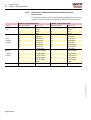
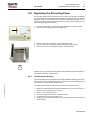
The recording paper must be replaced as soon as the end of the paper is indicated
by a red stripe on the lower edge. After the indication first appears, there are about 8
pages left. However, we recommend that the paper be replaced immediately. If no paper is left, the printing process is interrupted and a warning is given on the screen. To
replace the paper proceed as follows:
1
1.
2.
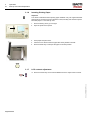
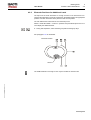
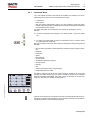
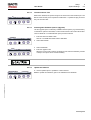
Press the locking catch (1) to the right. Open the printer door opens upward.
Remove any remaining paper from the paper tray.
3.
4.
5.
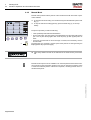
Place the beginning of the paper over the black paper roller.
Close the cover. Be sure that the paper lies exactly between the rails.
Press the STOP key to transport the paper to the start position.
ESAOTE can only guarantee perfect printouts when ESAOTE original chart paper or
chart paper of the same quality is used.
6.6.1
Thermal Paper Handling
Art.-no.: 9740440041 Rev.: a
The thermal paper used in the P8000 requires slightly different handling to normal paper as it can react with chemicals and to heat. However, when the following points are
remembered, the paper will give reliable results:
The following points apply to both storage, and when archiving the results.
1.
2.
3.
4.
5.
Before use, keep the paper in its original cardboard cover. Do not remove the cardboard cover until the paper is to be used.
Store in a cool, dark and dry area.
Do not store near chemicals e.g. sterilisation liquids.
In particular do not store in a plastic cover.
Certain glues can react with the paper - do not attach the printout onto a mounting
sheet with glue.
Page 49