1
SMC-RC Remote Control for SMC100CC
2.0
Quick Start
Description
SMC-RC Remote Control for SMC100CC
3.0
Quick Start
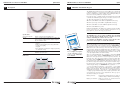
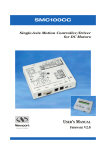
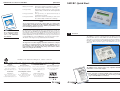
SMC100CC with SMC-RC Keypad
The SMC-RC keypad allows basic use of the SMC100CC controller without a
computer. It features a 16 characters position display and four push buttons for configuration, jogging, homing, and enabling/disabling motors. It
can be also used in parallel to a computer control.
If not already done, carefully unpack and visually inspect the SMC100CC
controller, the SMC-RC keypad, all stages and all accessories for any damage. Place all components on a flat and clean surface.
Connect the SMC-RC to the SMC100CC (KEYPAD connector).
Connect your stage to the SMC100CC (MOTOR connector).
Connect the SMC100CC to the SMC-PS80 (DC IN connector).
Connect the SMC-PS80 to power.
During the initialization, the SMC100CC controller checks if a SMC-RC keypad is connected. If so, it checks whether all buttons are open (not
pressed). If not, an error message gets generated.
2.4.1
NOTE
Specifications
General description
Display
C
0C
C10
SM
Remote control keypad for SMC100CC
1 line x 16 characters LCD display for position and
short action description of Exec. button depending on controllers state
Function of push buttons (from left to right)
– Jog left
– High jog velocity (when pressed together with
jog left or jog right)
– Jog right
– Exec. (function as indicated in display depending
on controllers state)
Cable
2.4.2
0.5 m helix cable, both sides terminated
with RJ11-4/4 connectors
Dimensions
2.64
(67)
.98
(25)
2
The SMC100CC does not recognize an SMC-RC after the initialization.
Also, disconnecting the SMC-RC from the controller and reconnecting
without reinitializing the controller does not work.
r
rive
r/D
s
rolle Motor
Cont r DC
fo
ion
Mot
To reinitialize the SMC100CC controller, temporarily disconnect from
power and reconnect again, or send the RS command.
USER
UAL
’S MAN V2.0
WARE
FIRM
NOTE
For a complete description
of all commands, please
refer to the SMC100CC
User’s Manual.
3.82
(97)
EDH0214En1010 — 12/05
xis
le-A
Sing
When using the SMC100CC for the first time with a Newport ESP compatible
stage (see blue label on the product) a message AUTOCONFIG ?
YES
gets displayed for about 5 seconds. Press the Exec. button to configure the
SMC100CC to the connected stage. Once done, this message gets not displayed anymore during later initialization unless the SMC100CC recognizes
a different Newport ESP compatible stage than the one it is configured to.
This message gets also not displayed if the controller is already configured
correctly using the SMC100CC software utility.
After successful initialization, the controller is in the NOT REFERENCED
state and the display displays +0.00000 HOM (for more details about the
SMC100CC states, please refer to section 5.1). Press the Exec. button to
home the stage. The stage starts moving to its home position. When done,
the display shows +0.00000 JOG. The digital value indicates the current
position of the stage. The default units for Newport positioners are millimeters for linear stages and actuators, and degrees for rotation stages.
Pressing the Exec. button again gets the controller to the JOGGING state
and the display changes to +0.00000 DIS. The jog buttons “<”, “<< >>”, and
“>” are now enabled. Pressing the “<” (jog left) or “>” (Jog right) button
starts a motion at slow velocity and with slow acceleration. Releasing the
button stops the motion. These slow speed motion are ideal for precise
adjustments. Pressing the “<” (jog left) or “>” (Jog right) button and the “<<
>>” (high speed) simultaneously starts a high speed motion. These high
speed motion are ideal for coarse adjustments. The jog speed and jog
acceleration settings are as follow:
High jog velocity:
Equal to the default velocity (see value set in the
software utility or with the VA command).
High jog acceleration:
High jog velocity / 2s (means final velocity is
reached after 2 seconds).
3
EDH0214En1010 — 12/05