1
SparVision 200 Tutorial
Using the iPad – Updates
Occasionally Apple will
send updates to the iPad
to continually improve its
performance.
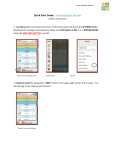
Check for updates by
pressing General on the
left hand side (in Settings).
On the top right, choose
“Software Update”.
If an update is available,
you will be prompted to
download and install.
21