1
Restore Factory Default Settings
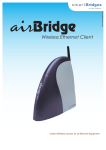
If you forget the critical settings like WEP or Administrator Password of the airBridge, you
can restore the airBridge to the Factory Default Settings as,
1. Make sure that the Power to the airBridge is ON. ( indicated by PWR LED )
2. Locate and Press the Restore Default button continuously. ( The Restore Default
button is located on the back of powerShot.)
3. The TxRx LED will dim its light intensity for few seconds.
4. Release the button after the TxRx LED restores back to its original bright intensity.
5. After restoring the Factory Default Settings, please configure the airBridge again.
Appendix A
ASCII to Hexadecimal Conversion Table
Operating Temperature Range
airBridge
airBridge Outdoor / TOTAL
Ingress Specification
:
:
:
0 °C ~ +50 °C
(+32 °F ~ +122 °F)
-40 °C ~ +65 °C
(-40 °F ~ +150 °F)
IP65 for airBridge Outdoor / TOTAL
Products and model numbers
sB2100
sB2110
sB2120
sB2125
airBridgeTM Indoor FCC and CE versions
airBridgeTM Outdoor FCC and CE versions
airBridgeTM TOTAL FCC version 13 dBi antenna
airBridgeTM TOTAL CE version 9 dBi antenna
Note:
Please refer to the User Guide found on the Setup CDROM for detailed and additional information.
For the latest Quick Install Guide and software updates, please visit our support webpage at
http://www.smartbridges.com/support/
Revision 1.7
Page 16 of 16