1
Detailed Registration Instructions
When you use ECATTS for the very first time, you will need to create a User account for yourself. After that,
you will log into the system with your own login ID and password. Follow these steps to create a User account.
1. Go to the ISC ECATTS website: https://isc.ecatts.com
2. Click Enter.
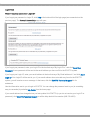
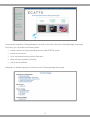
3. At the Welcome to ECATTS screen, refer to the REGISTER - New Users box.
4. Ask your supervisor for the registration password. Enter it into the box.
a. If your supervisor cannot tell you the registration password, click ECATTS Technical Support at the
bottom of the New Users box. You can request to have the registration password be sent to you via
email. You can also call the help desk toll free number (866-730-4253) for assistance.
b. NOTE: If your email address ends with ".mil", click the link labeled CLICK HERE and our server will
send you the registration password immediately.
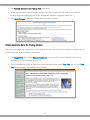
5. Click Create An Account to access the Account Registration Form described on the following page of
this manual.
3