1
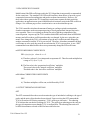
14. to DISABLE the AUXILIARY #2 OUTPUT
OUT2OFF
15. to DISABLE SCAN MODE INTERRUPTS
DSI
A) See discussion at command #8.
16. to DISABLE the DEVIATION INTERRUPT
DDI
A) See discussion in this section at command #9.
3-4.4 GPIB COMMANDS: SPECIAL
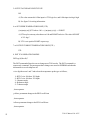
1. to INPUT CHARACTER STRING from SYSTEM CONTROLLER & OUTPUT SAID
STRING to RS232-C INTERFACE
!ssss...sss where ssss...sss is an ASCII character string
A) This command allows direct control of custom circuitry by theGPIB System Controller.
Any custom circuitry with an RS232 interfacecan be controlled by this command, and
interrogated with the use of the next command. Thus an unlimited number of events
and status thereof can be incorporated as part of the automated test facility. For example, one may wish to test, say, 100 component (resistors, thermistors, etc.) in an
automated setup. One way to accomplish this would be to build the necessary switching circuitry with an RS232 interface. Then, the GPIB System Controller would direct
theproper switching sequence via the TC01 controller. Similarly,command #2 below
could be used to ascertain status information from the switching circuitry.
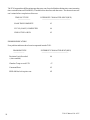
2. TO INPUT CHARACTER STRING FROM RS232 INTERFACE TO IEEE-488 SYSTEM
CONTROLLER
S
Sample 9825 command
wrt703,”S”,red703,R$
System controller reads a line of characters that are sent to the TC01 via the RS232 port.
A carriage return or line feed terminates the sequence.
50
TC01-F Manual Ver. 0707




























![[ITA] CE100-8 Utente v7-3-4](http://vs1.manualzilla.com/store/data/006163579_1-e446025dc8d37ff792b1e593cfad2f55-150x150.png)