Transcript
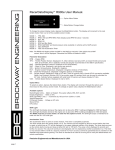
RacerDataDisplay R900 User Manual.
TM
Option Menu Button
Mode/Option Change Button
To change the screen display mode, depress the Mode/Option button. The display will increment to the next
screen mode. Here is a list of the available screen modes.
MODE
MODE
MODE
MODE
MODE
MODE
MODE
1
2
3
4
5
6
7
-
TPS, IGN
RPM, VSS and RPM MAX Hold (displays peak RPM for about 1 second)
ECT, IAT
RPM, O2 (or A/F)
RPM and Bar Meter
RPM, MAP/MAF and boost pressure (only available on vehicles with a MAP sensor)
IGN, MAP/MAF
Note: The R900 will display either the MAP or the MAF but not both. If the vehicle has a MAF
sensor, then it will be displayed. Otherwise the R900 will default to MAP.
Parameter Description
RPM - Engine RPM.
TPS - Throttle Position Sensor. Displayed in %. Most vehicles read around 8% at closed throttle and around
90% at full throttle. This is perfectly normal and actually recommended in the OBD-II specification.
MAP - Manifold Absolute Pressure. Displayed in kPa (kiloPascals).
MAF - Mass Air Flow. Displayed in g/s (grams per second).
IGN - Ignition timing advance. Displayed in degrees.
ECT - Engine Coolant Temperature. Displayed in degrees (Celsius or Fahrenheit).
IAT - Intake Air Temperature. Displayed in degrees (Celsius or Fahrenheit).
O2 - Oxygen Sensor. Displayed in volts or A/F ratio. There is currently only a Honda LEV-II conversion available.
Newer Low Emission Vehicles (LEV's) have wider range O2 sensors which can be used to calculate the
A/F ratio. Vehicles factory equipped with wide band O2 sensors will always display A/F ratio.
VSS - Vehicle Speed Sensor. Displayed in mph or km/h.
Option Menu
To select an option, depress the Option Menu button. The display will increment through the options and
return back to the previous screen mode. To change an option value, depress the Mode/Option button.
Available options
Metric/English Units - Metric or English. This option effects VSS, ECT and IAT.
Display Brightness - 100% or 75%
O2 Sensor Display - Voltage or A/F ratio
Stored DTC's
DTC status
Stored DTC's
If there are no DTC's stored, then 0 is displayed.
If there are DTC's stored in the ECU, then the number of DTC's is displayed on the first line
and "Retrieve DTC's?" is displayed on the second line. Depressing the Option Change button
will retrieve the DTC's and display them. Up to 6 DTC's will be displayed.
Clear DTC's
If there are DTC's stored in the ECU, then depressing the Option button will display this screen.
"Clear DTC's?" is displayed. Depressing the Option Change button will clear the DTC's. After the
DTC's have been cleared, then "DTC's Cleared" is displayed. Depressing the Option button exits
the Option Menu.
Limited One Year Warranty
Brockway Engineering LLC hereby warrants that this product will be free of defects in materials and workmanship
for a period of one year after date of purchase. At it's option, Brockway Engineering will repair or replace the
defective product.
Precision Engineered and Manufactured in USA.