1
PETracer ML User Manual
Chapter 2: Hardware Description
2.7 PETrainer ML Exerciser LED Descriptions
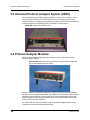
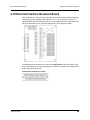
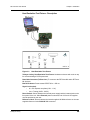
When powered on, the PETrainer ML activates the user-accessible controls and LEDs on
the front and rear panels of the UPAS.
Warning!
Do not open the UPAS enclosure. There are no operator serviceable parts
inside. Refer servicing to Teledyne LeCroy.
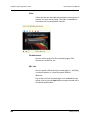
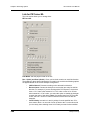
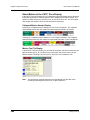
UPAS LEDs (from left to right)
(a) Green PWR (power) indicator LED for UPAS: Lights when the unit power is switched
on.
(b) Red Status indicator LED for UPAS: Lights during initialization/power up of UPAS
base unit. Blinks if a self-test fails.
The following LEDs on the UPAS function in conjunction with the PETrainer ML module
inserted above it:
(c) Green Run LED: Lights when script execution is in process.
(d) Orange Link Up LED: Lights when the PCI Express link is trained.
(e) Green UPLD (Upload): Lights when script is transferred from host machine to
PETrainer.
(f) Manual Trigger push-button: Disabled.
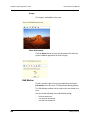
LEDs and Connectors on the PETrainer ML Module
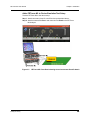
(g) Green Connect LED: Indicates that cabling is correct.
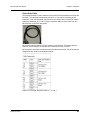
(h) Tx Cable A: Corresponds to connector A on probe data cable
(i) Rx Cable C: Corresponds to connector C on probe data cable
Teledyne LeCroy
15