1
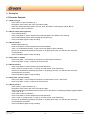
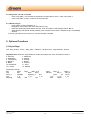
4.1.8 Play track 1, 2 and 3 + Drums Press “Play Start”. You will hear the previously recorded drums, track 1, track 2 and track 3. Press “Play Start” to stop, or wait for the song to finish. 4.1.9 Delete song 2: - Press “Menu” to open the Menu [3. ] - Navigate to “REC” Menu with “Plus” and “Minus” [3.2 ] - Press first Instrument-Select button and use “Plus” and “Minus” until Displays shows “S n.2 ” - While keeping “Rec Mode” button pressed, press “Play/rec Start” button. Selected song is immediately deleted. If the song to delete is the current one, only the last step is needed. 5. Optional Functions 5.1 Style Player Use “Intro_Ending”, “Fill-In”, “Start_Stop”, “Variation”, ”Rhythm Only”, “Style selection” buttons. Style Selection: Press the “Style Selection” button then select with “Plus“ and “Minus” buttons. 0: EuroPop, 1: 90sDance, 2: KickDance, 3: 80sPop, 4: TechnoRock, 5: Country, 6: Beguine, 7: Bossa, 8: Blues, 9: JazzTet, 10: Rock&Roll, 11: Soca, 12: Lounge, 13: Waltzer Recognized chords: Maj Maj6 Aug Min Min7_11 MinMaj7 7b5 7_9 Maj7aug 7aug Maj7 Maj7_s114 Min6 Min7 MinMaj7_9 Dim 7_s11 7_13 1p8 1p5 Maj9 Min7b5 Maj7_9 Min_9 Dim7 7th 7_b9 7_b13 sus4 1p2p5 Maj6_9 Min7_9 7sus4 7_s9 PiaRef - User's Manual Rev 21/10/15 15 © 2014-2015 Dream S.A.S.