1
2. Basic function operation
2.1 On/off Switching navigation
2.1.1 Start
Before start,Please ensure all parts connected well!
Power on
Equipment start,POWER indicator light is red.
2.1.2 Power off
User can power off the device by using remote controller、keyboard and mouse.
2.1.3 By remote controller:
Press Power button, the Shut down window will appear, click OK, the unit will power
off after a while.
2.1.4 Disconnect the power by keyboard and mouse
mouse:
Step1: enter into Menu, then select “System Shut Down” icon, the Shut down window
will appear
Step2: click OK, the unit will power off after a while.
Step3: disconnect the power
2.2 Login
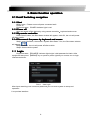
Equipment start ,【POWER】indicator light bright. initial password is blank. After
equipment start press 【MENU】key on panel or press right key on mouse, trun to login
interface as below:
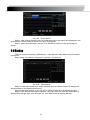
Pic2-1 User login
After Input matching user name and password,you can enter system to setup and
operation.
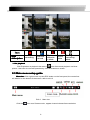
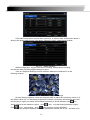
Live preview interface:
8