Transcript
Thank you for purchasing this HOBBYWING product! Brushless power systems
can be very dangerous. Any improper use may cause personal injury and
damage to the product and related devices. We strongly recommend reading
through this user manual before use. Because we have no control over the
use, installation, or maintenance of this product, no liability may be assumed
for any damages or losses resulting from the use of the product. We do not
assume responsibility for any losses caused by unauthorized modifications to
our product.
ATTENTION
USER MANUAL
Multi-Rotor
CAUTIONS
Brushless Electronic Speed Controller
XRotor Pro 3D
01 Features
• Special core program for multi-rotor controllers greatly improves throttle response.
• Forward & Reverse 3D flight can be realized by swiftly switch the motor rotation.
• DEO (Driving Efficiency Optimization) technology significantly improves throttle linearity and
driving efficiency.
• High intelligent and adaptive default settings like auto-adjusting timing meet almost all
applications.
• The twisted-pair design of the throttle signal cable effectively reduces the crosstalk
produced in signal transmission and makes flight more stable.
02 Specifications
Model
Con. Current
Peak Current (10s)
BEC
LiPo
XRotor Pro 40A 3D
40A
60A
NO
2-6S
XRotor Pro 25A 3D
25A
40A
NO
2-3S
Weight
Size
50g(Version A)
66x21.8x11mm ((Version A)
45g(Version B)
73.5x21.8x11mm ((Version B)
25g (Version A)
46.65x22.2x10.5mm(Version A)
Note: Version A (Wire leaded) connects brushless motor via output wires, while Version B (COB--3.5mm Connector On Board) with gold-plated connectors already directly soldered onto the printed
circuit board of the ESC, so version B hasn't output wires.
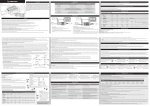
03 Motor Wiring
Electronic Speed Controller
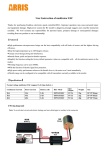
Plug the throttle signal cable
into the throttle (TH) channel
on your receiver.
Battery
Motor
Receiver
Plug the UBEC cable into
the special battery (BATT)
channel or any other
unoccupied channel on
UBEC
your receiver.
04 3D Flight
(Attention! XRotor-Pro-3D doesn’t support throttle range calibration, because its throttle range is fixed at 1100~1940µs.)
1.Forward & Reverse 3D Flight
The throttle ranges from 1067µs to 1860µs (the neutral position is at 1463µs, ±2µs is the dead band.), 1466µs-1860µs (that is from the neutral throttle position to the maximum throttle position)
correspond to the forward 0%~100% throttle. 1067µs-1460µs (that is from the neutral throttle position to the minimum throttle position) correspond to the reverse 0%~ 100% throttles.
2.Start-up
First time you start up the ESC, it starts up softly. 3 seconds later the ESC will enter the Forward/Reverse 3D-flight operation. The ESC will re-enter the soft start-up process after the throttle stick is
moved to the neutral dead band for over 3 seconds.
05 Normal Start-up Process
Turn on the transmitter and move the
throttle stick to the neutral position.
Connect the ESC to a battery; 1 second later, the
Push the throttle stick to slightly over the 50% throttle position, the
motor will emit “♪123” indicating the power
ESC will start up slowly. 3 seconds later, it’ll enter the 3D-flight
system is ready.
operation.
Note 1: Do not push the throttle stick too much when you’re trying to start up the ESC, because the motor will immediately accelerate to the RPM correspond to the throttle amount right after the
soft start-up process ends.
Note 2: You need the corresponding 3D flight controller to match our XRotor-Pro-3D ESC when you fly 3D flight.
06 Multiple Protections
• Start-up Protection: The ESC will shut down the motor if it fails to start the motor normally within 2 seconds by increasing the throttle value. In this case, you need to move the transmitter throttle
stick back to the neutral position and restart the motor. (Possible causes of this problem: poor connection/ disconnection between the ESC and motor wires, propellers are blocked, etc.)
• Over-load Protection: The ESC will cut off the power/output when the load suddenly increases to a very high value. Normal operation will not resume until the throttle stick is moved back to the
neutral position. The ESC will automatically attempt to restart when the motor and the ESC are out of sync.
• Throttle Signal Loss Protection: When the ESC detects loss of signal for over 0.25 second, it will cut off the output immediately to avoid an even greater loss which may be caused by the
continuous high-speed rotation of propellers or rotor blades. The ESC will resume the corresponding output after normal signals are received.
07 Troubleshooting
Trouble
Warning Tone
Possible Cause
The ESC was unable
“Beep beep…”
to start the motor.
(The motor beeps rapidly)
The ESC was unable
“Beep-, beep-…”
No output signal from the throttle channel on the receiver
to start the motor.
(Time interval is 1 second)
or the corresponding channel on the flight controller.
The throttle stick is not moved to the neutral position.
Solution
Move the throttle stick to the neutral position or check if the signal
output from the flight controller is correct or not.
Check if the transmitted and receiver are well bound, and if the throttle
control wire has been correctly plugged into the TH channel on the
receiver or corresponding channel on the flight controller.