1
&
Assigning&Function&Buttons&
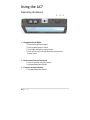
The!AC7!has!two!buttons!that!can!be!assigned!to!custom!
functions!for!a!convenient!one&press!ON/OFF!of!your!favorite!
features.!
!
While!not!in!any!menus:!
1!–!Press!and!hold!either!of!the!two!buttons!(1!or!2)!for!3!seconds!
and!release!
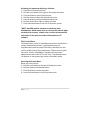
2!–!Scroll!with!the!scroll!wheel!to!the!desired!function!and!click!
the!scroll!wheel!to!select!it!
3!–!Press!the!Back!button!to!exit!the!menu!
!
!
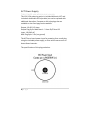
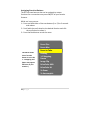
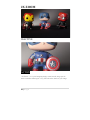
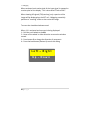
This"Menu"shows"
that"a"function"
button"is"set"to"the""
1":"1"Mapping"tool."
(Menu"may"appear"
different"on"your"
monitor.)"
14"|"P a g e "
!
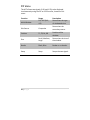
Focus"Plus"
Focus"Max"
Focus"in"Color"
Peaking"
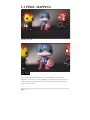
1:1"Mapping"
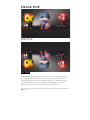
Freeze"
Image"Flip"
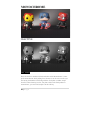
FalseColor"HML"
FalseColor"HL"
2x"Zoom"
2x"Anamorphic"
!