1
1.0 Introduction
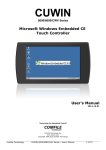
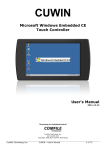
The CUWIN combines a graphic display and touch interface with a high efficiency industrial
controller.
It is equipped with Microsoft Windows CE 5.0 Embedded, a stable operating system used in
many industrial touchscreen applications. Windows CE supports applications developed in
Microsoft Visual Studio 2005 or 2008 and other development tools able to create Windows CE
ARM executables. It can also run NSBasic scripts.
Developing for the CUWIN is similar to normal PC program development; anyone with
previous PC programming experience can develop CUWIN applications without difficulty. The
CUWIN supports the .NET Compact Framework (1.0, 2.0) that reduces development and
testing time by allowing the use of cross-platform .NET functions. If developing for the .Net
Framework, Visual Studio 2005 Standard and higher, or Visual Studio 2008 Professional and
higher must be used as these editions include the Smart Device Development Kit.
The CUWIN can also operate in IntelliLCD Mode, which allows the CUWIN to emulate an
IntelliLCD as a drop-in replacement. Existing IntelliLCD applications can upgrade to a CUWIN
today, and not lose functionality while the CUWIN native applications are developed.
The CUWIN offers RS232, RS485, and Ethernet for external communication. It can even
browse web sites using the internal browser, which is useful for displaying diagnostic data or
even remote control panels through a web interface.
Depending on which CUWIN features you choose to access, it can be used for anything from
a user interface panel to the main controller for your automation equipment.
2