1
User Manual for Urgent Verification
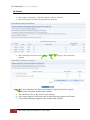
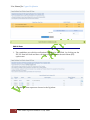
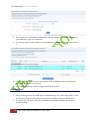
3. The results for verification confirmation can be refined by selecting the course,
year semester, type of verification.
4. Or directly click on the number of unconfirmed candidates; in this case that is
2.
5. Check the boxes, and receive the amount from candidate after checking the
print that candidate is carrying.
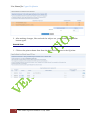
6. And finally press the confirm urgent verification button.
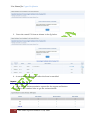
Confirm UV Form
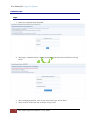
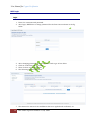
1. If any changes are to be made after confirmation of the verification form, it can
be cancelled first and then filled again from candidate login or RBTE login.
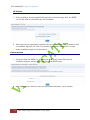
2. To cancel the UV form, enter the candidate enrollment number and press
submit button.
12
Four Pillars InfoTech India PVT Ltd, Pune.