1
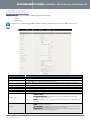
WDS (Wireless Bridging)
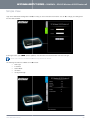
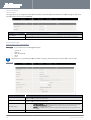
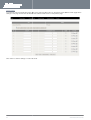
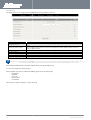
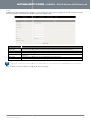
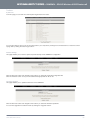
Wireless Distribution System (WDS) allows you to connect to other wireless access points (Remote APs),
APs) and in doing so extend a
wired infrastructure to locations where cabling is not possible or inefficient to implement.
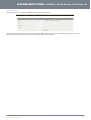
Enter the MAC address of the other wireless access points taking part in the WDS network and then click “Save”.
“Save”
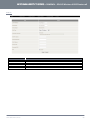
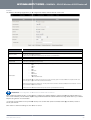
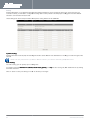
WPS Setup
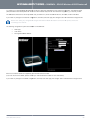
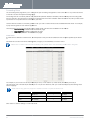
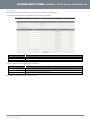
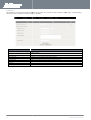
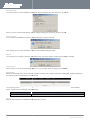
Wi-Fi Protected Setup (WPS) offers safe and easy way to connect wirelessly.
Simply push the WPS button on the router and then press the WPS on your wireless device within 2 minutes and the WLAN
connection should be completed automatically.
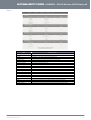
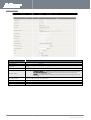
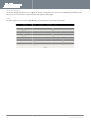
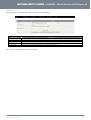
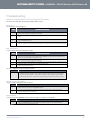
OPTION
AP PIN
DEFINITION
The current PIN used to connect.
Click “Generate New PIN” to force the router to create a new PIN.
Config Mode
Set the router to be either the Registrar or Enrollee.
Config Status
You can discard the current WPS configuration by clicking “Release”.
Config Method
Set the WPS configuration method to either Push Button or PIN code.
Please note: These settings should not need to be changed.
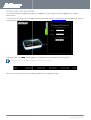
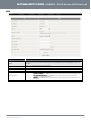
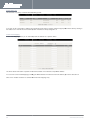
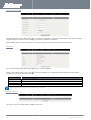
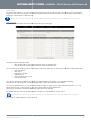
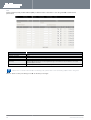
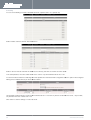
Wireless Client List
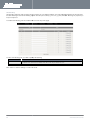
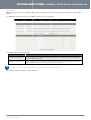
The list of currently connected wireless devices is shown here.
NetComm 3GM2WN– 3G/4G Wireless N150
0 Router m2
35
YMLO-3GM2WN
www.netcomm.com.au