1
SC1602LC 16x2 Large Characters RS232 LCD Module
User’s Manual
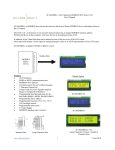
Large Viewing Area 99mm x 24mm
Large Character Size
4.84mm x 9.66mm
Features
•
Buffered received bytes eliminates delay requirement
•
4x4 Keypad Input 0r 8 pulled up inputs ( programmable )
•
8 Open Drain Output
• 8 User’s Defined Characters
•
LCD Backlight with Brightness Control
• 10 User’s Defined Text Line
•
Programmable baud rate 9600 or 19200
• 16x2 Large Characters LCD
• RS232 Interface
• Simple Serial Command
• Wide Range Voltage Operation ( 9-15V )
Hardware Connection ( Back View )
1.
Power Supply ( 12V Nominal )
4. Open Drain Output Port
2.
LCD Contrast Adjust
5. DB9 RS232 Connector
3.
Keypad / Inputs Port
www.siliconcraft.net
SC1602LC 16x2 Large Characters RS232 LCD Module
User’s Manual
Communication
Communication with SC1602LC is through RS232 at 9600 bps and 8 data bits, no parity and 1 stop bit protocol.
(9600,8,N,1). The baud rate can be changed to 19200 bps with serial command explained later.
9600 bps will be the default baud rate
Displaying Text
SC1602LC will display characters it received from its RS232 port.
All supported characters is listed below
Examples :
Display ASCII character “ 1 “
Send hexadecimal 0x31
Display special character “ Ω “
Send hexadecimal 0xF4
www.siliconcraft.net
SC1602LC 16x2 Large Characters RS232 LCD Module
User’s Manual
User’s Defined Characters
SC1602LC allows user’s to define 8 characters to be added to the character
set listed above. Each character is a 5x8 pixels matrix with each row represented by a byte of data.
Thus, each character consists of 8 bytes of bitmap data
The defined characters need to be loaded to the LCD memory first before
they can be used.
Transmit decimal 0 to 7 to display custom character 1 to 8 respectively.
Control Characters / Code Summary
Function
Code ( in decimal )
Insert Custom Character
0 to 7
Backspace
8
Send Cursor Home
11
Move Cursor to the next row
12
Clear display and send cursor home
13
Move Cursor one position left
14
Move Cursor one position right
15
Turn On Underline Under
254,1
Turn On Block Blinking Cursor
254,2
Hide Cursor
254,3
Turn On Backlight
254,6
Turn Off Backlight
254,7
Load User’s Characters
254,8
Disable Keypad
254,9
Enable Keypad
254,10
Turn On All Outputs
254,12
Turn Off All Outputs
254,13
www.siliconcraft.net
Hex
Decimal
Row 1
0x00
0
Row 2
0x00
0
Row 3
0x0A
10
Row 4
0x1F
31
Row 5
0x1F
31
Row 6
0x0E
14
Row 7
0x04
4
Row 8
0x00
0
Bitmap Data Example
SC1602LC 16x2 Large Characters RS232 LCD Module
User’s Manual
Function
Code ( in decimal )
Read Inputs
254,14
Set Inputs Port As Keypad Port
254,15
Set Inputs Port As Pulled Up Inputs
254,16
Change LCD baud rate to 9600
254,30
Change LCD baud rate to 19200
254,31
Save settings to non volatile memory
254,32
Change Backlight Brightness
254,40, [ brightness]
Clear Selected row
254,45, [ selected row ]
Clear Selected column
254,46, [ selected column ]
Move cursor position
254,50, [row],[column]
Turn On/Off Individual Output
254,51,[ Port ID] , [ On or Off ]
Show user’s defined text
254,52, [ Text ID] , [ row ]
User’s predefine text
254, [ Text ID ], [ 16 Characters ]
Define user’s characters
254, 100 , [ 64 Bytes Bitmap Data ]
Cursor Control
Cursor is the indicator of the current position where the next character to be displayed.
Cursor may be visible or hidden. On power up, cursor is hidden by default.
To turn on visible cursor, send command “254, 1” for underline type cursor or “254,2” for block blinking type of
cursor.
Cursor can be hidden at anytime by sending command “254,3”
To move cursor to the beginning of next row , send control character “12” ( in decimal ). Note : cursor is move to
row 0 if current cursor position is at row 1.
To move cursor home ( row 0, column 0) , send control character “11” ( in decimal )
Cursor can be move to any position on screen by command “254,50,[row],[column]
where row is 0 or 1 and column is 0 to 15
www.siliconcraft.net
SC1602LC 16x2 Large Characters RS232 LCD Module
User’s Manual
Backlight Control
The LCD is illuminated by a Yellow Green LED light guide.
The backlight is turned on upon power up. To turn it off send command “254,7” . To turn it back on, send command “254,6”.
Brightness can be control with command “254,40, [brightness level]” where 0 is the minimum and 250 is maximum.
Open Drain Output Ports
The module has 8 open drain outputs which can be individually controlled. Each output is capable of sinking
100mA of continuous on current.
It is controlled by command
“ 254,51, [Port ID], [ On/Off]”
Where Port ID is 0 ( decimal ) for OUT1 and 7 (decimal) for
OUT8
On/Off is “H” ( ASCII ) to turn it on and “L” ( ASCII ) to turn
it off.
Output port is accessible via 5x2 pin header P2
Input Port
9 pins input port on P1 can be configured as 4x4 keypad inputs or 8 channels pulled up inputs.
Keypad Mode ( Default )
In this mode, two bytes will be transmitted each time a keypress is detected. Keypad is scan every 250ms
Keypad can be disabled with command “254,9” . When disabled no data will be transmitted when keypress detected.
Keypad is enabled by command “254,10”. Keypad is enabled by default.
Pulled Up Input Mode
In this mode , input pins is scan every 250ms and it status updated. Input status can be retrieved with command
“254,14” . LCD will response by transmitting two bytes indicating the status of inputs.
Header P1 Keypad Mode Connection
www.siliconcraft.net
SC1602LC 16x2 Large Characters RS232 LCD Module
User’s Manual
Keypad Return Code
Key
Return Code (HEX)
1
0xFE , 0xFF
2
0xFB , 0xFF
3
0xF7 , 0xFF
A
0xFD , 0xFF
4
0xEF , 0xFF
5
0xBF , 0xFF
6
0x7F , 0xFF
B
0xDF , 0xFF
7
0xFF , 0xFE
8
0xFF , 0xFB
9
0xFF , 0xF7
C
0xFF , 0xFD
*
0xFF , 0xEF
0
0xFF , 0xBF
#
0xFF , 0x7F
D
0xFF , 0xDF
Input mode return two bytes [ STATUS 0] , [ STATUS 1]
Where lower nibble of STATUS 0 indicates IN1 to IN4
and lower nibble of STATUS 1 indicates IN5 to IN8
Header P1 Input Mode Connection
www.siliconcraft.net
SC1602LC 16x2 Large Characters RS232 LCD Module
User’s Manual
User’s Predefined Text
10 memory locations is available to store commonly used text.
Each is 16 characters wide.
Text stored in these memory locations can be recalled and displayed on the LCD with command
[0xFE] [0x34] [ text location ] [ row to be displayed ]
Where [ text location ] is which text to be displayed
101 to 110. [ row to be displayed ] is 0 or 1 depending on which row you want the text to be displayed.
Example:
Text Stored in memory location 101 is “SC1602LC Test”. To display this, instead of sending the text string, you can display the text by sending command
[ 0xFE ] [ 0x34 ] [ 0x65 ] [ 0x00 ] to have “SC1602LC Test” displayed on row 0
Changing the baud rate
By default , SC1602LC baud rate is set at 9600 bps. To change it to 19200 bps send command “254,31”
To set it back to 9600 bps, send command “254,30”
LCD will display “Baud Changed” each time the baud rate is changed.
Changes are immediate, thus make sure the baud rate of the host controller is change too before sending command to the LCD.
Make setting non-volatile
LCD configurations : baud rate , backlight brightness , input mode , user’s characters , predefine text can be make
non-volatile ( retain after power down ) by sending command “ 254 , 32 “
LCD will display “ Settings Saved” when this is done.
www.siliconcraft.net
SC1602LC 16x2 Large Characters RS232 LCD Module
User’s Manual
SC1602LCApp Software
This software can be downloaded from www.siliconcraft.net/download to test and configure SC1602LC
www.siliconcraft.net
SC1602LC 16x2 Large Characters RS232 LCD Module
User’s Manual
Electrical Specification
Power Supply :
9 - 15VDC ( Nominal 12VDC )
Current Consumption :
15mA ( Backlight Off ) , 120mA ( Backlight On )
Operation Temperature Range : 0º C to 70º C
Storage Temperature Range : - 20º C to 85º C
LCD Type :
STN
Backlight :
Yellow Green LED Light Guide
Maximum sink current on each open drain output : 100mA
Maximum voltage on each open drain output : 33V
Mechanical Dimension ( mm )
www.siliconcraft.net