1
8
Fast Analog Input Module
Key the Backplane
Connector
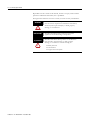
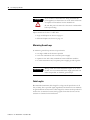
ATTENTION
Place your module in any slot in the chassis except the leftmost slot which is
reserved for processors or adapters.
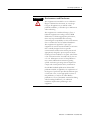
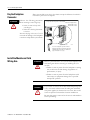
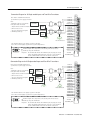
Observe the following precautions
when inserting or removing keys:
• insert or remove keys with
your fingers
• make sure that key placement
is correct
Incorrect keying or the use of a tool
can result in damage to the backplane
connector and possible system faults.
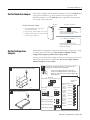
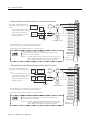
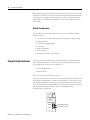
Position the keying bands in the backplane connectors to
correspond to the key slots on the module.
Place the keying bands:
between 10 and 12
between 24 and 26
I/O chassis
Upper Connector
11022-I
Y ou can change the position of these
bands if subsequent system design and
rewiring makes insertion of a dif ferent
type of module necessary.
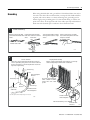
Install the Module and Field
Wiring Arm
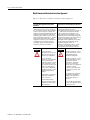
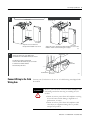
ATTENTION
Remove power from the 1771 I/O chassis backplane and
field wiring arm before removing or installing the I/O
module.
• Failure to remove power from the backplane or wiring
arm could cause module damage, degradation of
performance, or injury.
• Failure to remove power from the backplane could
cause injury or equipment damage due to possible
unexpected operation.
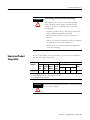
WARNING
If you insert or remove the module while backplane power
is on, or connect or disconnect the wiring arm with field
side power applied, an electrical arc can occur. This could
cause an explosion in hazardous location installations.
Be sure that power is removed or the area is nonhazardous
before proceeding.
Publication 1771-IN046B-EN-P - December 2003