1
Managed Switch User Guide
For 8 and 24-port Razberi ServerSwitches
August 30, 2013
Managed Switch User Guide
Purpose
This guide provides the configuration instructions for the Razberi Managed Switch, including Port
Management, VLAN setting, Per Port Counters, QoS setting, Security, Spanning Tree, Trunking, DHCP
Relay Agent, Backup/Recovery, Miscellaneous, SNMP Settings, and Logout.
The Razberi Managed Switch supports all mainstream browsers, such as IE 6.0~9.0, Firefox 2.0~3.0 and
Chrome, to configure Switch functions listed below.
Prepare to enter the managed switch
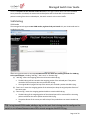
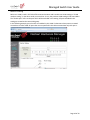
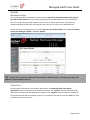
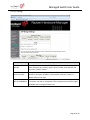
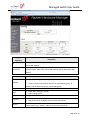
Enter the correct administrator name and password after the login page shows up.
Default IP address: 192.168.2.1
Default administrator name: admin
Default password: system
Press “OK” to login.
Tip: The administrator name and password fields are case-sensitive. For example: “ADMIN”
will not be recognized as “admin”.
Page 2 of 34
Managed Switch User Guide
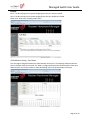
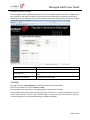
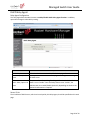
If you input the incorrect administrator name or password, the following warning message will show up
and you must click “OK” to go back to the login page.
Page 3 of 34
Managed Switch User Guide
Table of Contents
Administrator ........................................................................................................................... 6
Authentication Configuration ............................................................................................................ 6
System IP Configuration .................................................................................................................... 6
System Status ................................................................................................................................... 6
Load default setting .......................................................................................................................... 7
Firmware Update.............................................................................................................................. 7
Reboot Device .................................................................................................................................. 9
PoE .......................................................................................................................................... 9
PoE Status ........................................................................................................................................ 9
PoE Setting ....................................................................................................................................... 9
Port Management .................................................................................................................. 10
Port Configuration .......................................................................................................................... 10
Port Mirroring ................................................................................................................................ 11
Bandwidth Control ......................................................................................................................... 12
Broadcast Storm Control ................................................................................................................. 13
VLAN Setting .......................................................................................................................... 14
VLAN mode .................................................................................................................................... 14
VLAN Member Setting – Port Based ................................................................................................ 15
VLAN Member Setting – Tag Based.................................................................................................. 17
Multi-to-1 Setting ........................................................................................................................... 18
Per Port Counter .................................................................................................................... 19
QoS setting ............................................................................................................................ 20
Priority Mode ................................................................................................................................. 20
Class of Service Configuration ......................................................................................................... 21
Class of Service ............................................................................................................................... 21
Security.................................................................................................................................. 23
MAC Address Binding ..................................................................................................................... 23
TCP/UDP Filter ................................................................................................................................ 23
Spanning Tree ........................................................................................................................ 25
STP Bridge Settings ......................................................................................................................... 25
STP Port Settings ............................................................................................................................ 26
Loopback Detection Settings ........................................................................................................... 27
Trunking ................................................................................................................................. 27
DHCP Relay Agent .................................................................................................................. 29
Relay Agent Configuration............................................................................................................... 29
Server IP List................................................................................................................................... 29
VLAN to Server IP Map.................................................................................................................... 30
DHCP Server Setting ............................................................................................................... 30
Page 4 of 34
Managed Switch User Guide
Backup/Recovery ................................................................................................................... 31
Output Queue Aging Time .............................................................................................................. 32
VLAN Striding ................................................................................................................................. 32
IGMP Snooping .............................................................................................................................. 32
VLAN Uplink ................................................................................................................................... 32
SNMP Settings........................................................................................................................ 33
Logout ................................................................................................................................... 34
Load Default Settings – Hardware Based ................................................................................. 34
Page 5 of 34
Managed Switch User Guide
Administrator
Authentication Configuration
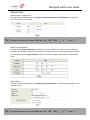
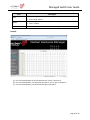
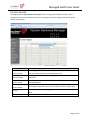
This page allows the administrator to change the administrator name and the password. You can input
up to 15 characters for each field.
Tip: The legal characters for these fields are “a-z,” “A-Z,” “0-9,” “_,” “+,” “-,” and “=.”
System IP Configuration
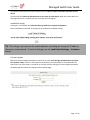
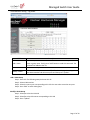
This page shows system configuration including the current IP address and sub-net mask and Gateway.
IP address, Subnet Mask, and Gateway at system IP Configuration can be configured by the administrator.
The managed switch also supports DHCP to allow the dynamic IP address allocated by a network DHCP
server.
System Status
This page allows the administrator to check the general switch status, including Switch MAC address and
software version.
Tip: The legal characters for these fields are “a-z,” “A-Z,” “0-9,” “_,” “+,” “-,” and “=.”
Page 6 of 34
Managed Switch User Guide
The comment field allows the network administrator to input an easy-to-remember nickname for this
switch.
The Idle time field allows the administrator to set a timer for auto logout. When the system detects no
web page activity for a pre-defined time, the system will auto-logout.
Load default setting
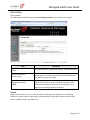
Clicking the “Load” button will make the switch go back to the original configuration.
After Load Default is executed, all settings will be restored to the default setting.
Tip: This change only concerns the switch behavior, excluding the change for IP address,
Username, and password. To reset all settings, see the Load Default Settings – Hardware
section.
Firmware Update
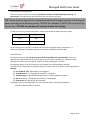
Before the firmware update procedure is executed, you must enter the login password twice and press
the “Update” button. There is a self-protection mechanism in the BootLoader, so the BootLoader will
keep intact. Even if the power is turned off or the cable link fails during the firmware update procedure,
the BootLoader will restore the code to firmware update page.
Page 7 of 34
Managed Switch User Guide
After you press “Update” button, the current firmware will be erased. Once erased, select the new
image file and press the “Update” button in order for changes to take effect.
Note: The update process can take anywhere from 3 – 5 minutes to complete.
Page 8 of 34
Managed Switch User Guide
Reboot Device
This page is used to reboot the device. No hardware reset is executed by means of executing “Reboot
Device”.
PoE
PoE Status
Field
Max Available Power
System operation
status
Main Power
consumption
Description
Enter a value to update the total power budget of the POE switch.
If user plug in a PD to switch that makes POE switch power consumption
over this value, then the PD will no longer get powered.
Status of system.
Current power consumption on POE switch.
PoE Setting
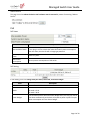
In PoE Setting, users can change each port status, PoE mode, and Power Budget.
Field
Status
Mode
Power Budget
Description
Port enable or disable
PoE mode can be set as AF/AT mode.
AF mode : 15 W
AT mode : 30 W
If PD consumes power above the Power Budget value, the PoE port will be
shut down automatically and switch will repeat to power up PD if the port
power consumption still over Power Budget.
Page 9 of 34
Managed Switch User Guide
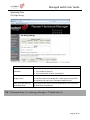
For example, if ports 1 and 2 are to have a power budget of 16 watts, while all other ports have a budget
of 31 W, the user may set the configuration as:
16
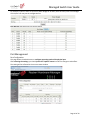
Click Refresh and check each port status setting.
Port Management
Port Configuration
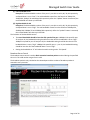
This page allows the administrator to configure operating mode of the physical port.
After selecting the settings, you should press the “Update” button in order for changes to take effect.
The setting will be reflected in the current status window.
Page 10 of 34
Managed Switch User Guide
Field
Tx/Rx Ability
Auto-Negotiation
Speed
Duplex
Pause
Backpressure
Addr. Learning
Description
Enable: Set this port normal operating mode.
Disable: Shut down this port.
Enable/Disable Auto-negotiation.
Select 1Gbps, 100Mbps or 10Mbps
Select Half duplex or Full duplex
Enable/Disable symmetric pause ability
Enable/Disable backpressure flow control in half duplex mode
Enable/Disable MAC address learning ability
Port Mirroring
The port mirroring function is accomplished by setting the following items.
(a) Destination port: Theoretically it’s possible to set more than one destination port in a network.
Actually the port mirroring function will lower the network throughput, and therefore it’s
recommended to set ”only one” destination port in a network.
(b) Source port: the traffic source that will be copied to the destination port.
(c) Monitored method:
Disable: means this function is disabled.
Rx: copy the incoming packets of the selected source port to the selected destination port.
Tx: copy the outgoing packets of the selected source port to the selected destination port.
Tx & Rx: the combination of Tx and Rx.
Page 11 of 34
Managed Switch User Guide
Take the following configuration as an example.
(a) Destination Port: Port 9 - Port 12
(b) Source port: Port 1 ~ Port 4
(c) Mirrored method: Rx
This means that all packets received at ports 1 - 4 will be copied to ports 9 - 12.
Tip: The more source and destination ports that are set, the less network throughput is
available for normal traffic.
Bandwidth Control
This page allows the setting of the bandwidth for each port. The Tx rate and Rx rate can be filled with
the number ranging from 1 to 255. This number should be multiplied by the selected bandwidth
resolution to get the actual bandwidth.
In the “Low” mode, the Tx/Rx bandwidth resolution is 32Kbps for port 1~ port 26. In the “High” mode,
the Tx/Rx bandwidth resolution is 256Kbps for port 1 ~ port 24, and 2048Kbps for port 25, port 26.
(a) Low bandwidth for TX
Example 1: The TX number of the port1~4 is set to 10, 20, 30, 40 respectively, and Speed base is
set to “Low”. The real bandwidth comes from the formula of 32Kbps*10, 32Kbps*20, 32Kbps*30
and 32Kbps*40 respectively. After the “Update” button is executed, the real bandwidth will
show up in TX fields.
(b) High bandwidth for TX
Example 2: The TX number of the port1~4 is set to 10, 20, 30, 40 respectively, and Speed base is
set to “High”. The real bandwidth comes from the formula of 256Kbps*10, 256Kbps*20,
256Kbps*30 and 256Kbps*40 respectively. After the “Update” button is executed, the real
bandwidth will show up in TX fields.
Page 12 of 34
Managed Switch User Guide
(c) Low bandwidth for Rx
Example 3: The RX bandwidth number of the port 5~ port 8 is set to 50, 60, 70, 80 respectively,
and Speed base is set to “Low”. The real bandwidth comes from the formula of 32Kbps*50,
32Kbps*60, 32Kbps*70 and 32Kbps*80 respectively. After the “Update” button is executed, the
real bandwidth will show up in RX fields.
(d) High bandwidth for RX
Example 4: The RX bandwidth number of the port 5~ port 8 is set to 50, 60, 70, 80 respectively,
and Speed base is set to “High”. The real bandwidth comes from the formula of 256Kbps*50,
256Kbps*60, 256Kbps*70 and 256Kbps*80 respectively. After the “Update” button is executed,
the real bandwidth will show up in RX fields.
The limitation of the bandwidth control
The actual bandwidth should be less than link speed of the port. 100Mbps link speed for port
25 and port 26, the bandwidth setting should be less than 48 if the bandwidth is set to “High”.
10Mbps link speed for port 25 and port 26, the bandwidth setting should be less than 4 if the
bandwidth base is set to “High”. 10Mbps link speed for port 1 ~ port 24, the bandwidth setting
should be less than 39 if the bandwidth base is set to “High”.
Setting the bandwidth to “0” will make the switch running at the “Full Speed”.
Broadcast Storm Control
The broadcast storm control is used to block excessive broadcast packets received during the specified
time unit. The valid number ranges from 1 to 63.
The broadcast packet is only checked at the selected port and the number of broadcast packets is
counted in every time unit.
Page 13 of 34
Managed Switch User Guide
There are 3 options for the selection of the time unit, as the figure shown above. Once the broadcast
storm protection is enabled, the excessive broadcast packet will be discarded. For those broadcast
packets incoming from the un-selected port, the switch treats it as the normal traffic.
VLAN Setting
VLAN mode
The managed switch supports two VLAN modes, tag based and port based. Only one VLAN mode can be
enabled at one time.
When the tag based VLAN is selected, the administrator can define the handling method of a VLAN tag
to the specified port, including “Add Tag”, “Don’t care” or “Remove Tag”.
(a) “Add Tag” means the outgoing packet should contain a 802.1Q tag.
The 802.1Q tag will be inserted to the outgoing packet of the selected port if the packet
received at the source port does not contain 802.1Q tag.
The original 802.1Q tag will be kept if the source port received a packet with 802.1Q tag.
(b) “Don’t Care” means the outgoing packet of the selected port keep the original packet format of
the source port.
(c) “Remove Tag” means the outgoing packet should not contain a 802.1Q tag.
The 802.1Q tag of the outgoing packet of the selected port will be removed if the incoming
packet received at the source packet contains 802.1Q tag.
The packet format of the source port will be kept if the packet does not contain the 802.1Q
tag.
Tip: In tag-based VLAN mode, adding a tag on the port that is being used to configure the
switch is not allowed because some NICs cannot recognize the 802.1Q tag.
Page 14 of 34
Managed Switch User Guide
Example:
Port 1: The 802.1Q tag of every packet outgoing from this port will be removed.
Port 4: The 802.1Q tag of every packet outgoing from this port should be included.
Other ports: keep every outgoing packet intact.
VLAN Member Setting – Port Based
This web page is designed based on the VLAN member of each port. The following examples illustrate
how to configure VLAN in this mode. The Table is configuring the port-base VLAN member of each port.
When the port receives the packets it allows forwarding only to the VLAN member of this port.
Page 15 of 34
Managed Switch User Guide
Field
Description
Read
Select the ports of which you want this port to read VLAN member
Press “Read” button
Update
Select the VLAN member which you want to update.
Press “Update”
LoadDefault
Press this button to load default VLAN setting.
Example:
(a) Port 1 received packets can only forward to port 2, port 3, and port 4.
(b) Port 2 received packets, can only forward to port 1, port 3, port 4, and port 5.
(c) Port 3 received packets, can only forward to port 1 and port 2.
Page 16 of 34
Managed Switch User Guide
VLAN Member Setting – Tag Based
Field
Add a VLAN
Delete a VLAN
Modify a VLAN
Description
Enter a VID, select the VLAN member and click the VID source port and then
enter a group name. Finally press “Add” button to send this command. The
VLAN will be added to the list.
Select a VID and press “Delete” to remove a VLAN.
Select a VID which you want to modify. After the web page shows up, select
the VLAN member and VID source port and then press “Update”.
Add a VLAN Group
Step 1: Enter VID. The following example shows VID=45
Step 2: Select VLAN member
Step 3: Select the source port corresponding to this VID. You can select more than one port.
Step 4: Press “Add” to add a VLAN group.
Modify A VLAN Group
Step 1: Select/De-select the VLAN ID
Step 2: Select/De-select VID source corresponding to this VID
Step 3: Press “Update”
Page 17 of 34
Managed Switch User Guide
Multi-to-1 Setting
Multi-to-1 VLAN is used in CPE side of Ethernet-to-the-Home and is exclusive to VLAN setting on ”VLAN
member setting“. In the other words, once multi-to-1 is set, the previous VLAN setting will be overridden.
The “disable port” refers to the port which will be excluded in this setting. All ports excluded in this
setting are treated as the same VLAN group.
In the following example, ports 3 and 4 are excluded in this VLAN. Furthermore these ports are treated
as members of other VLAN. All ports that are not specified in this table communicate only with port 1.
Page 18 of 34
Managed Switch User Guide
Per Port Counter
This page provides a port counter for each port. There are 4 groups of statistics in total. These 4
categories cannot work simultaneously. Once you change the counter category, the counter will be
cleared automatically.
Field
Transmit Packet &
Receive Packet
Collision Count &
Transmit Packet
Drop Packet &
Receive Packet
CRC error Packet &
Receive Packet
Refresh
Clear
Description
This category shows both the received packet count (excluding the
incorrect packet) and the transmitted packet count.
This category shows the packets outgoing from the switch and the count
of collision.
This category shows the number of received valid packet and the number
of dropped packet.
This category shows the received correct packet and received CRC error.
Press “Refresh” button will aggregate the number of the counter for all
ports.
Press “Clear” button will clear all counters.
Page 19 of 34
Managed Switch User Guide
QoS setting
Priority Mode
This page allows the administrator to set the scheduling mode for the TX packets at each port.
Field
First-In-First-Out
(FIFO)
All-High-before-Low
(Strict priority)
Weight-Round-Robin
(WRR)
Description
All output packet are queued to one queue, first comes first out.
All packets will be assigned to either high priority queue or low
priority queue. The low priority packet will not forwarded until
the high priority queue is empty.
There are 2 priority queues for Weighted-and-round-robin
(WRR) mode. When this mode is selected, the traffic will be
forwarded according to the number set in each queue. The
queue ID has nothing to do with the priority.
Example:
If High, Low queue are set to 5, 3, then the traffic at the specific port will go out in the following
sequence: 5 packets stored in High queue, 3 packets stored in Low queue, 5 packets stored in High
queue, 3 packets stored in Low queue, etc.
Page 20 of 34
Managed Switch User Guide
Class of Service Configuration
There are 4 types of CoS for this setting: TCP/UDP port number, IP TOS/DS, 802.1p priority tag, and
physical port. The administrator can select more than one item for each port.
Tip: If more than one type of CoS is selected the switch will arrange the packet to the assigned
queue according to the following priority: TCP/UDP Port Number, IP ToS/DS, 802.1p Priority Tag,
Physical Port. TCP/UDP Port Number will override all other CoS settings.
For 802.1p priority tag, the following table is used to map the 802.1p field to the priory queue.
Priory Field
Priority Queue
4,5,6,7
High
0,1,2,3
Low
For IP TOS/DS priority, there are 7 kinds of TOS field can be assigned to High or Low queues. i.e;
6’b101110, 6’b001010, 6’b010010, 6’b011010, 6’b100010, 6’b110000 and 6’b111000.
Class of Service
The administrator can select the protocol that will be forwarded as the specified mode. There are 3
administrator-defined UDP/TCP port groups and many well-known TCP/UDP ports. The administratordefined port number may be a range or a specific number, depending on the mask.
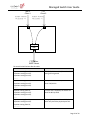
The operating theory for all 4 CoS types can be illustrated by the following figure and table.
TCP/UDP CoS, IP TOS/DS, 802.1p are global setting for all ports and has no relation with the physical port.
Example:
(a) Priority Mode: WRR. High weight=4; Low weight=2
(b) TCP/UDP CoS: P2 FTP =>High queue; P5 SMTP => Low queue
(c) TOS/DS setting: P5 TOS 6’b010010=High queue; P2 TOS 6’b100010=Low queue
(d) 802.1p: P2 802.1p = 6(High queue); P5 802.1p =1(Low queue)
(e) Physical port: P5=High queue; P2=Low queue
According to the rule described above, the CoS will be executed in the following sequence:
TCP/UDP > TOS/DS > 802.1p > Physical
Page 21 of 34
Managed Switch User Guide
FTP
Client 2
SMTP
Client 1
TOS/DS= 6'b010010
802.1p priority = 6
TOS/DS= 6'b100010
802.1p priority = 1
P5
P2
High
Low
P3
FTP Server,
SMTP Server
The actual CoS will behave like this table.
Switch Behavior Observed on P3
4 packets coming from P2;
2 packets coming from P5;
4 packets coming from P2;
……….
2 packets coming from P2;
4 packets coming from P5;
2 packets coming from P2;
……….
4 packet coming from P2;
2 packets coming from P5;
4 packets coming from P2;
……..
2 packet coming from P2;
4 packets coming from P5;
2 packet coming from P2;
……………..
Comment
If TCP/UDP CoS is enabled, the other CoS
setting will be ignored.
If TCP/UDP CoS is disabled, the switch will
check TOS/DS CoS.
If TOS/DS CoS is disabled, the switch will
check the 802.1p field.
If only physical port CoS is enabled, the
switch only check the physical port CoS.
Page 22 of 34
Managed Switch User Guide
Security
MAC Address Binding
This function provides a method for the administrator to specify the relationship between the physical
port and the MAC address. Only the packet with specified source MAC address can communicate with
other port. By specifying the MAC address to each port, the network administrator can prevent the
unauthorized administrator from accessing the switch. Each port can bind up to 3 MAC addresses.
To activate the port binding function, you should enter the correct MAC address, select the port number,
set the port binding to “Enable,” and press “Update”.
Tip: Setting the multicast address to these fields is not allowed. A warning message will
appear if you attempt to do so.
TCP/UDP Filter
By selecting the TCP/UDP port, the network administrator can optionally block some specific
applications. There are two kinds of protocol filter functions. The ”positive” function makes the switch
forward the selected protocol and drop other protocols. The ”negative” function makes the switch drop
the selected protocol and forward other protocols. The protocol is checked at the secure WAN port. And
it should be set at the server side.
Page 23 of 34
Managed Switch User Guide
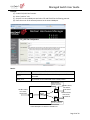
Example:
(a) Enable TCP/UDP Filter function.
(b) Select “positive” rule.
(c) Set port 5 as secure WAN port and select FTP and TELNET as the filtering protocol.
(d) Place the server of the selected protocol at the secure WAN port.
Result:
Physical Port
The Behavior of Switch
TELNET and FTP will be forwarded. Other protocol will be
discarded.
All protocol will be forwarded as the normal packet.
Port 5
Other ports
Check TCP/UDP
detination port at the
selected physical port.
TELNET Client,
FTP Client,
HTTP Client
P5
P2
Switch
Engine
Other
Ports
TELNET Server,
FTP Server,
HTTP Server
TELENT Server,
FTP Server,
HTTP Server
Don't care the protocol
at these physical ports
A Brief Description for Secure TCP/UDP Port
Page 24 of 34
Managed Switch User Guide
Spanning Tree
STP Bridge Settings
Field
STP Mode
Bridge Priority
Hello Time, Max Age and
Forwarding Delay
Description
Disable: Disable RSTP/STP.
STP: Enable STP function.
RSTP: Enable RSTP function, including STP.
This field in conjunction with the MAC address forms the Bridge ID.
The lowest number of the Bridge ID in a Spanning Tree domain will
be selected as the root. Enter a multiple of 4096 this field.
These fields control how this device handles BPDU. The relationship
of these fields is listed below.
Tip: 2*(Forward Delay-1) >= Max Age, Max Age >= 2*(Hello Time+1)
Page 25 of 34
Managed Switch User Guide
STP Port Settings
Field
Port No.
Priority (0~240)
RFC (0~200000000)
Description
To configure the parameters of RSTP/STP port, the administrator should
select a physical port number, assign a priory number, enter the RPC and
then press “Submit” button.
Priority field defines the priority of the RSTP/STP port. The lower the
number is, the higher possibility it will become a root port. There is a
default value for each port.
RPC stands for “Root Path Cost”. The higher the cost is, the lower possibility
it become a root path. In the general case, the physical port with the higher
bandwidth will be assigned a lower cost.
Page 26 of 34
Managed Switch User Guide
Loopback Detection Settings
This web page provides loopback detection function. When loopback detection function is enabled and a
port received it’s own BPDU, the detection agent drops the loopback BPDU and places the interface in
discarding mode. This loopback status can be released automatically, if auto wake up function is enabled.
Field
Loopback Detect Function
Auto Wake Up
Wake-Up Time Interval
Description
Enable/Disable the loopback detect function.
Enable/Disable auto wake up for loopback detection of each
ports.
Set auto wake up time value.
Trunking
This page is used to set trunk group for load balance and cable link auto-backup.
There are 2 methods to set a trunk: Static and LACP.
The meaning of each field shown in the following table is explained as following.
The managed switch supports three trunk groups, which can set port 1 - port 8, port25 and port 26, and
trunk 1 consists of port 1 - port 4, trunk 2 consists of port 5 - port 8, trunk 3 consists of port 25, port 26.
Trunk hash algorithm can be selected according to 2 different methods.
Page 27 of 34
Managed Switch User Guide
Link Aggregation
Algorithm
SA
DA XOR SA
Field
Member
State
Type
Operation Key
Time out
Activity
Description
Among the trunk member ports, the packet will be distributed based on the
source MAC address.
Among the trunk member ports, the packet will be distributed based on the
XOR calculation result of the source MAC address and the destination MAC
address.
Description
There are three configurable trunk groups.
“--“ means the trunk has not been built on the corresponding port. “A”
means trunk has been built on the corresponding port.
Administrator can enable/disable the function of this trunk.
Static: Static setting by manual.
LACP: Setting by ACP.
Assign an operation key for this device
Short Time Out: Re-configure LACP trunk every 1 second.
Long Time Out: Re-configure LACP trunk every 30 second.
You should set at least one side of each trunk to “Active” state. If both sides of
a trunk are all set to “Passive”, LACP trunk will never be built up.
Page 28 of 34
Managed Switch User Guide
DHCP Relay Agent
Relay Agent Configuration
This web page allows the administrator to enable/disable DHCP Relay Agent function. In addition,
option 82 message is selectable by setting.
Field
Description
DHCP Relay State
Allow the administrator to enable/disable Relay Agent function.
DHCP Relay Hops Count Specify the maximum number of Relay Agent traveling from DHCP agent
Limit
to DHCP server.
The pre-condition for enabling/disabling this function is that DHCP Relay
DHCP Relay Option 82 State is set to “enable”. Once the Relay State is set to “enable”, the
State
administrator can enable/disable Option 82, depending on whether the
Option 82 information is required.
Server IP List
The IP address of DHCP server, which can be relayed by this Relay Agent, should be specified on this web
page.
Page 29 of 34
Managed Switch User Guide
VLAN to Server IP Map
This web page defines the relationship between the VLAN group and the server IP address.
DHCP Server Setting
This page allows enabling or disabling of the DHCP Server and the viewing of the IP address of each port.
Tip: Each server can belong to only one VLAN ID. A warning message will appear
if you
Page 30 of 34
attempt to set one server address to multiple VLAN IDs.
Managed Switch User Guide
Backup/Recovery
This function provides the administrator with a method to backup/recover the switch configuration. The
administrator can save configuration file to a specified file. If the administrator wants to recover the
original configuration, which is saved at the specified path, just enter the password and press the
“Upload” button. The backup configuration of the switch will then be recovered.
Tip: The switch will
check that the
uploaded file is
correct. If the content
of the file is incorrect,
the switch will show a
warning message.
Miscellaneous Settings
Page 31 of 34
Managed Switch User Guide
Output Queue Aging Time
This function is used to avoid the poor utilization of the switch. When a packet is stored in a switch for a
long time, the time slot defined by the protocol will expire and this packet becomes useless. To prevent
these useless packets from wasting the bandwidth, this switch provides an option to enable the queue
aging function. Once enabled, the switch will monitor the aging timer for each packet before it is sent
out. A packet that stays in a queue for a long time will be discarded.
VLAN Striding
By selecting this function, the switch will forward uni-cast packets to the destination port, no matter
whether destination port is in the same VLAN.
IGMP Snooping
When this function is enabled, the switch will execute IGMP snooping version 1 and version 2 without
the intervention of CPU. The switch automatically handles IGMP report packets. When the user enables
“Leave packet will be forwarded to IGMP router ports” function. If members want to leave this multicast
group, the IGMP leave packet will be forwarded to the router ports.
VLAN Uplink
In the VLAN, the user can define the “Uplink port”. This is normally the port that attached to
the uplink router. This feature is similar to the “Router port”. After that is set, any frame
transferred to the other VLAN member is forwarded only out the uplink port.
For example:
Step 1: set port 1, 2 and 3 are the same VLAN; set port 4, 5 and 6 are the same VLAN.
Step 2: set port 1 is uplink port of Uplink 1, set port 4 is uplink port of Uplink 2, and
press “Update” button.
Step 3: If port 2 wants to send a uni-case packet to port 5, the packet will be transferred
to port 1.
Page 32 of 34
Managed Switch User Guide
SNMP Settings
Field
Community Name
Access Right
Field
System Description
System Contact
System Location
Trap State
Description
This field allows the administrator to enter the community name.
This filed defines the access attribute. “Read only” means the
administrator can view this community only. “Read/Write” means the
administrator can view and modify this community.
Description
The administrator can enter a device name for the identification in the
network.
The contact person responsible for maintaining network.
The location of this device.
Enable/Disable trapped event. The trapped event are:
Power up event.
Physical port status change event.
Page 33 of 34
Managed Switch User Guide
Logout
This is the administrator logout page. Press the “Accept” button to logout. Press the “Back” button to
browse the previous web page.
Load Default Settings – Hardware Based
The purpose of this function is to provide a method for the network administrator to restore all
configurations to the default value. To activate this function, the administrator should follow the
following procedures.
(a) Press the “Load Default” button for 3 seconds until you see the LoadDefault LED blinking.
(b) When LED starts blinking, it means the CPU is executing the “load default” procedure. You can
release the button now.
After completing this procedure, all the factory default value will be restored. This includes the IP
address, administrator name, password, and all switch configurations.
Page 34 of 34